


Every property, one console
A back-office platform for operators who run more than one villa or hotel: a guided booking flow, room calendars and availability, coupon campaigns, guest chat, and the earnings and occupancy analytics that show whether it is all working - across every property from one place.
Product
- Operator console
- Multi-property
Core
- Bookings
- Room calendars
- Availability
Who uses it
- Hotel managers
- Staff
- Owners
Growth tools
- Coupons
- Guest chat
- Analytics
What does running several properties actually take?
A single calendar on a wall stops working the moment there is a second property. HanKook Villas gives an operator one console for every booking, room, guest and campaign across all of them.
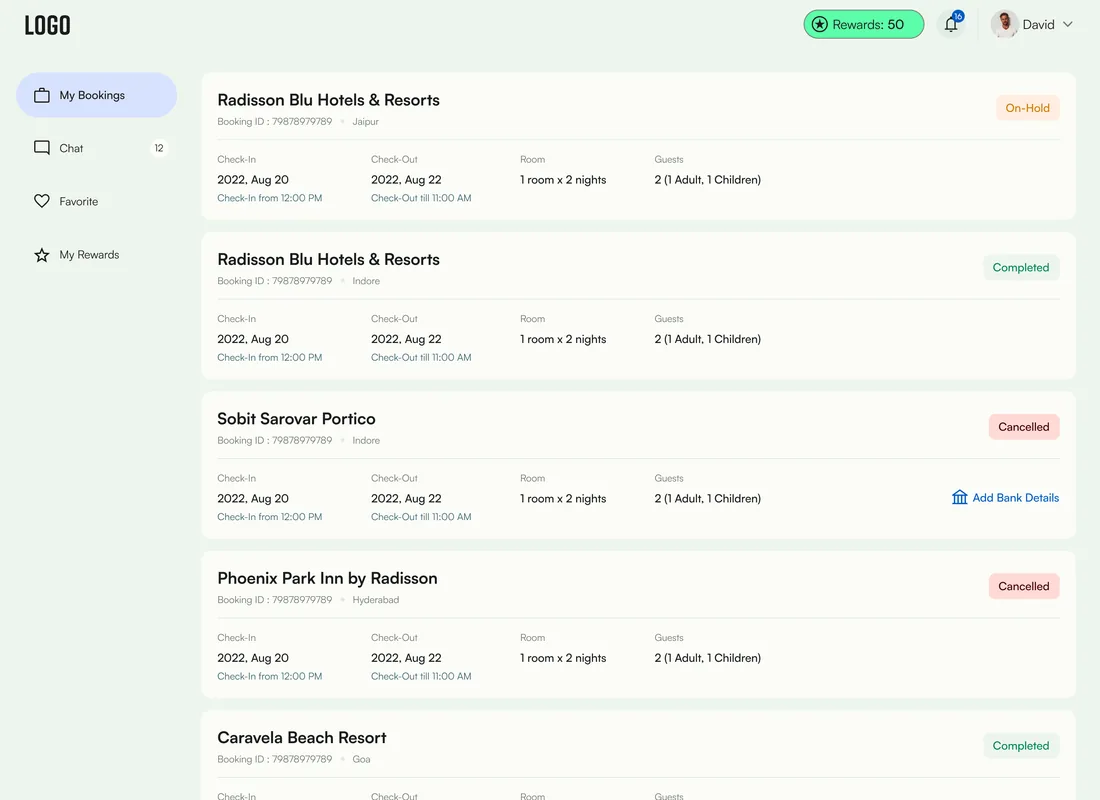
The command centre for a multi-property operation
The dashboard opens on what matters today - who is checking in and out, how full the rooms are, and how revenue compares year on year - then every module underneath handles the work that produced those numbers.
Why do spreadsheets break for a growing hospitality business?
Three things collapse the moment a single villa becomes a portfolio. A platform has to hold all three: availability across properties, bookings captured consistently, and a real read on whether the business is full and profitable.
| Operations task | Spreadsheets & phone calls | In HanKook Villas |
|---|---|---|
| Checking availability | Scan a shared sheet and hope it is current | A live room calendar per property with blocking |
| Taking a booking | Free-form notes that vary by who took it | A five-step flow capturing the same fields every time |
| Managing multiple hotels | One workbook tab per property | Hotel management with a summary across the portfolio |
| Running a promotion | A discount remembered at the desk | Fixed-amount or percentage coupon campaigns |
| Talking to guests | A personal phone and inbox | Guest chat and guest detail tied to the booking |
| Knowing how you are doing | Add it up at month end | Occupancy and year-on-year revenue on the dashboard |
Hotel management
Multi-propertyAdd and manage multiple hotels or villas, each with its own detail, features, rules and policies, map location and a per-property summary - the backbone that makes everything else portfolio-aware.
- Hotel detail & map
- Features & policies
- Hotel summary
Bookings
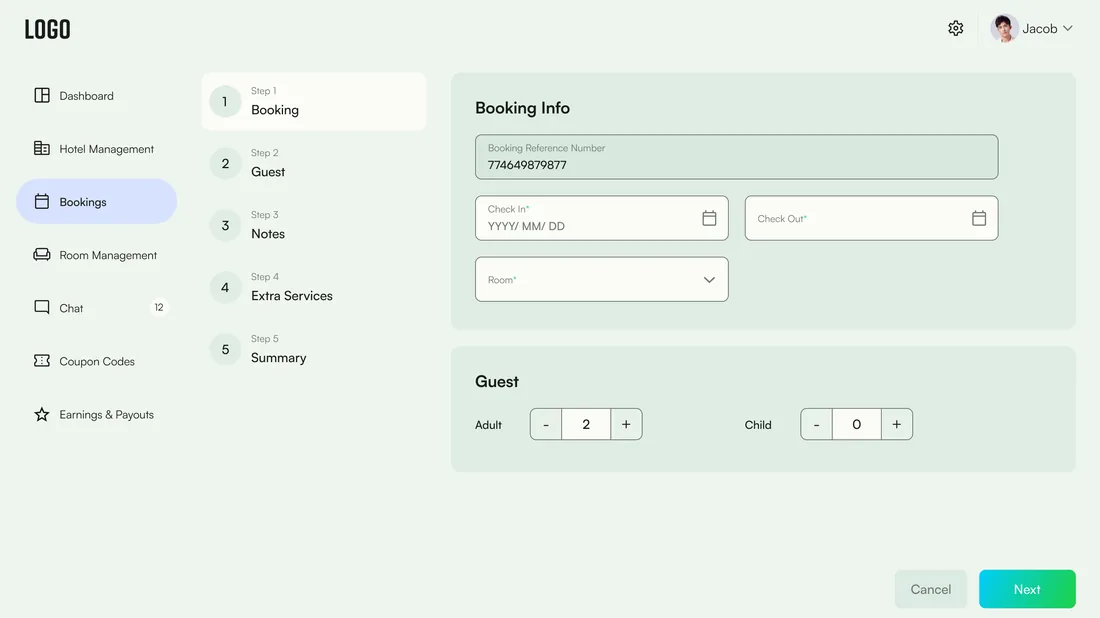
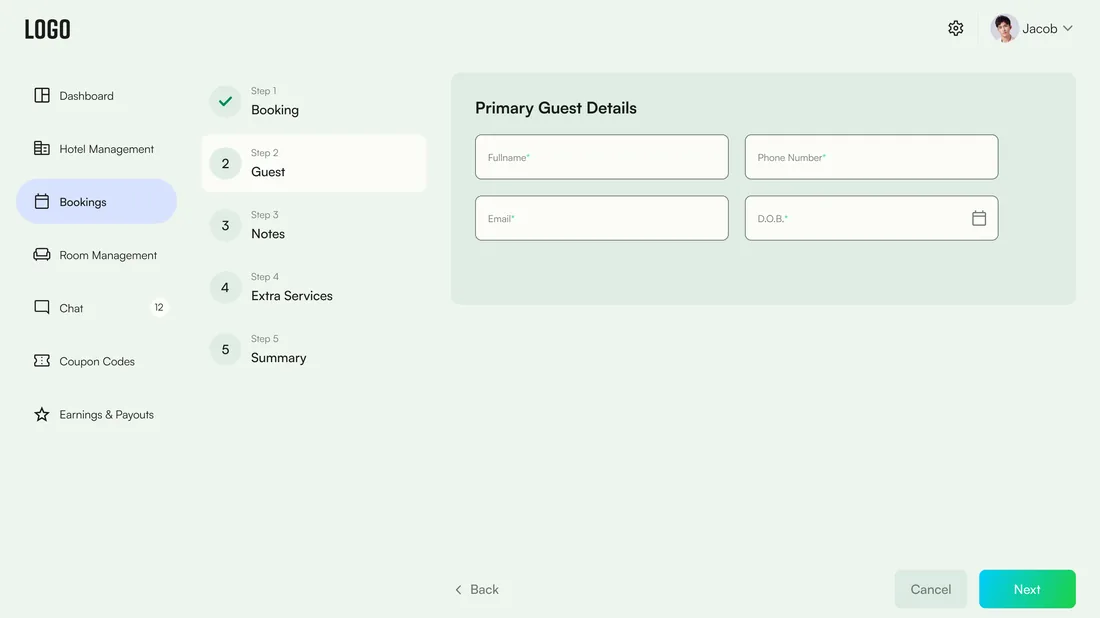
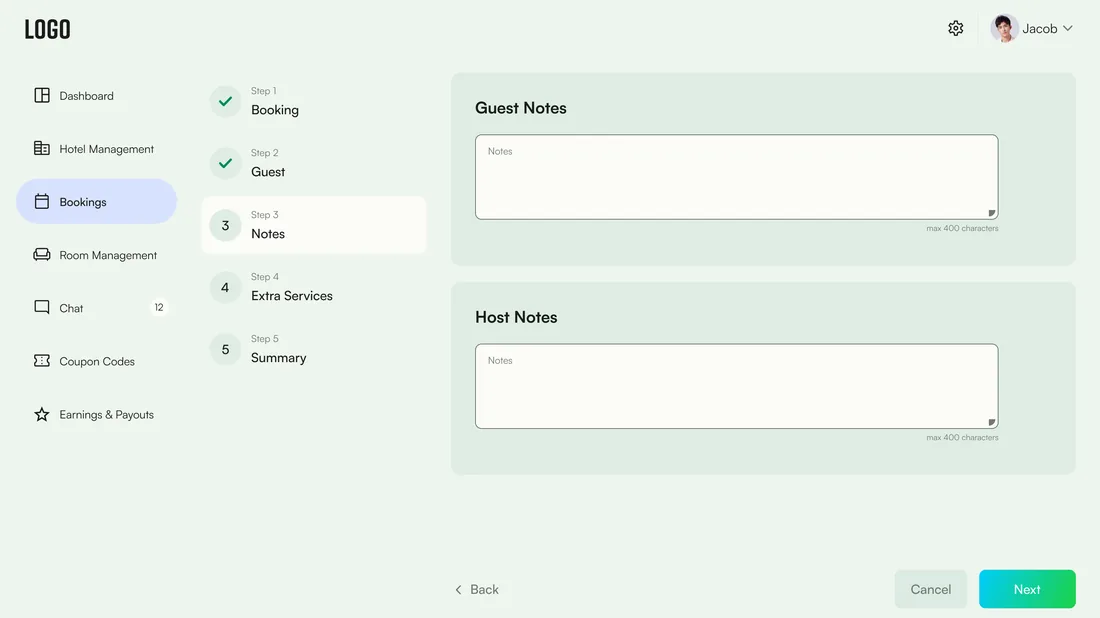
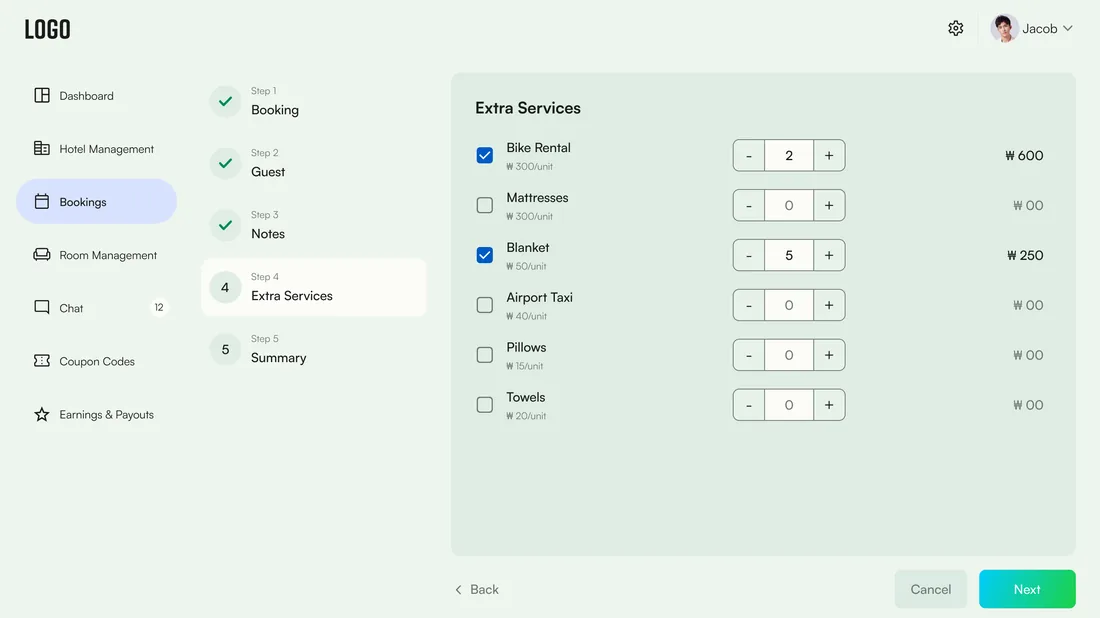
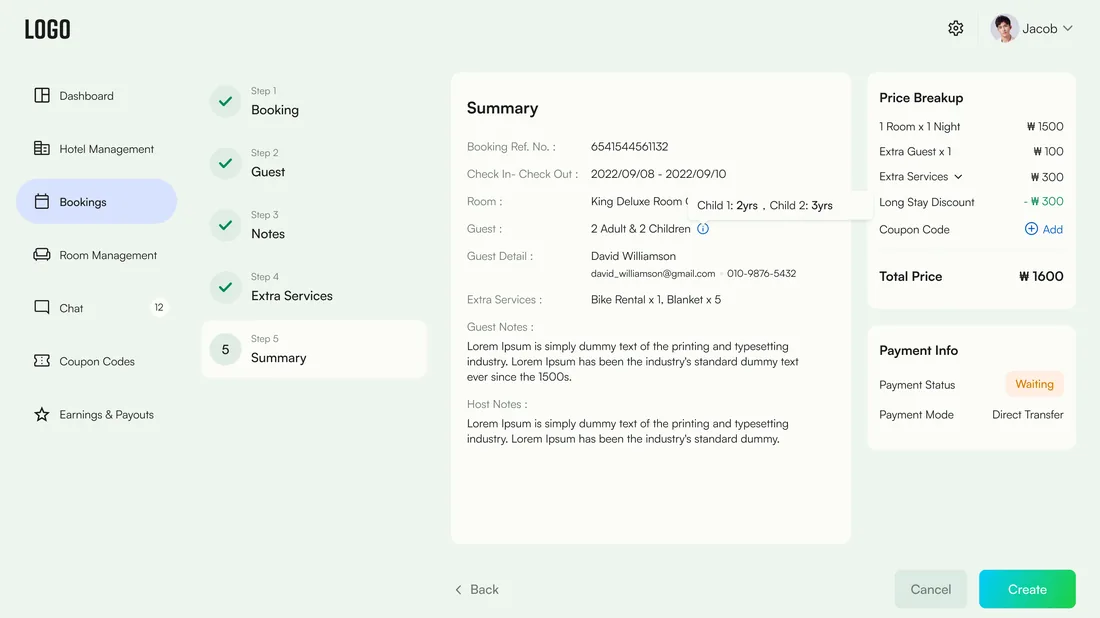
5-step flowCreate and edit reservations through a guided flow - booking info, guest, notes, extra services and summary - with a bookings list and empty-state handling.
- Guided create/edit
- Bookings list
Room management
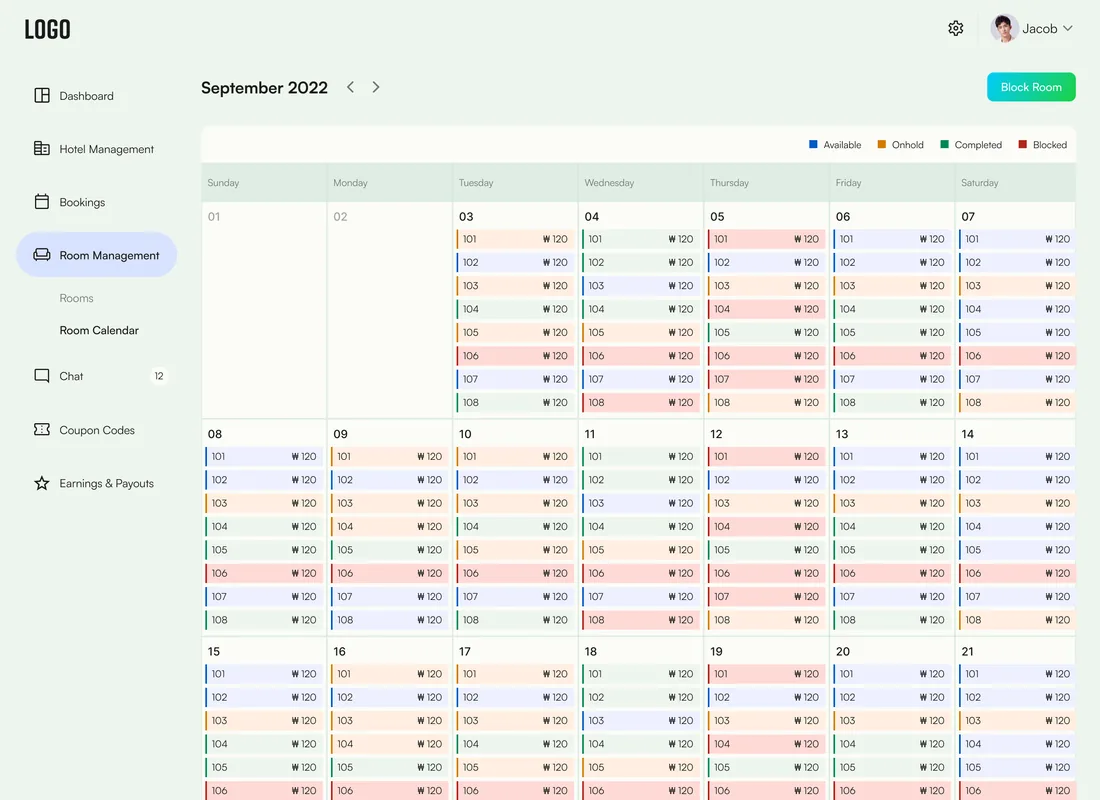
Calendar + blockingAdd and edit rooms, block rooms for maintenance, and manage availability on a room calendar so occupancy is always accurate.
- Room calendar
- Block rooms
Coupons
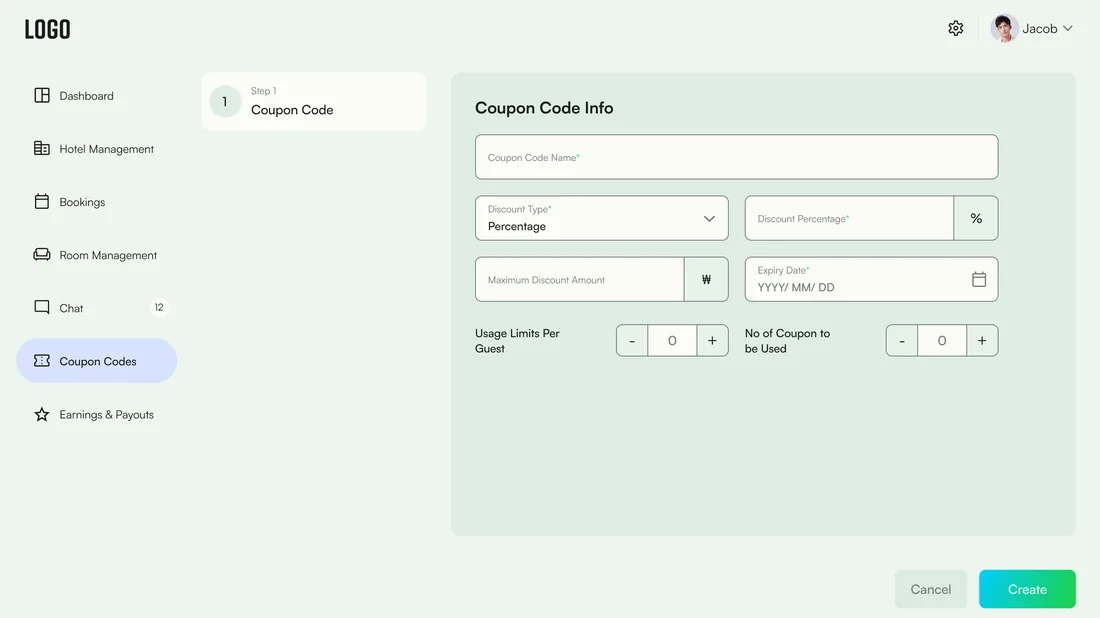
Fixed or %Create fixed-amount or percentage coupon codes, edit and list them, and put targeted discounts behind a campaign rather than a verbal deal.
- Fixed / percentage
- Create & edit
Guests & chat
In-appGuest detail popups and in-app chat keep every conversation attached to the booking it belongs to, with notifications for what needs attention.
- Guest chat
- Notifications
Earnings & settings
PayoutsEarnings and payouts, bank-details and direct-transfer settings, and notification preferences - the financial and account layer that closes the loop from a filled room to a paid operator.
- Bank details
- Earnings & payouts
- Notification settings
How does a reservation get created?
New bookings walk a five-step flow. Each step captures one clear thing and unlocks the next, so a reservation is complete and consistent by the time it is saved - the same, whoever takes it.
What does the interface look like, and why?
A calm resort green carries the brand and every confirming action, set against a soft mint canvas that keeps a data-dense operator console feeling unhurried rather than clinical. Blue is reserved for the charts, so analytics read as information and green stays the colour of 'done'.
Aa
Primary typeface
Rift
A B C D E F G H I J K L M N O P Q R S T U V W X Y Z
a b c d e f g h i j k l m n o p q r s t u v w x y z
0 1 2 3 4 5 6 7 8 9 & ? ! £ $ €
28pxPage titleH122pxKPI figureH218pxSection headingH315pxBody and table cellsBody13pxLabels and navSmall11pxTABLE HEADER / CHIPEyebrowA condensed Rift display pairs with the geometric Satoshi UI face, so a headline can carry weight without crowding a dashboard that is already dense with tables and charts. Type sizes are read from the design file; a device without these faces falls back to the nearest available system font.
Building a hotel booking & management platform
What operators and hospitality teams ask us first.
Ask us yoursHow long does it take to build a hotel booking platform?
An operator platform at this shape - multi-property management, a guided booking flow, room calendars with blocking, coupons, guest chat and analytics - is a several-month build rather than a few weeks. What moves the date most is how many properties and room types you support and whether payments and payouts are in the first release. We phase it so bookings and room management ship before the growth and finance tooling.
Can it manage more than one hotel or villa?
Yes - that is the reason it exists. Hotel management lets an operator add multiple properties, each with its own rooms, features, rules, policies and location, and see a summary across the whole portfolio. Everything from availability to earnings is property-aware, so a growing operation does not outgrow the tool.
How does the booking flow avoid mistakes?
By making every reservation follow the same five steps - booking info, guest, notes, extra services and summary. Each step captures one clear thing and the next unlocks in turn, so a booking cannot be saved half-formed and every member of staff records the same details. The final summary confirms the whole reservation before it is committed.
Does it handle availability and prevent double-bookings?
Room management runs off a live room calendar where staff can see availability and block rooms for maintenance or holds. Because availability is authoritative per property rather than sitting in a shared spreadsheet, the platform prevents the double-bookings that manual calendars invite.
What analytics does it give an operator?
The dashboard surfaces the operational picture: today's check-ins and check-outs, room utilisation over the month, and a year-on-year revenue comparison, alongside a booking summary. It turns the records the platform already holds into a read on occupancy and revenue, so decisions are based on what is actually happening.
Related work
Running properties out of a spreadsheet?
Tell us how your business actually works and we will tell you honestly what it takes to build. See more of our work or what we do.
Book a 15-minute call