


Every asset class, one app
A native property marketplace where owners, agents and builders list residential, commercial, industrial and agricultural property for sale, rent or auction - each with its own structured listing wizard, map-based search, and a credits-and-subscription model that fits how brokers actually work.
Product
- Native mobile app
- iOS + Android
Asset classes
- Residential
- Commercial
- Industrial
- Agricultural
Listing types
- For sale
- Rent / lease
- Auction
Who lists
- Owners
- Agents & brokers
- Builders
What does it take to make property search actually reliable?
Property is bought and sold across classifieds, broker calls and word of mouth, where two listings for the same flat describe it three different ways. Tanaal makes the listing itself structured, so search and comparison hold up.
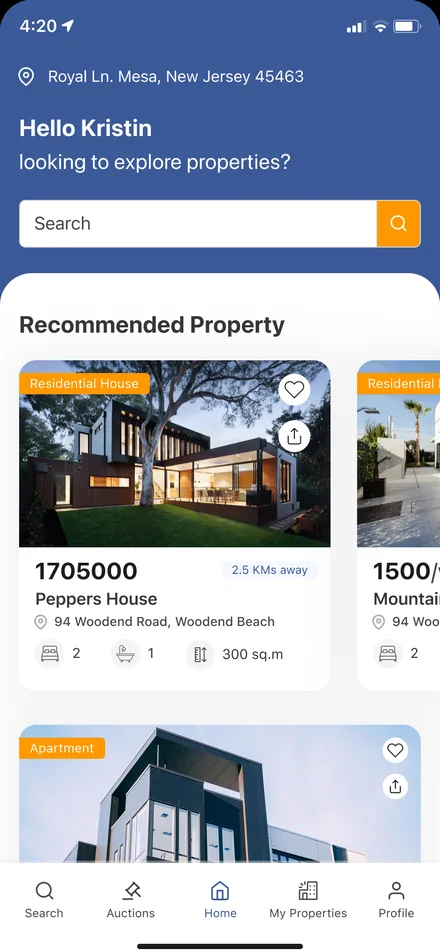
One marketplace that understands what it is listing
A warehouse is not an apartment and a plot is not a penthouse, so the app models each asset class on its own terms - the right fields, the right filters, the right detail page - rather than forcing everything through one generic form.
Why do generic classifieds fail property search?
Three things break a one-size listing form. A property app has to hold all three: every asset class needs its own shape, discovery has to work on a map as much as a list, and the people who list at volume need a commercial model - not the same free post as a one-off owner.

| Listing a property | Classifieds & broker calls | In Tanaal |
|---|---|---|
| Capturing the property | One free-text box for every property type | A guided wizard per asset class with the right fields |
| Area & carpet size | Quoted loosely, rarely comparable | Super built-up and carpet area entered as structured values |
| Finding the right area | Scroll a list and guess the location | Map search with pin-drop and draw-your-own-area |
| Photos & floor plans | A few phone snaps in a thread | Exterior, interior, kitchen, floor plan and master plan sets |
| Contacting the lister | A phone number that may be stale | In-app enquiries and messaging tied to the listing |
| Listing at volume | Pay per classified, no tooling | Credits, subscriptions and promoted listings for brokers |
Listing wizards
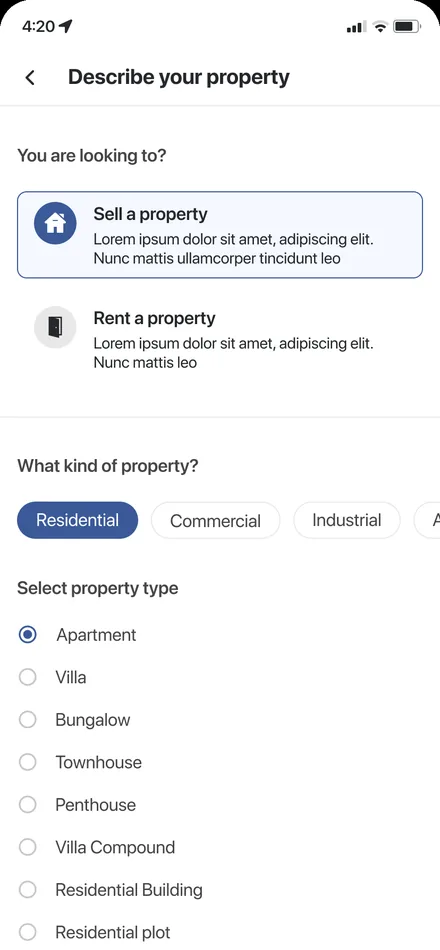
Per asset classA guided, multi-step wizard for each property type - apartment, house, villa, plot, land, office, shop, showroom, warehouse and shed - covering features, area, direction, pricing and staged image uploads for sale and for rent.
- Feature capture
- Compass direction
- Lumpsum or per-sqft
- Floor & master plans
Search & discovery
Map + filtersAsset-specific filter sets, map view with pin-drop and draw-your-own-area, and separate result tabs for buy, rent and auction.
- Filters
- Map & draw-area
- Auction results
Property pages
Gallery + promoteDetail pages with image galleries, structured attributes, amenities and a location map, plus a promoted variant for featured listings.
- Image gallery
- Promoted listing
- Location map
Credits & plans
MonetizationCredit points, subscription plans, purchase details and a full payment history - the commercial layer that lets agents and builders operate at scale.
- Credit points
- Subscriptions
- Payment history
- Purchase details
Engagement
4 flowsEnquiries, in-app messaging, favourites, and re-post or remove flows keep a listing active and its conversations in one place.
- Enquiries
- Messaging
- Favourites
Access & profiles
3 profilesGuest browsing, individual owners and agents, with mobile-number OTP verification and a complete-profile step for verified listers.
- OTP verify
- Complete profile
- Role-aware UI
The product, screen by screen
Eight of the surfaces a buyer, owner or agent moves through - from the home feed to a fully structured listing wizard and a broker's subscription.
Home feed
Categories, promoted listings and quick access to sale, rent and auction.
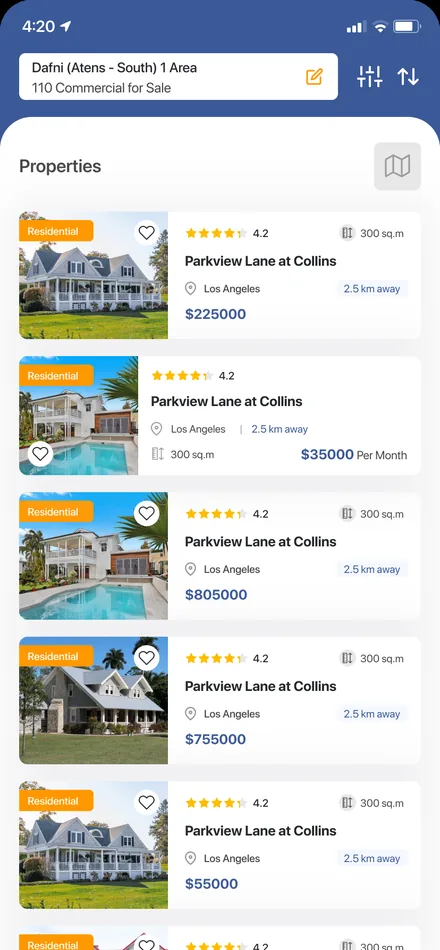
Search results
Structured cards with price, area and key attributes, switchable to a map.
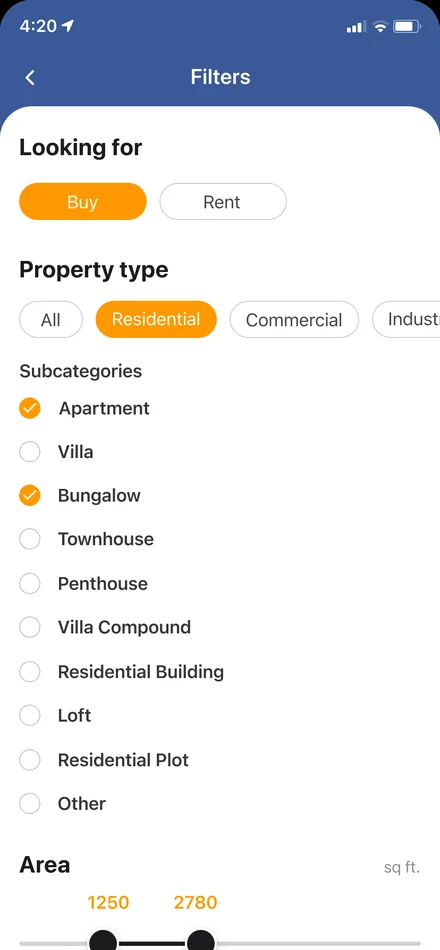
Filters & map
Asset-specific filters plus pin-drop and draw-area search on the map.
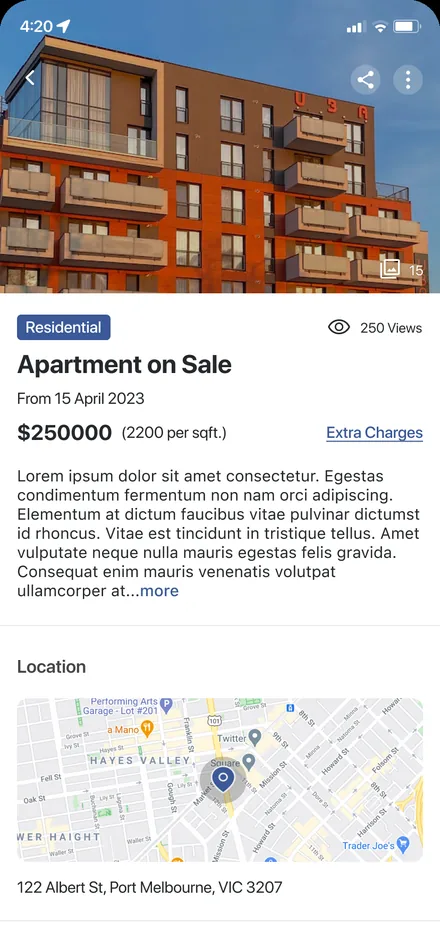
Property detail
Image gallery, amenities, structured attributes, location map and enquiry.
List a property
A step-by-step wizard that adapts its fields to the asset class.
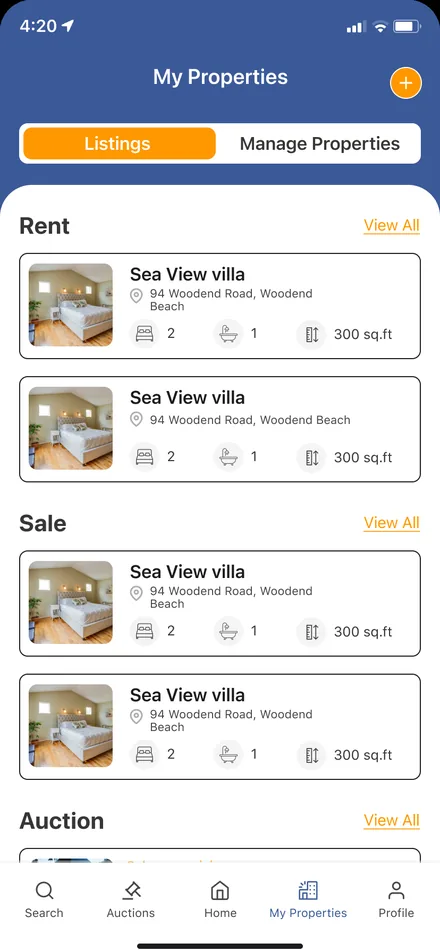
My properties
Manage, re-post, remove and promote the listings you own.
Enquiries
Every message about your listings, tied to the property it concerns.
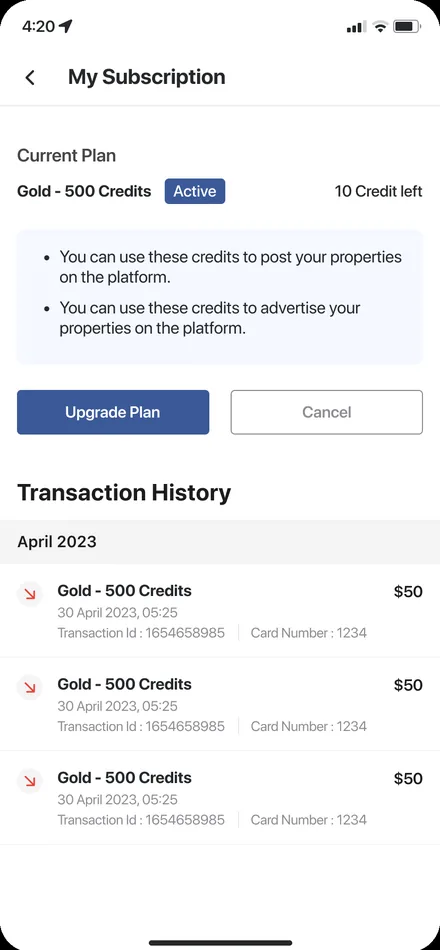
Broker subscription
Plans and credits for agents and builders who list at volume.
One app, three kinds of user
The same marketplace presents itself differently depending on who is signed in - a browsing guest, an individual owner, or an agent working at volume.
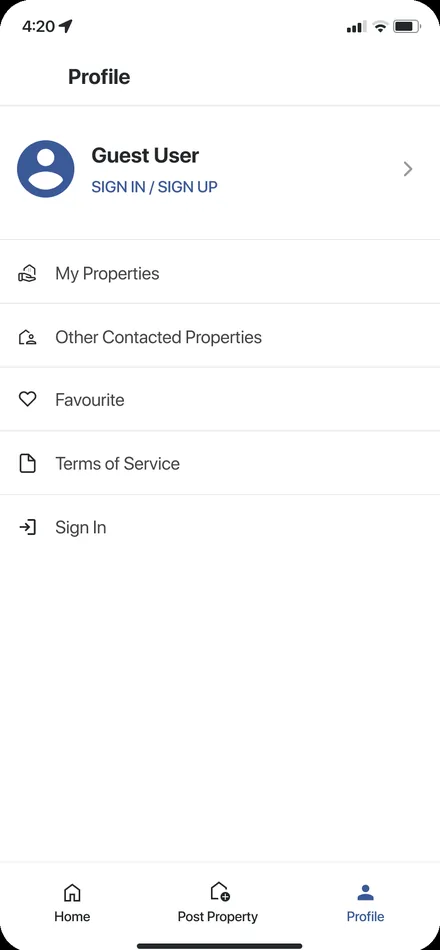
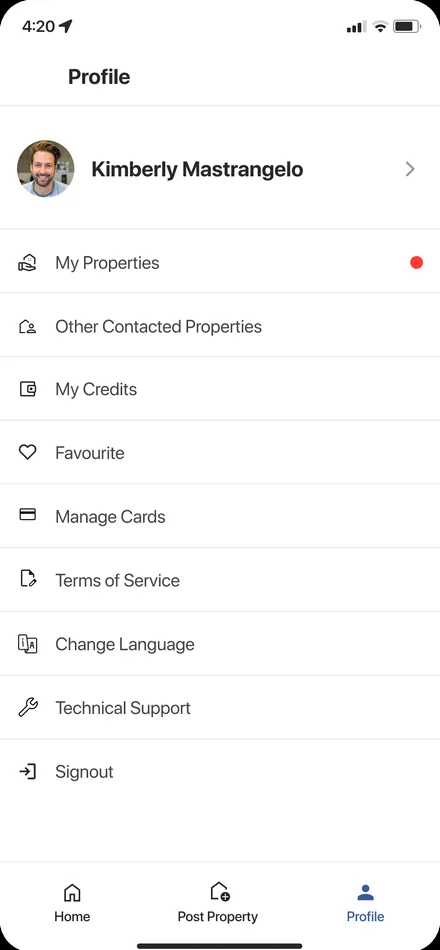
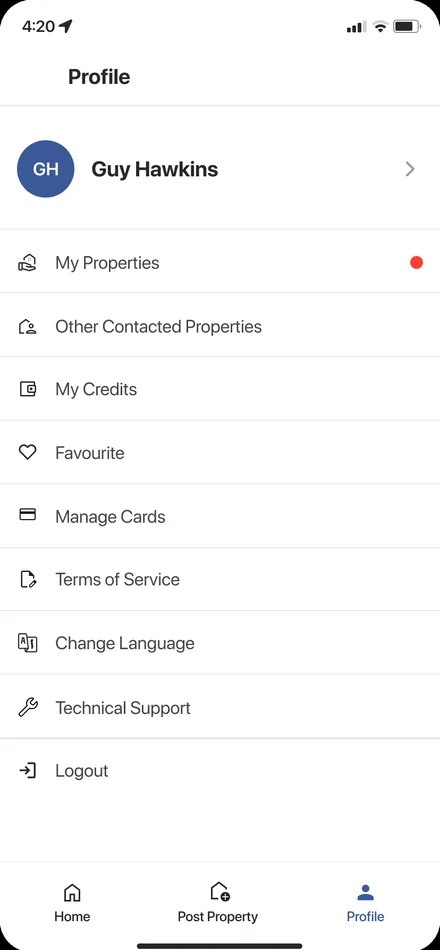
What does the interface look like, and why?
A warm amber-orange carries every primary action - list, enquire, promote - against clean iOS-native neutrals, so the one thing the app wants you to do on any screen is always the brightest thing on it. Structured attributes are set in the crisp system type so a spec sheet reads at a glance.
Aa
Primary typeface
SF Pro Display
A B C D E F G H I J K L M N O P Q R S T U V W X Y Z
a b c d e f g h i j k l m n o p q r s t u v w x y z
0 1 2 3 4 5 6 7 8 9 & ? ! £ $ €
22pxScreen titleH120pxPriceH217pxCard headingH315pxAttribute valueBody13pxAttribute labelSmall11pxCHIP / TAGEyebrowThe interface is built on the platform-native SF Pro family, so the app feels like it belongs on the phone rather than fighting it. Type sizes are read from the design file; a device without SF Pro falls back to the nearest system face.
Building a property marketplace app
What owners, agents and product teams ask us first.
Ask us yoursHow long does it take to build a property marketplace app?
A marketplace at this shape - multiple asset classes, per-class listing wizards, map search, messaging and a credits or subscription model - is a several-month build rather than a few weeks. What moves the date most is the number of distinct asset classes you support and how much of the monetization and promotion layer is in the first release. We phase it so browsing and listing ship before the full broker tooling.
Why model each asset class separately instead of one listing form?
Because the fields that make a listing useful differ completely between an apartment, a plot and a warehouse. A single generic form either asks irrelevant questions or misses the ones that matter, and the result is unstructured data that search cannot rank. Per-class wizards keep the listing clean, which is what makes filters, sort and the map view trustworthy.
How does map-based property search work?
Listings carry a real location pin, so search can run on a map as well as a list. A buyer drops a pin or draws an area on the map and sees only the properties inside it, combined with asset-specific filters like price, area, bedrooms or furniture status. It matches how people actually shop for property - by neighbourhood first.
How is the app monetized?
Through a credits and subscription model aimed at the people who list at volume. Individual owners can post a single property, while agents, brokers and builders buy credits or a subscription to list at scale and promote featured listings. The app keeps purchase details and a full payment history against each account.
Can it handle both sale and rental listings, and auctions?
Yes. Every asset class supports listing for sale and for rent or lease, and the app includes an auction listing type with its own result view. The listing wizard and the search filters adapt to whichever path a lister or buyer is on.
Related work
Building a marketplace of your own?
Tell us how your business actually works and we will tell you honestly what it takes to build. See more of our work or what we do.
Book a 15-minute call