


The office behind the app
The web back-office that runs a property firm's resident app: an analytics dashboard, role-based user and worker management, and the content, events, documents and categories staff publish out to residents every day.
Sector
- Property & real estate
Product
- Web admin portal
Modules
- 8 top-level areas
Roles
- Administrator
- Worker
What is the PPP portal?
Every application, inspection and news post a resident sees in the app is created, moderated and answered somewhere. PPP is that somewhere - the staff-side control room for the whole property operation.
One console for content, clients and access
The portal opens on a dashboard that reads the whole operation at a glance, then breaks into eight areas staff work in - users and roles, clients, content, events, documents and categories - each a full create, edit and manage surface.
Why does a resident app need a portal this size?
An app is only ever the tip of the operation. Behind every polished resident screen sits the work of publishing content, vetting users and answering enquiries - and that work needs a proper console, not a database and a prayer.
| Running the operation | Without a portal | In PPP |
|---|---|---|
| Publishing news & events | Edit code or a CMS bolt-on | Structured create / edit forms |
| User permissions | One shared login | Per-module roles on positioned users |
| Maintenance staff | A separate spreadsheet | Worker records managed in-console |
| Event enquiries | An email inbox | A list, each opening to full detail |
| The document library | A shared drive | Documents filed under managed categories |
Dashboard & analytics
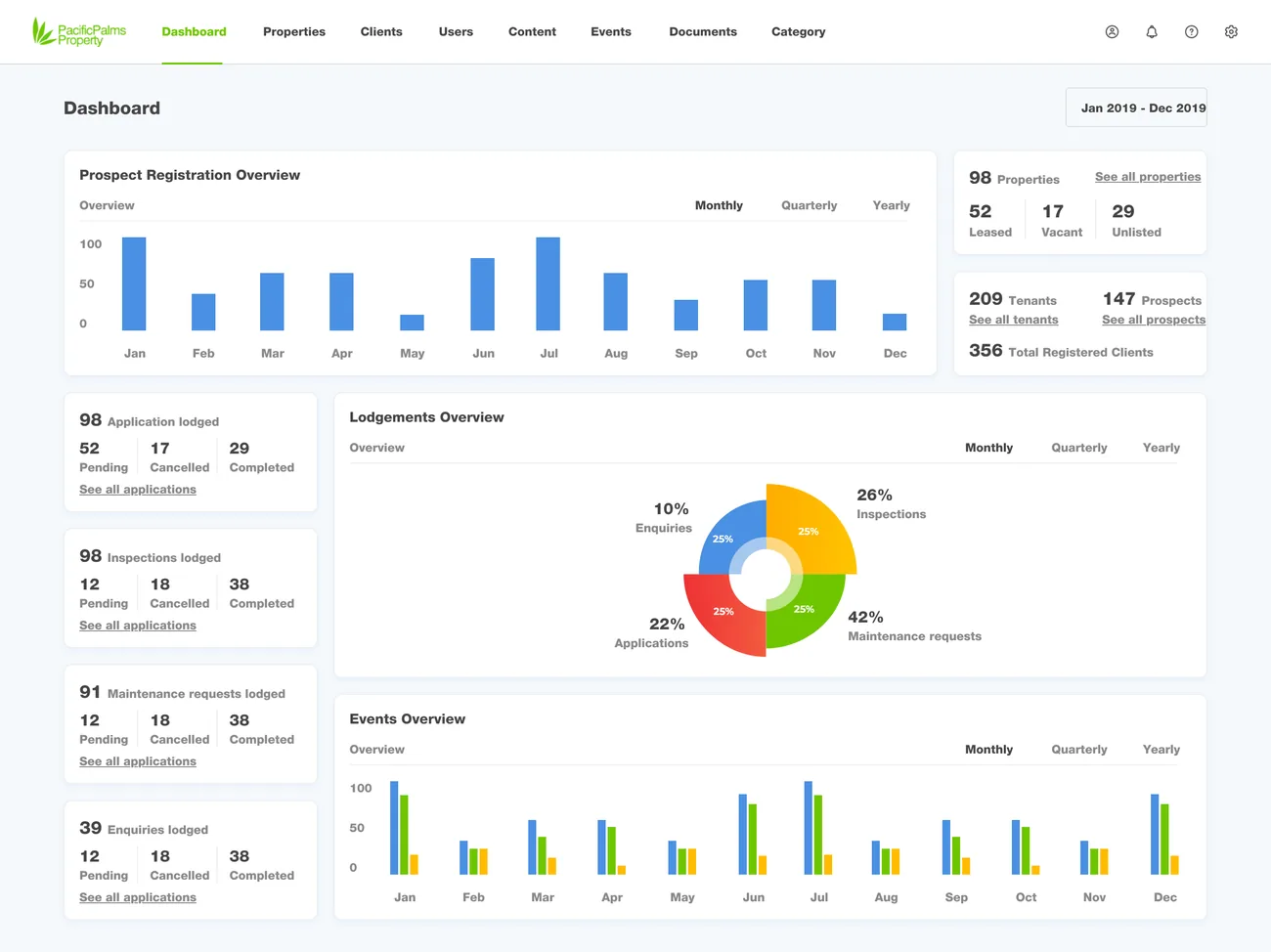
OverviewRegistration trends, a lodgement-mix donut, portfolio status and event engagement on one landing screen, each panel toggling monthly, quarterly and yearly.
- Lodgement mix
- Trends over time
- Portfolio status
Users & roles
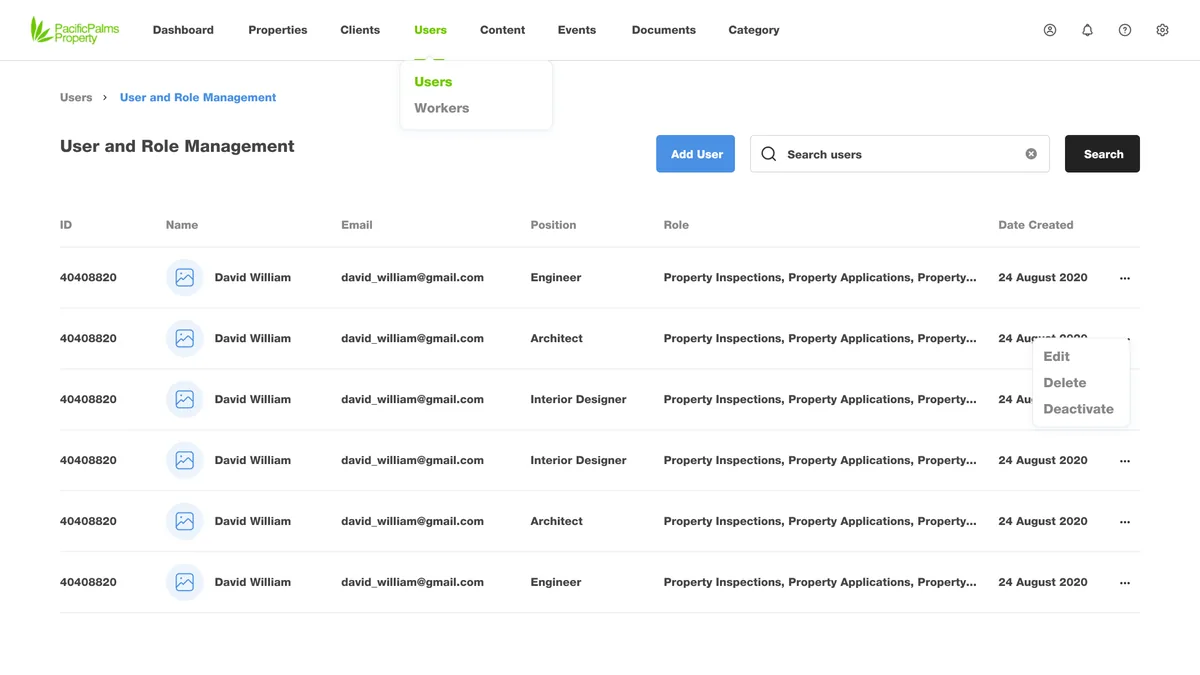
RBACPositioned user records with roles built from per-module permissions, plus add, edit, deactivate and search across the directory.
- Per-module roles
- Positions
Workers
Field staffA separate register for maintenance workers - the people who action job cards - with their own records, edit and detail views.
- Worker records
Content
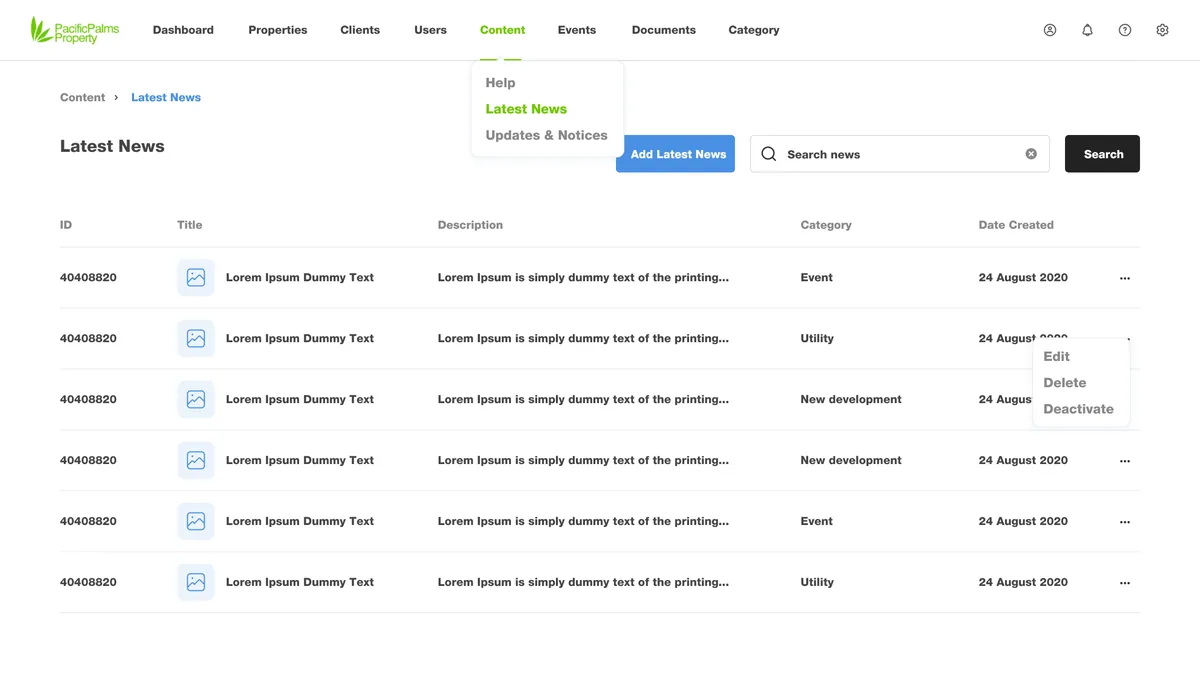
3 typesLatest news, events, and updates & notices, each with full create, edit, detail and delete flows - the feed residents read in the app is authored here.
- News
- Events
- Updates & notices
Events & enquiries
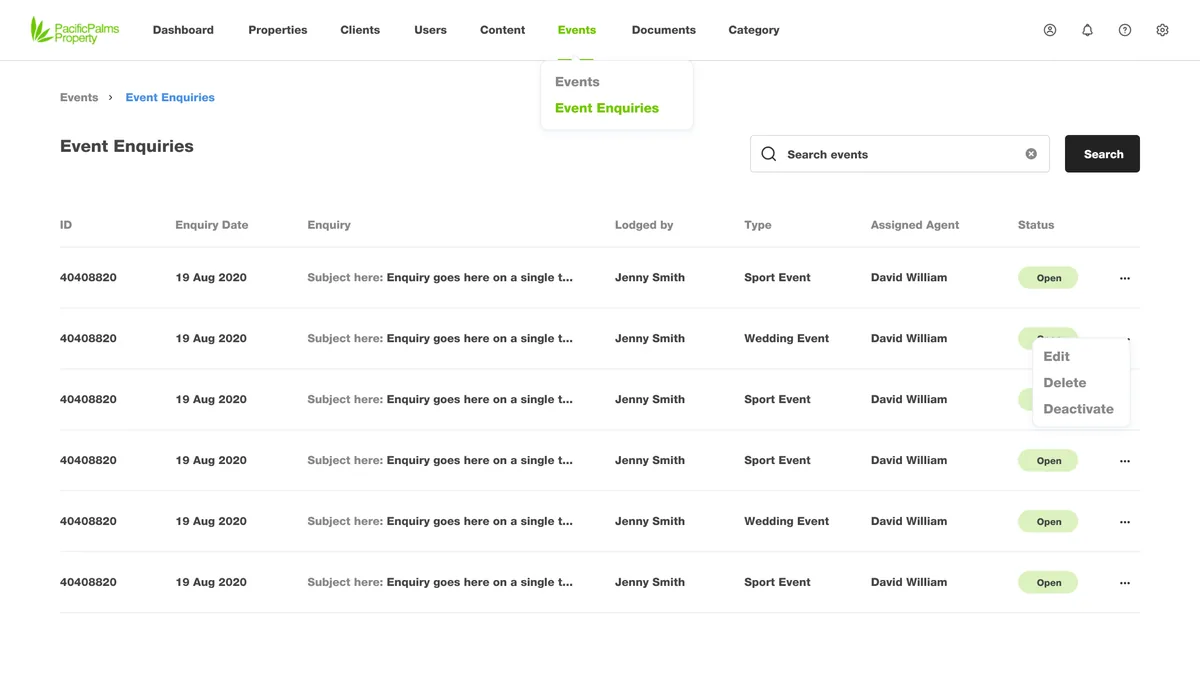
Publish + replyEvents published with detail pages, plus the enquiry list they generate and the detail view a staff member opens to respond.
- Event detail
- Enquiry detail
Documents & categories
LibraryA document library filed under a managed category tree, plus help articles, a gallery workflow and notifications.
- Documents
- Categories
- Help & gallery
What does the overview actually show?
The landing dashboard is built to be read in one pass - registrations, lodgements, portfolio status and event engagement, each in its own panel with monthly, quarterly and yearly toggles.
A bar chart of prospect registrations over the period, switchable between monthly, quarterly and yearly.
The property book at a glance, split into leased, vacant and unlisted.
Registered tenants, prospects and the total client base, each linking through to its full list.
Applications, inspections, maintenance and enquiries lodged, each broken into pending, cancelled and completed.
A donut showing the balance of enquiries, inspections, applications and maintenance across the portfolio.
A grouped bar chart of event activity across the year, beside the registration trend.
What does any resident-app back office need?
These came out of building PPP, and they hold for any consumer app that has staff behind it - a portal is only as good as the control it actually gives.
- A dashboard that answers, not decorates. The overview has to surface the numbers a manager opens the portal to check, in one screen, not five reports.
- Roles built from permissions, not job titles. A worker and an editor need different doors; per-module roles are what keep the wrong data off the wrong screen.
- Content authored through forms, never code. If publishing a notice needs a developer, it will not happen weekly - staff need structured create and edit surfaces.
- Enquiries that land somewhere accountable. Every message from the app must arrive in a list a named person owns, openable to its full context.
- A library with a spine. Documents without a category tree become a shared drive; the tree is what keeps them findable a year later.
- One place in, many places out. What staff publish once should surface everywhere residents look - the portal is the single source the app reads from.
What does the portal look like, and why?
The resident app's leaf green stays as the identity in the logo and active navigation, but the working surfaces lean on a clear action blue - the colour of every primary button and every chart - over a cool slate ink. It is the register a data-dense console wants: calm, legible, and honest about where to click.
Aa
Primary typeface
Poppins
A B C D E F G H I J K L M N O P Q R S T U V W X Y Z
a b c d e f g h i j k l m n o p q r s t u v w x y z
0 1 2 3 4 5 6 7 8 9 & ? ! £ $ €
28pxPage titleTitle18pxPanel headingH314pxTable cell & bodyBody12pxCOLUMN & NAV LABELSLabelThe portal runs the same Poppins family as the resident app, tightened for dense tables and toolbars. Poppins is an open-licence typeface; the specimen falls back to the nearest available face if it is not installed on your device.
Building a property admin portal
What operators ask us first when they need a back office like PPP.
Ask us yoursHow long does it take to build an admin portal like PPP?
A back office with a dashboard, role-based access and half a dozen content and management modules typically takes three to five months. The count of distinct modules and the depth of the permission model drive the date more than the charts do. We usually build the dashboard and access control first, then the content and library modules around them.
How much does a back-office portal cost?
It depends on scope, and no honest number comes off a module list alone. The biggest cost drivers are how granular the roles must be, how many content types staff manage, and whether the portal drives a companion app or stands alone. Shanti Infosoft scopes it on a short call and returns a fixed quote.
Can it enforce different permissions per role?
Yes - that is the core of the users module. Each user carries a position and a role assembled from per-module permissions, so a maintenance worker, a content editor and an administrator each see only the areas their role grants.
Does it power the resident app directly?
It does. News, events, updates, notices and documents authored in the portal are what surface in the Pacific Palm Property resident app, and enquiries raised in the app land back in the portal for staff to answer.
Is the dashboard configurable?
The overview panels - registrations, the lodgement mix, portfolio status and event engagement - each switch between monthly, quarterly and yearly views, so a manager can read the same operation at the cadence they care about.
Related work
Need the back office behind your app?
Tell us how your business actually works and we will tell you honestly what it takes to build. See more of our work or what we do.
Book a 15-minute call