


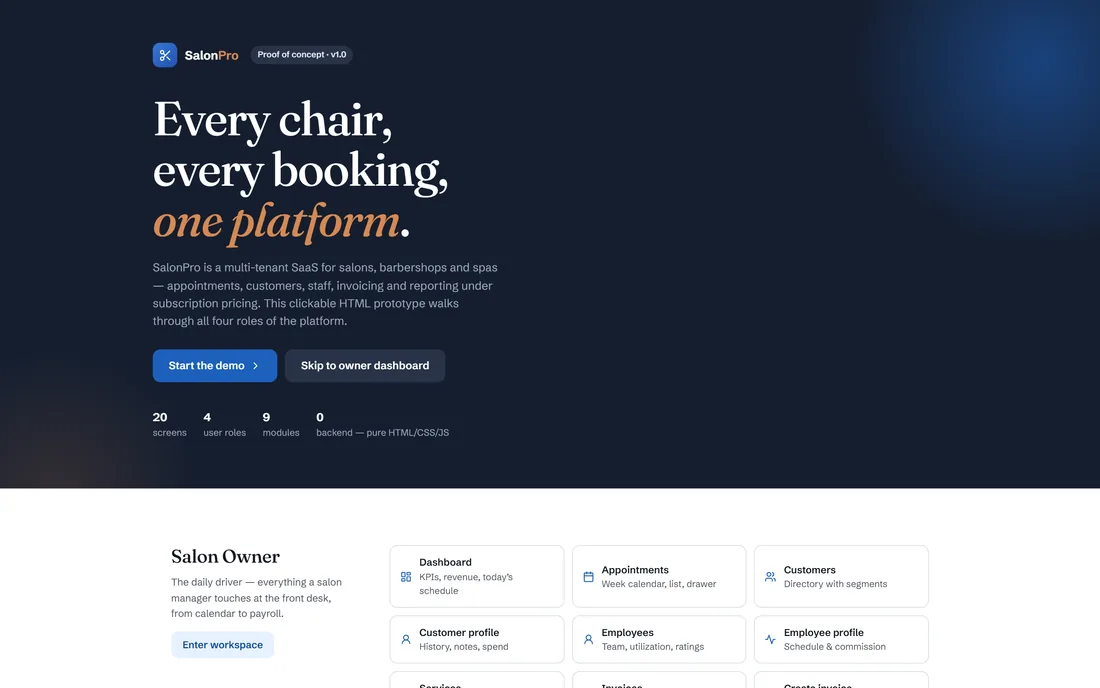
Every chair,every booking.
A multi-tenant SaaS for salons, barbershops and spas: appointments, customers, staff, invoicing and reporting for the salon, a booking flow for its customers, and a subscription control panel for the operator running the whole platform.
Two businesses in one product
There is the salon's business — filling chairs, tracking regulars, paying stylists commission — and there is the platform's business, which is subscriptions, tenants and churn. SalonPro runs both, because a booking product that ignores the second one has no way to grow past its first few salons.
The calendar is the product
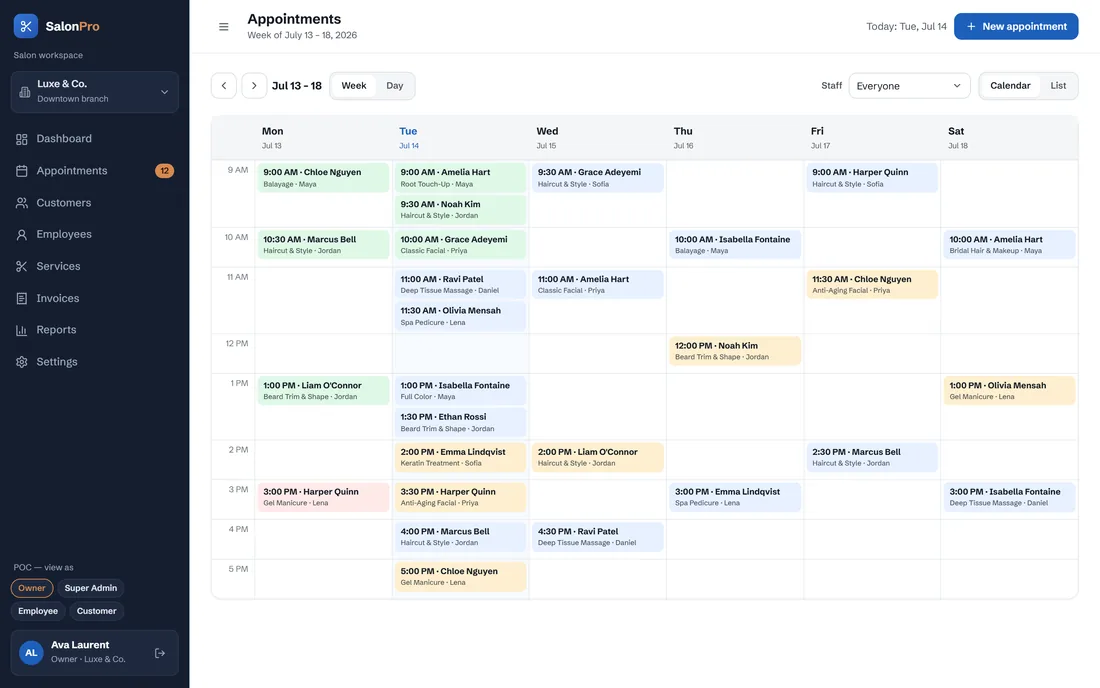
A week calendar, a list view and a detail drawer, because the front desk needs to see the day, find one booking, and change it without losing their place.
Commission is built in, not bolted on
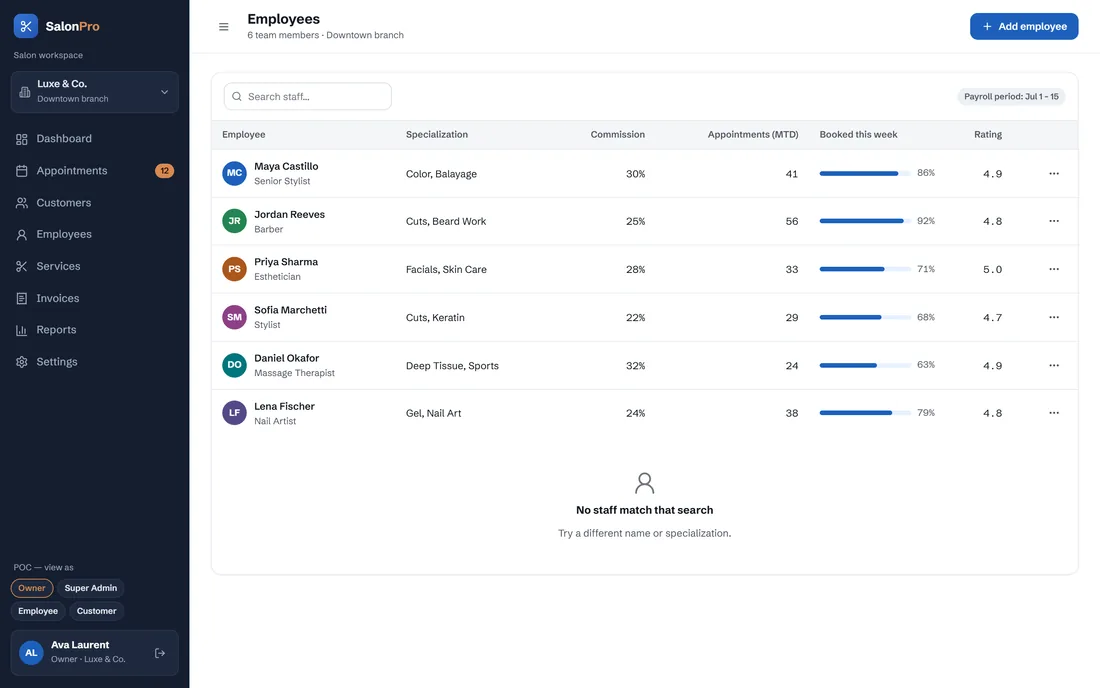
Each stylist carries a commission rate against their own bookings, so payroll comes out of the same data that runs the diary.
The operator's view is a separate product
Recurring revenue, plan mix, trials and churn belong to whoever runs the platform — and none of it is visible to a salon.
Why do salon booking products get abandoned?
Not because they lack features. They get abandoned because they are slower than the diary they replaced, because the stylist has no reason to open them, or because the customer gives up two steps into booking and phones instead. Three separate audiences, each able to kill the product on their own.
The front desk is busier than the software — a walk-in arrives mid-service, and if adding them takes more taps than writing a name in a diary, the diary stays open and the system drifts out of date within a week. Answer → flows fast enough to beat the diary.
The stylist has no reason to log in — staff will not use an admin console, but they will use a screen that shows their own day and their own commission. Answer → one screen: my day, my commission, one tap to mark done.
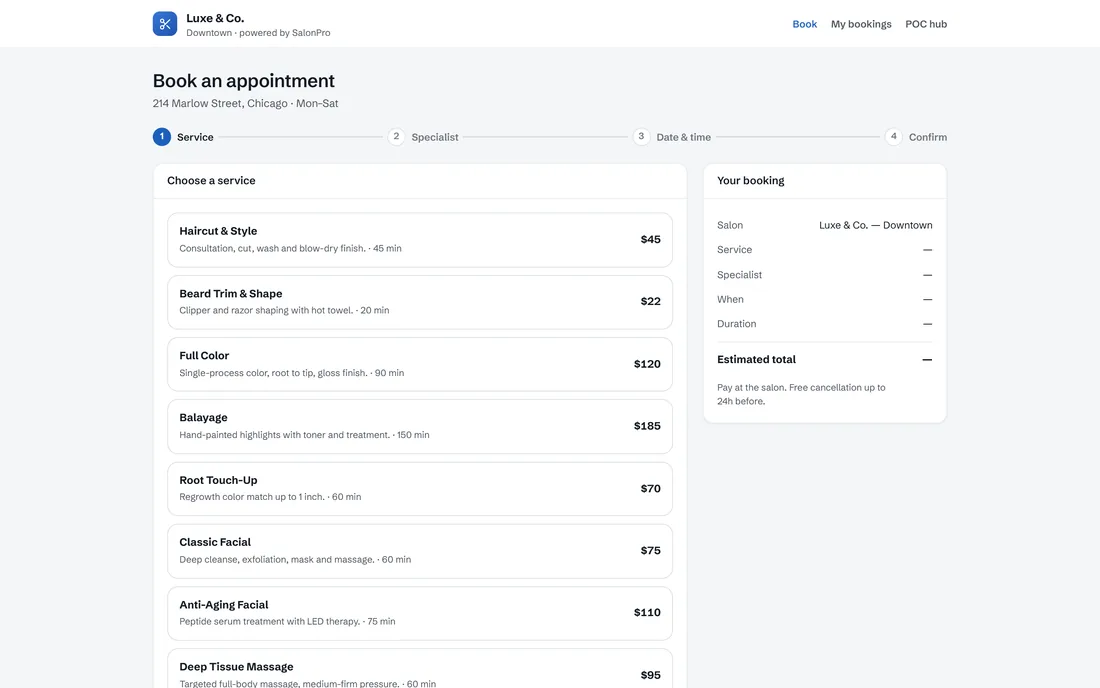
The customer abandons the booking — every extra decision loses bookings. Answer → four steps, a visible running summary, no forced account.
What SalonPro had to get right
A salon runs on a paper diary and a phone that rings during a colour service. The software that replaces it has to be faster than the diary, or the diary wins — and the platform selling it has a second, completely different business to run behind the scenes.
Beat the diary, run the platform
- Make the calendar the product — a week view, a list and a detail drawer for the front desk.
- Build commission into the booking — a rate per stylist, applied to their own bookings.
- Give the operator a separate console — recurring revenue, plan mix, tenants and churn, invisible to any salon.
- Keep the customer flow to four steps — service, specialist, time, confirm, no forced account.
Why it was hard
- A walk-in arrives mid-service — if the software is slower than the diary, the diary stays open.
- Staff will not learn an admin console; they need one screen worth opening.
- Every extra step in the customer flow loses a booking.
- The tenant's business and the platform's business must never see each other's data.
Four roles, four very different screens
A role switch in the top bar moves between all four surfaces — the salon owner's daily driver, the operator's platform view, the employee's one screen, and the customer's booking flow.
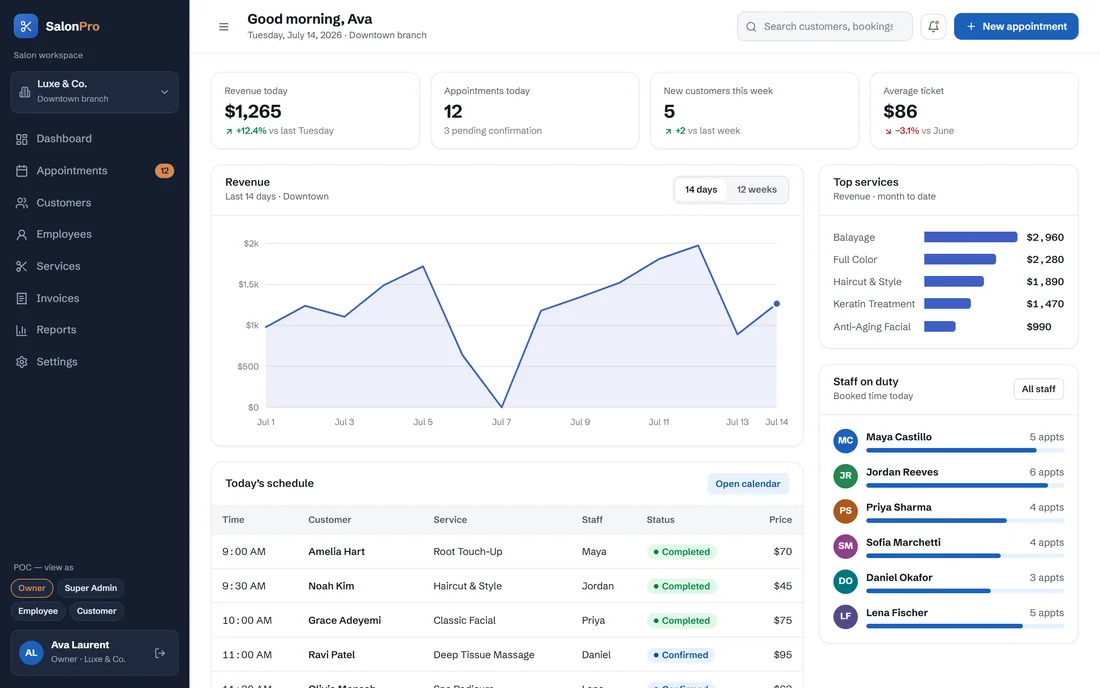
Salon owner
Eleven screens and the daily driver: dashboard, appointments, customers and profiles, employees and profiles, services, invoices, invoice creation, reports and settings.
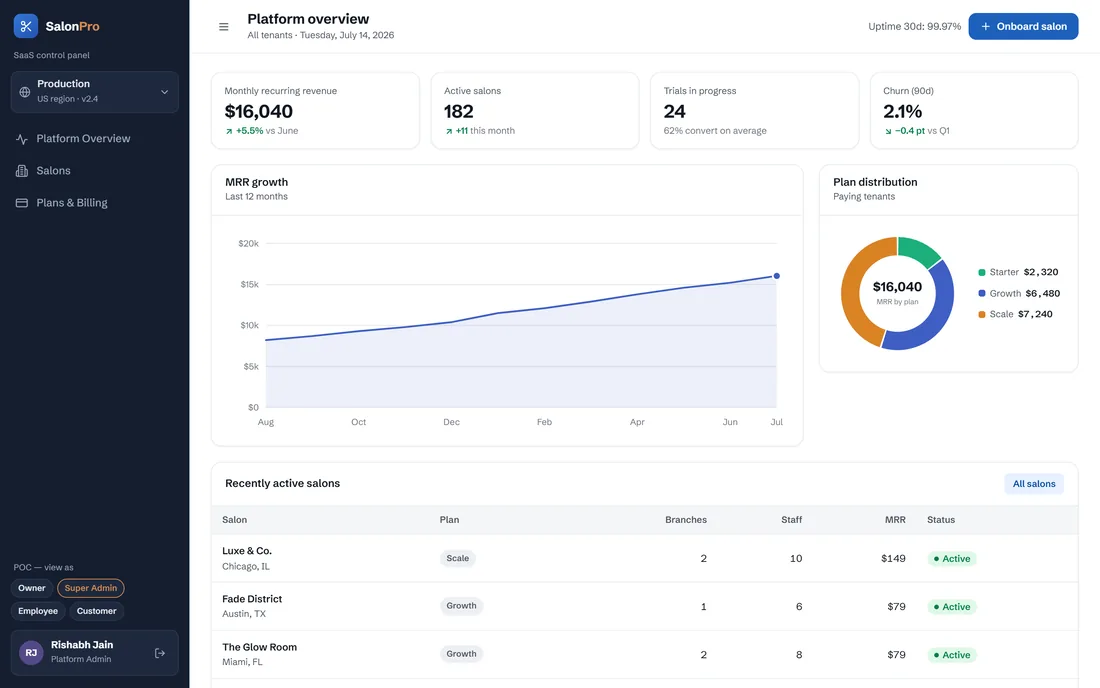
Super admin
Three screens for whoever runs the platform: recurring revenue and plan mix, the tenant list with activate and deactivate, and the packages and subscriptions behind them.
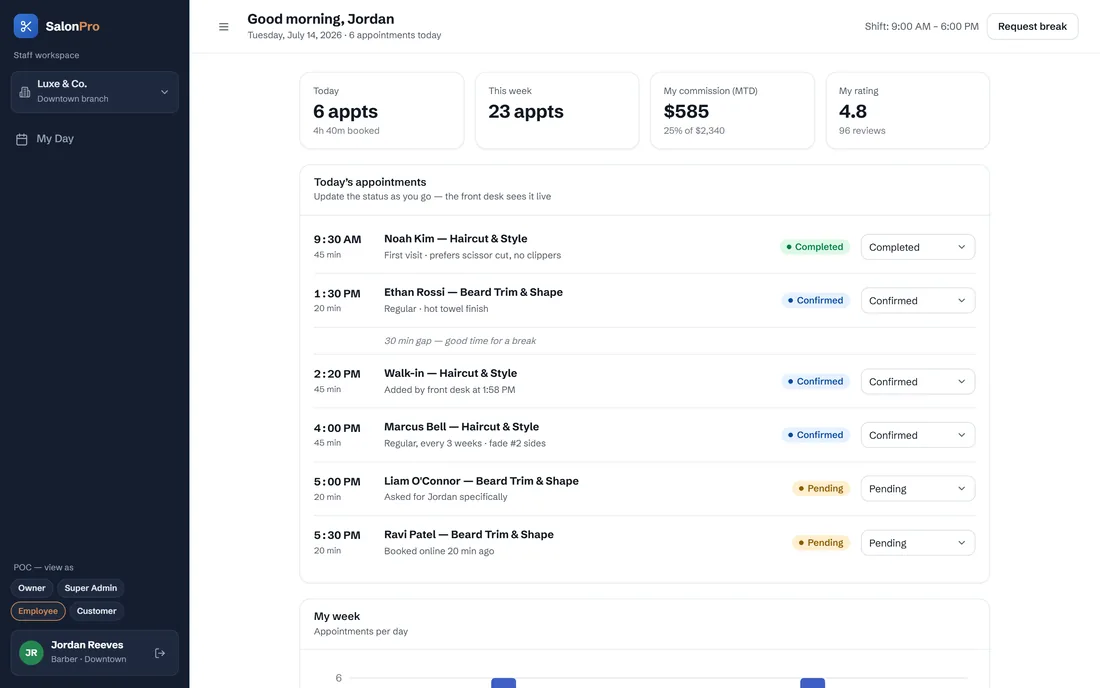
Employee
One screen, deliberately: the stylist's own day, with per-appointment status the front desk sees live, plus their commission to date and rating.
Customer
The public face of every salon on the platform: a four-step booking flow on the salon's own branded page, then self-service reschedule, cancel and rebook.
What does it do, screen by screen?
The tour below follows one appointment through every role that touches it: the customer books it, the stylist works it, the front desk bills it, and the operator sees the salon that generated it.
Four steps, one running summary
Customer · BookService, specialist, date and time, confirm — with the booking summary visible throughout and payment left at the salon, so nothing blocks the booking itself.
The week, then one booking
Front desk · DiaryA week calendar for the shape of the day and a detail drawer for the single appointment being changed — the two things a front desk alternates between all day.
The stylist's own screen
Employee · My dayToday's appointments with client notes, gaps called out, and status buttons that update what the front desk sees without anyone walking over.
Who they are before they sit down
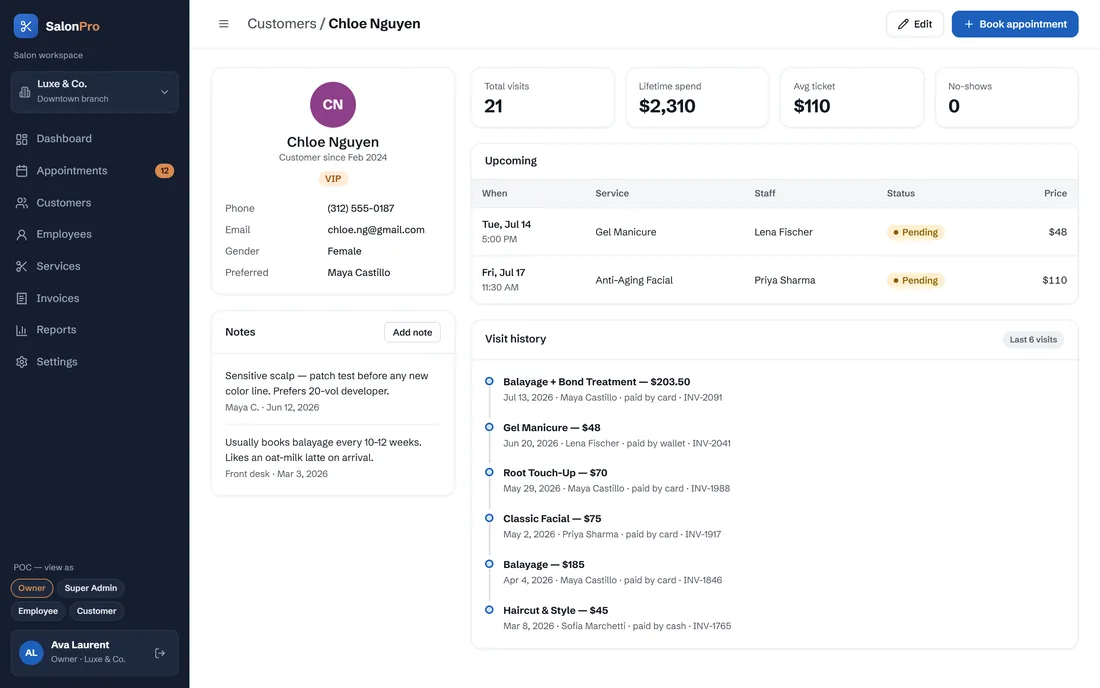
Owner · ClientThe customer profile carries visit history, preferences and spend, so the greeting at the door is informed rather than improvised.
Invoicing built from what was done
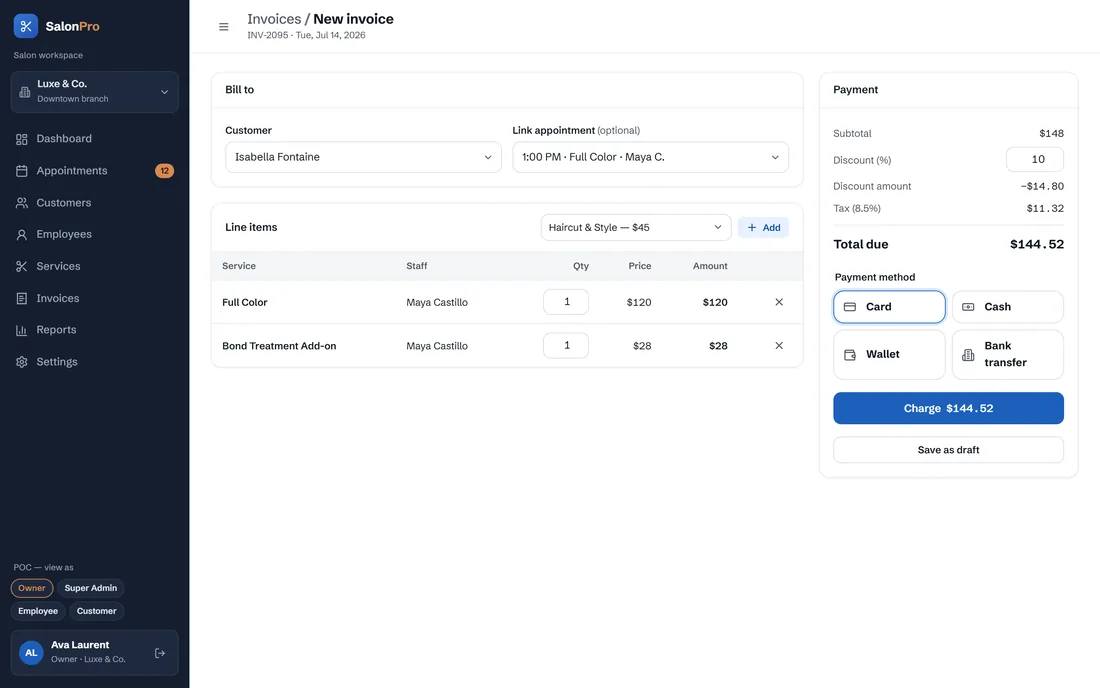
Front desk · BillA POS-style invoice assembled from the services performed, then tracked through payment in the invoice list.
Utilisation, ratings and commission
Owner · TeamThe employee directory shows how full each chair is and what each stylist earns, which is the same data payroll needs.
What the week actually earned
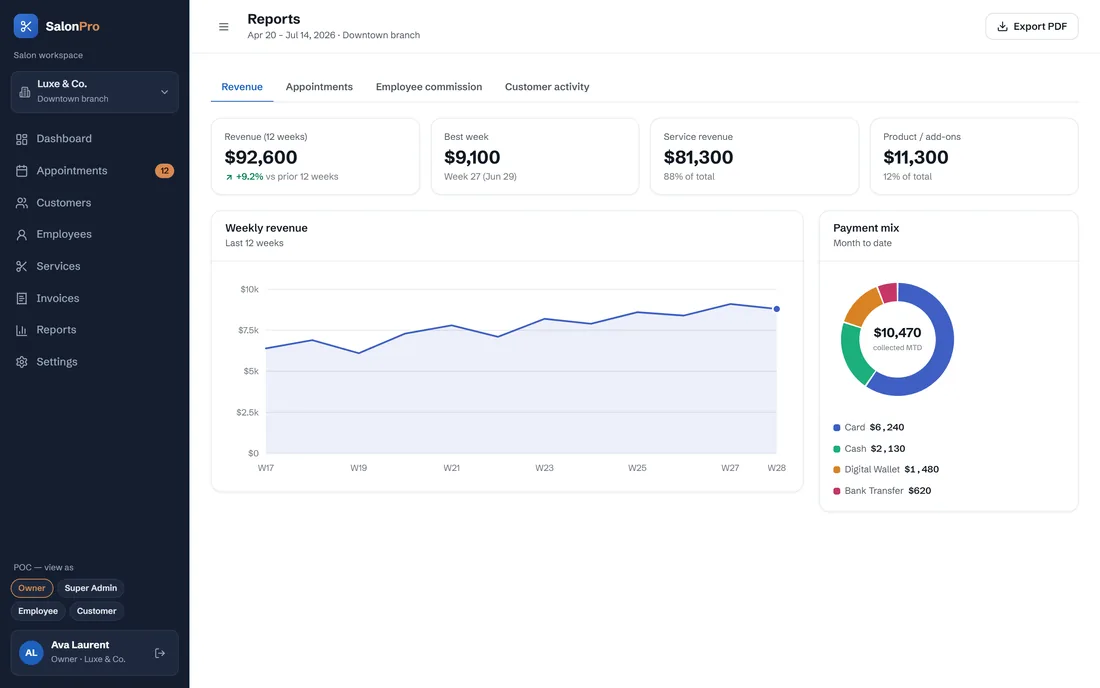
Owner · ReportsRevenue, commission and activity in one place, derived from the diary rather than re-entered from it.
The other business in the product
Super admin · PlatformRecurring revenue, plan distribution, trials and churn, plus the tenant list — the operator's view, invisible to any salon.
Four steps, then a confirmation
The booking flow ends the same way for every salon on the platform — a running summary through four steps, then a confirmation the salon's own calendar picks up immediately.
The scope, in one panel
Every number in this panel is delivered scope — what was designed, built and handed over on the salons, barbers & spas build for SalonPro. It leaves out traffic, conversion and revenue on purpose: those figures belong to the client, and we don’t publish numbers we cannot stand behind.
- Sector
- Salons, barbers & spasBooking SaaS
- Platform
- Multi-tenant SaaS20 screens · 9 modules
- Roles
- Super admin · OwnerEmployee · Customer
- Our work
- Role modellingUX+UI · front-end build
What does the interface look like, and why?
A confident cobalt against near-black chrome, kept deliberately plain: the operator has to read a busy calendar for eight hours, so colour is spent on state — booked, completed, cancelled, no-show — rather than on decoration. A single warm amber marks the exceptions that need attention.
What does any multi-tenant booking product need?
Six things decide whether a booking platform is still in use six months after go-live. They came out of building this one and they hold for clinics, studios and workshops as readily as for salons.
Beat the paper diary on speed
Every flow the front desk uses hourly should be reachable in one or two taps, or the diary quietly stays in charge.
Give the staff their own screen
A stylist will not learn an admin console, but they will update their own day — and that is what keeps the shared calendar honest.
Make the customer flow shorter than a phone call
Four steps, a visible summary, no forced account. Every extra field is a booking somebody did not finish.
Model money where the work happens
Commission and invoicing should come out of the appointment record, not a spreadsheet rebuilt at month end.
Separate the tenant's business from the platform's
Recurring revenue, plan mix and churn are the operator's data, and no salon should ever see them.
Design multi-branch in from the start
Branches, staff who move between them and per-branch hours are painful to retrofit once every table assumes one location.
Building a salon booking platform
How long does it take to build a salon booking app?
How much does salon booking software cost to build?
Should staff get their own app or share the owner's login?
What makes a booking flow convert?
Can one platform run many salons without them seeing each other?
Still running the day on a paper diary?
Tell us how your business actually works and we'll tell you honestly what it takes to build — the booking flow, the roles, the billing. No deck, no pitch.