


Order thedeal.
Jiggle is a restaurant ordering app whose menu is alive with deals — combos, buy-five-get-one and percentage nights, each with its own rules. Diners build a plate, add a note to the chef, and reorder in a tap.
A menu that is really a book of deals
Most ordering apps treat an offer as a banner. In Jiggle the offer is the unit of the menu: a combo, a buy-five-get-one, a percentage night — each with its own terms, seen inline while you order.
Deals are first-class
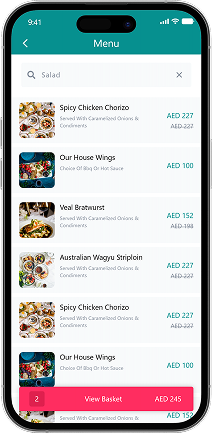
Combos, buy-five-get-one and percentage offers each carry their own rules, shown inline on the menu rather than as an afterthought.
Every plate is built
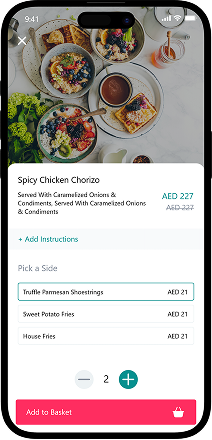
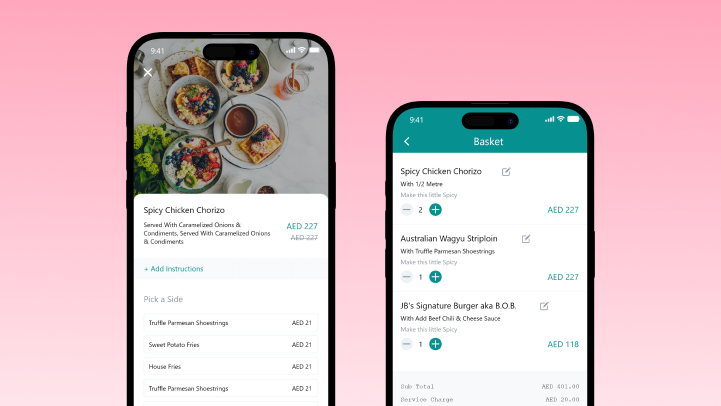
An item carries a choice of sides and a free-text instruction to the chef, so the kitchen gets the exact order the diner meant.
The right menu for the region
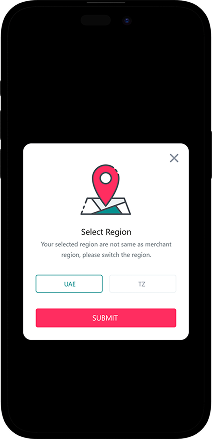
The app checks a diner's region against the restaurant's, so the menu, prices and offers shown are the ones that actually apply.
A deal is not just a discount on a line item. It has rules, it changes the price of a basket, and it has to be legible to a diner mid-order.
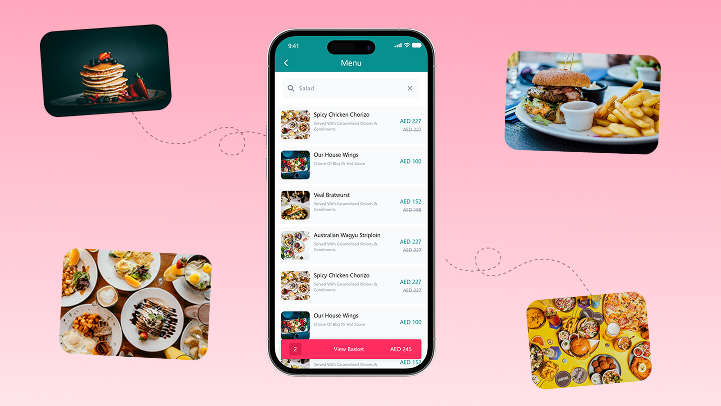
Offers carry their own rules. A combo, a buy-five-get-one and a ladies-night percentage each behave differently, with minimum spend, days and eligibility. Answer → an offer detail with its own terms.
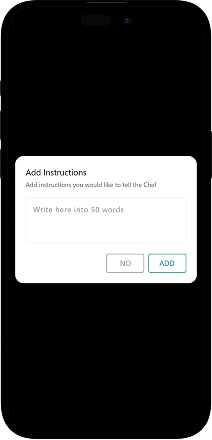
The order has to be precise. A side choice and a written instruction to the chef turn a menu item into the specific plate a diner wants. Answer → sides + a note to the chef.
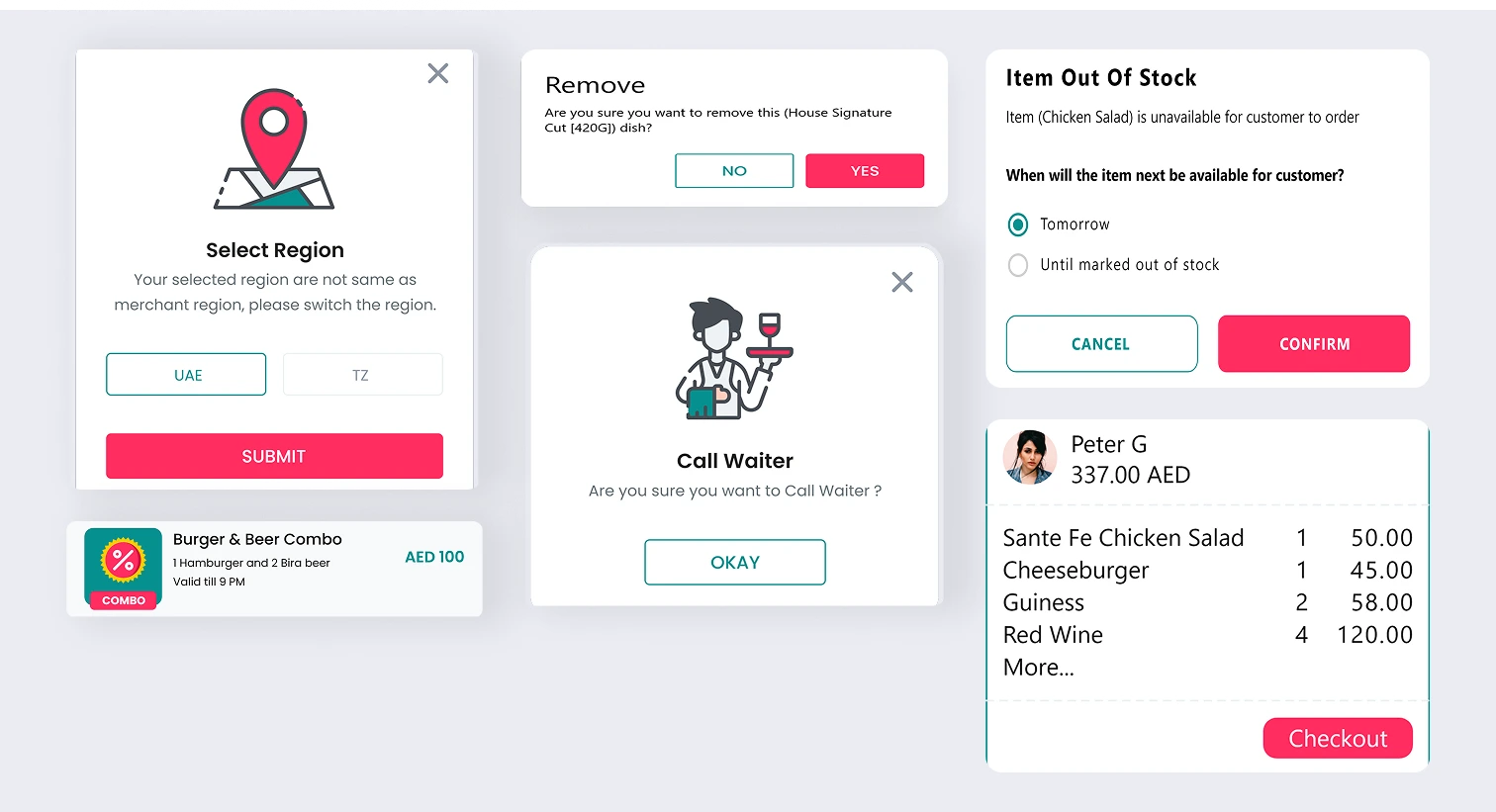
Region decides the menu. A diner in the wrong region is prompted to switch, so nobody orders from a menu or price list that doesn't apply. Answer → region-aware menu & pricing.
What Jiggle had to get right
An ordering app is easy; an app where the offer is the unit of the menu is not. These were the targets — and the things standing in the way.
Make deals the point
- Deals inline on the menu — combos, buy-five-get-one and percentage nights, not a hidden promo box.
- The exact plate — a side choice plus a note to the chef, without a phone call.
- The right menu for the region — prices and offers that actually apply.
- One-tap reorder of a past favourite.
Why it was hard
- Every deal type carries its own rules and has to reprice the basket correctly and legibly.
- A side choice and free-text instruction must survive from menu to kitchen intact.
- A diner in the wrong region must be caught and switched before they order.
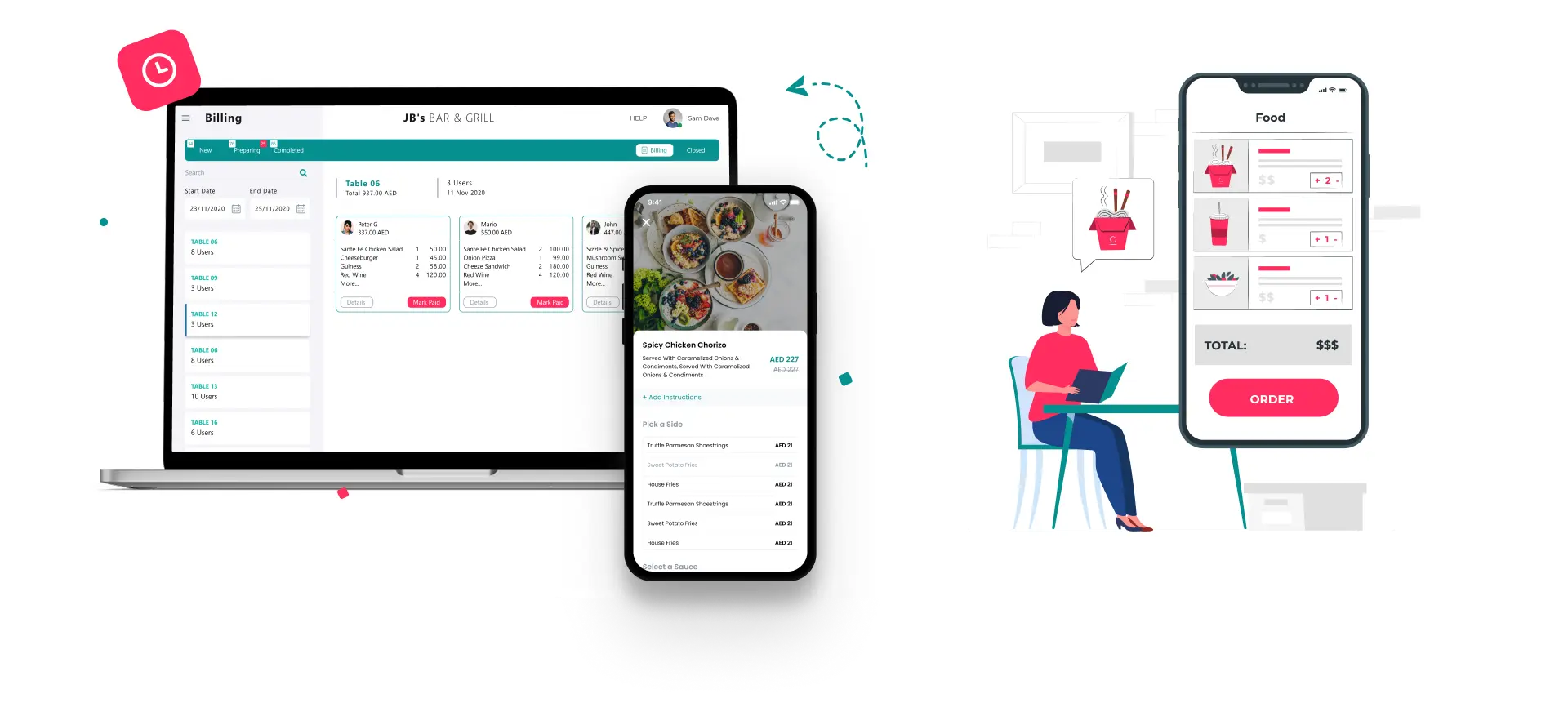
- The diner app and the tablet merchant side share one order model, not two.
Who is Jiggle built for?
Two sides of one order — 2 roles sharing the same menu, offer and order model.
The diner
Orders from a menu full of live deals, builds a plate with sides and a note to the chef, and reorders a favourite in a tap.
The restaurant
Works the other side on a tablet — receiving orders, managing the menu and its offers, and running the kitchen against each ticket.
An offer is not a discount code
Most apps bury deals behind a promo box. Drag the handle: on the right is how Jiggle puts the deal on the menu itself.
The deal is hidden behind a box. The diner has to already know the code — and hope it works.
What does ordering feel like?
Six screens from the diner journey, from picking a region to reordering a favourite. Everything is one thumb-reach away.
Select region
Diner · startThe app checks the diner's region matches the restaurant's, so the menu, prices and offers shown are the ones that apply.
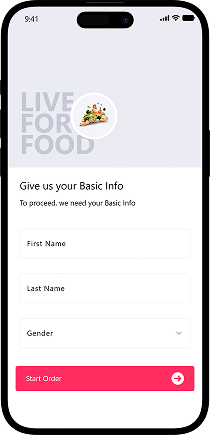
Sign up
Diner · accountA light account so orders, addresses and past baskets travel with the diner between visits.
Menu & search
Diner · browseA menu full of live deals with search, where each combo and percentage night sits inline with the food.
Item & sides
Diner · buildAn item carries a choice of sides, so a plate is configured exactly the way the diner wants it.
Note to the chef
Diner · preciseA free-text instruction to the chef turns a menu item into the specific plate a diner wants, without a phone call.
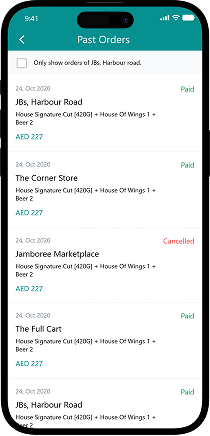
Past orders
Diner · reorderRepeat a favourite order in a single tap, so a regular never rebuilds the same basket twice.
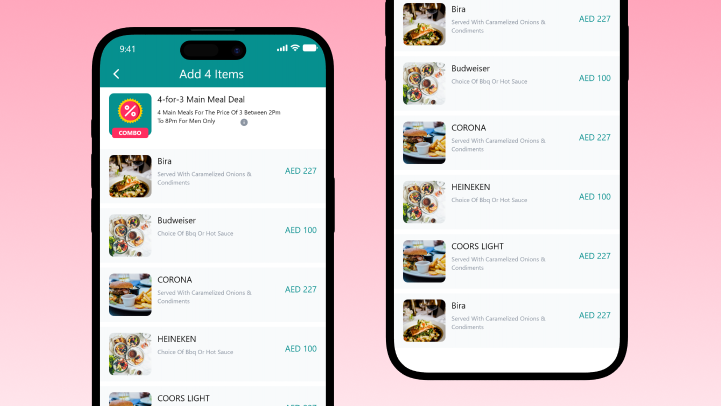
The deal is the menu, not a banner.
Combos, quantity deals and timed percentage nights each price the basket correctly and legibly — so a diner always knows what a deal actually saves before they order.
The scope, in one panel
Every number in this panel is delivered scope — what was designed, built and handed over on the food & beverage build for Jiggle. It leaves out traffic, conversion and revenue on purpose: those figures belong to the client, and we don’t publish numbers we cannot stand behind.
- Sector
- Food & beverageRestaurant ordering
- Platform
- Diner appTablet merchant side
- Our role
- UX + UI designMobile app build
- Signature
- Offers engineChef instructions
Built for one thumb
The diner journey as it really looks — region, menu, plate and reorder.
Every plate is built. Sides and a written note to the chef turn a menu item into the exact order the diner meant.
The right menu for the region. Region, prices and offers always match where the diner actually is.
Jiggle — ordering built around the offer.
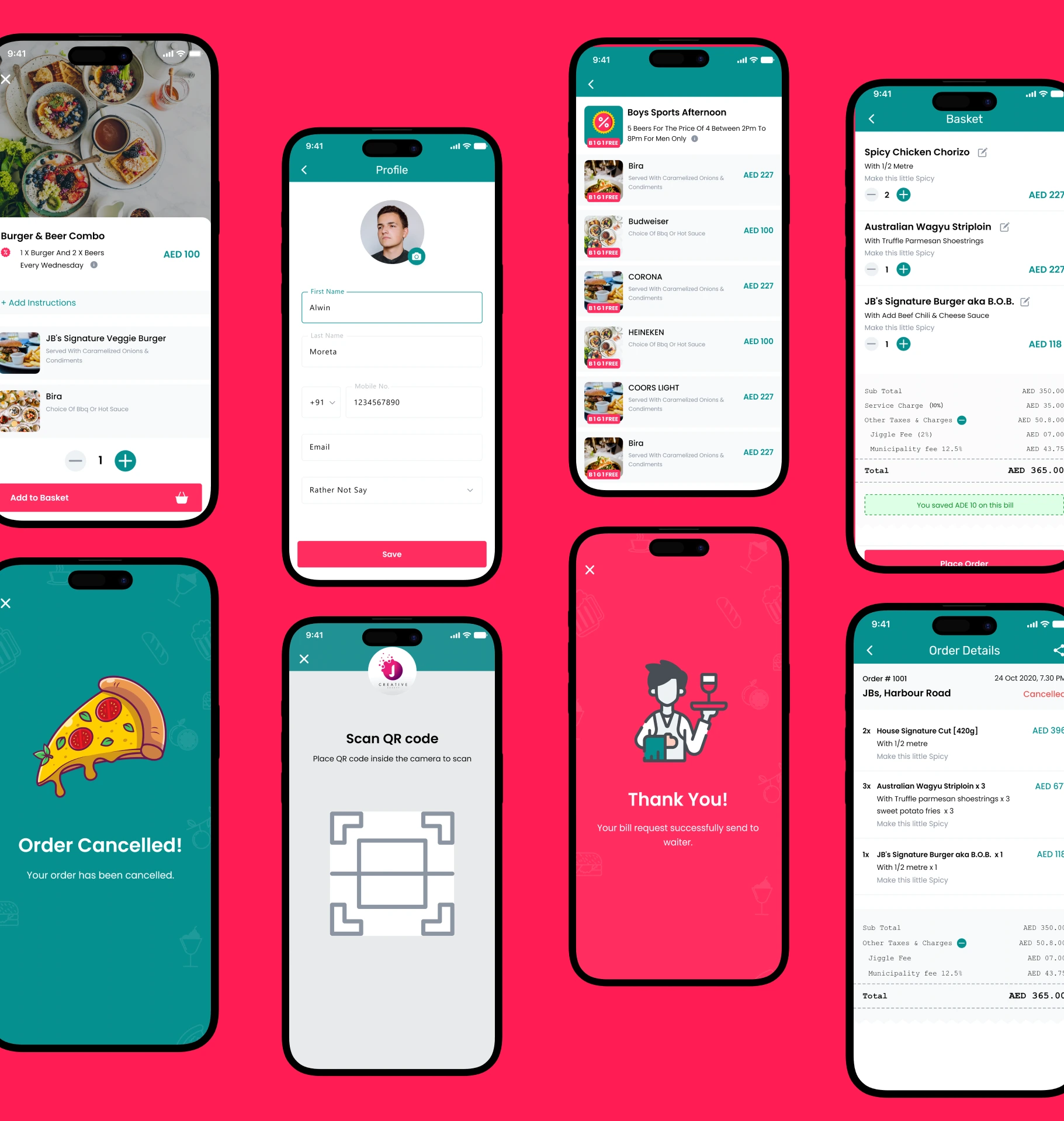
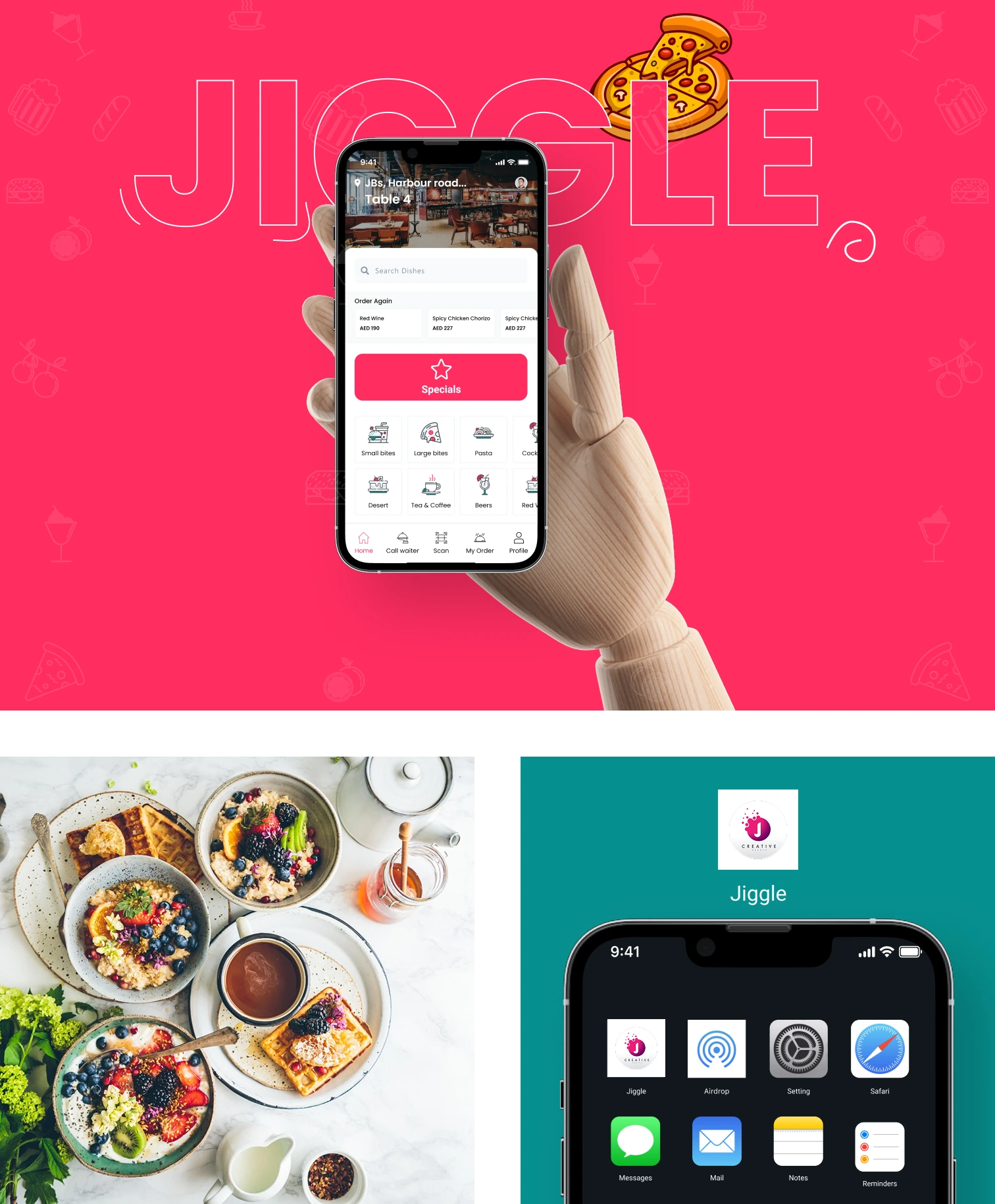
Screens are the delivered Jiggle UI, supplied by the project team.
The look, and why
A warm, appetite-forward system: a confident teal carries the brand, a hot pink flags the deal, and playful food iconography keeps the menu feeling alive.
Building a restaurant ordering app
How long does it take to build a restaurant ordering app?
Can you build a promotions or offers engine like this?
Does it handle dish customisation and kitchen notes?
Do you build the restaurant side as well as the app?
Can it support multiple regions or outlets?
Planning a restaurant ordering app?
Tell us how your business actually works and we'll tell you honestly what it takes to build — the offers engine, the merchant side, the lot. No deck, no pitch.