


One storefront,many sellers.
A multi-vendor marketplace where independent sellers list into one branded storefront and buyers shop across all of them in a single cart. Nine category departments, a shared checkout, and two full dashboards — one for the buyer tracking orders, one for the seller running a shop.
A branded storefront on top of many independent shops
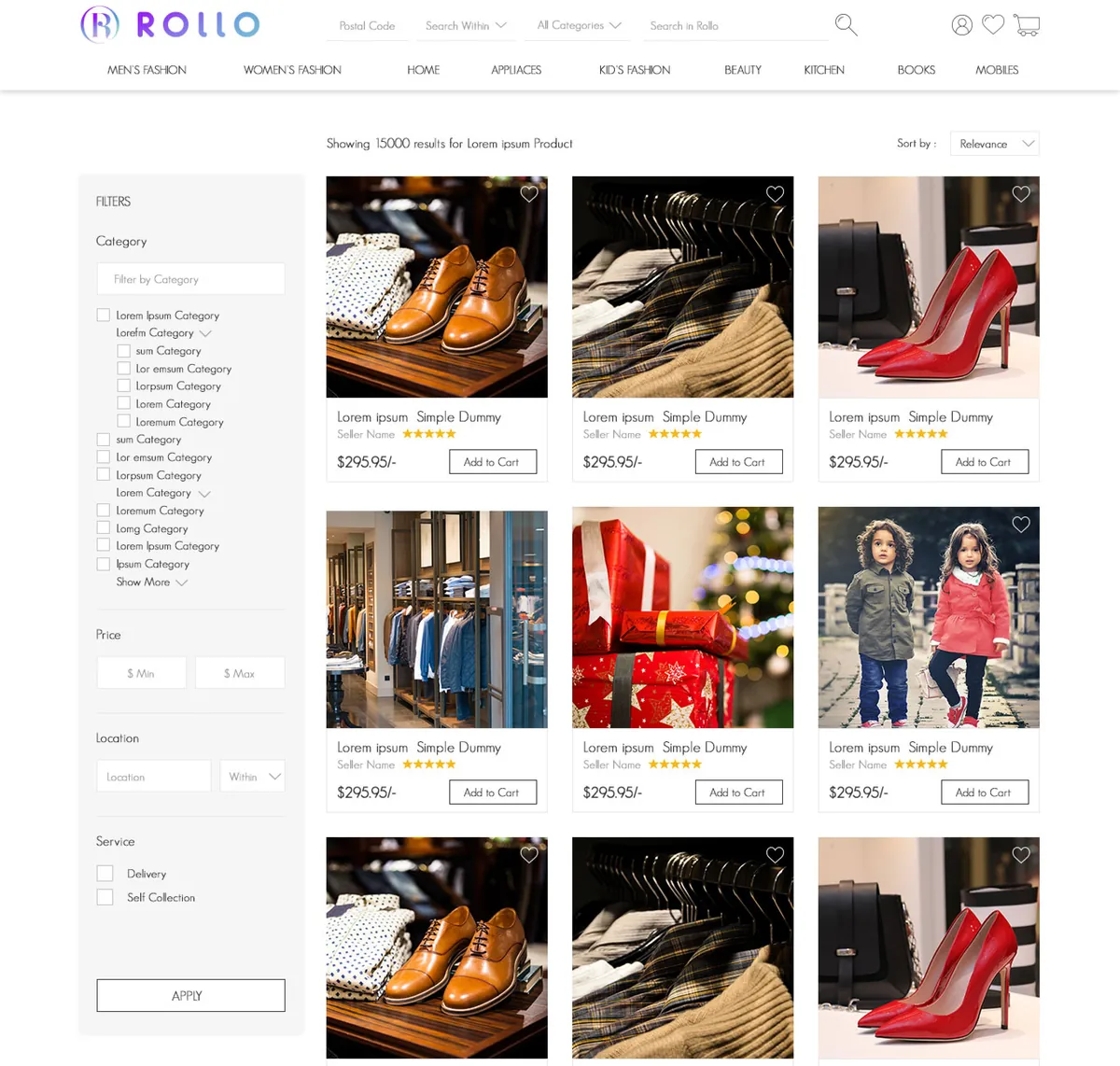
Buyers land on one storefront — nine departments, shop-by-event and shop-by-theme rails, and a product grid where every card names its seller and rating. Behind it, each seller runs a full shop: listing products, taking orders, answering chat and reading their own reports. The two experiences share a catalogue and a checkout but almost nothing else.
The seller is on every product
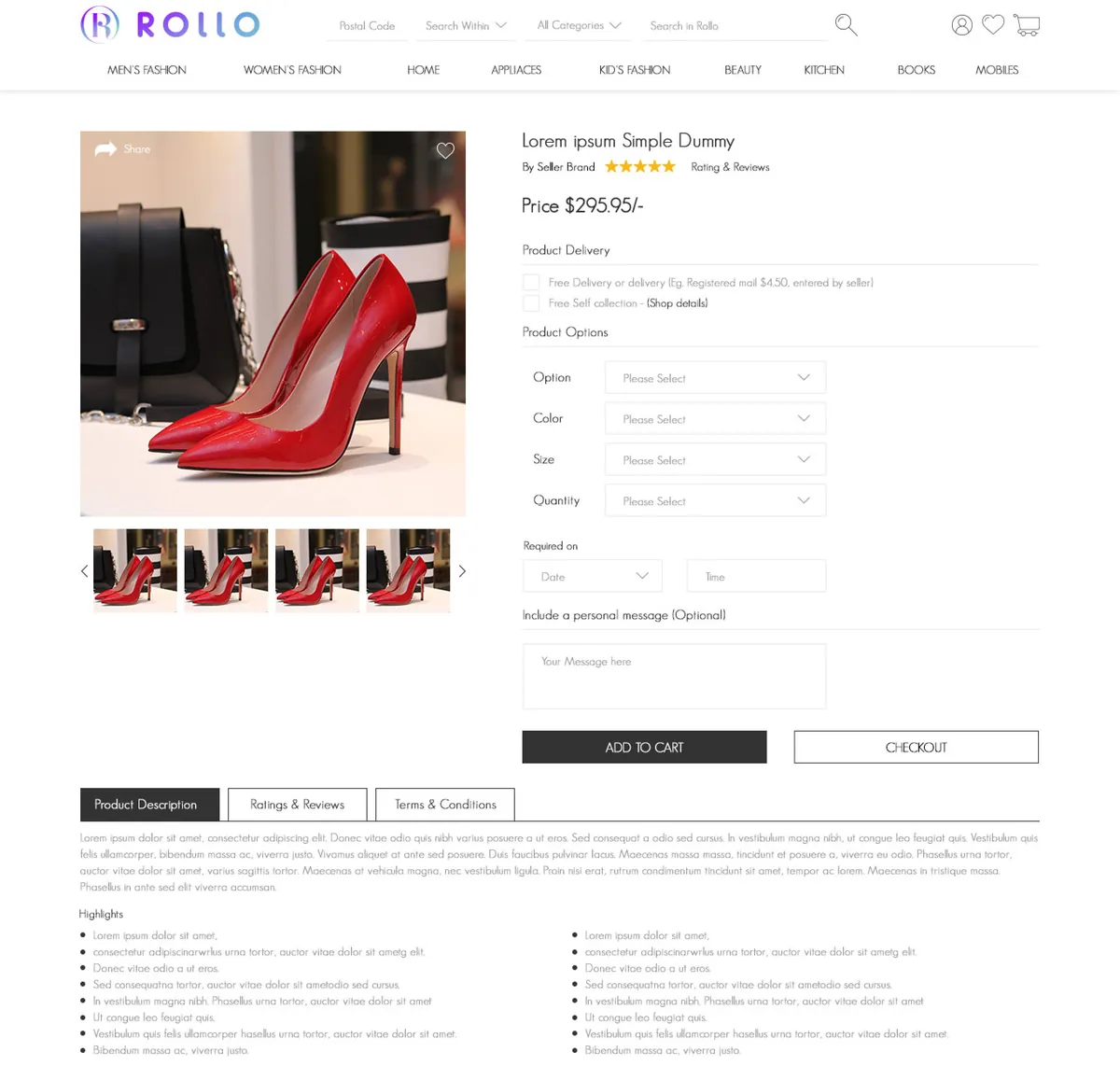
Each product card and page carries the seller's name and star rating, so a buyer is choosing a vendor as much as an item — the core difference between a marketplace and a shop.
Two dashboards, one platform
The buyer dashboard tracks orders, wishlist, ratings and chat; the seller dashboard adds products, works orders and reads reports. Each is scoped to what that role is allowed to do.
One cart across every vendor
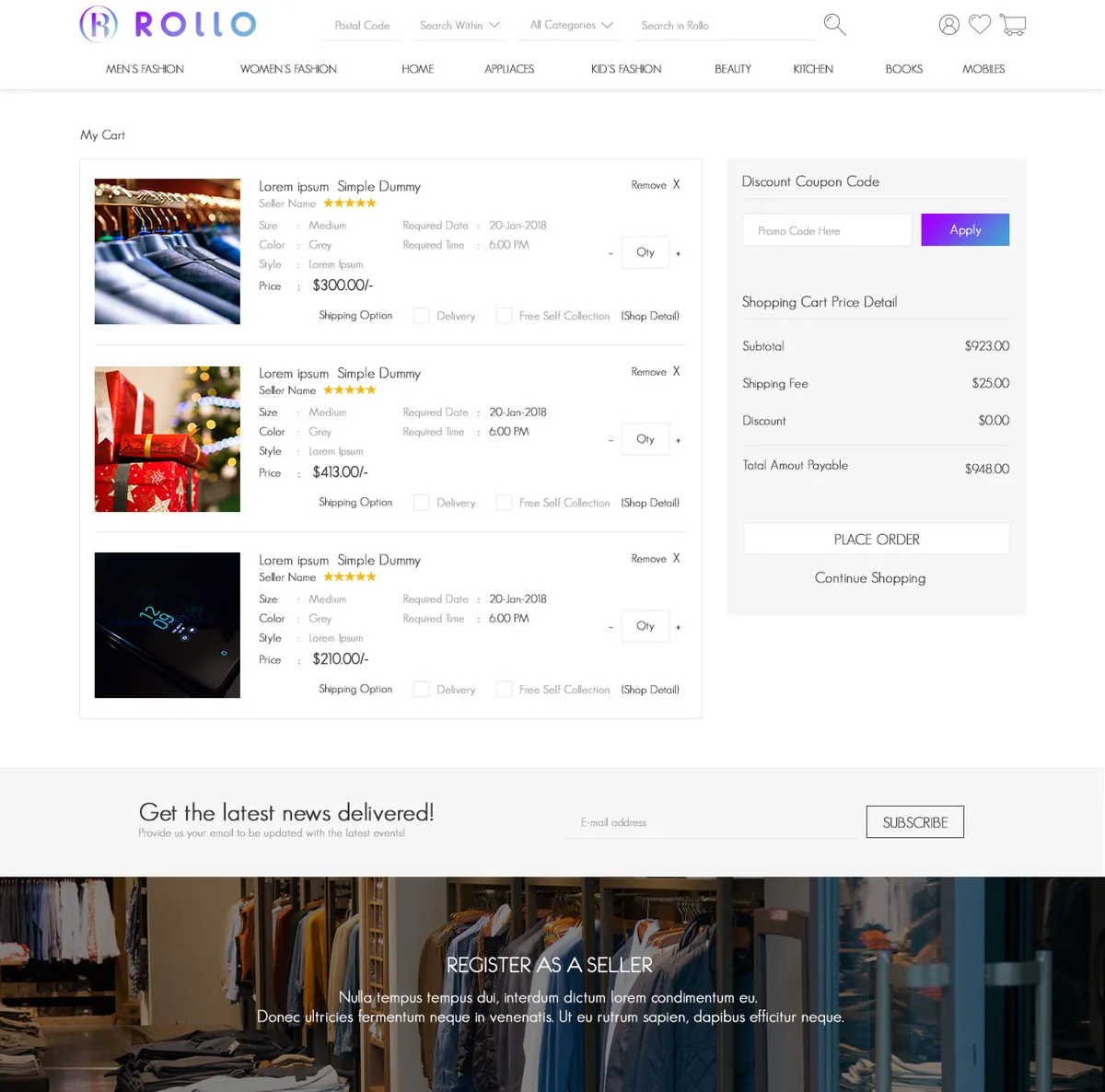
A buyer fills a single cart from multiple sellers and checks out once — as a guest or an account holder — rather than paying each shop separately.
Why is a multi-vendor marketplace harder than a shop?
A marketplace has to feel like one store to the buyer and like a private back office to each seller, out of the same catalogue and the same orders. Keeping those two mental models coherent — without the interface splitting in two — was the core design problem.
Three surfaces have to stay coherent out of the same catalogue and orders: one storefront across many sellers, a complete buyer account, and a seller's shop-in-a-box — each fenced off from the others.
What Rollo had to get right
A marketplace lives or dies on whether the buyer trusts the storefront and the seller trusts the back office — both had to hold up out of the same data.
One store, two back offices
- Put the seller on every card. Name and rating next to the product, not buried in a profile.
- One cart, one checkout. Across every vendor, not a separate basket per shop.
- Give sellers a real back office. Products, order queue, reports and chat, not a spreadsheet off-platform.
- Let guests buy first. Capture the sale, then invite the account.
Why it was hard
- Nine departments and multiple discovery rails have to present many sellers' stock as one browsable store.
- The buyer's account has to feel complete without ever exposing a seller's tools.
- The seller's back office is a full commerce console, fenced off inside the same platform.
- Trust has to run both ways, so reputation protects the sale from either side of it.
Who uses Rollo, and what do they each see?
A marketplace is really three products sharing a catalogue. Each role gets its own surface — and is fenced off from the others — so the buyer never sees a seller's tools and a guest can shop before signing up.
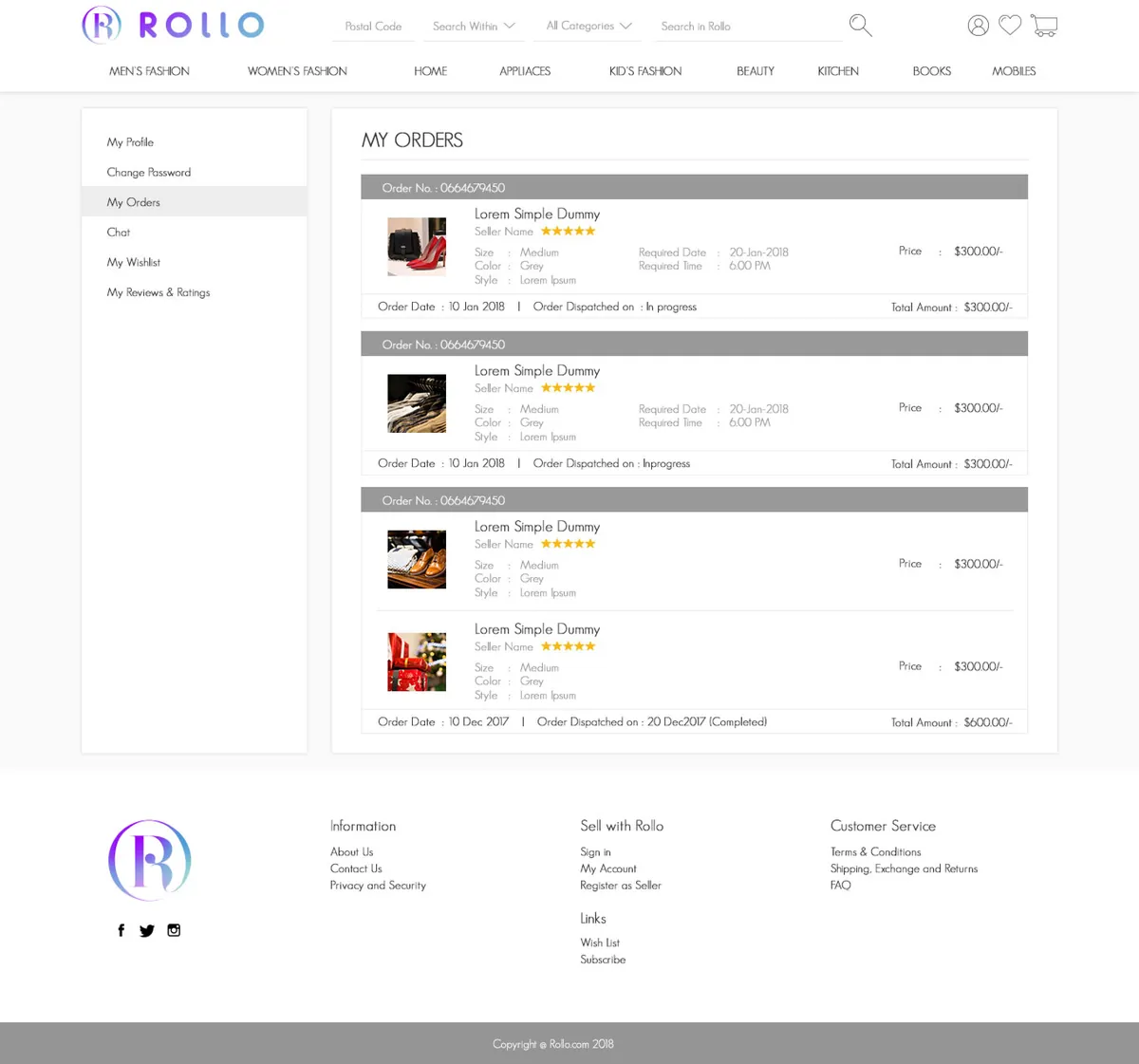
Buyer
Shops the whole marketplace from a single cart, tracking current and previous orders, a wishlist, ratings and a chat thread with each seller, all from one account.
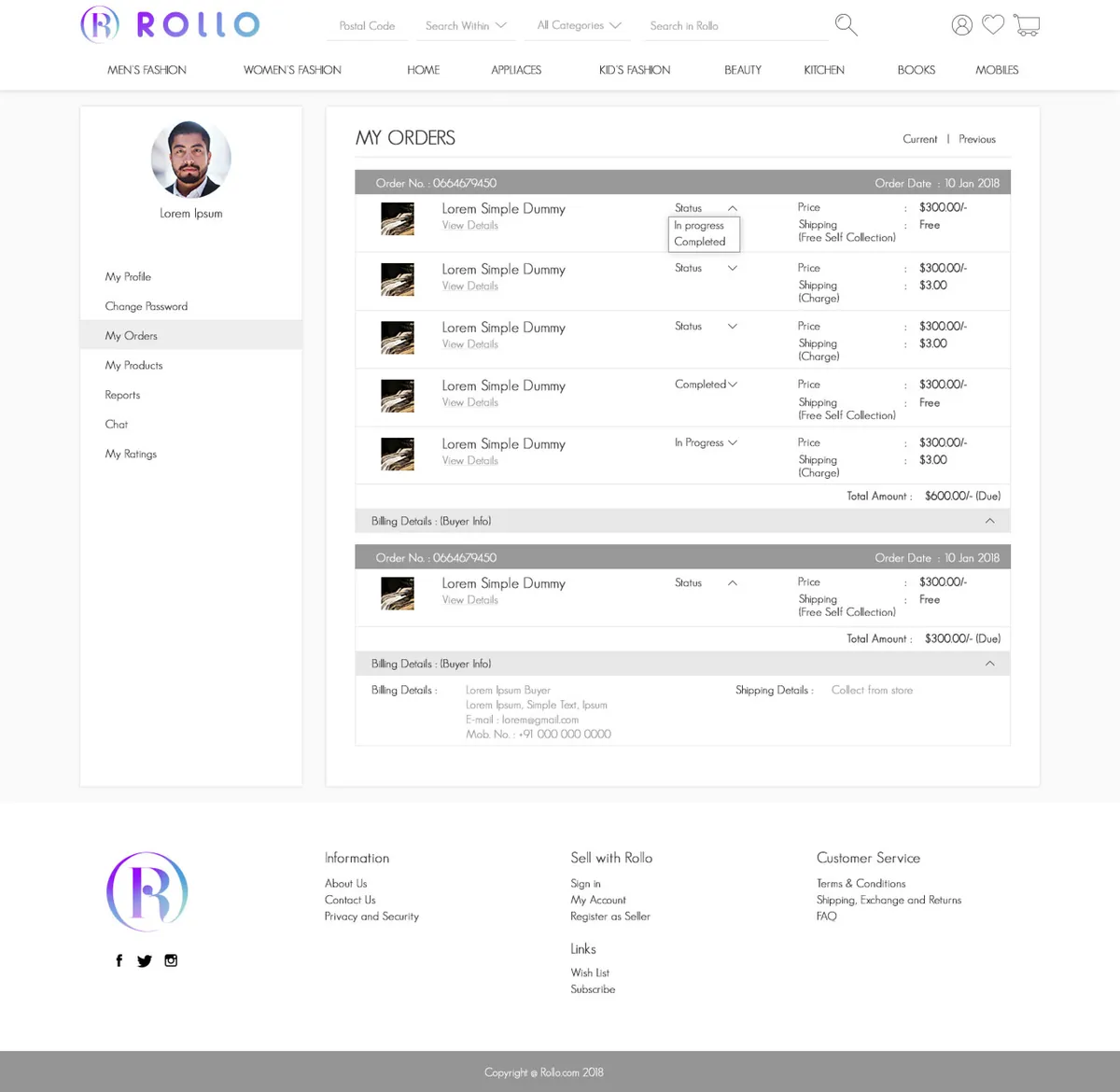
Seller
Runs a shop-in-a-box from a dedicated dashboard — products, an order queue with status changes, reports and buyer chat.
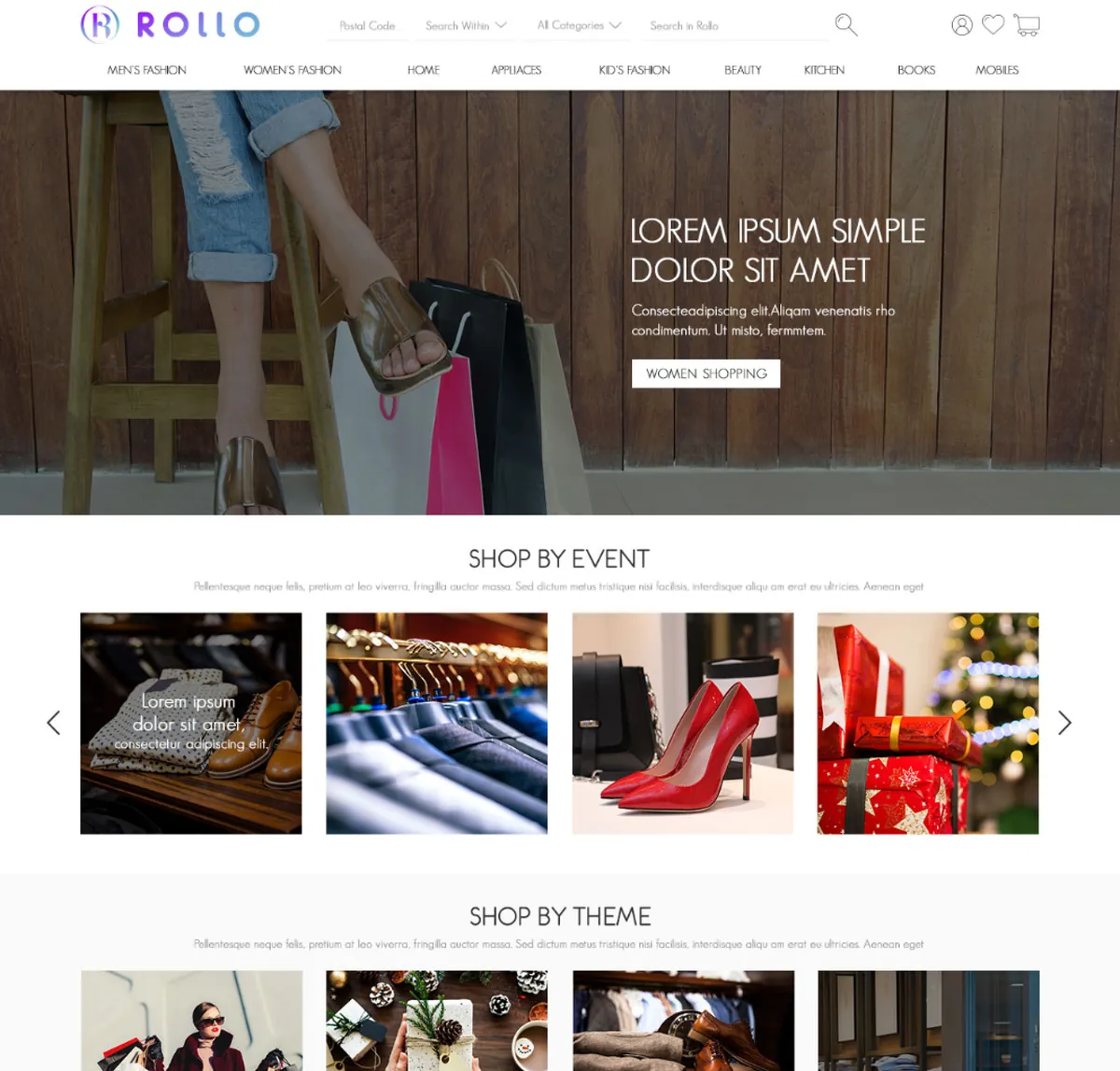
Guest
Browses and buys before ever creating an account, checking out as a guest and invited back afterwards to track the order.
What does a seller actually manage?
Behind the storefront, every seller works a real back office — listing products, working an order queue and reading their own numbers.
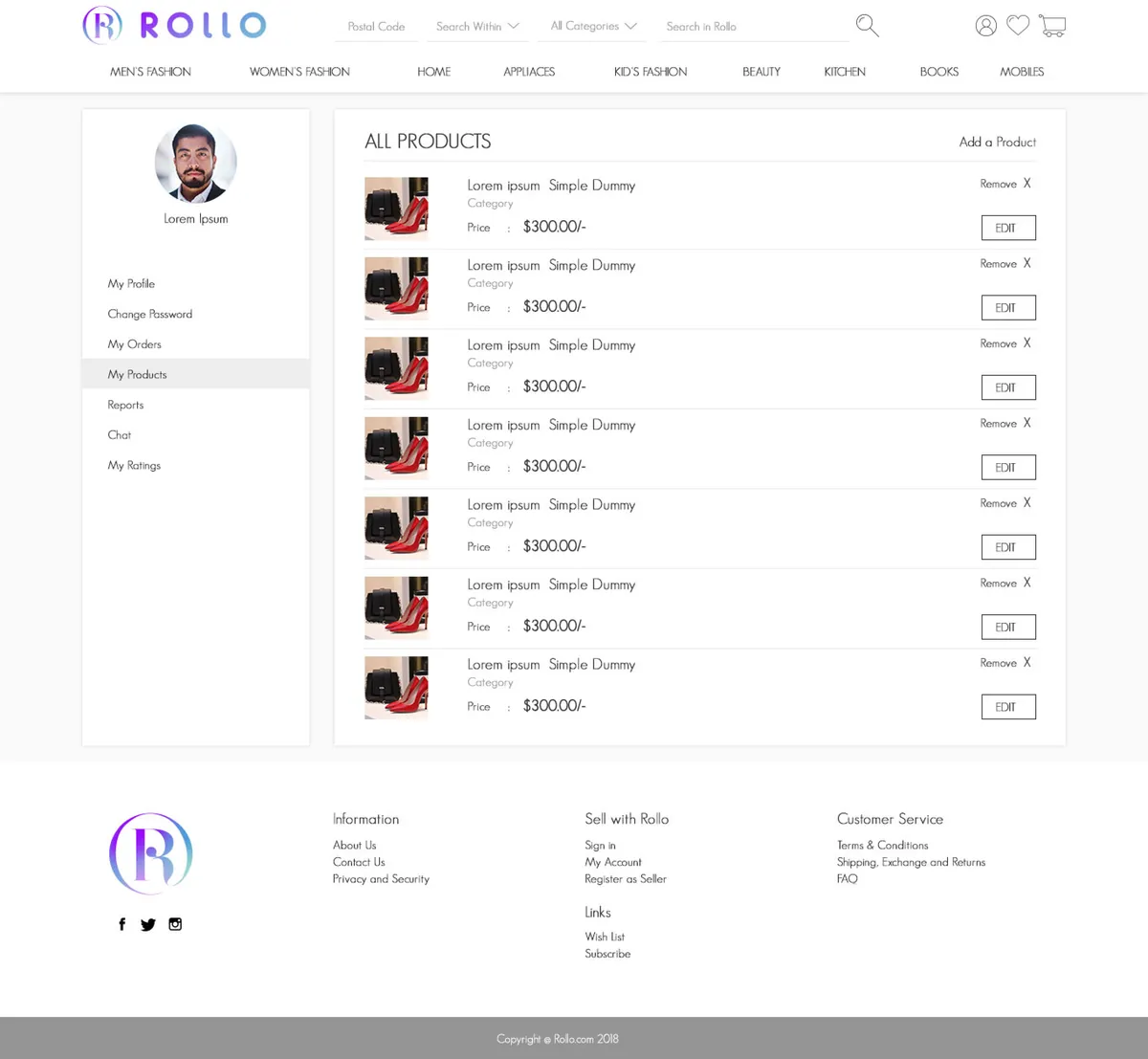
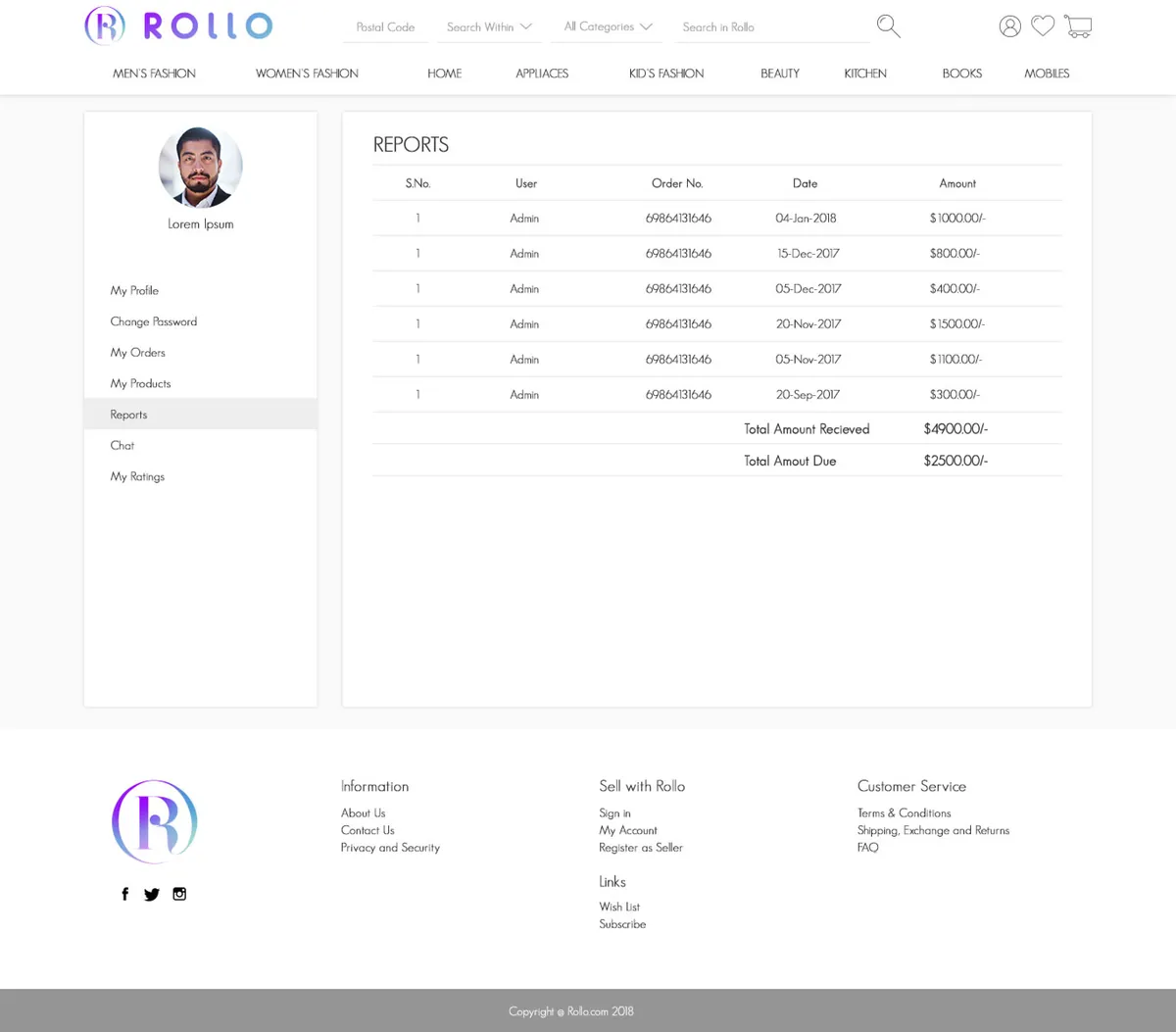
Add and manage products
Seller · CatalogueA seller lists and edits their own stock, scoped to their shop and nobody else's.
Work an order queue
Seller · FulfilmentOrders move through status changes the seller controls, visible to the buyer as they update.
Read their own reports
Seller · NumbersReports are scoped to the seller's own shop, not the platform's whole catalogue.
FAQ, policy and support
Platform · TrustShipping, exchanges, returns, terms and privacy sit around the transaction, reachable from the storefront.
A conversation tied to the order
A chat thread ties every conversation to the order it belongs to, so a question about a purchase never gets separated from the purchase itself.
What does shopping Rollo look like?
The buyer's path through the marketplace, from the storefront to a tracked order.
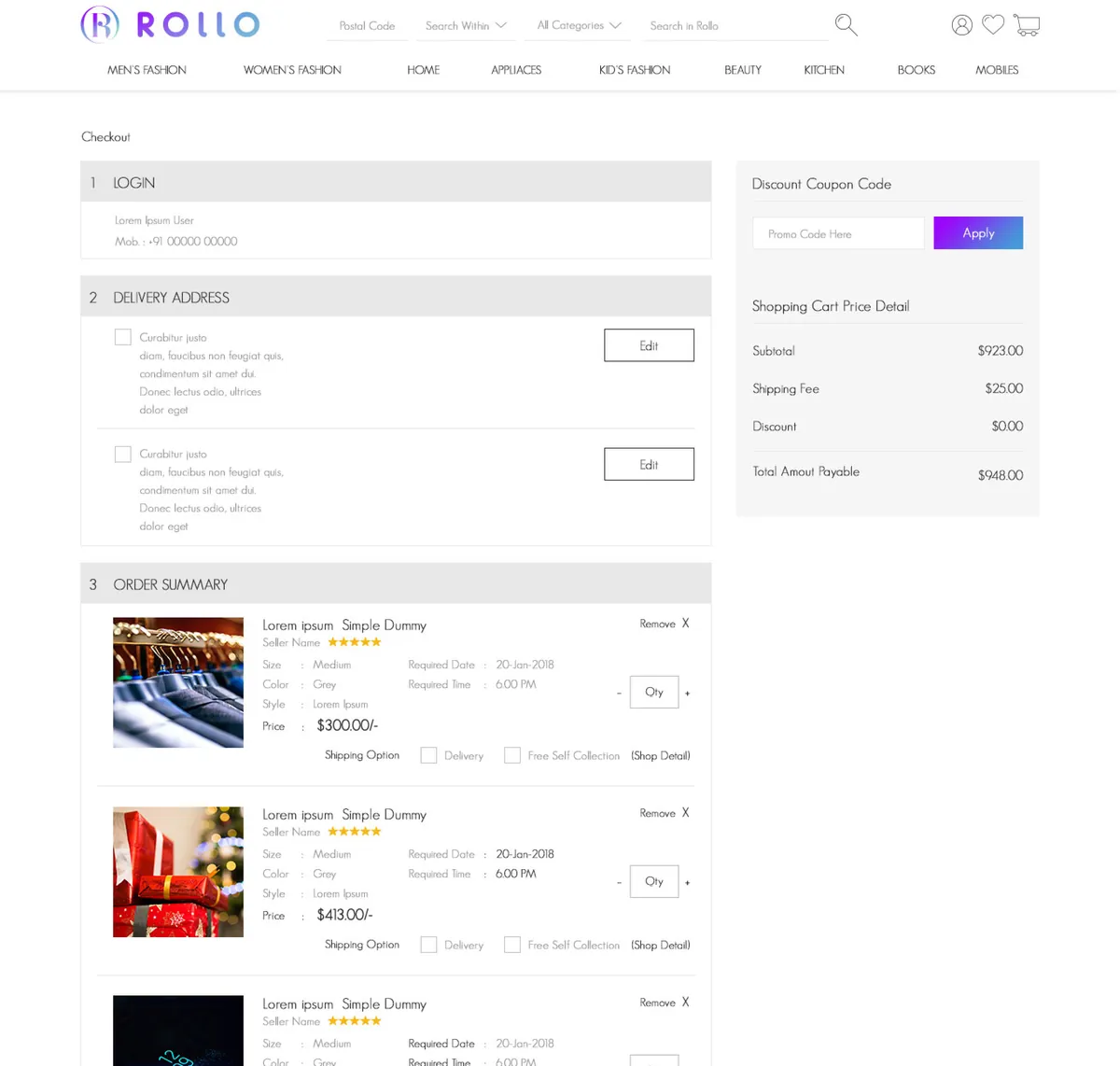
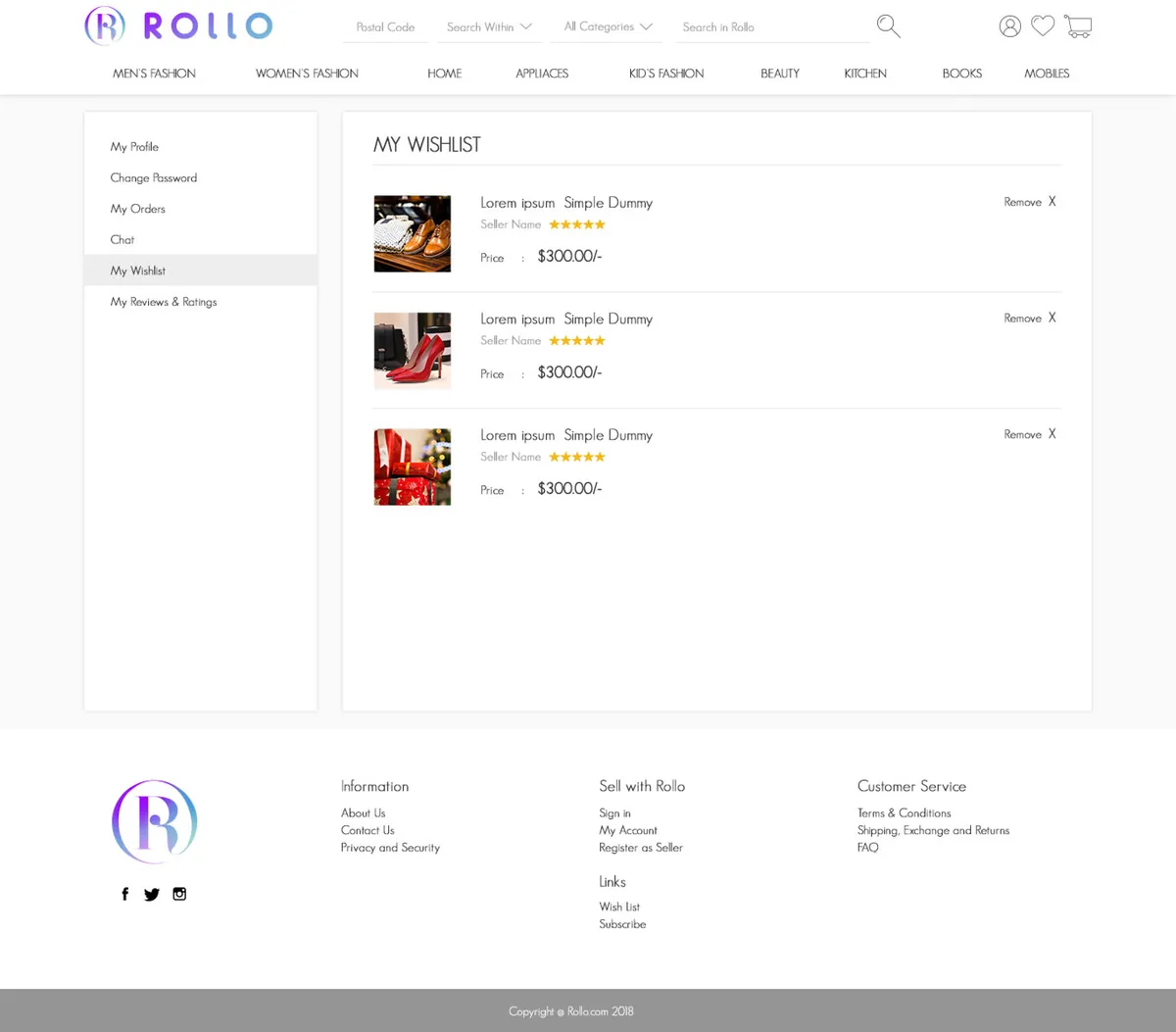
The look, and why
A confident violet marks the actions that move a sale forward — add to cart, checkout, message a seller — against a clean, neutral storefront so nine departments of stock stay legible.
What does a multi-vendor marketplace have to get right?
These held well beyond Rollo — they separate a marketplace sellers and buyers stay in from a directory of shops nobody transacts through.
Put the seller on every product.
In a marketplace the buyer is choosing a vendor as much as an item, so the seller and their rating belong on the card, not buried in a profile.
One cart across every vendor.
Making a buyer check out separately with each shop is how a marketplace loses the sale a single basket would have kept.
Give the seller a real back office.
Listing, order status, reports and chat are a shop-in-a-box — anything less and sellers manage their business off-platform.
Fence the roles apart.
Buyer, seller and guest need genuinely separate surfaces, so no one sees tools or data that are not theirs.
Let guests buy first.
A guest checkout captures the sale before the account, then invites the buyer back to track it.
Make trust two-way.
Buyers and sellers both carry a rating, so reputation protects each side of the deal, not just one.
Building a multi-vendor marketplace
How long does it take to build a multi-vendor marketplace like Rollo?
How much does it cost to build a marketplace platform?
What is the difference between a marketplace and an online store?
Do buyers and sellers get different dashboards?
Can people buy without creating an account?
Building a marketplace with many sellers?
Tell us how your sellers, payouts and orders actually need to work and we'll tell you honestly what it takes to build. No deck, no pitch.