


Book your move online
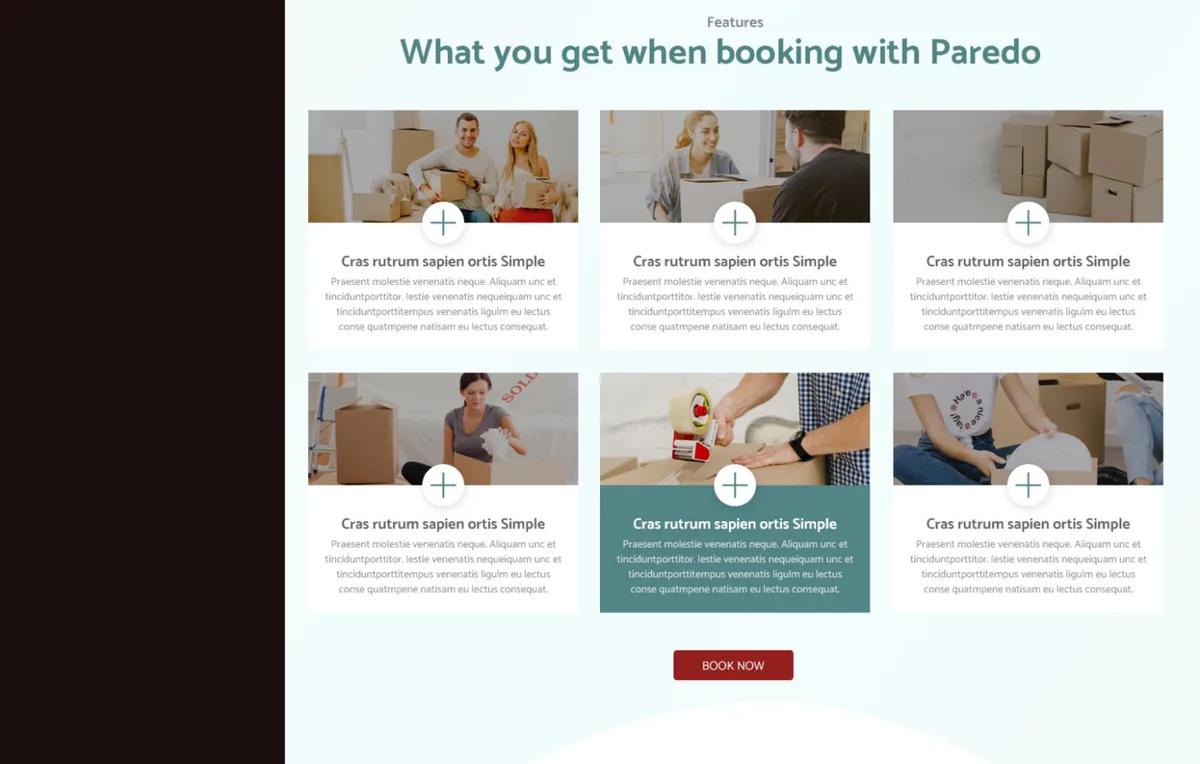
A relocation-booking platform that turns a house move into a self-service order: enter where you are moving from and to, build a room-by-room inventory, add the packing, dismantling and cleaning services you need, and check out a fully priced move by cubic volume - without a phone call or a site visit.
Category
- Relocation platform
- Online move booking
Booking flow
- Move details
- Inventory
- Services
- Checkout
Add-on services
- Packing
- Assembly
- Disposal
- Cleaning
Design scope
- Product design
- UX + UI
- Booking + checkout flow
What is Paredo built to do?
Booking a removal usually means a phone call, a home survey and a quote that arrives days later. Paredo replaces that with a self-service flow: the customer describes the move, itemises what is being moved, and gets a priced order they can check out online.
A removals quote a customer builds themselves
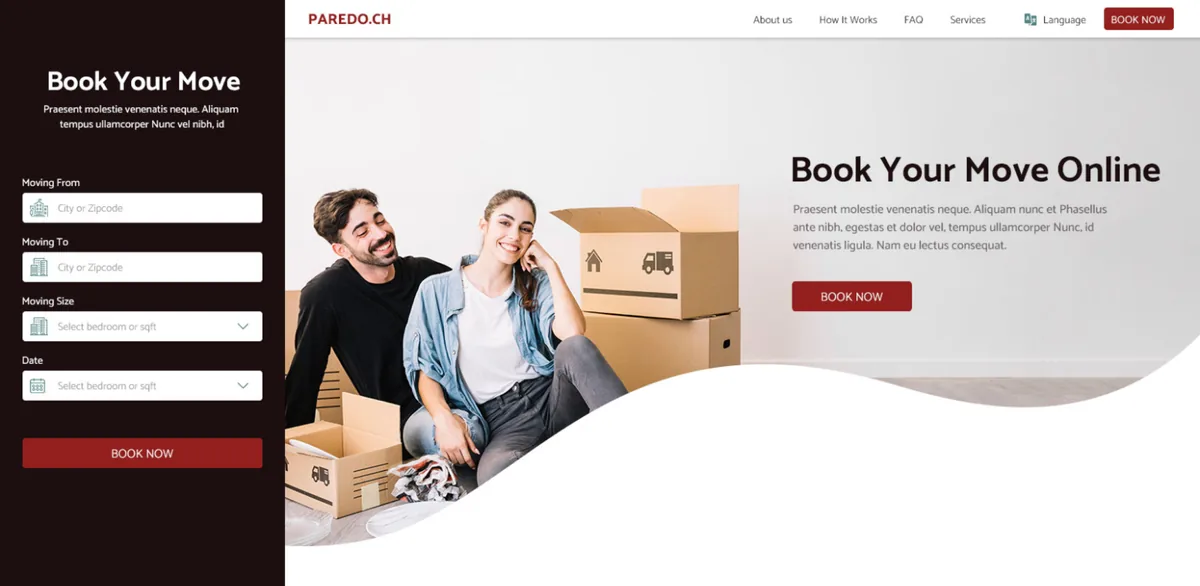
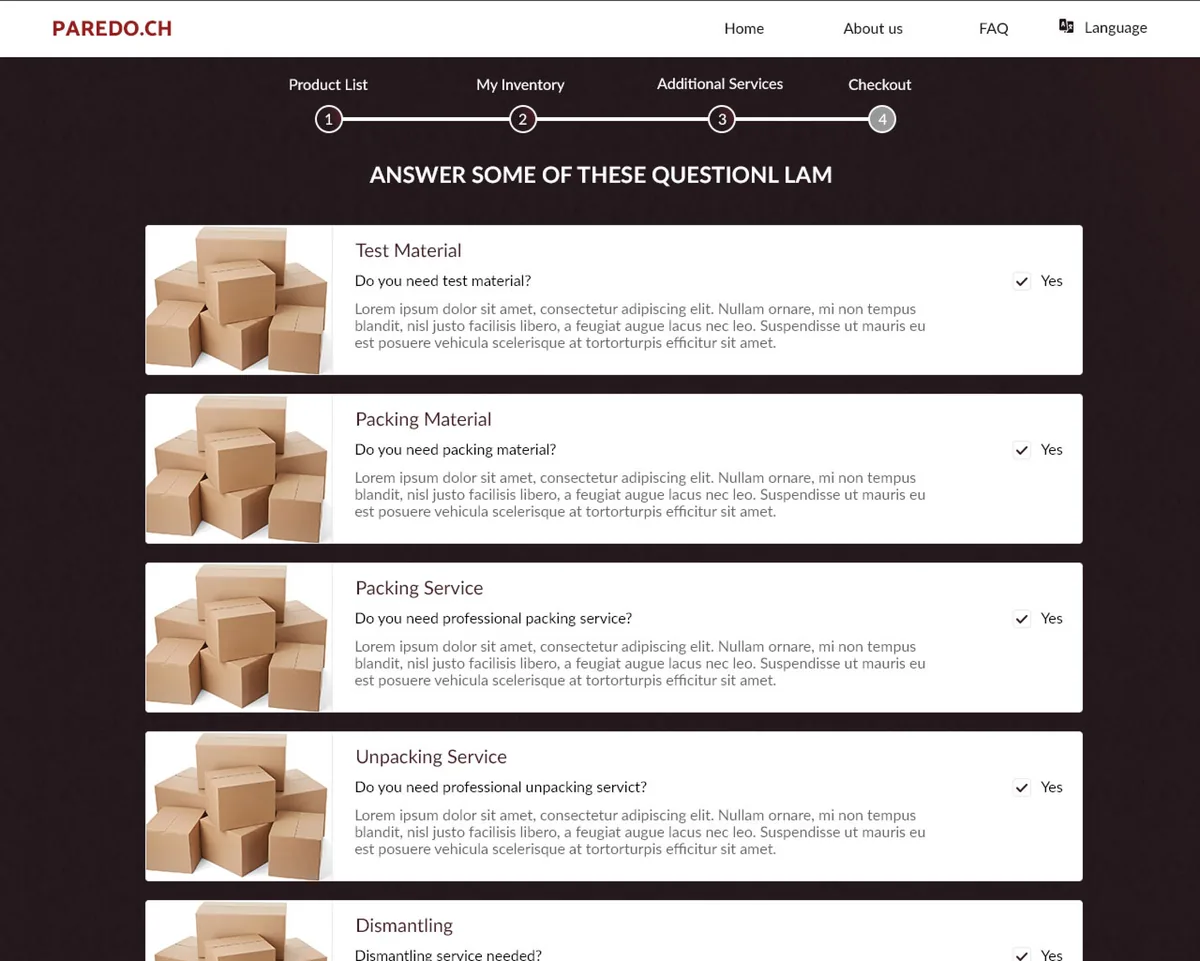
The home page opens with a booking widget - moving from, moving to, home size and date - and everything after it turns that intent into a concrete order. The customer works through an inventory, answers a set of service questions, fills in the moving-plan detail for each address, and reaches a checkout that already knows the volume and the services involved.
Why is a house move hard to book online?
A relocation is not one product with a fixed price - it is a volume, a set of addresses with their own access constraints, and a list of optional services. Turning that into a flow a customer can complete alone, and a company can plan a truck from, was the core design problem.
| Booking a move | By phone and survey | In Paredo |
|---|---|---|
| Get a price | Wait for a home visit and a quote | Priced live from the inventory volume |
| Say what you own | Describe it over the phone | Build a room-by-room inventory |
| Add packing or assembly | Discussed and maybe forgotten | A yes/no question recorded on the order |
| Capture access details | Noted on a form somewhere | Floor, lift, parking and postcode per address |
| Confirm the job | Countersigned paperwork | Reviewed and checked out online |
| Change your mind | Another call | Adjust the inventory and re-check the total |
What does booking a move look like?
The screens that carry the flow, from the first booking widget to the priced checkout.
How does a house move become a checked-out order?
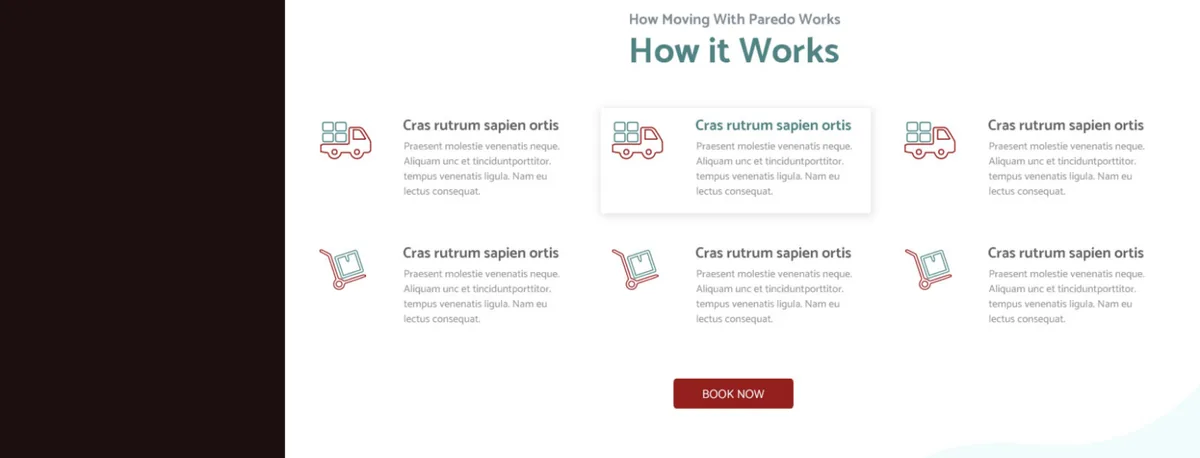
This is the spine of the product - the sequence that lets a customer price and confirm a relocation without a single phone call, and the reason inventory, services and addresses all had to live in one flow.
- 01
Describe the move
Moving-from, moving-to, home size and date are captured in the home-page booking widget to open the order.
Customer - 02
Build the inventory
The customer adds what is being moved, item by item, and each contributes its cubic volume to the running total.
Customer - 03
Choose services
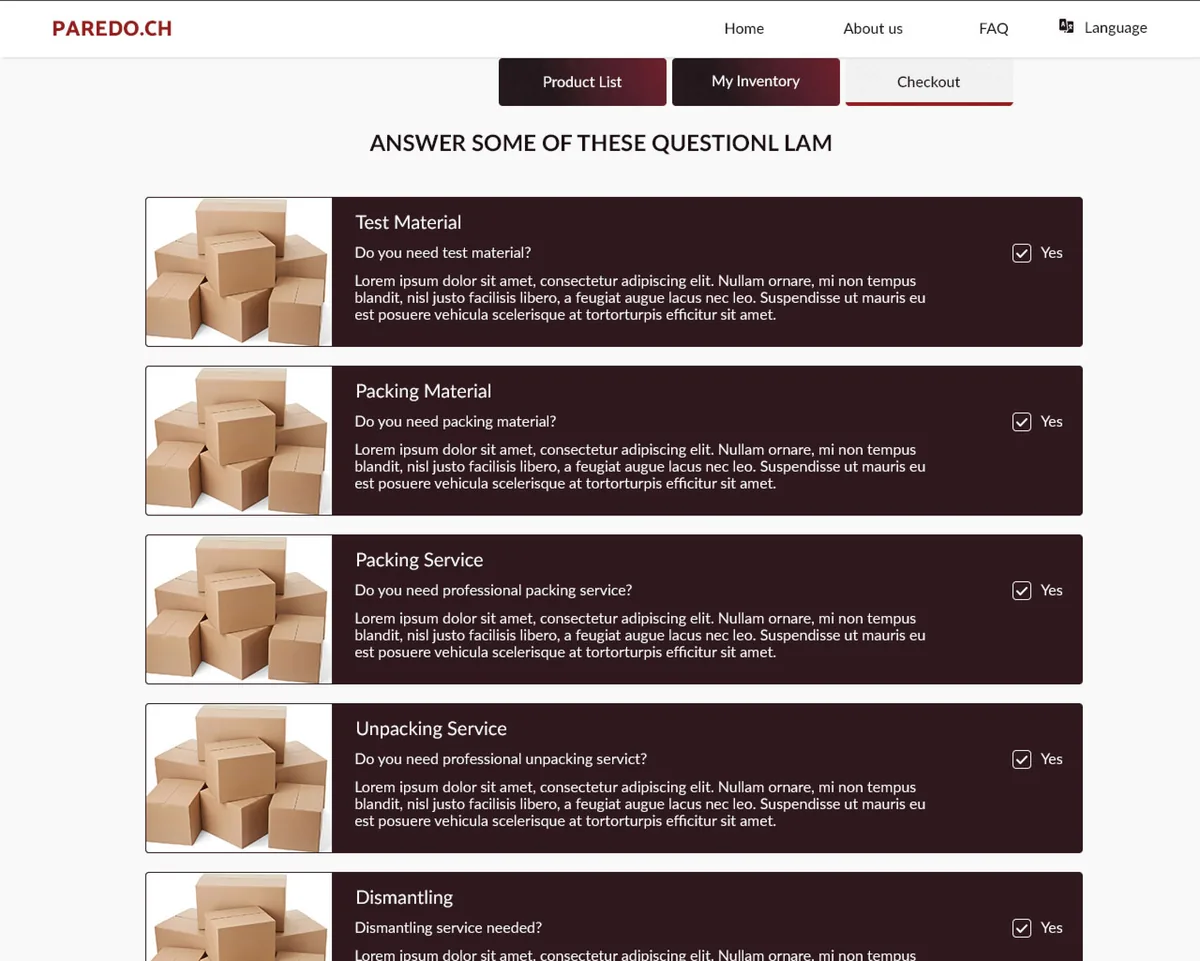
Packing, unpacking, dismantling, assembling, disposal and cleaning are each answered yes or no against the move.
Customer - 04
Fill the moving plan
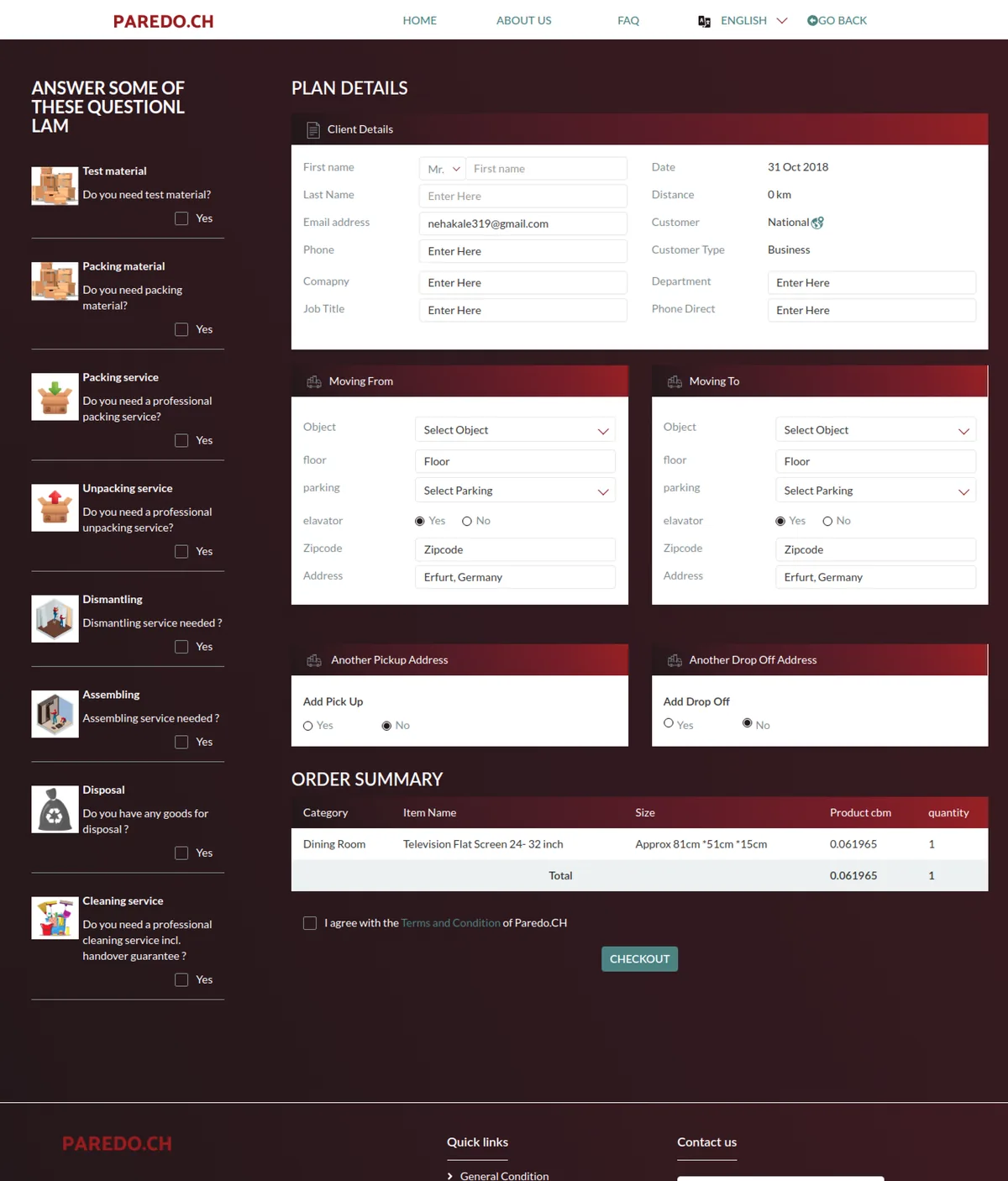
Client details plus floor, lift, parking and postcode are captured for both the pickup and the drop-off address.
Customer - 05
Review the summary
The order summary lists every item with its size and totals the move by cubic volume before payment.
System - 06
Check out
The customer agrees to the terms and checks out a complete move - inventory, services and both addresses in one order.
Customer
Scroll the path sideways
What does an online moving platform have to get right?
These held well beyond Paredo - they are what separates a removal you can book online from a form that just forwards an enquiry.
- Price on volume, not a flat fee. A move is a truckload, so the order has to total cubic metres from a real inventory rather than guess at a number.
- Make optional work a deliberate choice. Packing, assembly and cleaning change the job entirely, so each must be recorded on the order, never assumed.
- Capture access, not just addresses. Floor, lift and parking decide whether a move is even possible, so they belong in the booking, not a later phone call.
- Treat the move as an order. Inventory, services and addresses should resolve into one checked-out purchase, not a thread of emails and countersigned paper.
- Let the customer revise freely. Adjusting the inventory should re-price the move on the spot, so changing your mind never means starting again.
- Show the summary before payment. A customer confirms with confidence only when every item, size and service is laid out in one place first.
Building an online moving and relocation platform
The questions founders ask us first when they want to take removals bookings online.
Ask us yoursHow long does it take to build a moving-booking platform like Paredo?
A first release at roughly this shape - a booking widget, an inventory builder that prices by volume, service selection, a moving-plan form for both addresses and an online checkout - is a multi-month programme rather than a few weeks. The heaviest work is the volume-based pricing and the inventory model, because that is what turns a vague enquiry into a real, payable order. We usually ship the booking and inventory flow first, then layer services and payment.
How much does it cost to build an online moving platform?
It depends on scope, and no honest figure comes from a feature list alone. The biggest cost drivers are how the move is priced, whether payment is taken online, and how much back-office tooling the removals company needs to plan and dispatch jobs. Shanti Infosoft scopes it on a short call and returns a fixed quote, so you compare a real number rather than a guess.
How does Paredo price a move?
By cubic volume. Every item a customer adds to the inventory carries a cubic-metre size, and the order summary totals the move by volume - the same measure a removals company uses to plan how much truck and labour a job needs. Optional services like packing, dismantling and cleaning are added as explicit choices on top of that.
Can customers book packing, assembly and cleaning too?
Yes. Alongside the goods being moved, the inventory step asks a set of yes/no service questions - packing and unpacking, dismantling and assembling, disposal and a handover cleaning - so a customer books a bare van or a full white-glove move from the same flow, and the order records exactly what was chosen.
Does it capture the access details a move actually needs?
That is built into the moving-plan step. Both the pickup and the drop-off address capture object, floor, lift availability, parking and postcode, because those access constraints decide how a move is carried out and whether extra time or equipment is needed - details that otherwise surface only on the day.
More commerce and marketplace work
Want to take moving or booking online?
Tell us how your business actually works and we will tell you honestly what it takes to build. See more of our work or what we do.
Book a 15-minute call