


Order from stores nearby
Next 4 Me is a local store ordering platform built as two apps. Customers find the shops around them and order groceries; the stores receive, accept and fulfil those orders from an app of their own — one order shared between both sides instead of retyped down a phone.
Sector
- Local commerce / grocery
Product
- Paired customer + store apps
What we did
- UX + UI design
- Mobile app design
Personas
- Customer
- Store / merchant
What is Next 4 Me?
Next 4 Me is a local store ordering platform built as two apps — one for customers, one for the stores they buy from. Customers find nearby shops and order groceries; stores receive, accept and fulfil those orders from their own app.
Two apps, one local marketplace
A shopper and a shopkeeper have very different jobs, so each gets an app fitted to theirs. They meet on a single order: what the customer places is exactly what the store sees, accepts and prepares.
Why is ordering from a local store still so manual?
A neighbourhood shop takes orders by phone, message or walk-in, and juggles them on paper. The customer can't see stock or status, and the shopkeeper re-keys everything. Next 4 Me gives both sides an app so one order is shared, not retyped.
| Local ordering | By phone and paper | On Next 4 Me |
|---|---|---|
| Finding a store | Word of mouth, whatever's open | Nearby stores listed and mapped with ratings |
| Browsing stock | Ask what's available | A live product list per store, by category |
| Placing an order | Read a list down the phone | A cart the store receives exactly as sent |
| Accepting it | Verbal, easy to forget | Accept or reject in the store app |
| Following status | Call back to check | Pending, accepted, packed and delivered states |
| Getting paid | Cash and a notebook | Order bills and payouts in the store app |
What is it like to order in the app?
The customer journey, screen by screen — from the shops near you to a placed order you can follow.
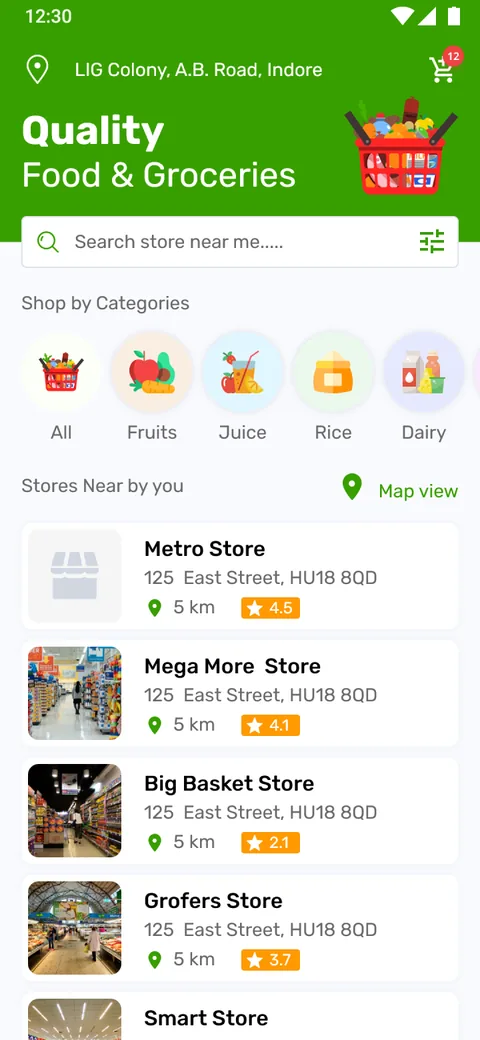
Home
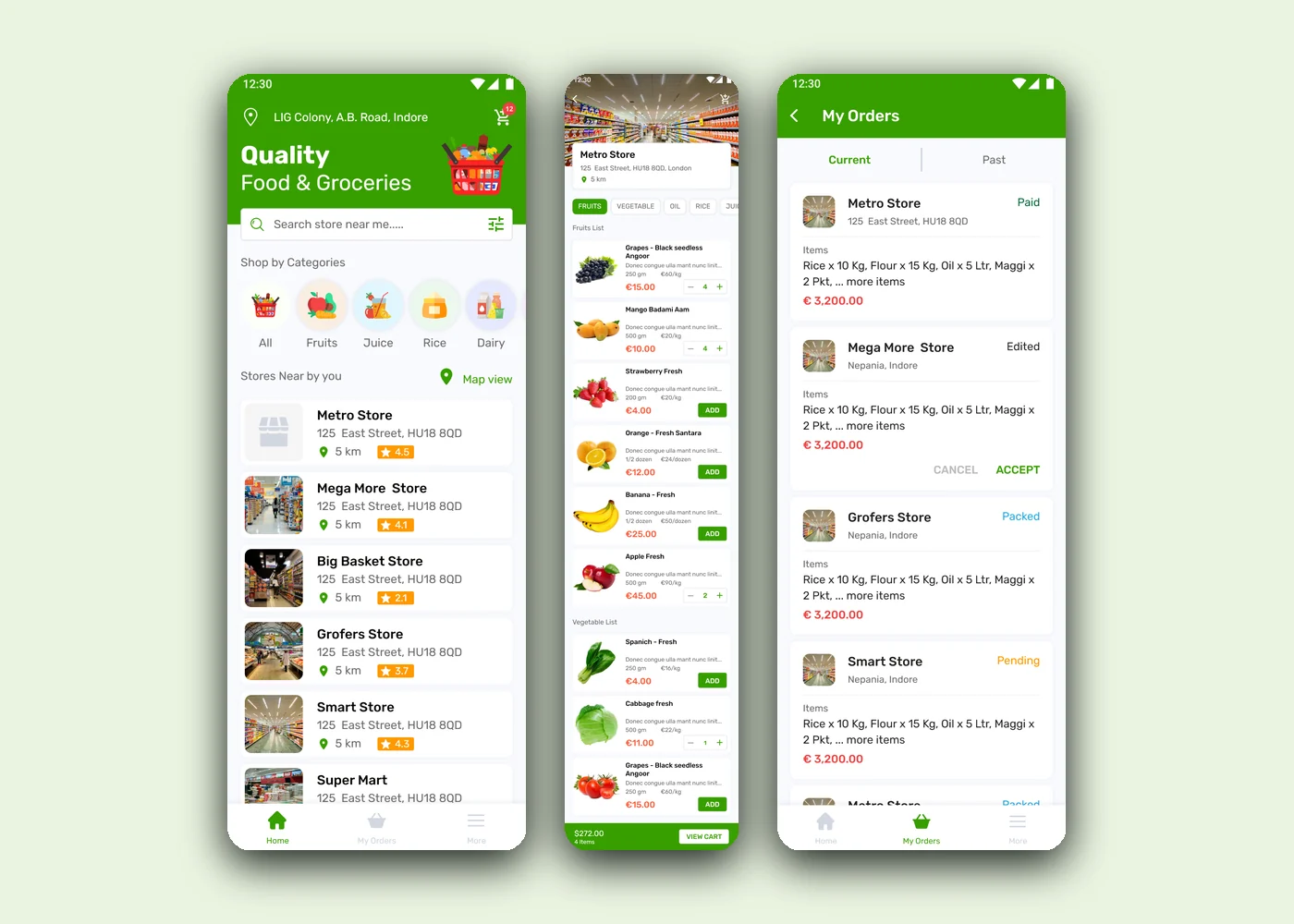
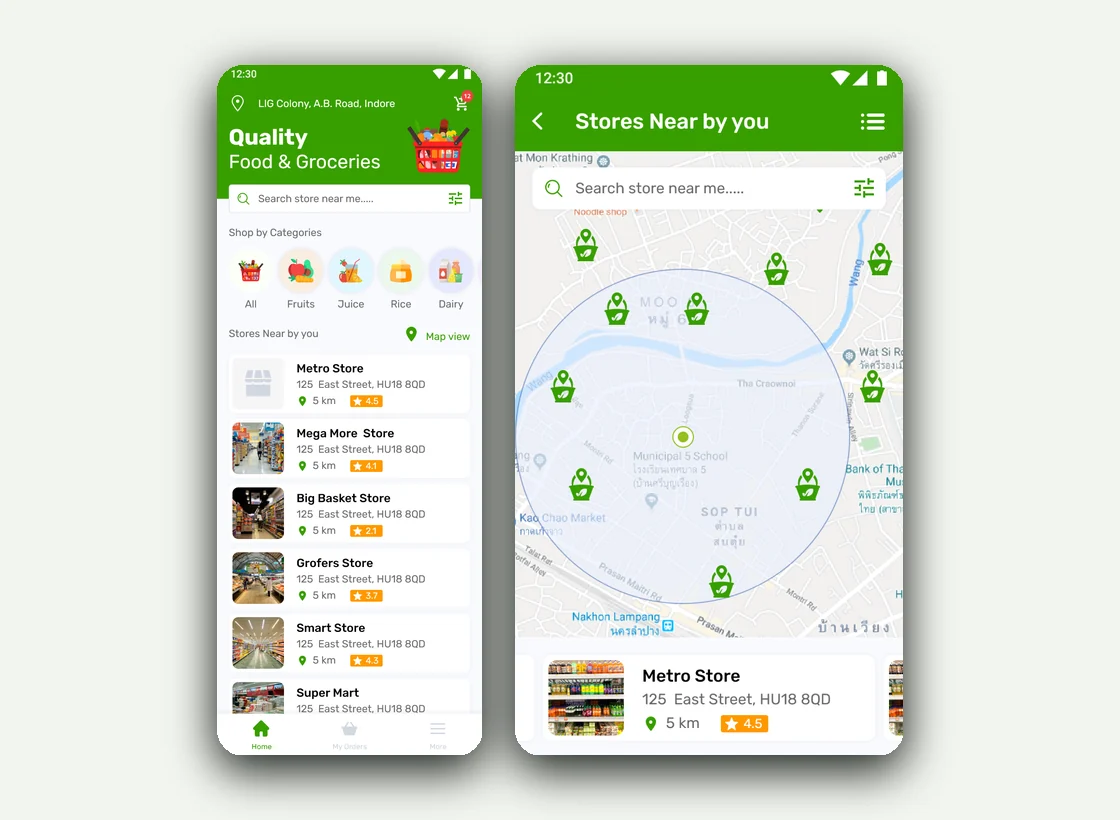
Nearby stores listed with distance and rating, plus quick category shortcuts.
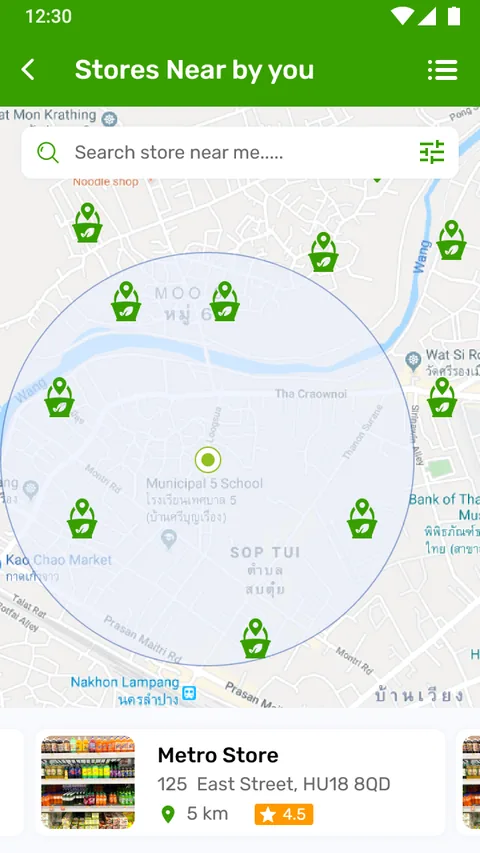
Map view
The same stores on a map, centred on the customer, so proximity is obvious.
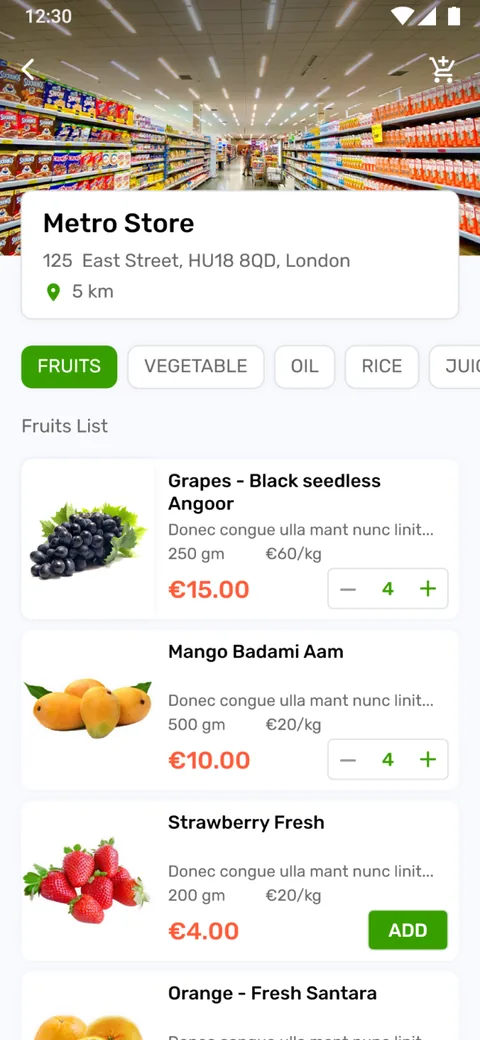
Store
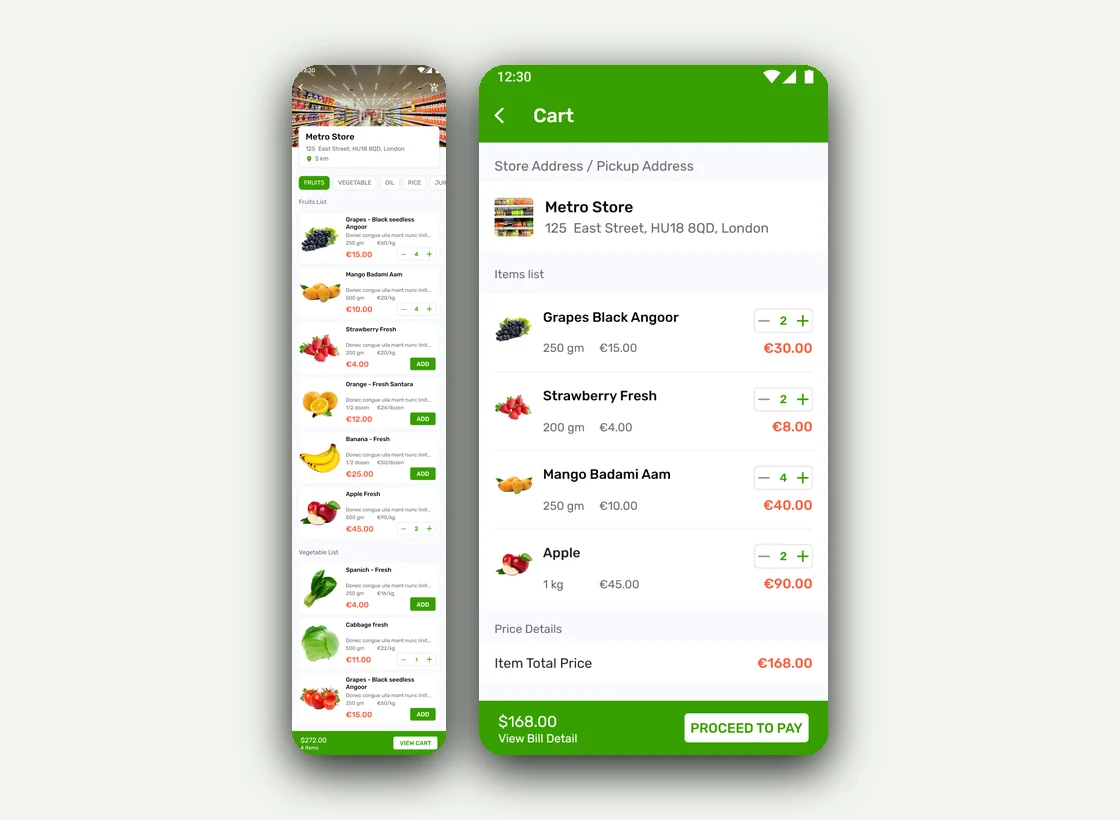
A store's catalogue by category, each item with weight, price and an add button.
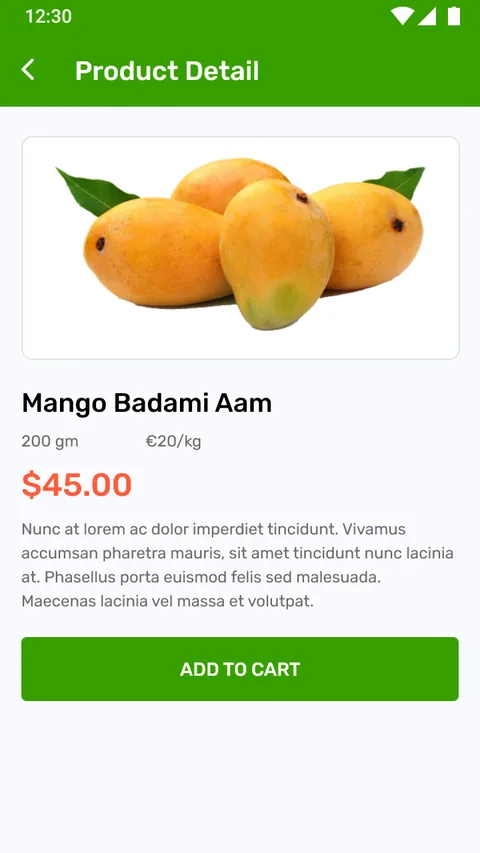
Product
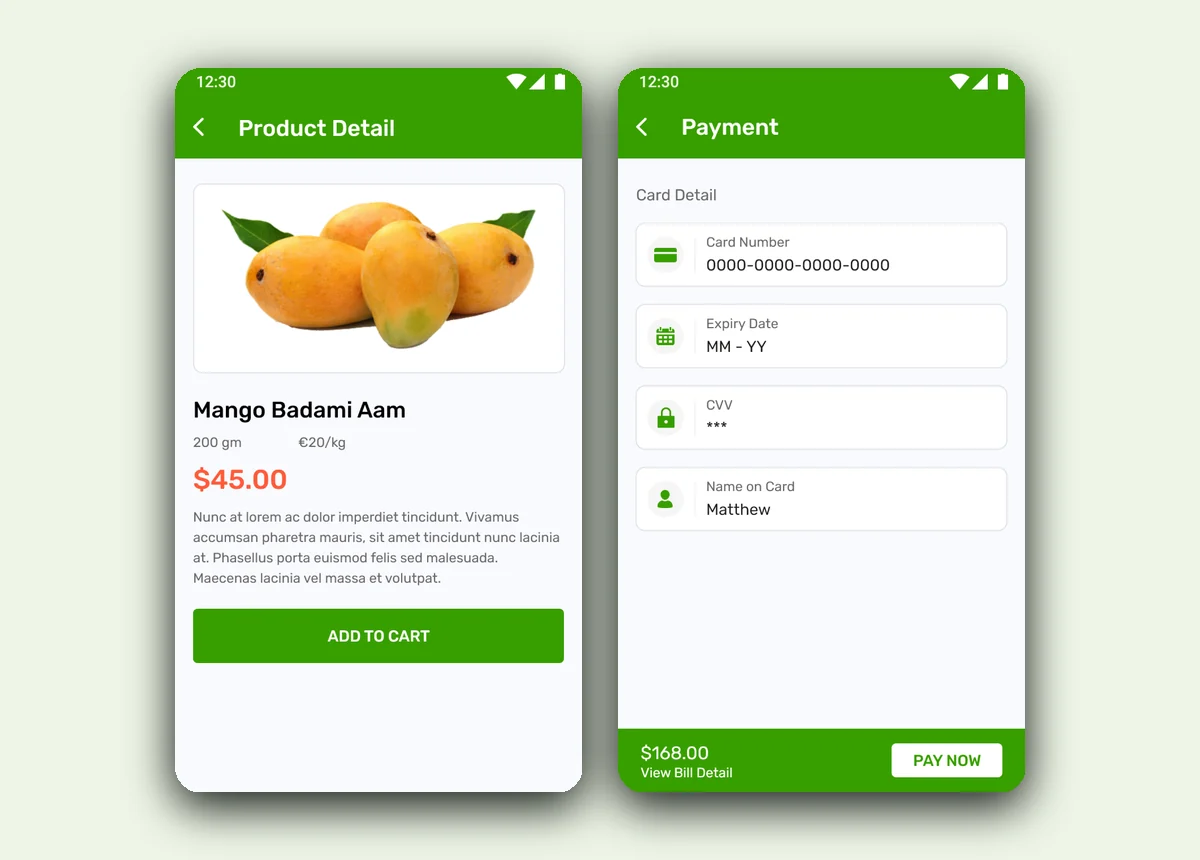
A single product's detail before it goes into the cart.
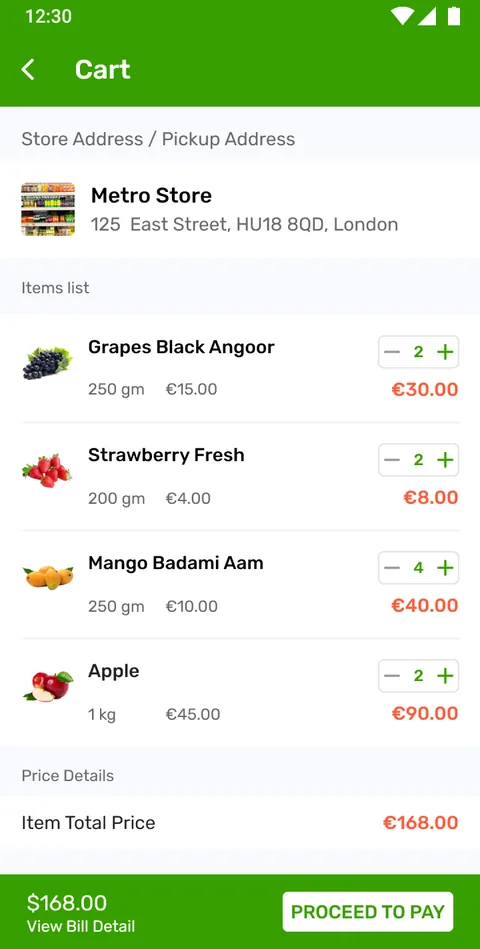
Cart
The cart with quantities and a running total before checkout.
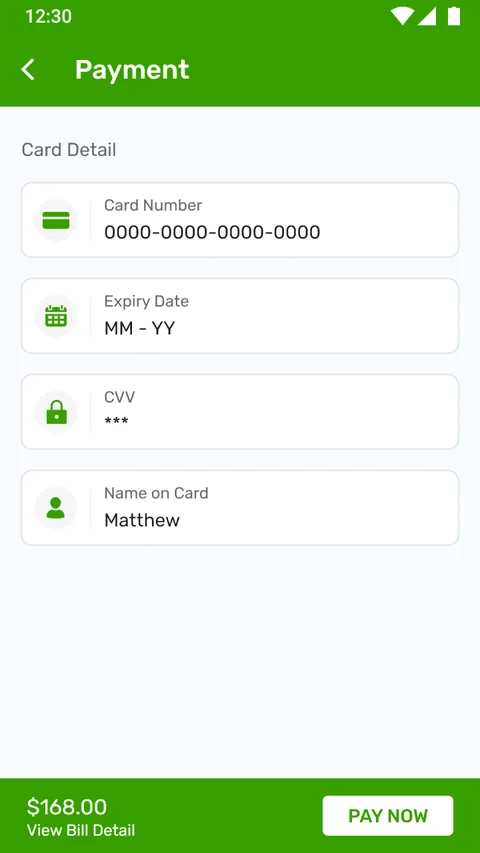
Payment
Choosing how to pay for the order.
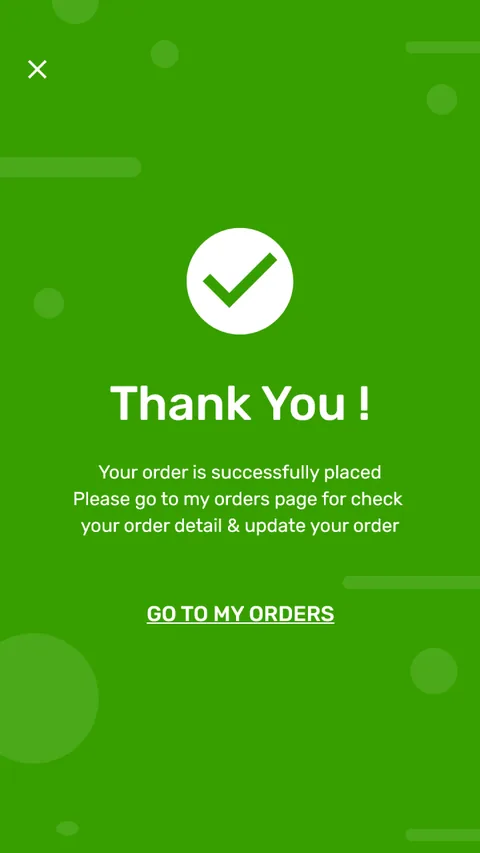
Confirmed
The order is placed and confirmed back to the customer.
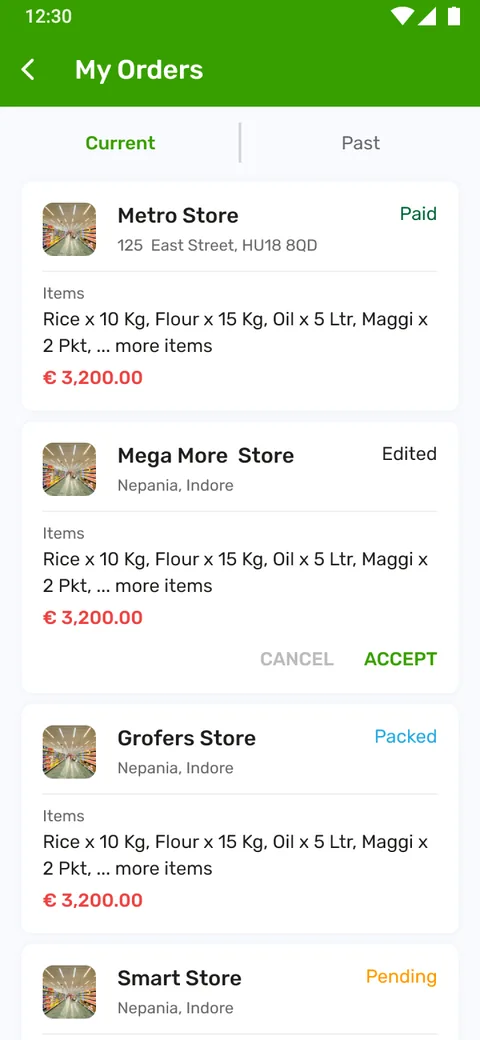
My orders
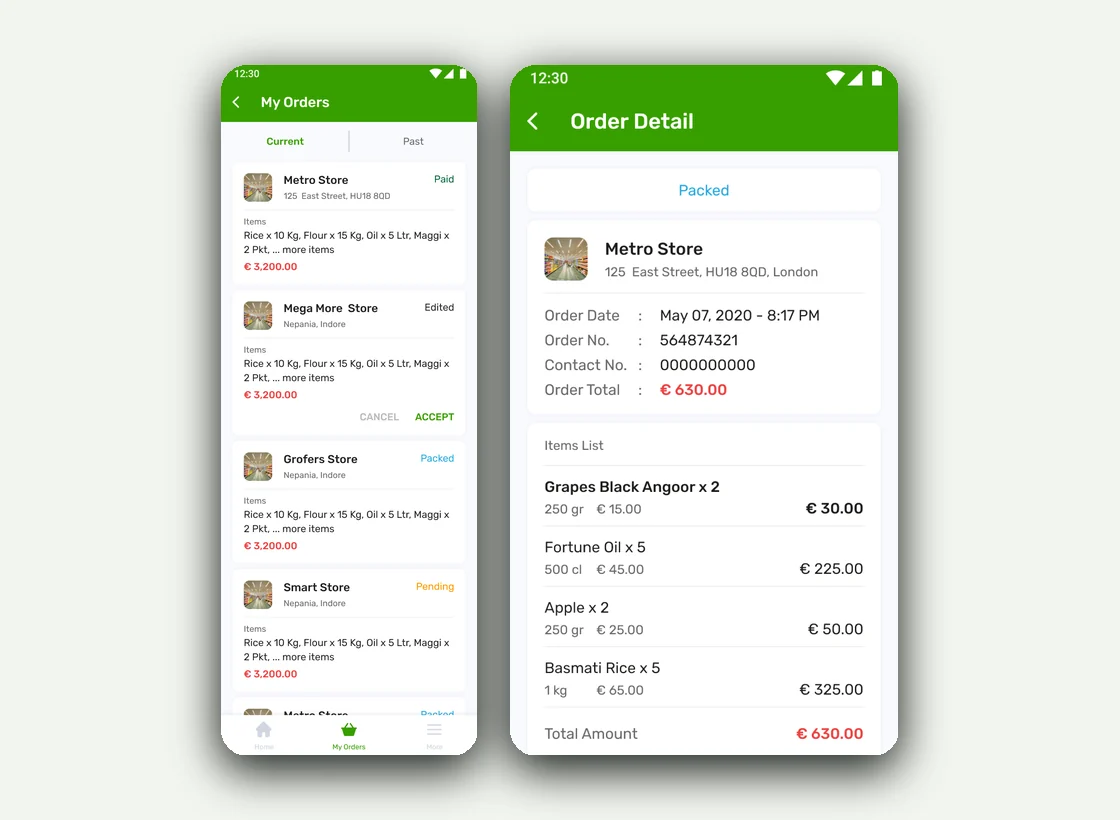
Current and past orders, each with its store and status.
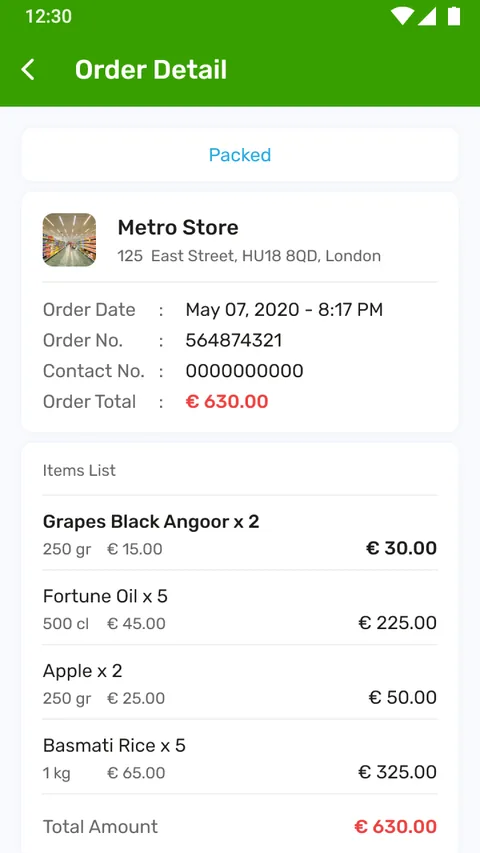
Tracking
An order detail moving through pending, paid, packed and delivered.
Who uses Next 4 Me, and what can they do?
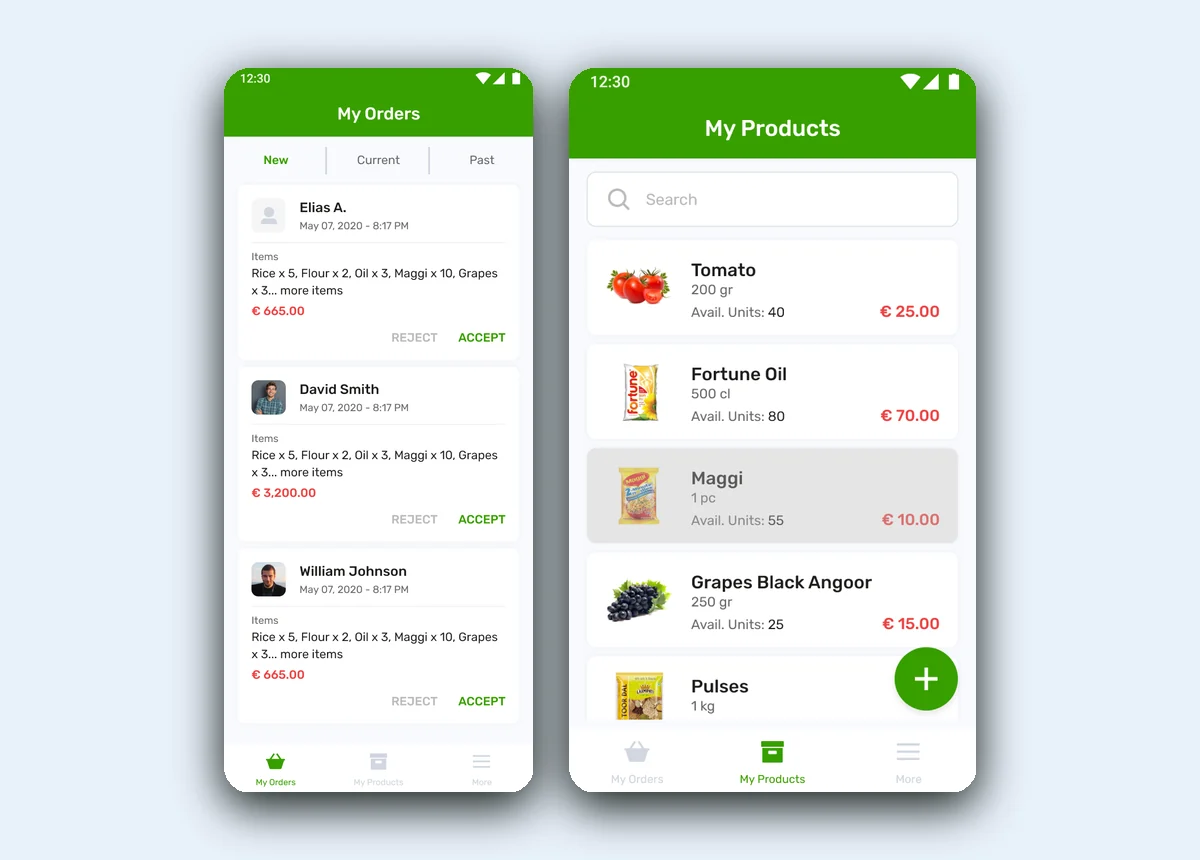
The same order looks different depending on which end you are. Switch between the two apps to see each side's home and what it lets them do.
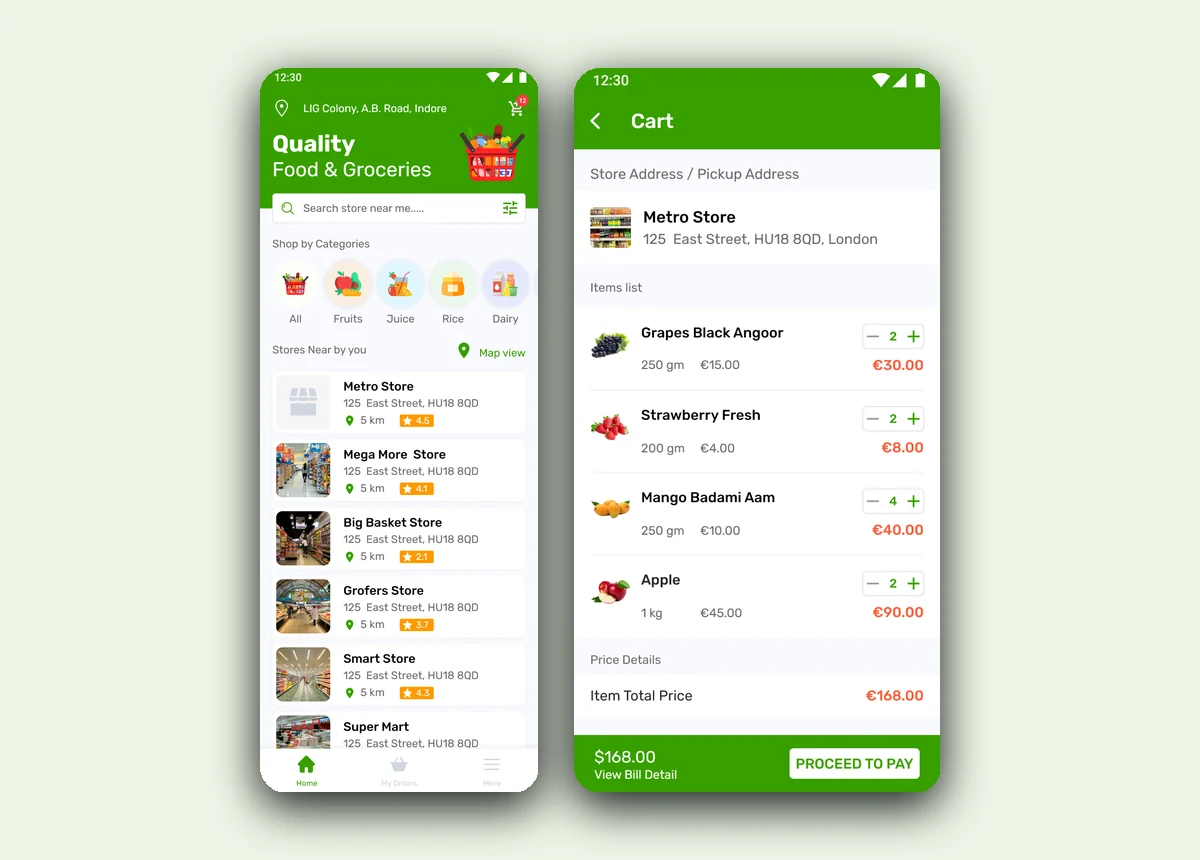
- Find & map nearby stores
- Browse a store by category
- Build a cart & pay
- Track order status
- Rate & review
- Manage profile
What does a local ordering app need to get right?
Six things separate a two-sided ordering app that a shop and its customers actually keep open from one that goes back to the phone. They came out of building Next 4 Me and hold for any hyperlocal marketplace.
- Start from what's nearby. A local order begins with which shops are close and open, so location and store hours belong on the first screen.
- A live catalogue per store. Customers need to order against what a specific shop actually stocks and prices, not a generic list.
- One order, shared not retyped. What the customer sends must be exactly what the store receives — re-keying is where local orders go wrong.
- Accept or reject in the store's hands. A shopkeeper has to be able to take or decline an order, and edit it, from their own app.
- Status both sides can see. Pending, accepted, packed and delivered should be visible to customer and store without a phone call.
- The shop's own settings and payouts. Opening hours, VAT and payouts are the store's business, so the merchant app has to own them.
Building a local store ordering app
The questions store owners and founders ask us first, answered plainly.
Ask us yoursHow does a local store ordering app work?
It is built as two apps over one order. In the customer app a shopper sees nearby stores on a list and a map, opens a store's catalogue by category, builds a cart and pays. That order lands in the store's app, where the shopkeeper accepts or rejects it, edits it if needed, and moves it through packed to delivered — with the customer seeing each status.
Why build a customer app and a merchant app separately?
Because a shopper and a shopkeeper do opposite jobs. The customer browses, orders and tracks; the store receives orders, manages products and prices, sets opening hours and sees payouts. Splitting them means each app shows only what that side needs, over a shared order, rather than one cluttered app trying to be both.
How do stores manage their products and orders?
From the store app. Orders arrive under New to accept or reject, then flow through Current and Past, each with an editable bill. Products are managed with their weight, available units and price, and the shop controls its own opening and closing times, VAT details and payout information — so the storefront stays current without anyone else's help.
Can customers track an order after placing it?
Yes. Every order sits under the customer's My Orders with its store and a status that updates as the store works it — pending, paid, packed and delivered. If the store edits an order, the customer is shown the change to accept, so both sides always see the same state without a follow-up call.
How long does it take to build a two-sided ordering app?
A paired customer and merchant app with store discovery, catalogues, cart and checkout, order acceptance and status, and store settings is a multi-month build rather than a few weeks. What moves the date most is payments, live delivery tracking, and how much of the store's back office — VAT, payouts, hours — is in the first release. We phase it so the core order loop ships first.
More of what we do
Have a marketplace that needs an app on both sides?
Tell us how your business actually works and we will tell you honestly what it takes to build. See more of our work or what we do.
Book a 15-minute call