


Order in, with credits and rewards
Gogo Eat is a food-ordering mobile app that pairs a diner experience with a restaurant side. Diners discover nearby places, browse a menu, build a dish topping by topping, pay by card or in-app credits, and earn by referring a friend, all tracked to the door.
Sector
- Food & beverage
- Food delivery
Platform
- Mobile app
- Diner + restaurant
What we did
- UX + UI design
- Mobile app build
Commerce
- In-app credits
- Card payment
What is Gogo Eat?
Gogo Eat is a food-ordering app with two sides: a diner app for finding and ordering food, and a restaurant side that receives and fulfils those orders. This page walks the diner experience, screen by screen.
Everything a diner needs, from craving to doorstep
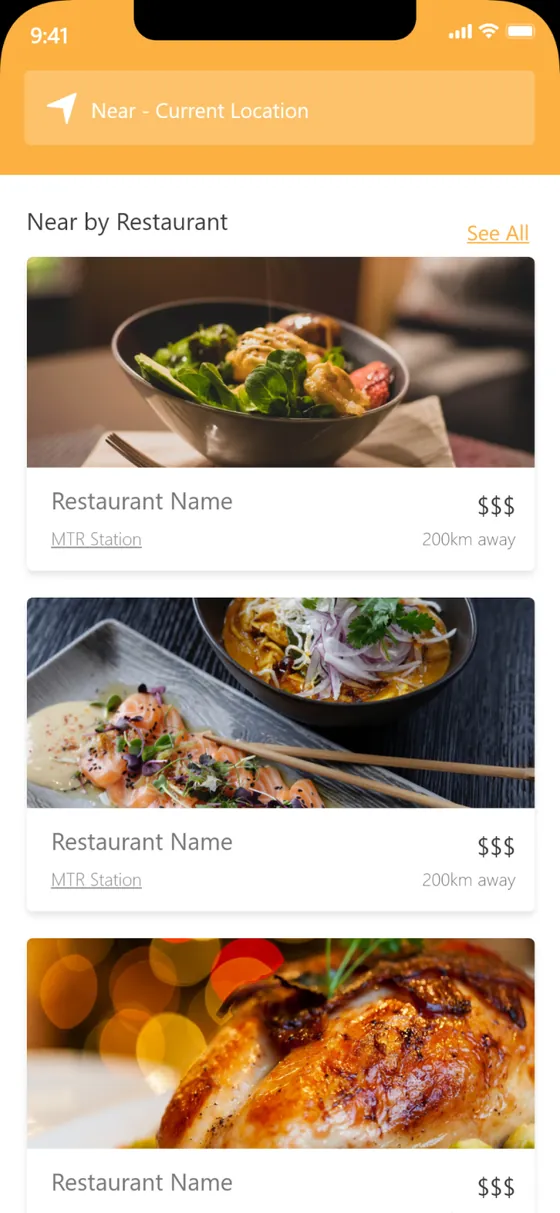
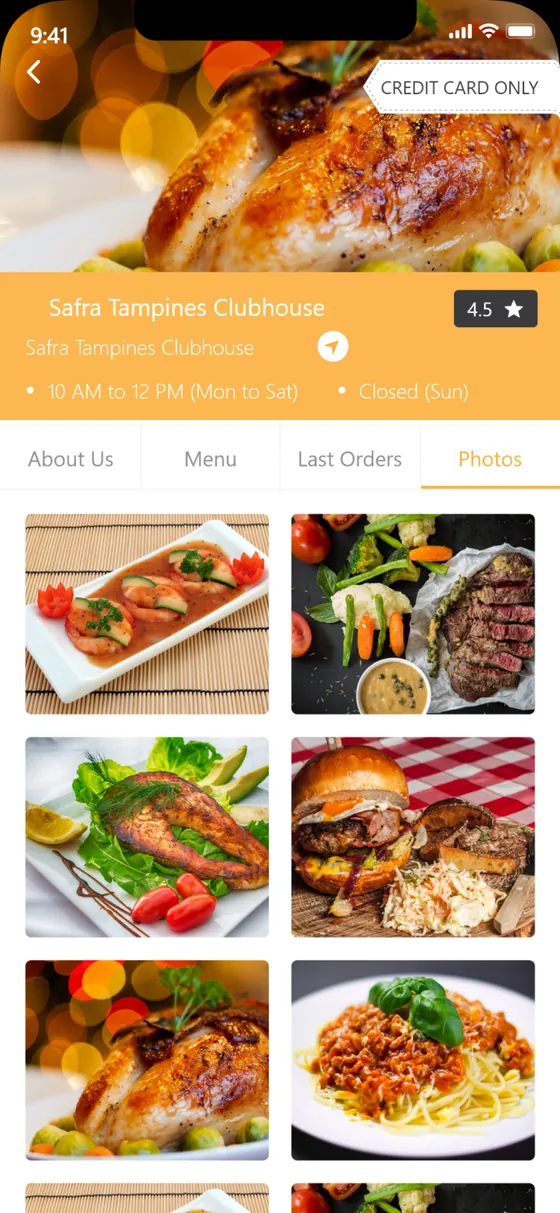
The app opens on nearby restaurants and last orders, so the next meal is a tap away. From there a diner browses a restaurant's menu and photos, customises a dish, and checks out with a card or a stored credit balance, then tracks the order to pickup or delivery.
Why does a food-ordering app need more than a menu and a pay button?
The gap between a hungry diner and a placed order is full of small frictions. Three of them decide whether an app gets used twice: how fast something good is found, how precisely a dish can be ordered, and how flexibly it can be paid for.
| What a diner needs | A basic ordering form | Gogo Eat |
|---|---|---|
| Decide what to eat | A flat list of items | Nearby restaurants, photos and a map search |
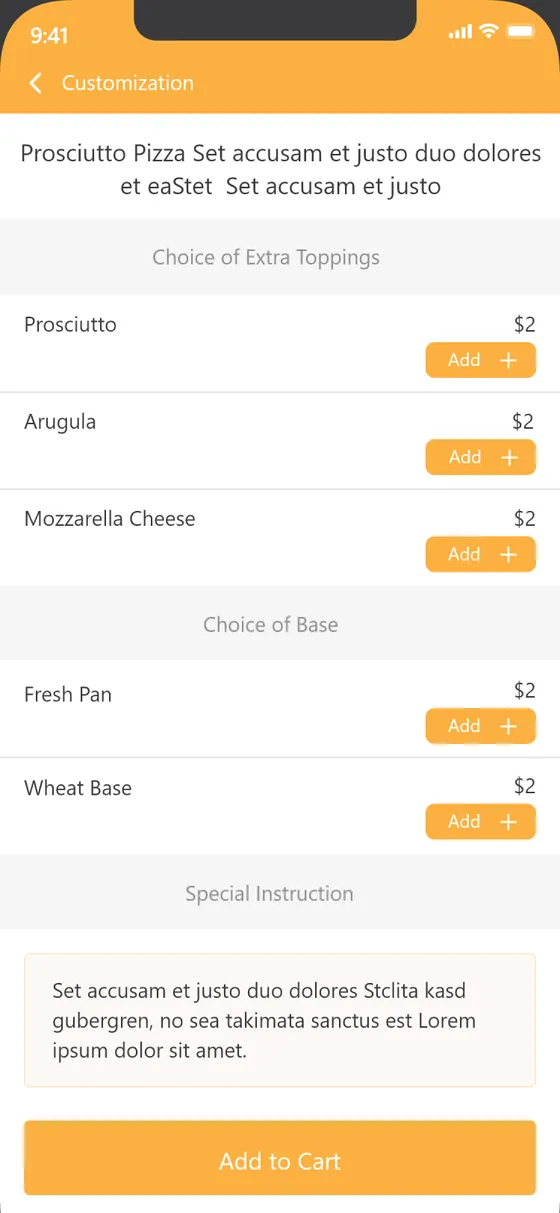
| Order it precisely | Item and quantity only | Toppings, base and a free-text special instruction |
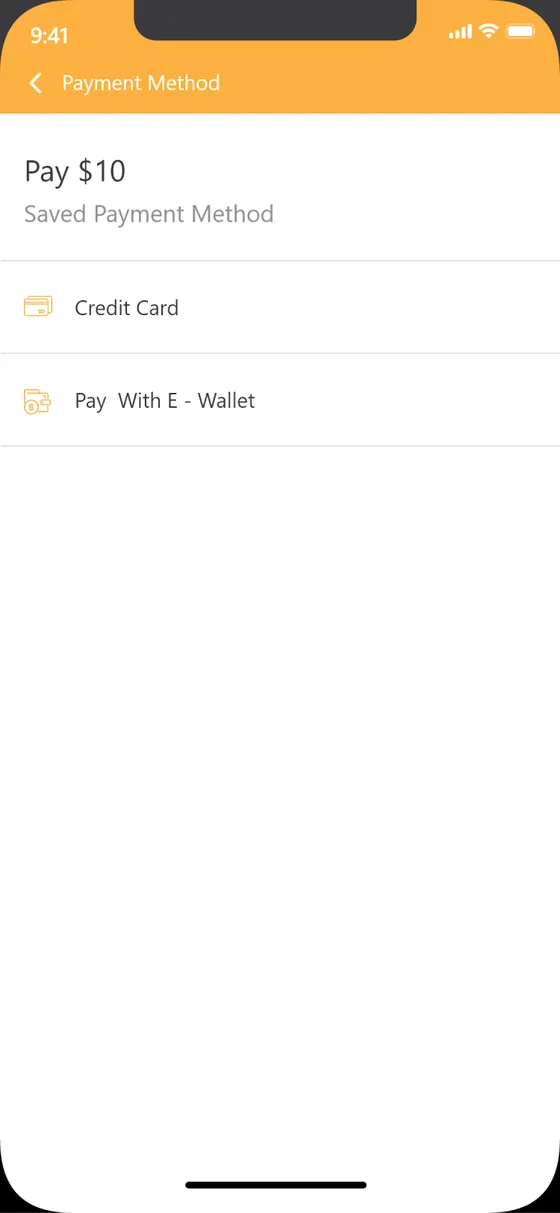
| Pay how they like | One card form | Card, e-wallet or a stored credit balance |
| Come back easily | Start from scratch | Repeat a past order in a tap |
| Be rewarded | Nothing | Referral code and rewards for inviting a friend |
Credits ledger
Stored balanceA prepaid credit balance that applies to orders at checkout, with a dated ledger of every credit and debit and its running total.
- Every movement
- Applied at checkout
Refer & earn
Referral codeA personal referral code and share sheet, with a view of who has been referred.
- Referred users
- Rewards
Orders & repeat
Full historyEvery past order with its items and status, and a one-tap repeat for a favourite.
- Order history
- Reviews & ratings
Account
Diner profileProfile and account details, a secure password change, in-app notifications and a language setting, so the app fits the diner rather than the other way round.
- Notifications
- Change password
- Language
How does an order come together?
This is the diner's path end to end. Each step is a single screen, and the whole thing is built to be walked with one thumb.
- 01
Discover nearby
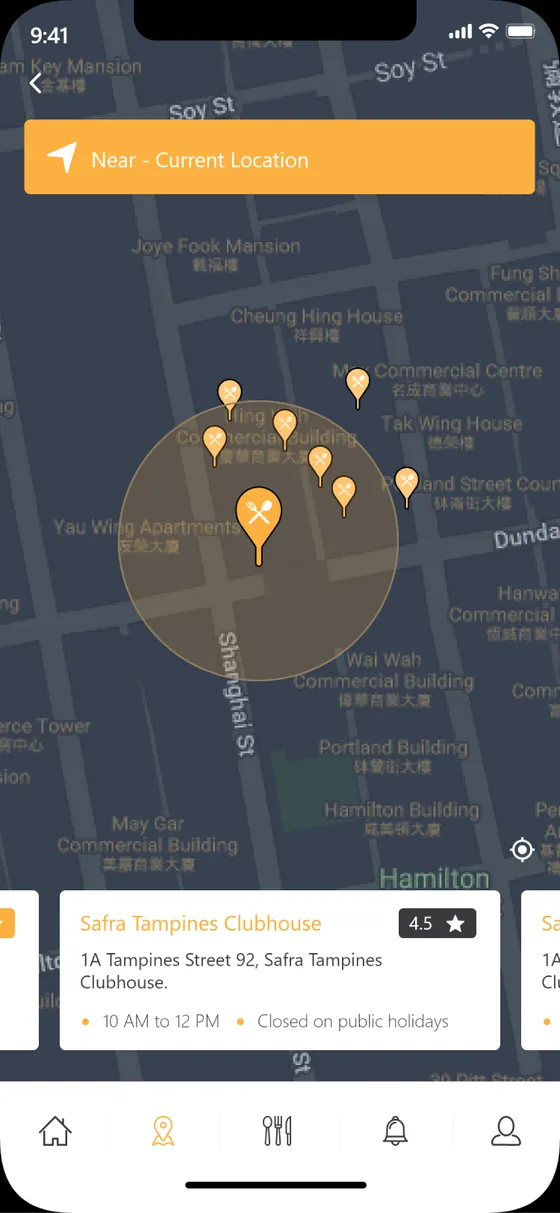
The home screen and map search surface restaurants close to the diner.
Diner - 02
Open a restaurant
Menu, photos and details decide where the order is coming from.
Diner - 03
Customise the dish
Toppings, base and a special instruction shape the exact order.
Diner - 04
Review the cart
Items, a promo code and the total are confirmed before paying.
Diner - 05
Pay by card or credits
Checkout takes a card, an e-wallet or the stored credit balance.
Diner - 06
Placed and tracked
The order is confirmed and tracked to pickup or delivery.
System
Scroll the path sideways
What does the app feel like in the hand?
Eight screens from the diner journey, in the app's warm orange language. From discovery to a placed order, everything is one thumb-reach away.
Home
Nearby restaurants and last orders greet the diner on open.
Search
A map search finds restaurants by location.
Restaurant
About, menu, last orders and a photo gallery per place.
Customise
Toppings, base and special instructions on the dish.
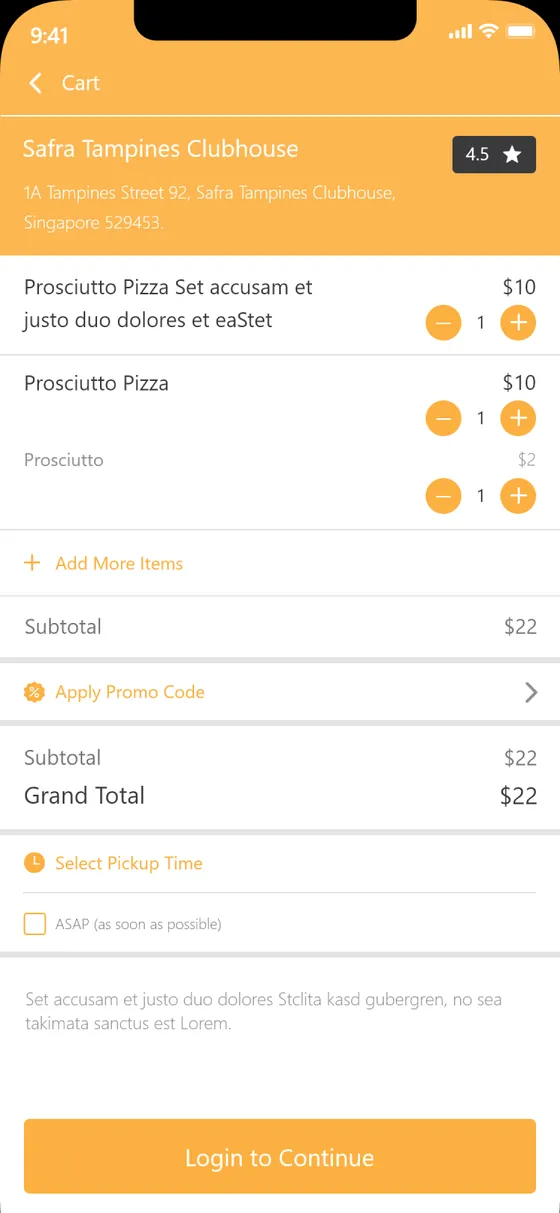
Cart
Items, promo code and a running total before checkout.
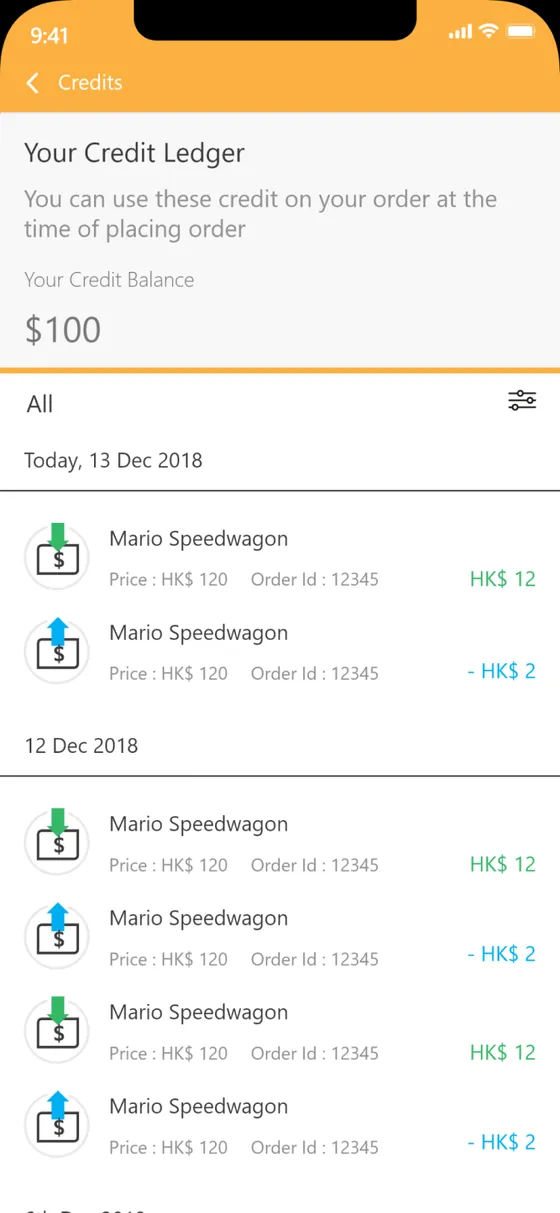
Credits
A credit ledger showing balance and every movement.
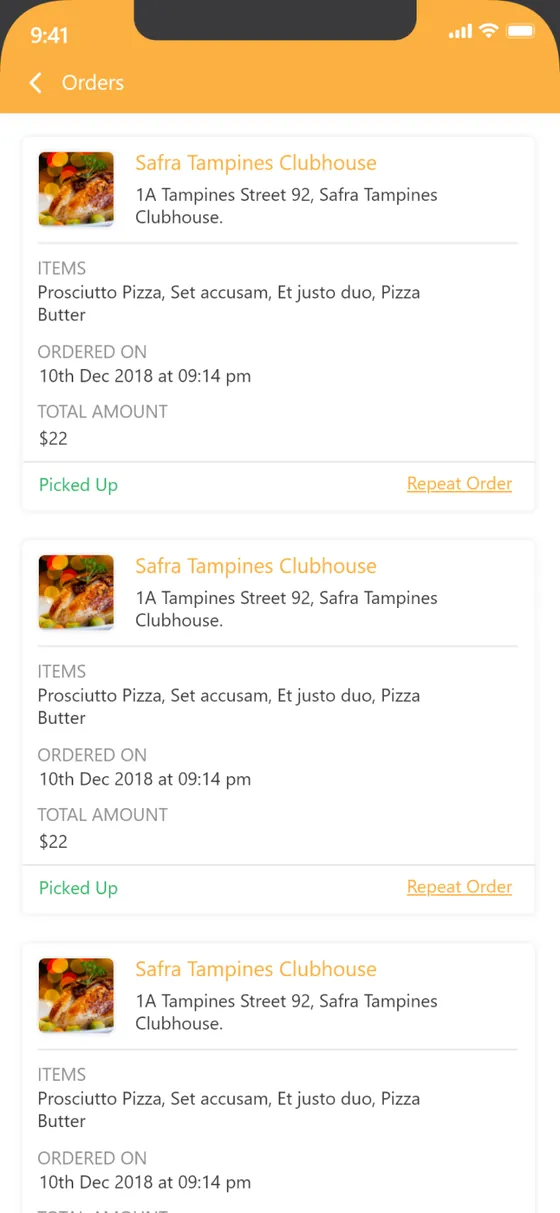
Orders
Past orders with items, status and a repeat action.
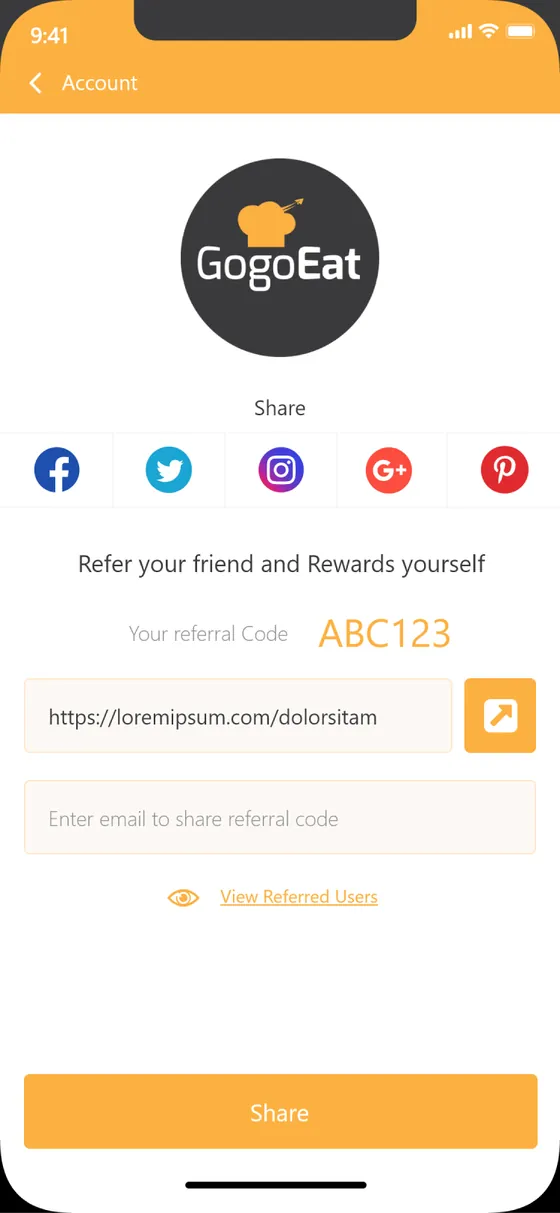
Refer & earn
A referral code and share sheet to invite friends.
Building a food-ordering app
What restaurant and delivery brands ask us first, answered plainly.
Ask us yoursHow long does it take to build a food-ordering app?
A two-sided app of this shape, a diner app plus a restaurant side, with customisation, an in-app credit wallet, referrals and order tracking, is a multi-month build rather than a few weeks. The biggest drivers are the payment methods and delivery logic in scope, and whether both sides ship at once. Shanti Infosoft scopes it on a short call and returns a fixed quote.
Can you add in-app credits or a wallet to my food app?
Yes. An in-app credit balance is a pattern we have designed and built here. To be trusted it needs a ledger with every credit and debit and a clear running total, and it has to settle cleanly against card and e-wallet payments at checkout. We can add it to a new app or an existing one.
Do you build both the customer and the restaurant side?
Yes. Gogo Eat pairs a diner app with a restaurant side that receives and fulfils orders. We design and build both, because the two only work when the order, menu and status model is shared between them rather than bolted together later.
Can it support dish customisation and special instructions?
Yes, and it should. A dish here carries extra toppings, a choice of base and a free-text special instruction, so a diner orders the specific thing they want and the kitchen gets it right the first time.
Does it work for iOS and Android?
Yes. We design once and build for both platforms, keeping the diner experience consistent across them. The same order and account model sits behind whichever phone a diner is holding.
Related work and services
Planning a food-ordering or delivery app?
Tell us how your business actually works and we will tell you honestly what it takes to build. See more of our work or what we do.
Book a 15-minute call