


Post it, find it, sell it
A classified-ads portal built around a fast browse and an easy post: filter listings by category, location and price, scope the feed to everyone or just your neighbours and colleagues, and post your own ad with the audience you choose - then manage it all from one member dashboard.
Category
- Classifieds portal
- Web platform
Browse
- Category + subcategory
- Location + price filters
Feed scope
- All listings
- Neighbours
- Colleagues
Design scope
- UX + UI design
- 18 portal screens
What is Classified built to do?
A classifieds site lives or dies on two moments: how quickly a browser finds something worth contacting, and how painless it is to post an ad in the first place. Classified is designed around both, with a filtered feed on one side and a guided posting flow with audience control on the other.
A browse feed and a posting studio in one portal
Visitors filter a card feed by category, subcategory, location and price, and scope it to everyone, their neighbours or their colleagues. Members get a dashboard that turns posting into a short, guided task and keeps their live and past ads, messages and profile in one place.
Why is a good classifieds portal harder than it looks?
A classifieds site is deceptively simple - a list of ads - but the moment there are thousands of them, browsing becomes noise and posting becomes a chore. The design problem was to keep both the finding and the posting fast as the volume grows.
| Using a classifieds site | A basic listings page | In Classified |
|---|---|---|
| Narrowing the feed | One long, flat list | Category, subcategory, location and price filters |
| Choosing who sees it | Everyone, always | Scope to all, neighbours or colleagues |
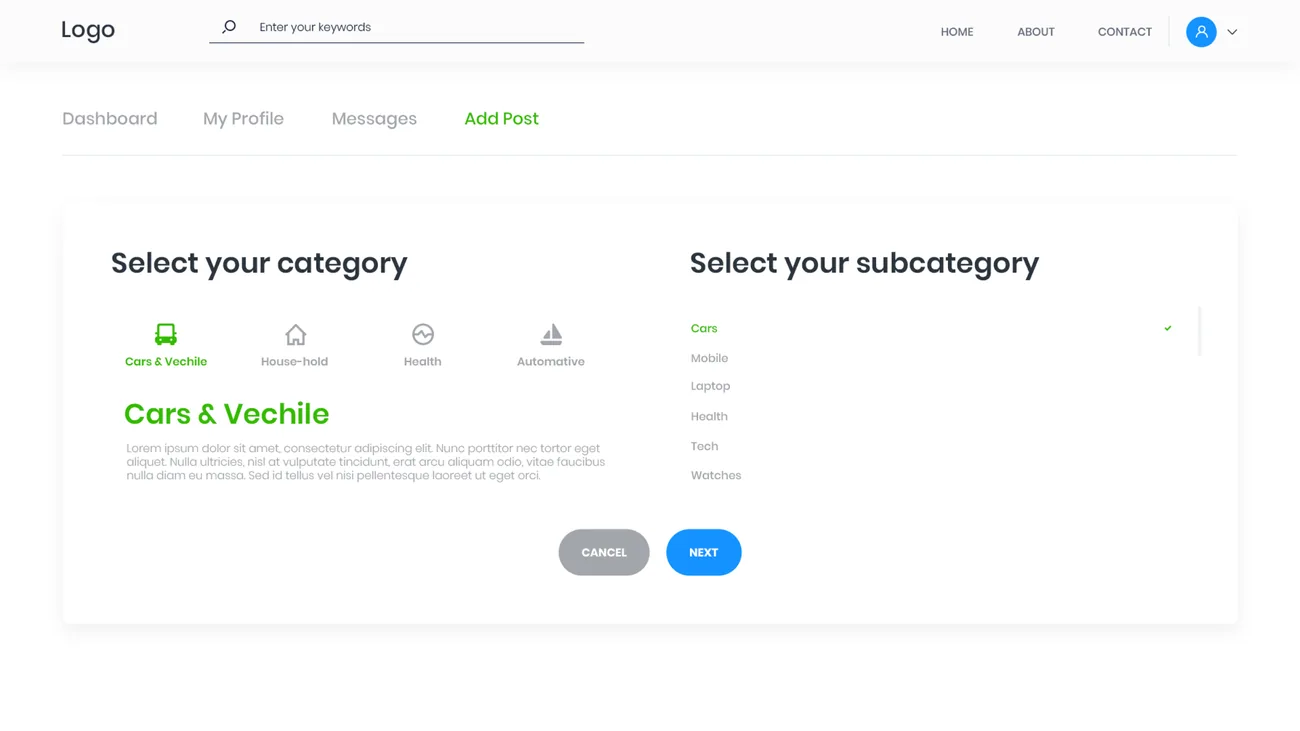
| Posting an ad | One intimidating form | A short, stepped post with audience targeting |
| Judging a listing | A single line of text | Post details with an image view |
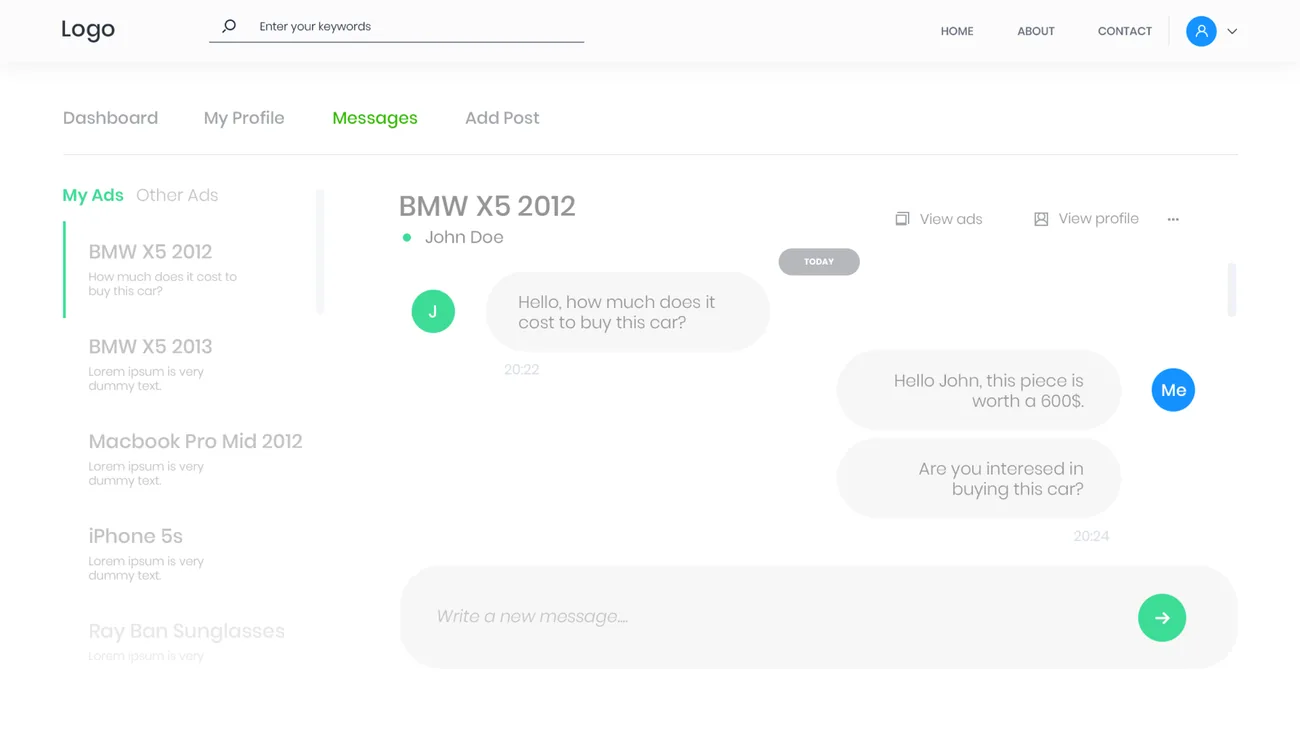
| Reaching the seller | An exposed phone number | In-portal messaging tied to the ad |
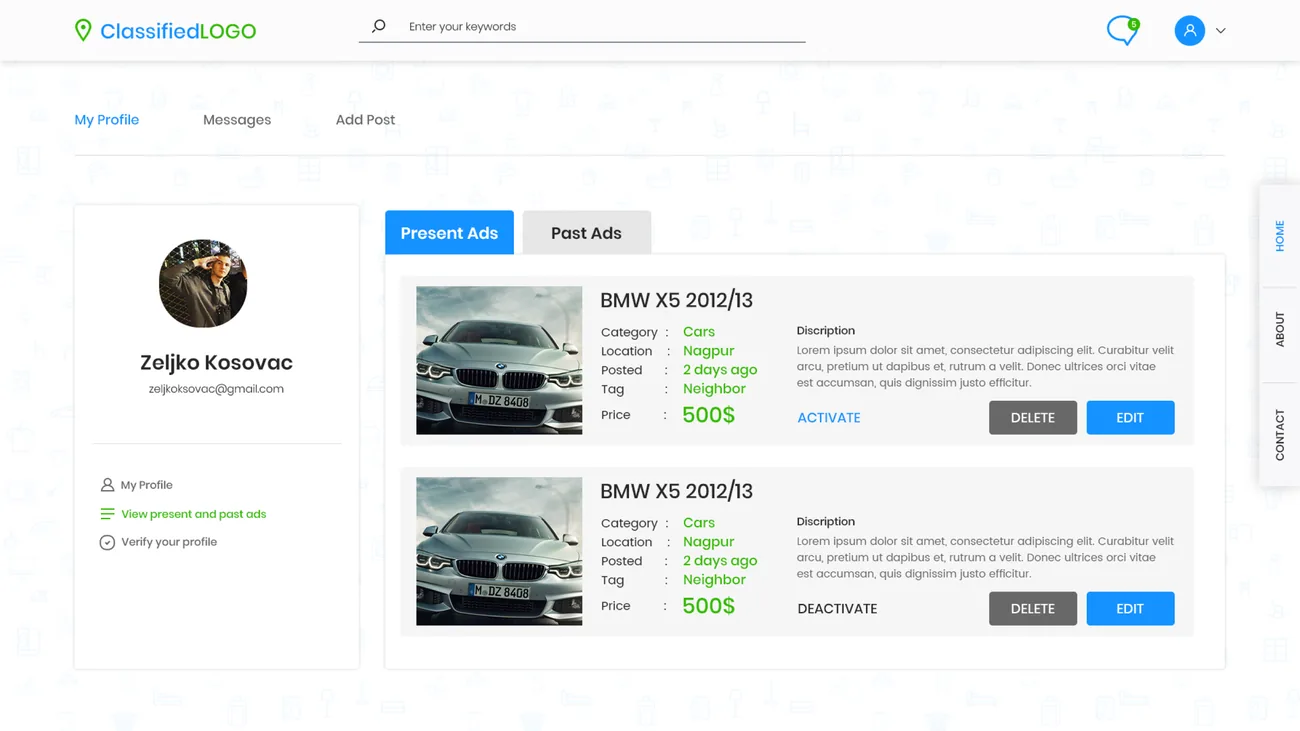
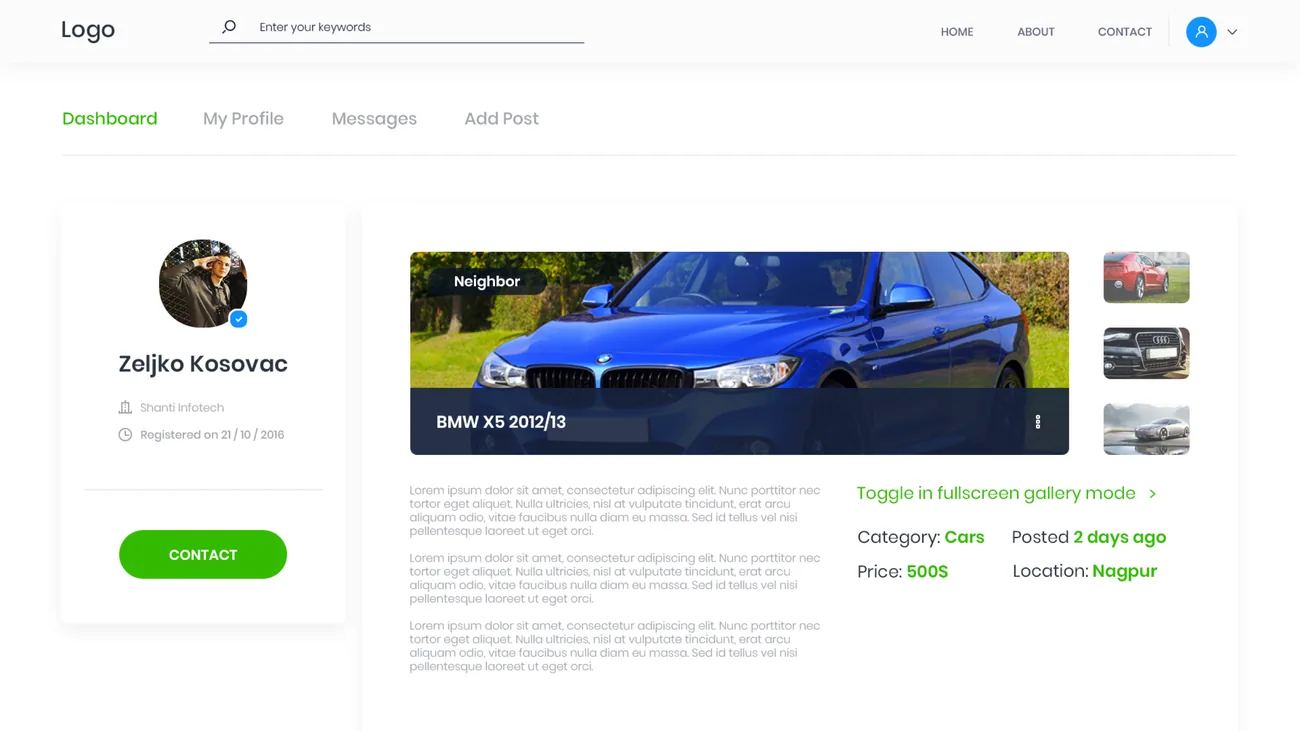
| Managing your ads | No account | A dashboard of current and past ads, plus profile |
What does posting and managing look like?
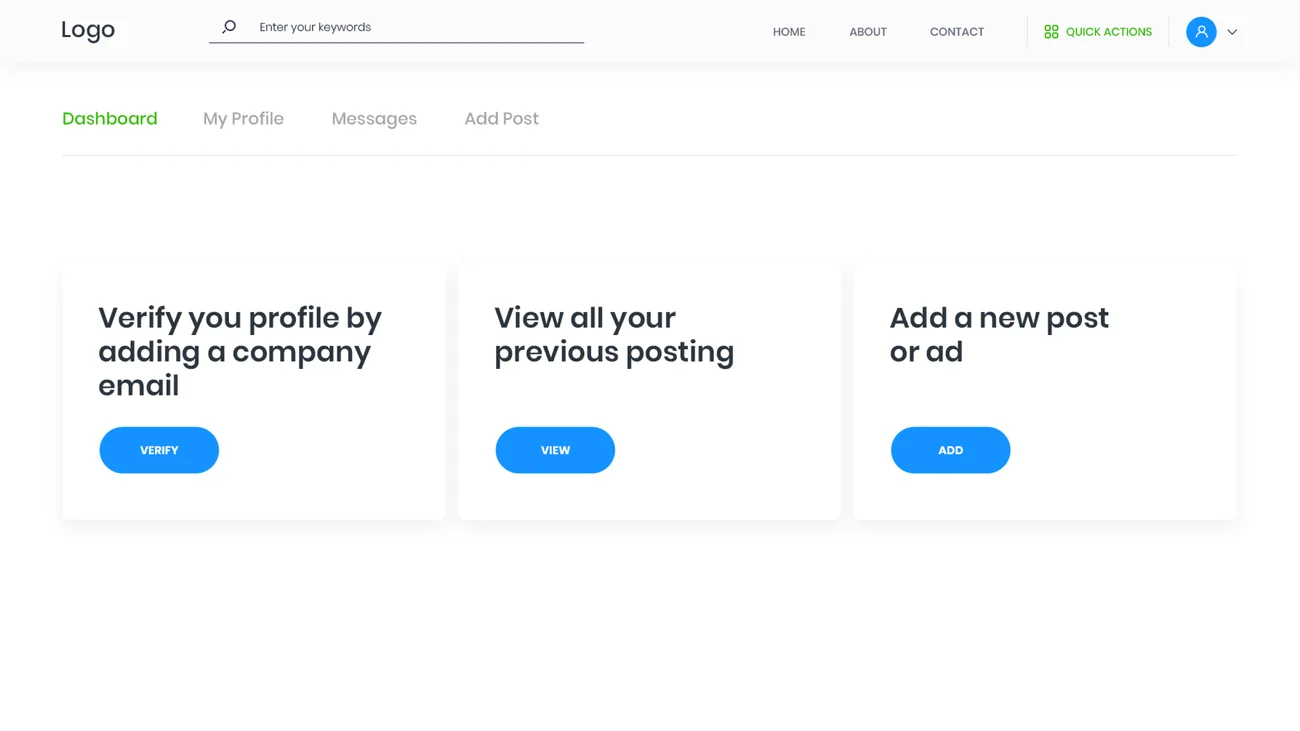
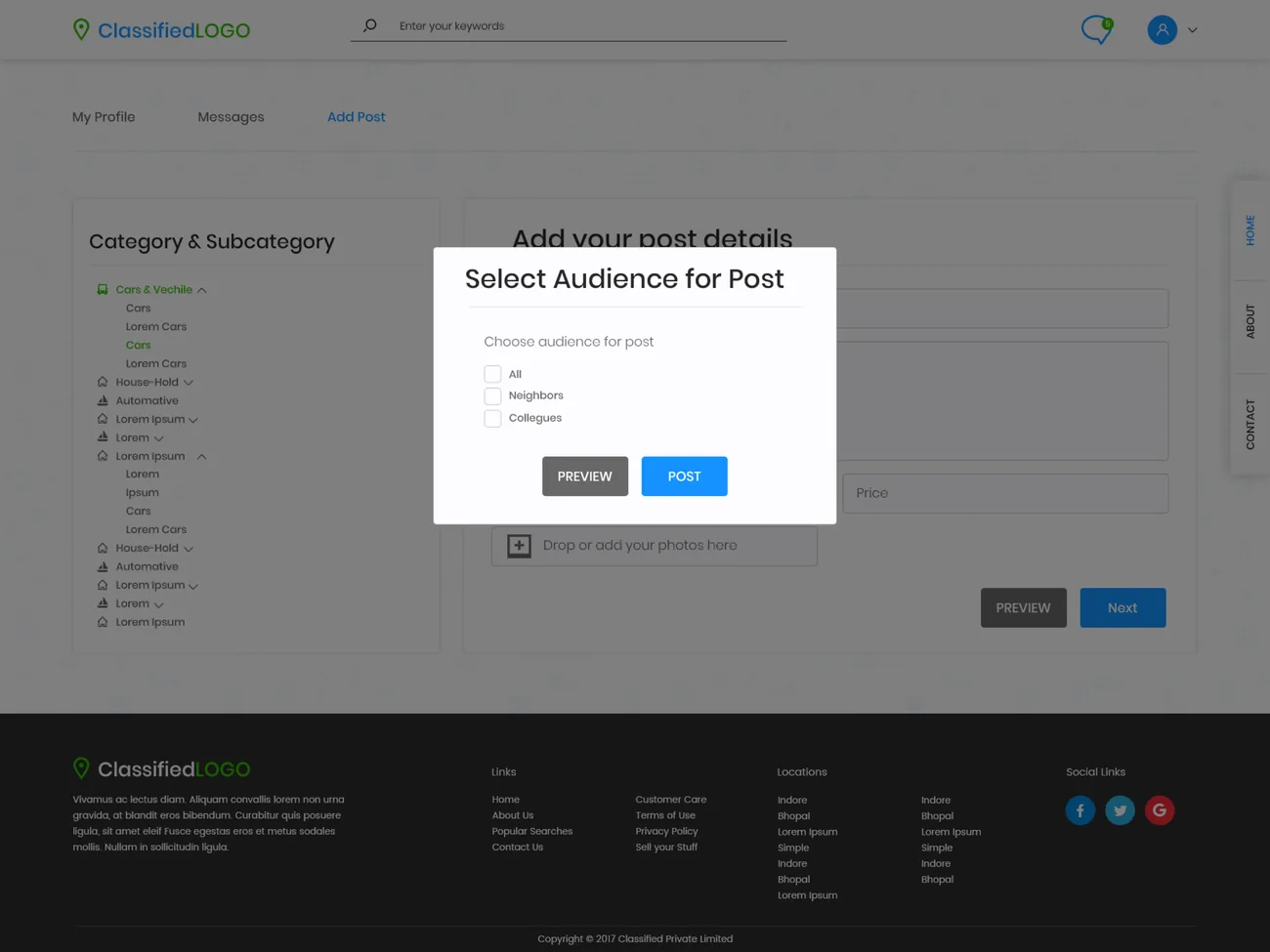
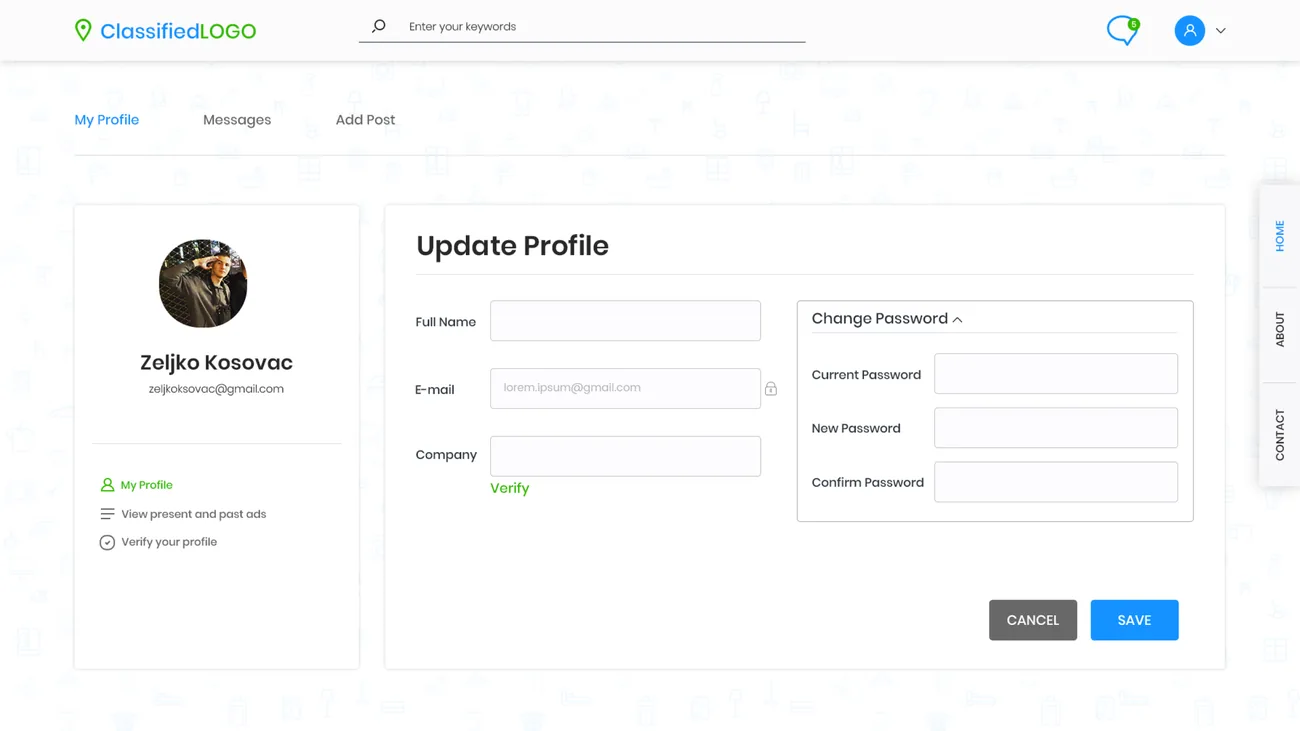
Every screen below is drawn from the real portal - the member dashboard, the stepped posting flow, a live listing, and the messages that close a deal.
How does the browse screen actually work?
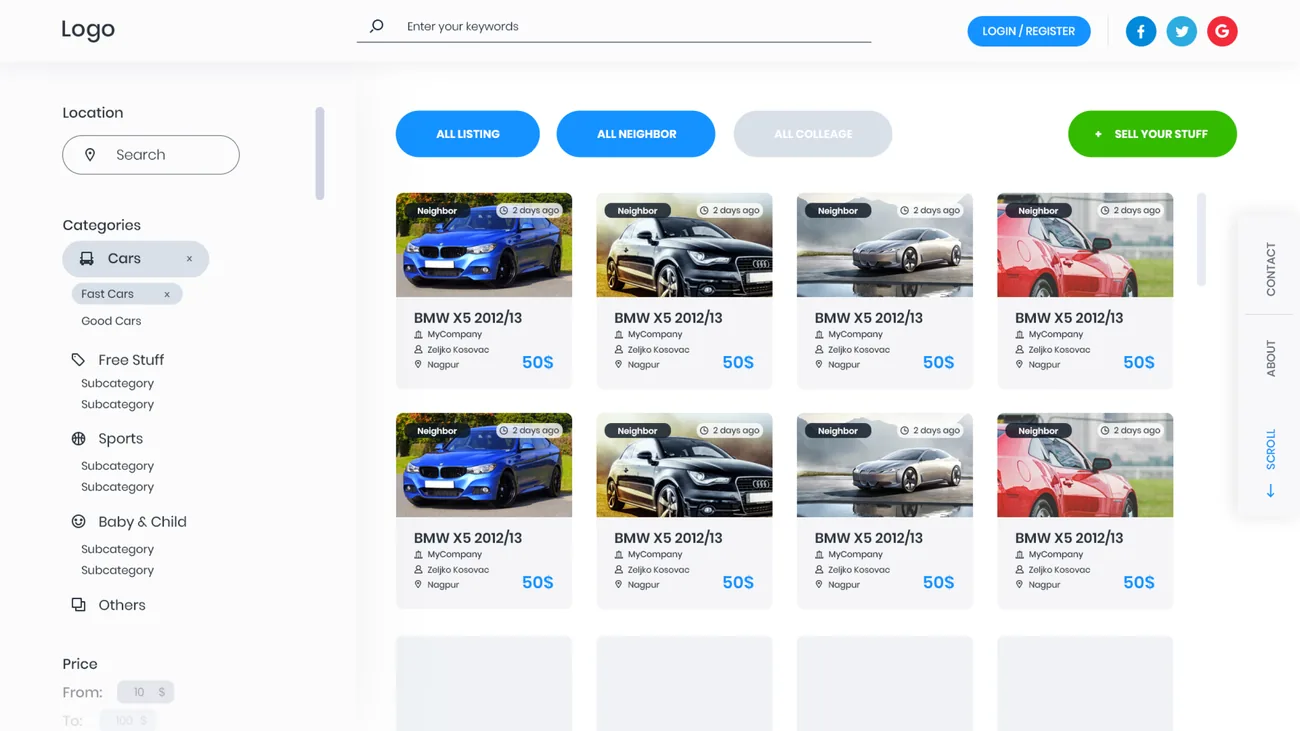
The home feed is where a visitor decides whether the portal is worth their time, so every control on it earns its place. Here is what each part does.
A single search bar across every listing sits front and centre, so a visitor who knows what they want can skip the filters entirely.
A location search plus a category and subcategory tree and a price range narrow the feed in a couple of choices.
All listings, neighbours or colleagues - three switches let a browser scope the marketplace down to their own circle.
The post-an-ad action is always in reach at the top of the feed, so a browser can become a seller in one tap.
Every card carries the essentials - image, scope badge, age, company, seller, location and price - so a visitor can judge it without opening it.
A persistent side rail keeps contact, about and scroll controls within reach as the feed grows.
What does any classifieds portal have to get right?
These held true well beyond this build - they separate a classifieds portal people come back to from a listings wall they post to once and forget.
- Make finding a two-choice job. Strong category, location and price filters beat an infinite scroll every time the catalog grows.
- Let people scope the audience. Narrowing a feed to neighbours or colleagues turns a noisy marketplace into a usable one.
- Keep posting short. Break the ad into a few steps - details, category, audience - or people simply will not post.
- Keep the conversation in the portal. Messaging tied to a listing protects both sides and keeps the deal where you can see it.
- Give members one home. A dashboard that holds current and past ads, messages and a verified profile is what turns a poster into a regular.
- Show enough on the card. Scope, age, seller, location and price on the card itself let a browser judge before they click.
Building a classifieds portal
What founders ask us first about a classifieds or listings platform.
Ask us yoursHow long does it take to build a classifieds portal?
A first release at roughly this shape - a filtered feed, category and location browsing, a stepped posting flow with audience targeting, in-portal messaging and a member dashboard - is a multi-month build rather than a few weeks. The biggest schedule drivers are search and filtering at scale, messaging, and any moderation you need, since those grow more complex the busier the marketplace gets. We usually ship browsing and posting first, then messaging and member tools.
How much does a classifieds website cost?
It depends on scope, and no honest number comes from a feature list alone. The heaviest cost drivers are search and filtering, in-portal messaging, moderation, and whether you take payments for featured listings. Shanti Infosoft scopes it on a short call and returns a fixed quote, so you are comparing a real number rather than a guess.
Can users target who sees their ad?
Yes - that is a core idea here. A poster scopes an ad to everyone, their neighbours or their colleagues, and browsers can filter the feed the same way. For a production portal we extend that with the moderation and abuse controls that audience targeting and open posting always need.
How does search and filtering work on a busy classifieds site?
Classified filters the feed by keyword, category and subcategory, location and price, and by audience scope, so a visitor narrows a large marketplace in a couple of choices. At real scale this is where the engineering care goes - fast search, sensible category structure and filters that stay quick as listings climb into the thousands - which we scope explicitly.
Do you build the messaging and member dashboard too?
Yes. This portal keeps the buyer-seller conversation inside the site, tied to each ad, and gives members a dashboard for their current and past ads, messages and a verified profile. Keeping messaging and identity in the platform is what makes a classifieds site trustworthy rather than a list of phone numbers, so we treat it as core scope, not an add-on.
More marketplace and commerce work
Have a classifieds or listings idea to build?
Tell us how your business actually works and we will tell you honestly what it takes to build. See more of our work or what we do.
Book a 15-minute call