


Train by impulse
A tablet training app for whole-body EMS workouts. A guided video plays while the member — or a trainer beside them — dials the electrical impulse up or down for each muscle zone in real time, then reviews scores and peak intensity afterwards.
Sector
- Fitness & wellness
- EMS training
Platform
- Tablet training app
- Drives a connected EMS device
What we did
- Product design
- UX + UI design
- App build
Training model
- 8 muscle zones
- Beginner / Advanced / Pro
What is Body Club?
EMS training sends a low electrical impulse to the muscles while the member exercises, which means the app is not just playing a video — it is the control surface for a live, adjustable stimulus. That is the whole design problem, and where the product lives.
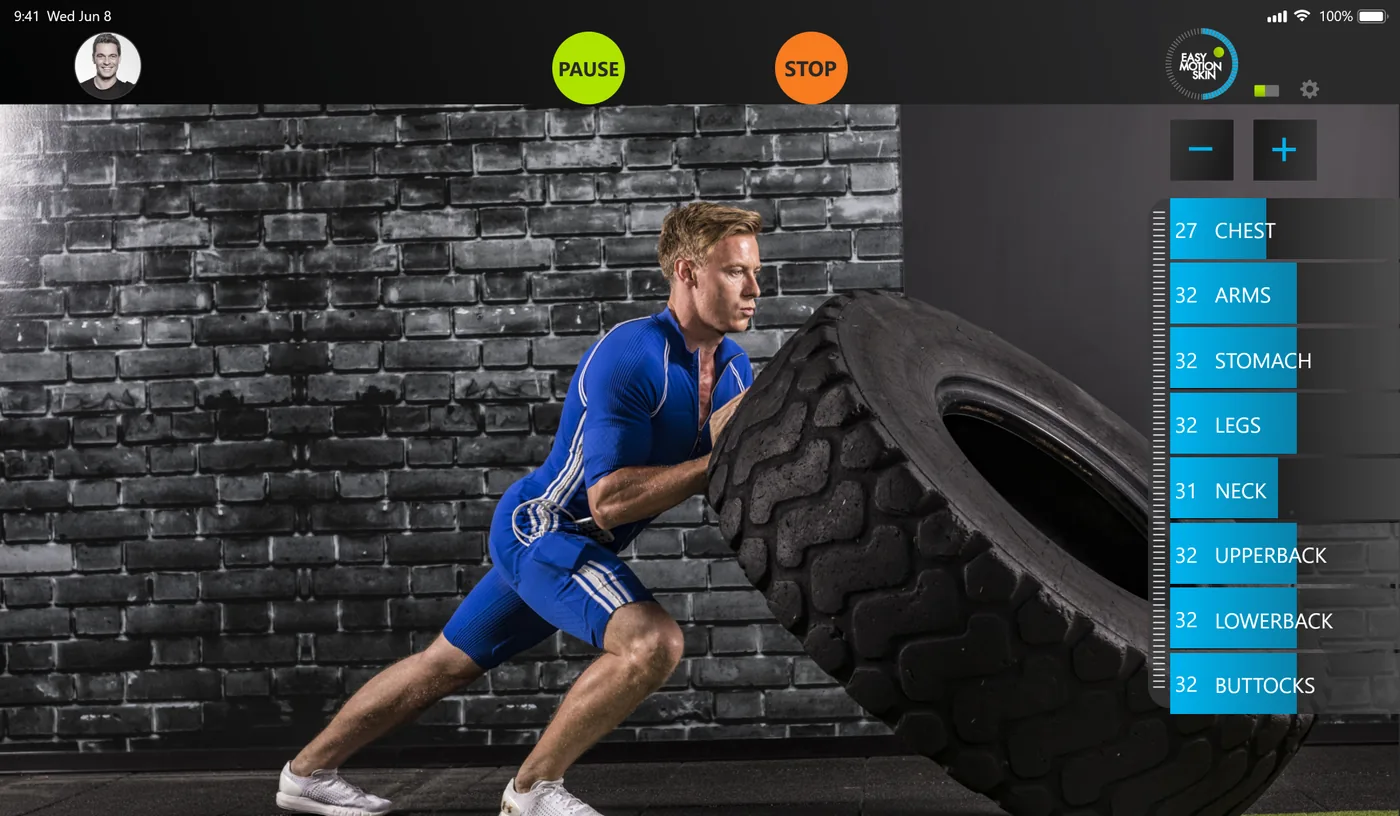
A guided session and a live control panel in one screen
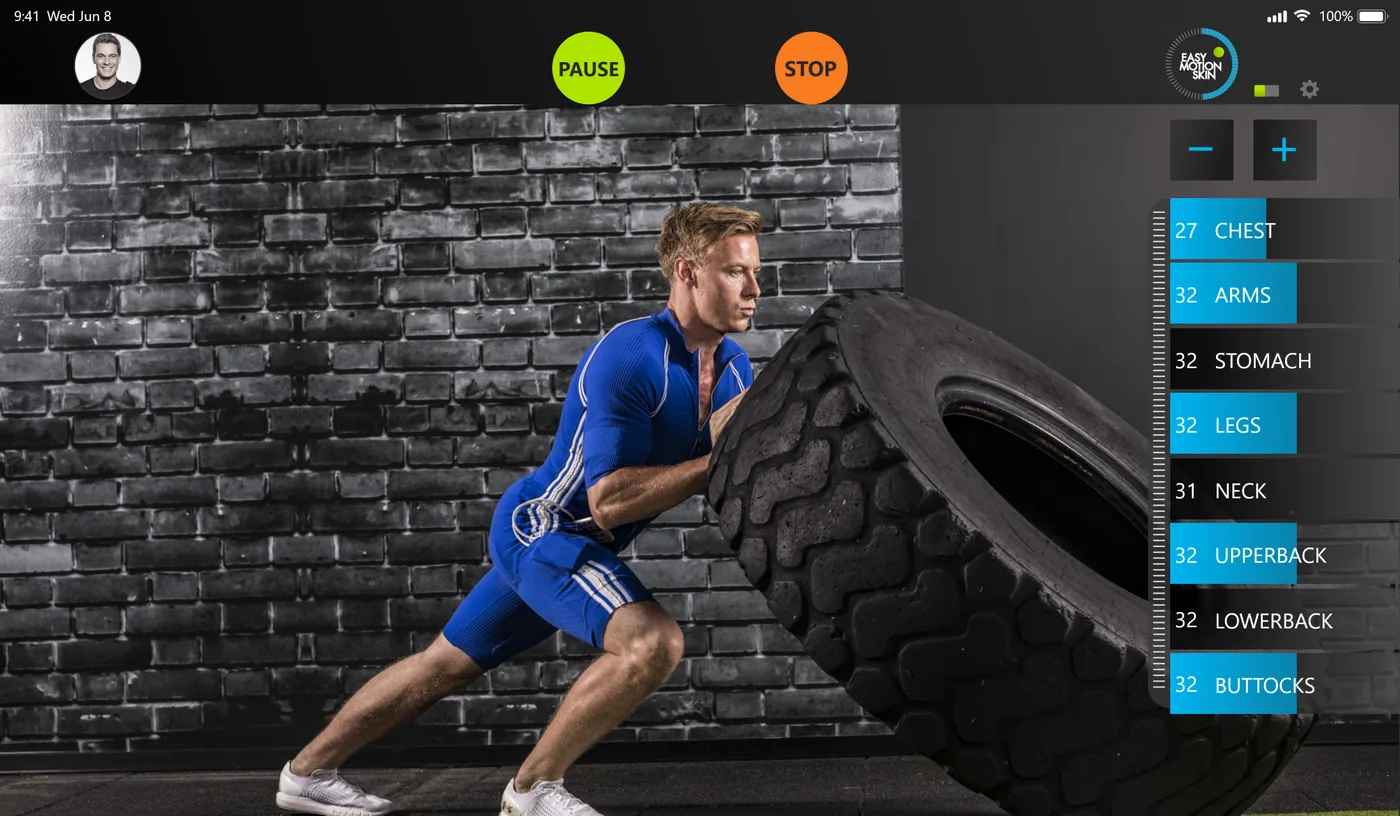
The training video fills the screen and the impulse controls sit around it, so the member never leaves the workout to change a setting. Everything a session needs — play, pause, stop, and the intensity of each muscle zone — is one reach away.
Why is a connected-device workout harder to build than a video app?
A normal fitness app plays content. This one drives a physical stimulus while the content plays, so three things have to be true at once that a video player never has to worry about.
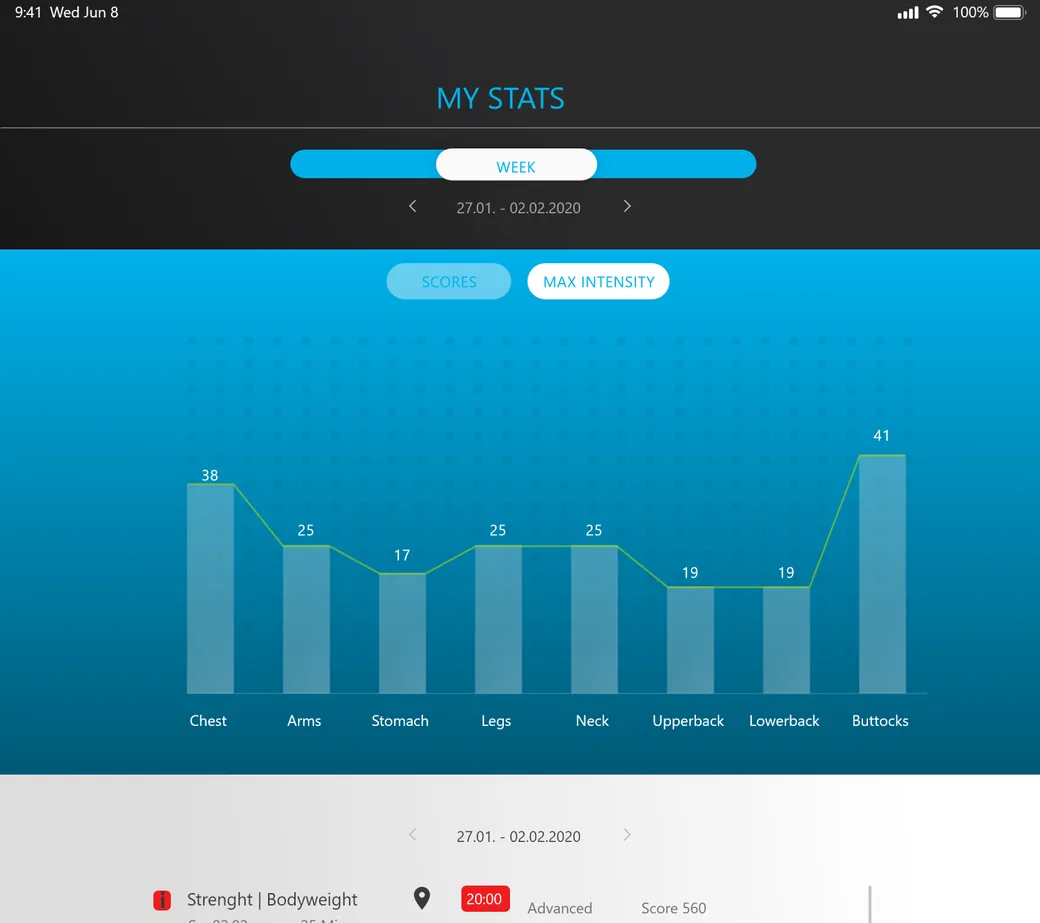
What does a session look like end to end?
From starting a workout to reviewing what it scored.
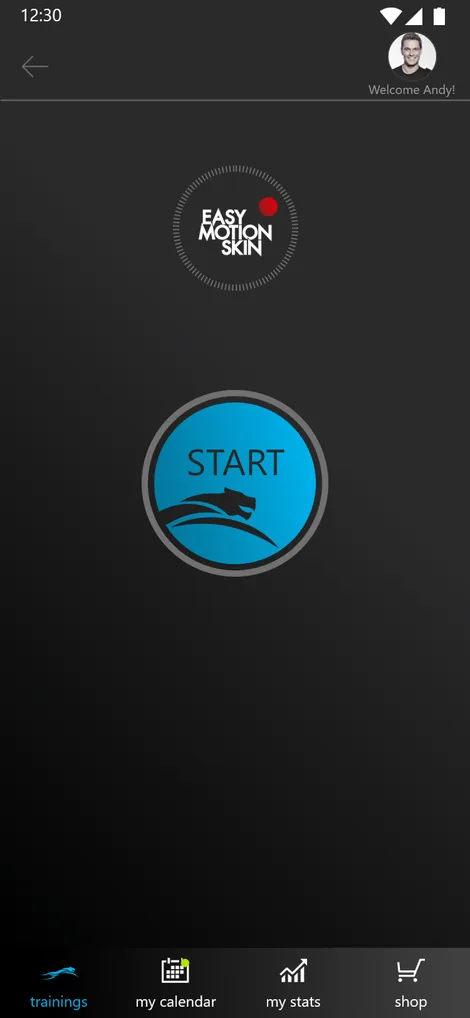
What is a member actually looking at during a session?
The live training screen carries the whole workout and its controls at once. Every control a member or trainer reaches for during a session sits on this one view.
The member's profile sits top-left, so a shared studio tablet always shows whose session and whose stats are on screen.
Session control stays centred and unmissable at the top — stopping a session that carries an electrical impulse can never be a control you have to hunt for.
The EMS device connection and session settings live in the top corner, out of the way of the controls used mid-workout.
The plus and minus raise or lower the impulse across every zone at once, for a quick overall adjustment without touching each dial.
Each muscle zone shows its current level and can be nudged on its own — chest lighter, legs harder — while the session keeps running.
The coached video fills the screen behind the controls, so the member follows the movement and manages the stimulus without switching context.
What does any connected-device app need to get right?
Five things decide whether an app that controls physical hardware feels trustworthy to use. They came out of building this one and they hold for any app with a device on the other end.
- The control has to feel instant. When a tap changes something physical, any lag reads as the device being broken. The interface owes the user immediate, visible feedback on every adjustment.
- One control per thing, not one master for everything. Eight muscle zones means eight dials. Collapsing them into a single slider is simpler to build and wrong for how the session is actually run.
- Stopping is sacred. On an app that drives a stimulus, stop is the most important control on the screen. It stays in the same place, always visible, never a step away.
- Keep the controls with the content. The member is mid-exercise. Making them leave the video to reach a setting breaks the session, so the whole control panel lives over the workout.
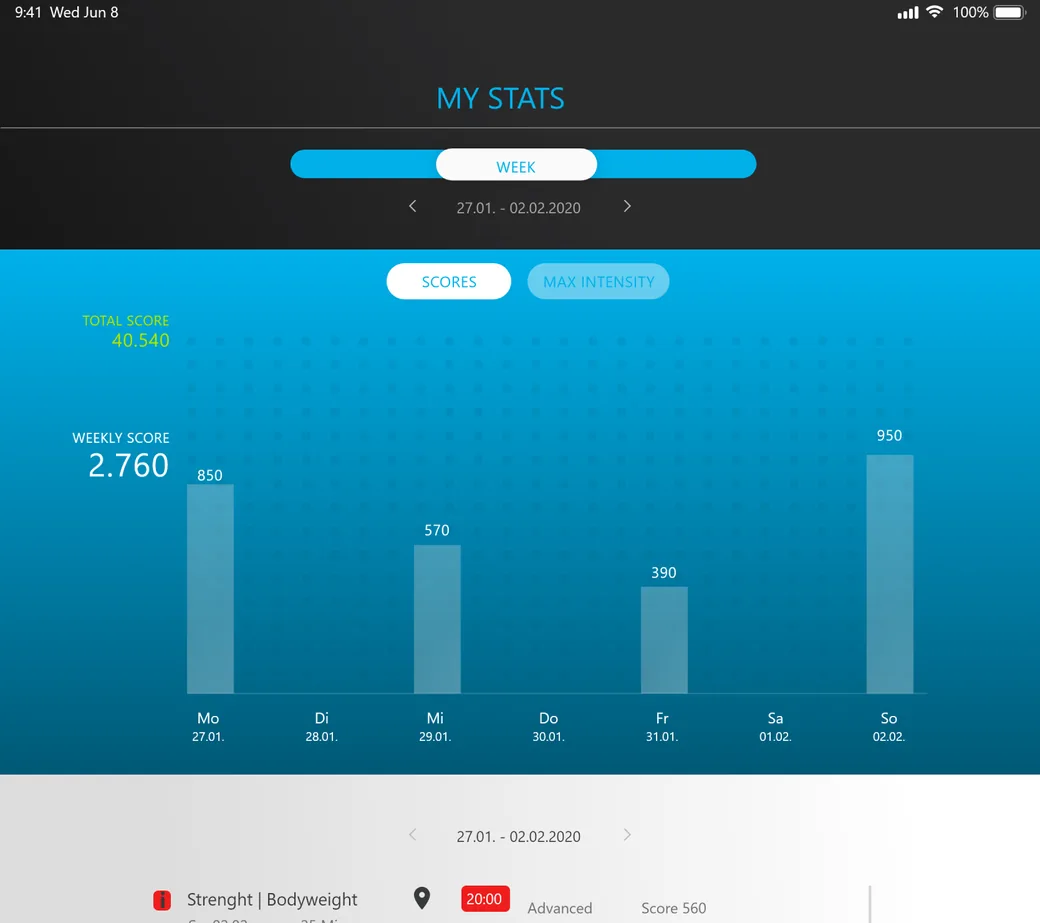
- Turn a session into a number worth chasing. Scores and per-zone peaks give the member something to compare week to week — the difference between a one-off and a habit.
Building a connected-device training app
What studios and hardware makers ask us first.
Ask us yoursHow long does it take to build an app like this?
A first working version usually takes ten to sixteen weeks. The video player and the stats are quick; the part that sets the timeline is the live control layer and getting the device communication reliable enough that every adjustment on screen is felt immediately and safely.
Does it work without the hardware?
The app is the control surface for a connected EMS device, so the impulse features assume that pairing. The guided video, the training library and the stats can all run on their own, which is useful for demos, onboarding and reviewing past sessions away from the equipment.
Can one app cover beginners through to pro?
Yes. The training library is tiered into beginner, advanced and pro, and the impulse is adjustable per zone, so the same app suits a first-timer being eased in and an experienced member pushing intensity. The difficulty lives in the content and the levels, not in separate apps.
How do you keep a live control responsive?
By treating the control loop as the core of the product rather than a feature. State is kept on the device side of the connection, the interface reflects it optimistically and reconciles, and the most safety-relevant control — stop — is given the most direct path of all. That is a design decision made early, not tuned in at the end.
Related work
Building an app that drives real hardware?
Tell us how your business actually works and we will tell you honestly what it takes to build. See more of our work or what we do.
Book a 15-minute call