


Find your pace partner
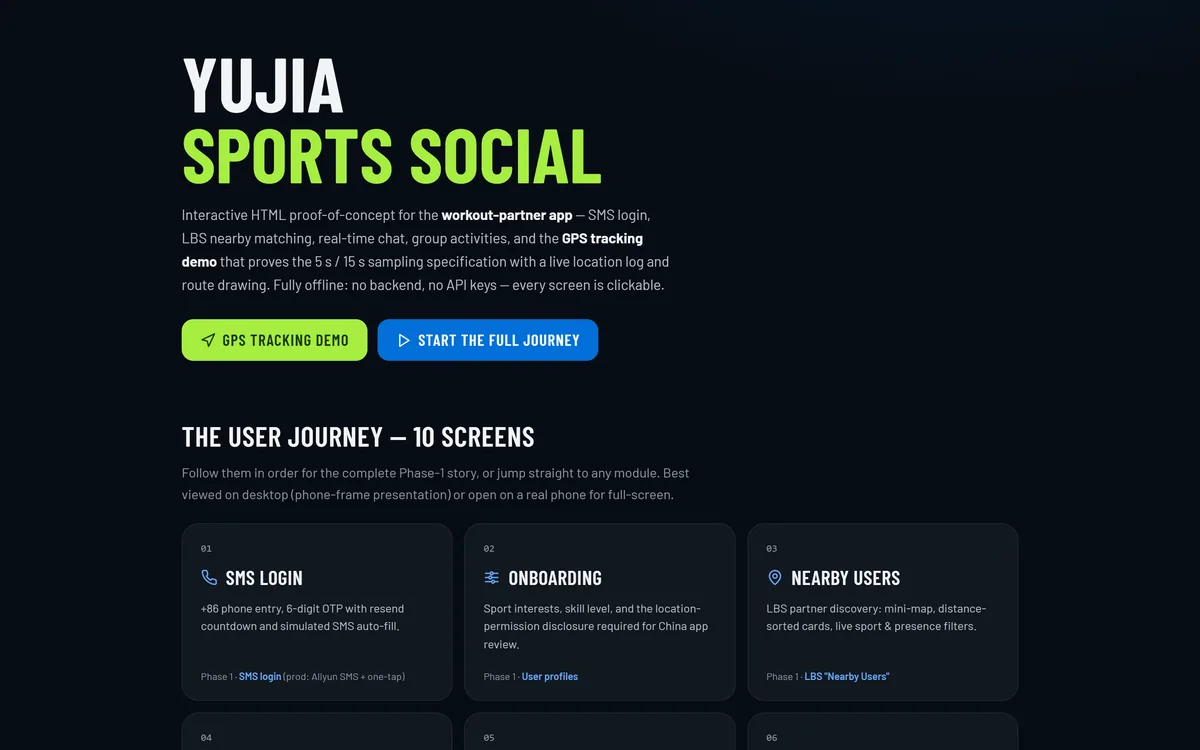
A ten-screen sports social app for the China market: SMS login, location-based partner discovery, real-time chat, group activities, and a tracking engine that samples a position every five seconds while you are moving and every fifteen while you are not.
Sector
- Sports and fitness
- Social discovery
Product surface
- 10 screens
- 5 tab sections
What we did
- Product modelling
- UX and UI design
- Design system
- Front-end engineering
Location engine
- 5 s moving / 15 s stationary
- 0.5 m/s state threshold
What is YUJIA for?
People give up on running, hiking and cycling far more often when they do it alone. YUJIA is the app that fixes that: find someone nearby at your level, agree a time, then track the session - with the location engine behaving correctly whether the phone is in a hand, a pocket or locked in an armband.
Discovery, conversation and the run itself, in one app
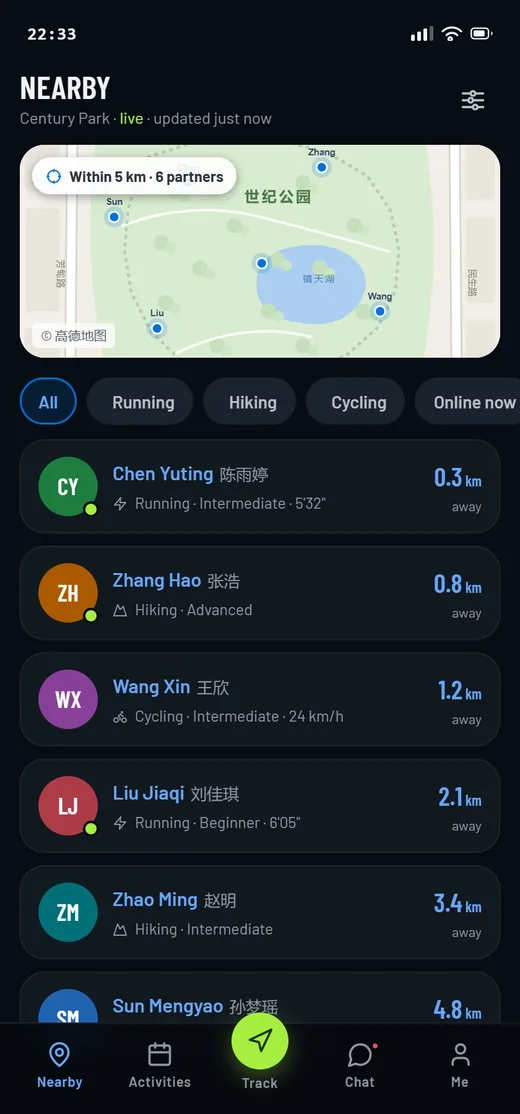
Five tab sections carry the whole product: partner discovery, group activities, live tracking, chat and the personal profile. Tracking sits in the middle of the tab bar because it is the part the product has to get right.
Why is the location layer the hard part of a sports app?
The risky work in a tracking app is not the screens. It is whether the phone keeps reporting a position at the right cadence when the app is in the background, the screen is locked, battery saver is on, and the handset is a Huawei or a Xiaomi with its own idea of what should keep running. That question decides the architecture, so we built the answer first.
| Tracking behaviour | What most apps expose | How YUJIA handles it |
|---|---|---|
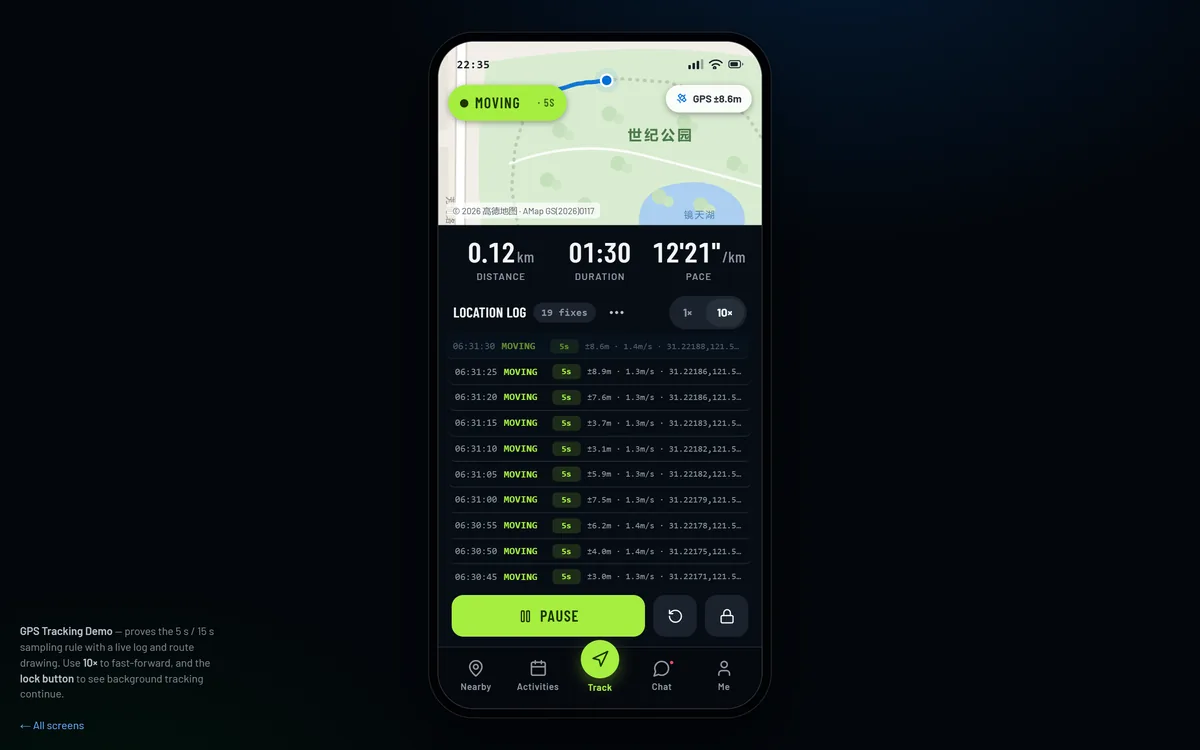
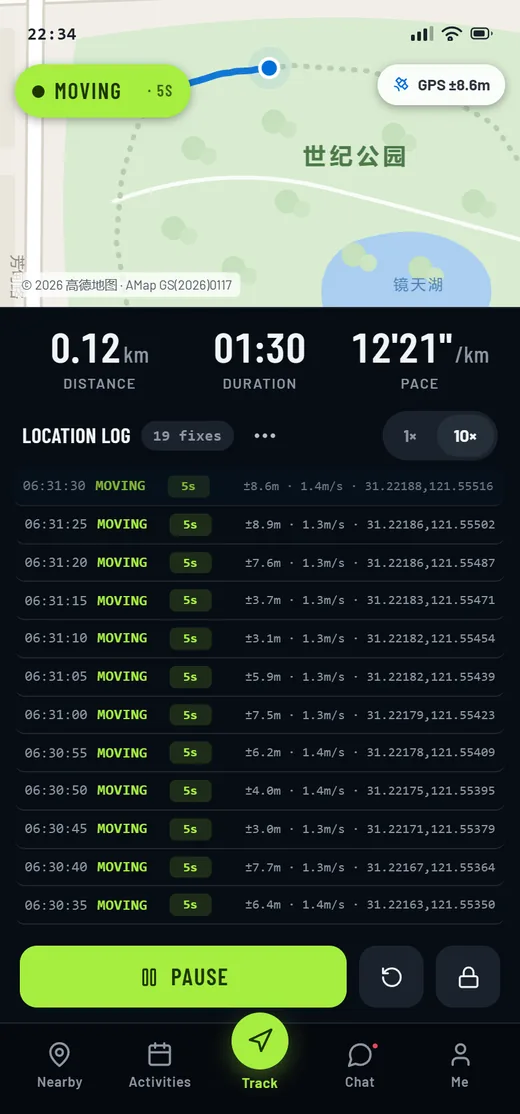
| Sampling while moving | An unstated interval | A fix every five seconds, timestamped in a visible log |
| Sampling while stationary | The same interval, or nothing | A fix every fifteen seconds, so a rest stop costs no battery |
| Switching between the two | Hidden heuristics | A 0.5 m/s threshold, with the current state and interval on screen |
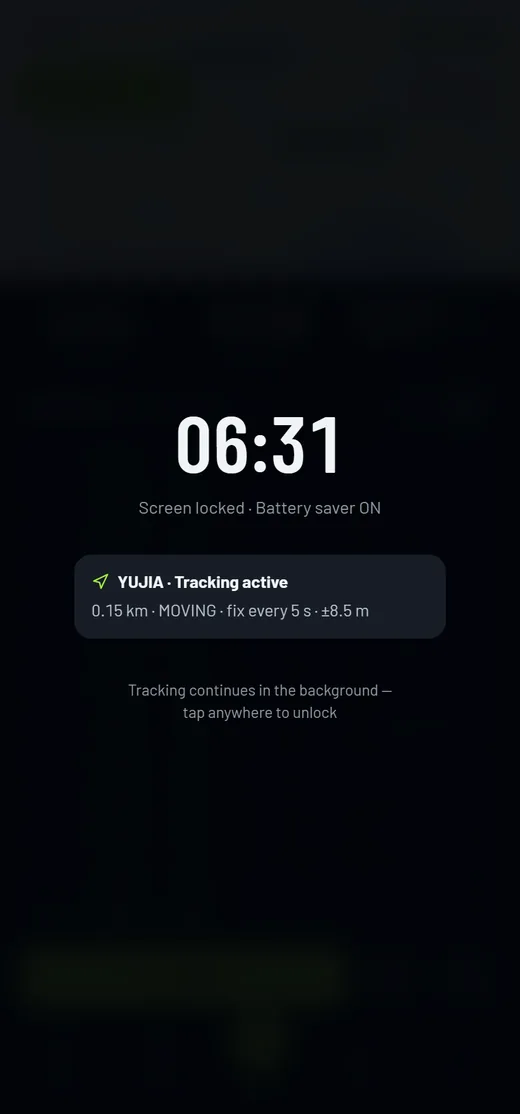
| Screen locked | Tracking stops silently | A lock-screen state designed for, with sampling continuing behind it |
| Fix quality | Not surfaced | Accuracy, speed and coordinates printed for every fix |
| The route | Drawn after the run | A polyline that grows fix by fix with a following camera |
How did we build it?
Three moves took a sports social app from a module list to a running product with the hardest part solved first.
What does the app actually do?
All ten screens, in the order a new member meets them - sign in, set up a profile, find someone, talk to them, join something, track it, and see what you did.
SMS login
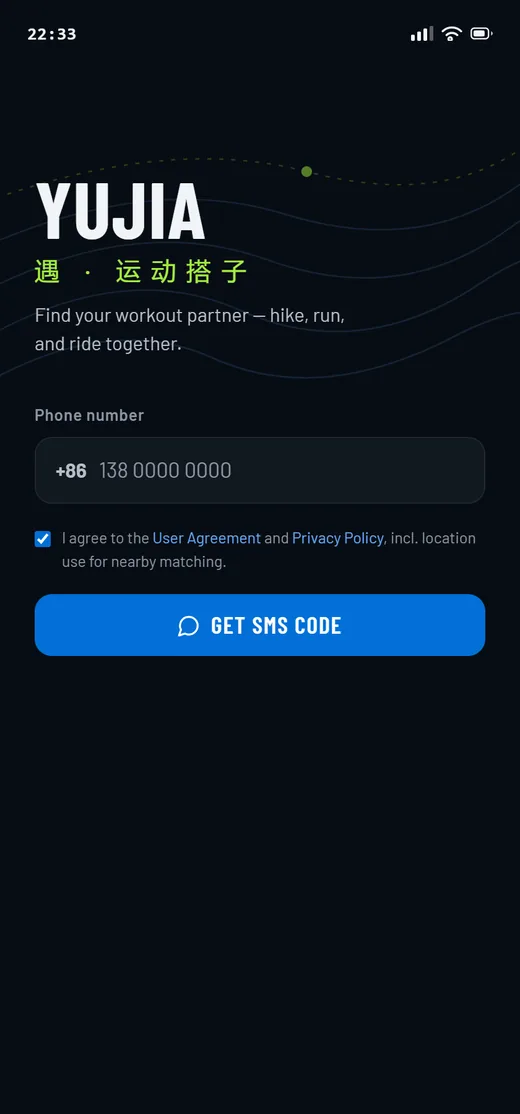
+86 number entry, six-digit OTP, resend countdown and SMS auto-fill.
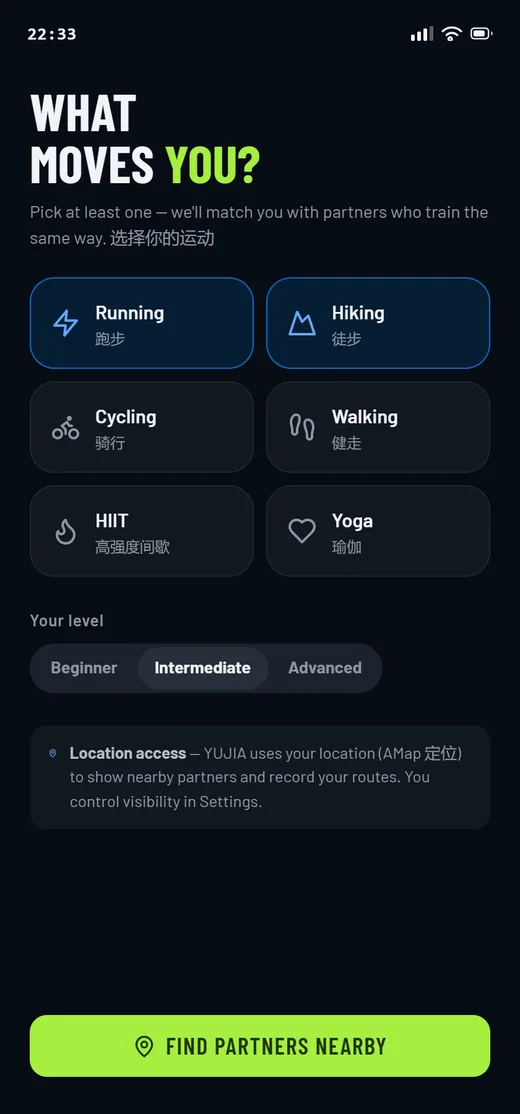
Onboarding
Sport interests, skill level and the location-permission disclosure China app review requires.
Nearby partners
Location-based discovery: mini-map, distance-sorted cards, live sport and presence filters.
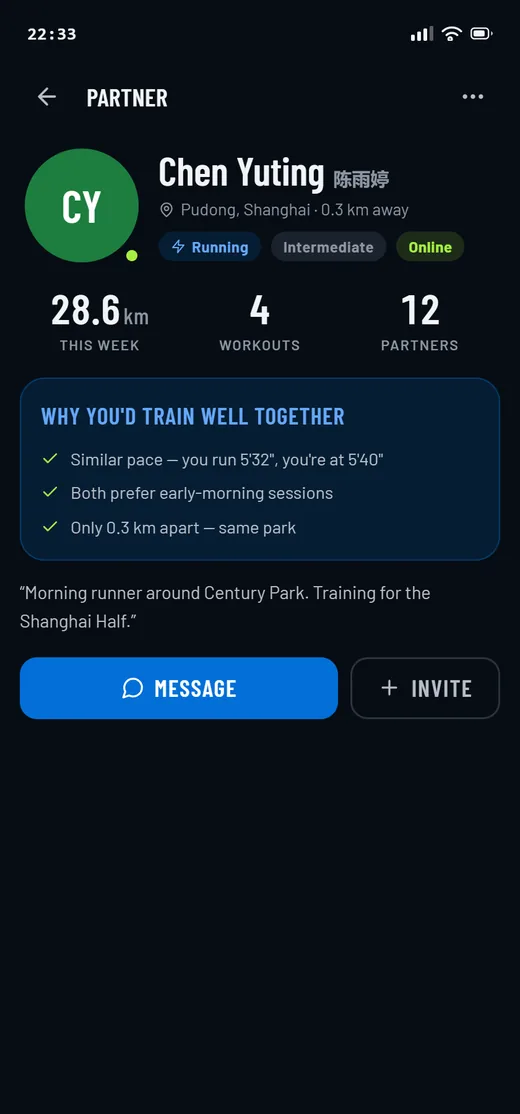
Partner profile
Stats, why this partner was surfaced, and the two actions - message or invite.
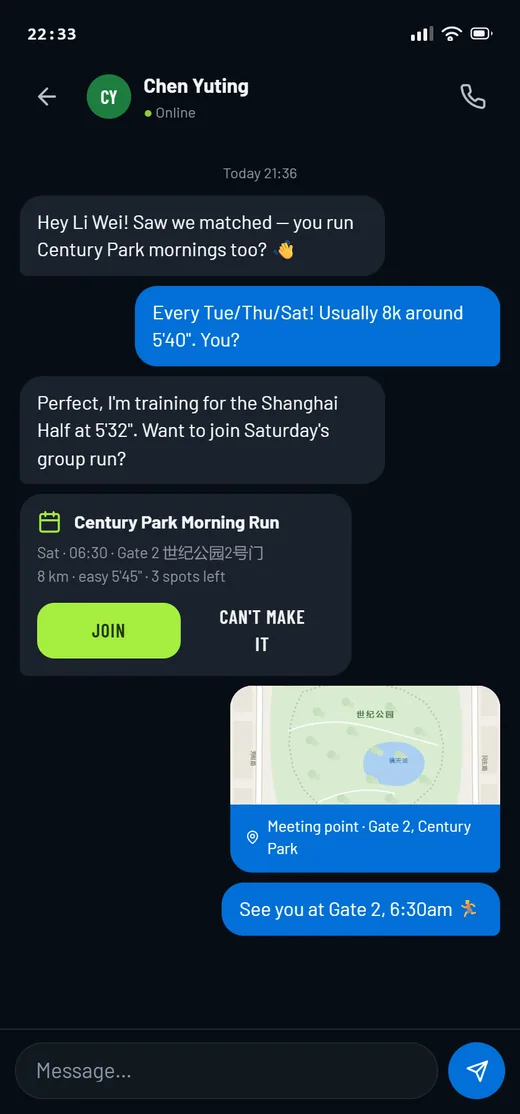
One-to-one chat
Typing indicator, replies, an activity-invite card and location sharing in the thread.
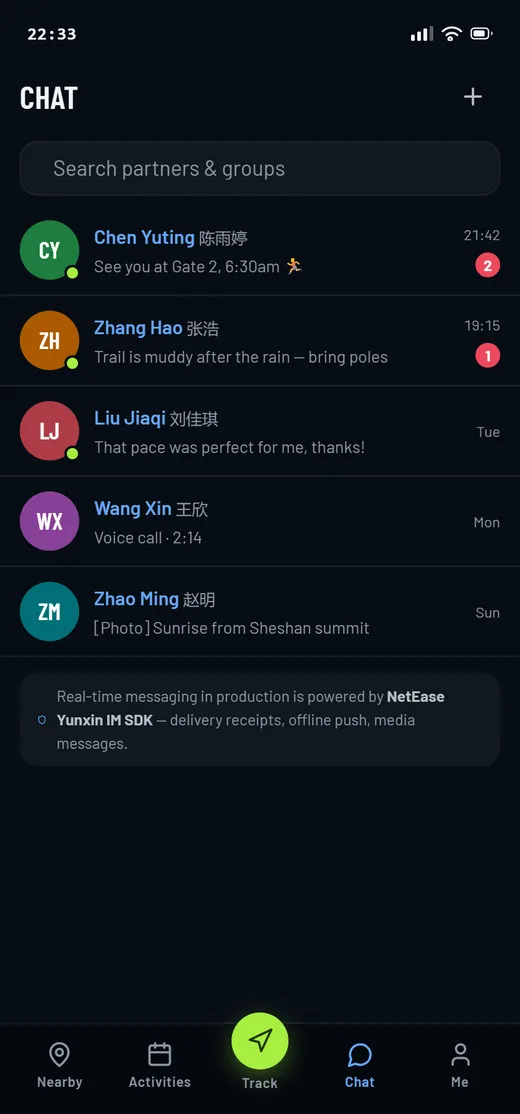
Conversations
The inbox: unread badges, presence dots and search across threads.
Group activities
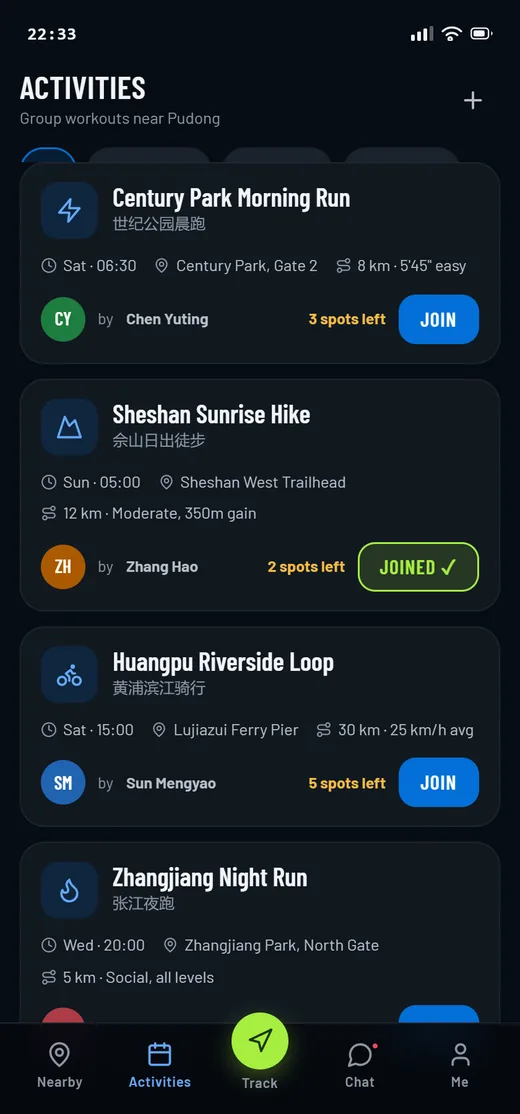
Browse and join group workouts, with hosts, meeting spots, routes and pace expectations.
Live tracking
State chip, adaptive interval, live fix log, growing route line and a 10x review speed.
Lock screen
The state most apps skip - the screen locked, and the sampling still running behind it.
Workout summary
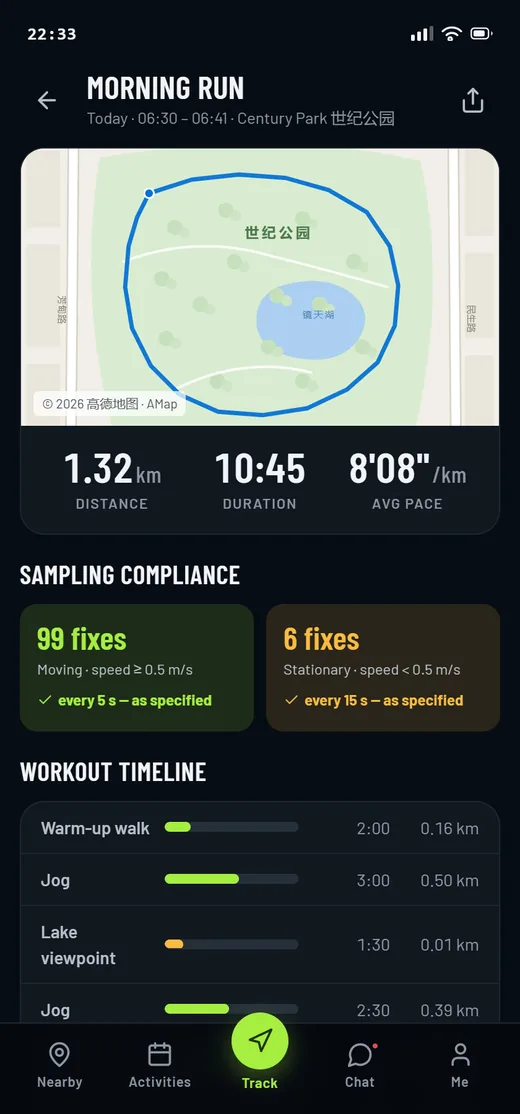
A recap built from the tracked data: route, pace, timeline and sampling compliance.
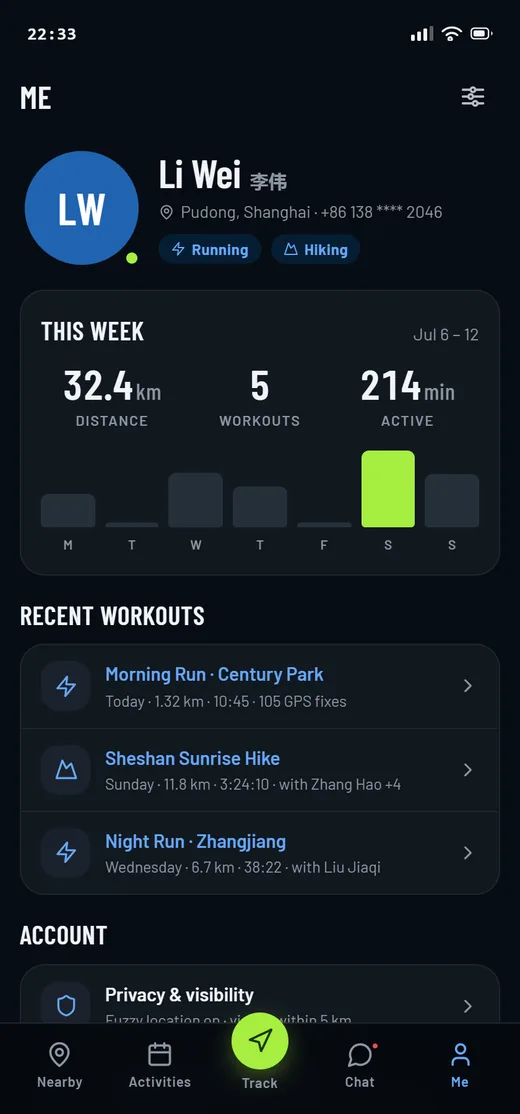
My profile
Weekly stats, workout history, privacy controls and the OEM battery-whitelist setup entry.
What should any location-tracking app settle first?
Six decisions that determine whether a tracking app survives contact with real handsets. They came out of building this one, and none of them are about the screens.
- Make the cadence observable. A sampling rule written as prose cannot be reviewed. Print every fix with its state, interval, timestamp and accuracy and the argument ends.
- Design the background states on purpose. Lock screen, background and battery saver are where location apps fail, so they are product states with screens, not an afterthought.
- Plan for OEM battery management. On Chinese Android builds an unwhitelisted app is killed. Onboarding has to walk the user into the whitelist, which makes it a design problem, not an ops one.
- Pick the map and location provider up front. It shapes the SDK, the licensing, the coordinate system and the review paperwork - changing it later is not a swap, it is a rebuild.
- Treat the permission disclosure as a screen. App review in China expects location use to be explained where the user grants it, so it belongs in onboarding rather than a settings page.
- Build the risky sub-system first. The screens were never in doubt. Starting with the sampling engine is what turned a one-line requirement into a product decision everyone could see.
Why does it look like this?
The design system is a dark "night trail" theme. Everything is near-black so a map and a route line can be the brightest things on screen; cobalt carries the route and anything tappable, and a single volt green is reserved for the one action that starts or stops a workout.
Aa
Primary typeface
Barlow Condensed
A B C D E F G H I J K L M N O P Q R S T U V W X Y Z
a b c d e f g h i j k l m n o p q r s t u v w x y z
0 1 2 3 4 5 6 7 8 9 & ? ! £ $ €
34px0.12 kmMetric24pxNEARBYScreen title17pxPartner name and activity titleH315pxCard copy and chat messagesBody13px06:31:30 MOVING 5s +-8.6m 1.4m/sLog12pxLOCATION LOG - DISTANCE - PACEEyebrowThe palette is authored in OKLCH in the app's own token file and converted to hex here. Condensed display type earns back the width a phone does not have, and the location log is set in a monospace face so timestamps, accuracy and coordinates line up as columns and a five-second gap is visible without reading the numbers. Barlow and Barlow Condensed are open-licence typefaces; the specimen above falls back to the nearest available face if they are not installed on your device.
What is it built with?
A dependency-free front end, and the China-market service layer the app is designed around - the location, messaging and identity providers that a mainland Android release has to use.
Building a sports or location app
What founders and product teams ask us before a location-heavy build starts.
Ask us yoursHow long does it take to build a sports social app?
A first production version usually takes twelve to twenty weeks. The social half - profiles, discovery, chat, activities - is well-understood work. What sets the date is the location layer: background tracking, per-manufacturer battery behaviour and store review each need real device testing, which is why we build that part first.
How do you keep GPS tracking alive when the screen is locked?
On Android with a foreground service and a persistent notification, so the operating system treats tracking as user-visible work rather than background activity. On Chinese handsets that is not enough on its own - Huawei, Xiaomi, OPPO and Vivo add their own battery management, so the app walks the user into whitelisting it during onboarding.
Why sample every 5 seconds instead of continuously?
Because a fixed high-frequency stream flattens the battery on a long run and adds nothing to the route. Sampling every five seconds above 0.5 m/s keeps the polyline accurate at running and cycling speeds, and dropping to fifteen seconds when the user stops means a coffee break costs almost nothing.
Why AMap rather than Google Maps?
Google services are not available on mainland Chinese handsets, so an app for that market uses a domestic provider. AMap supplies the map tiles, the location services and the coordinate system expected there. It is a decision to make before development starts, because the SDK, licensing and review paperwork all follow from it.
What does app review in China expect from a location app?
That location use is explained where it is granted, not buried in a policy. YUJIA puts the disclosure inside onboarding, next to the sport and skill questions, and keeps privacy controls on the profile screen so a user can see and change what is shared at any point.
Related work and reading
Building something location-heavy?
Tell us how your business actually works and we will tell you honestly what it takes to build. See more of our work or what we do.
Book a 15-minute call