


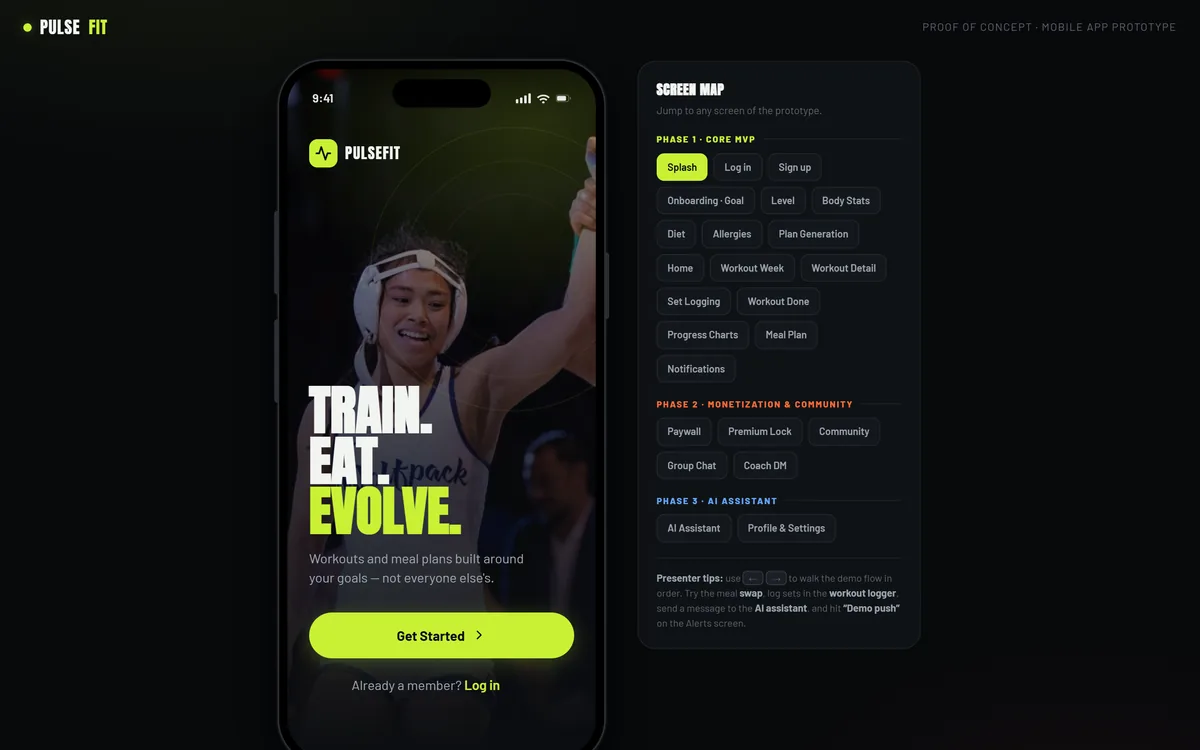
Train. Eat. Evolve.
A two-surface subscription fitness product: a 24-screen mobile app that turns a five-question intake into a personalised training block and meal plan, and a separate web console for the team who has to run the business behind it.
Sector
- Health and fitness
- Consumer subscription
Product surface
- 24 app screens
- 6-section admin console
What we did
- Product modelling
- UX and UI design
- Design system
- Front-end engineering
Modelled end to end
- Intake to generated plan
- Free to premium
- Member to moderator
What is PulseFit?
Most fitness apps hand every new member the same programme and hope. PulseFit does the opposite: a short structured intake produces one person's training block and one person's meal plan, and a second surface keeps the people running the business able to see what is actually happening.
A consumer app is only half a subscription business
The product is two connected surfaces on purpose. Anyone can design the app; what decides whether a subscription survives is whether the operators can see churn, answer a report, send a campaign and edit a plan template without a developer.
Why do fitness apps lose people in the first fortnight?
Not for lack of content. They lose people because the plan was never theirs, the food advice ignores what they eat, and nobody notices when they stop. Each of those is a product decision that has to be made before a line of app code is written.
| What the member sees | A generic fitness app | How PulseFit does it |
|---|---|---|
| Getting a training plan | Browse a library and pick something | Five-question intake feeding a template rules engine |
| Difficulty | One programme for everybody | Matched to goal, stated level and days available per week |
| Calorie target | Look it up yourself | Calculated from the body stats given at intake |
| Meal suggestions | Filter the recipes yourself | Diet preference and allergens excluded before anything is shown |
| During the workout | A video and a stopwatch | Set-by-set logging with weight, reps and a rest timer |
| Asking a question | A help article | Coach direct message, group channels and an in-app assistant |
| Running the business | A spreadsheet export | A console for members, subscriptions, campaigns, moderation and templates |
What does the team running it see?
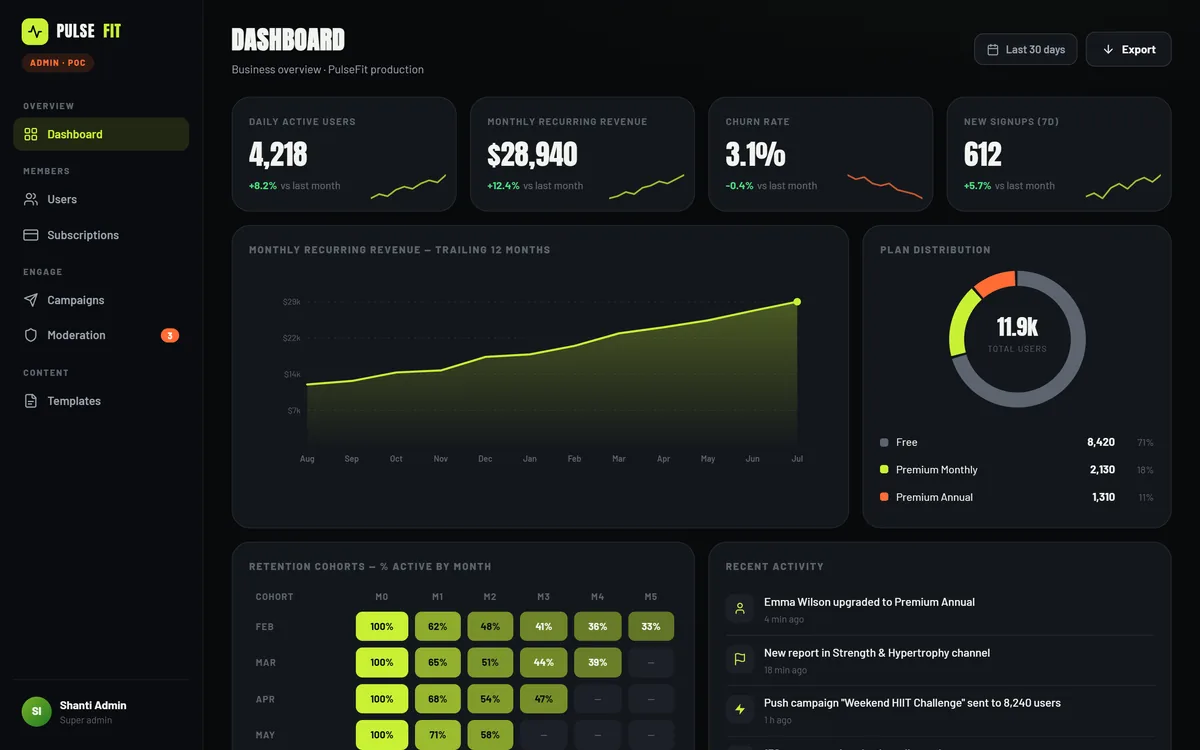
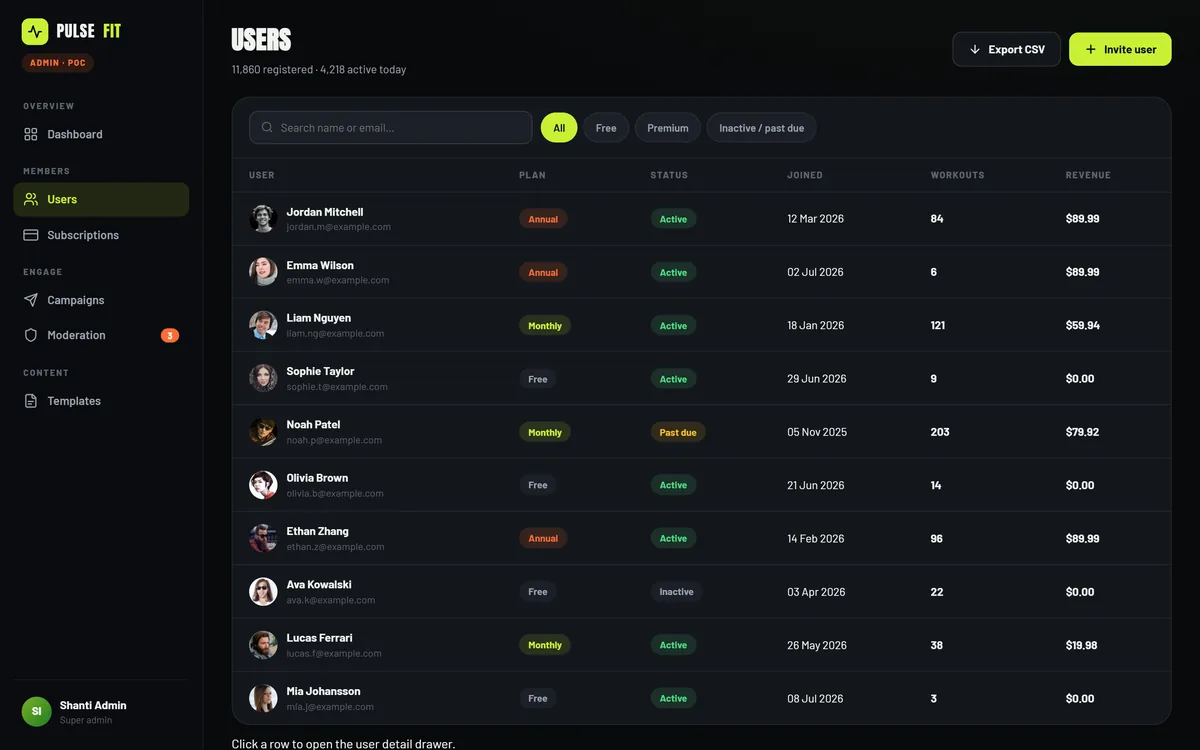
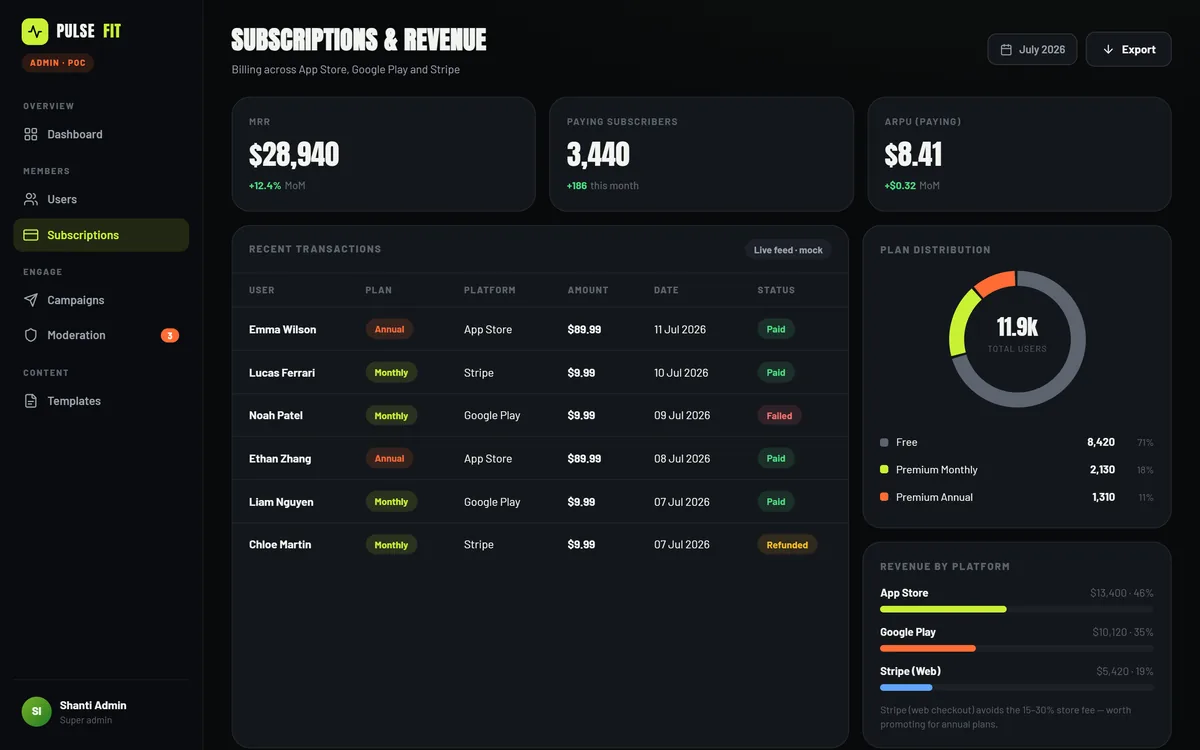
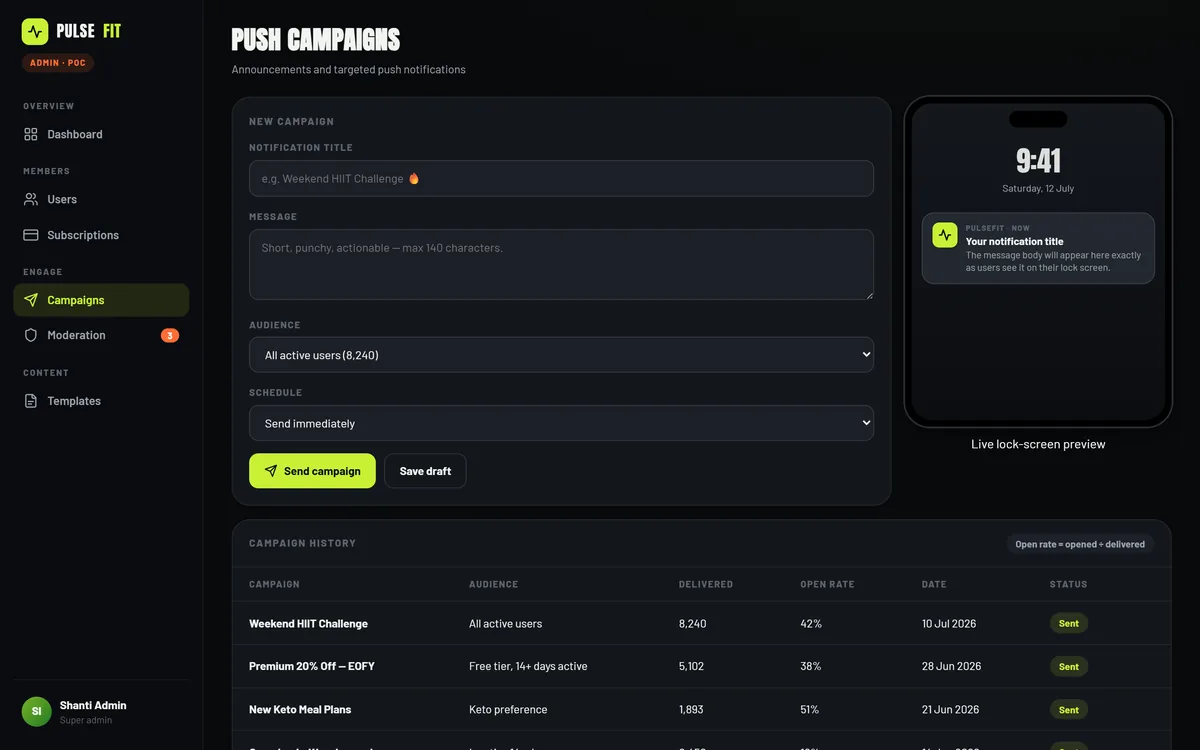
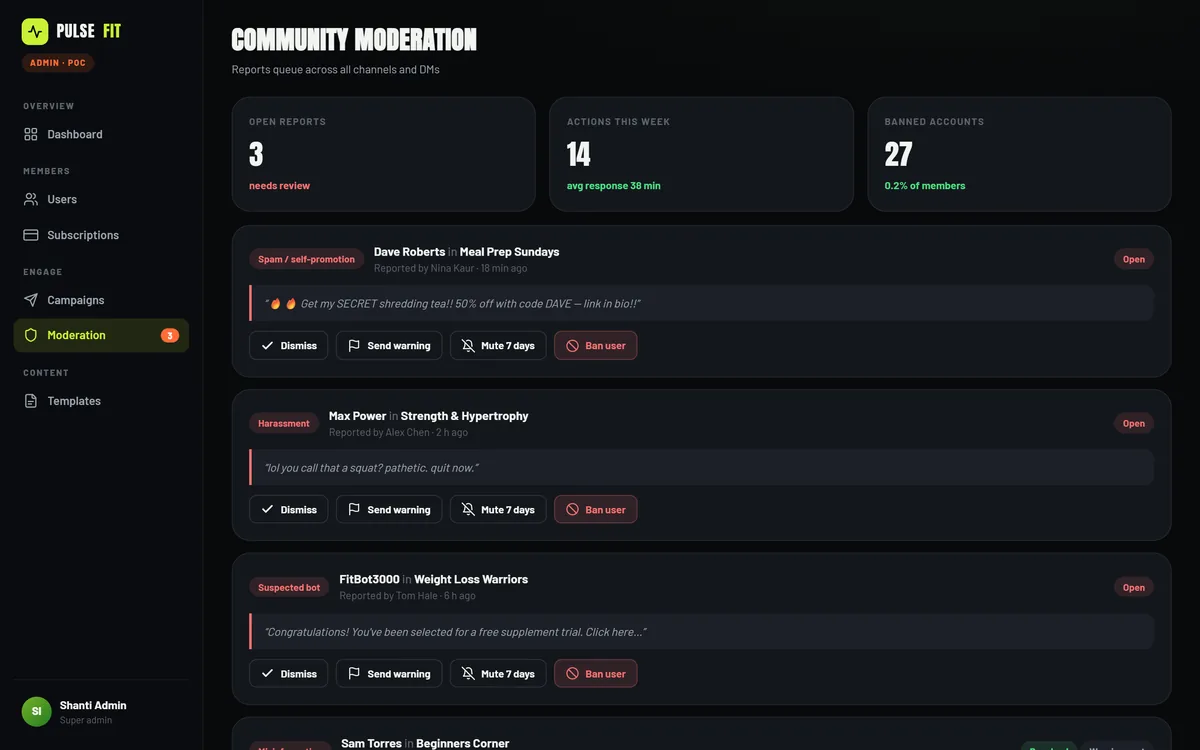
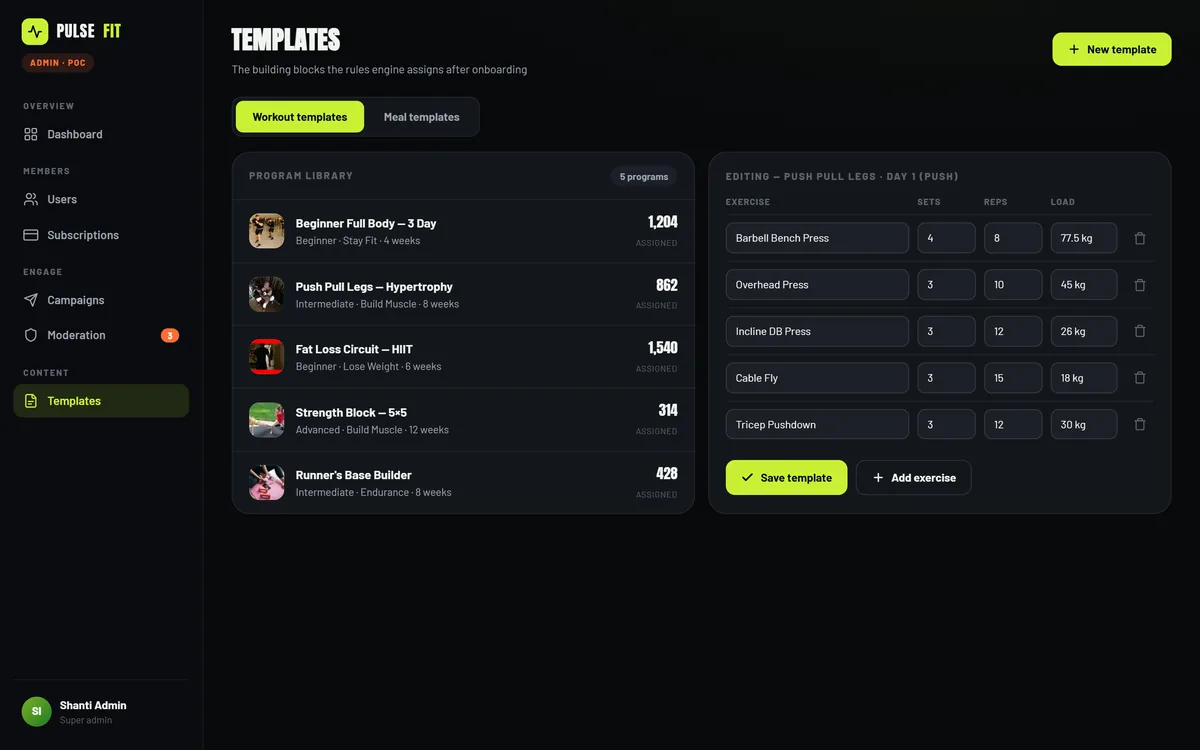
The admin console is a separate web application with its own navigation, built at desktop width because that is where this work happens. Six sections, grouped the way the job is actually done.
Intake and plan generation
5 questionsGoal, fitness level, body stats, diet preference and allergies - then a visible generation step that matches templates, sets the calorie target and excludes what the member cannot eat.
- 4 goals
- 3 levels
- 8 allergens
Training
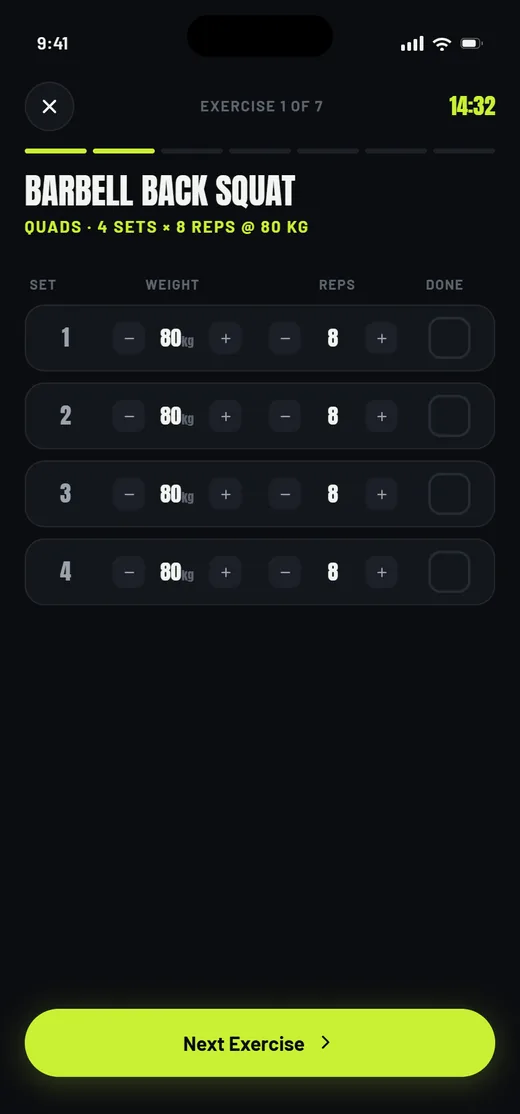
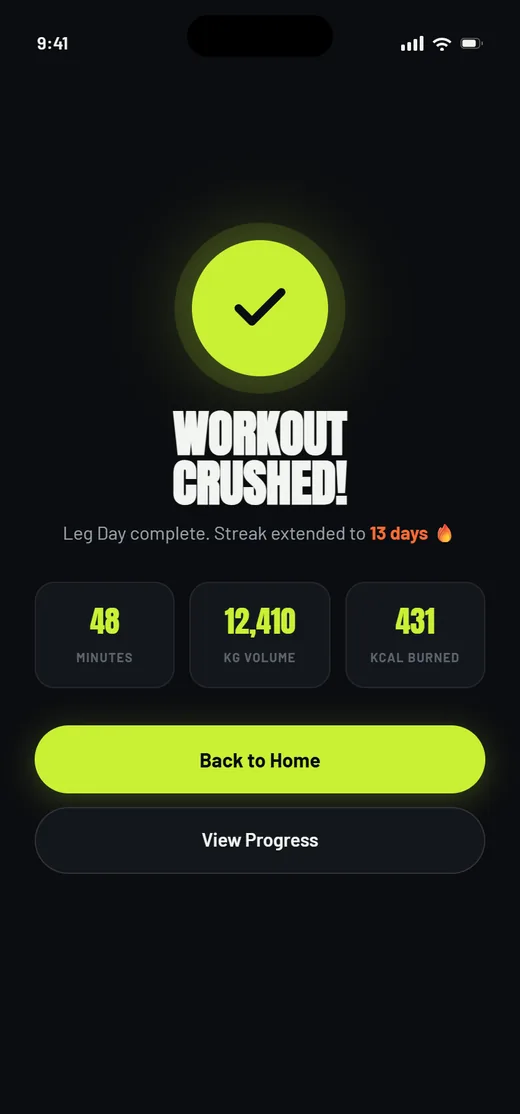
5 screensThe weekly block, a session detail, live set logging with a rest timer, and a completion recap.
- Weekly block
- Rest timer
Nutrition
4 meals a dayA daily plan against a calorie target with macros per meal, swaps on every row, and allergen exclusion applied upstream.
- Macro split
- 5 diet types
Progress and coaching
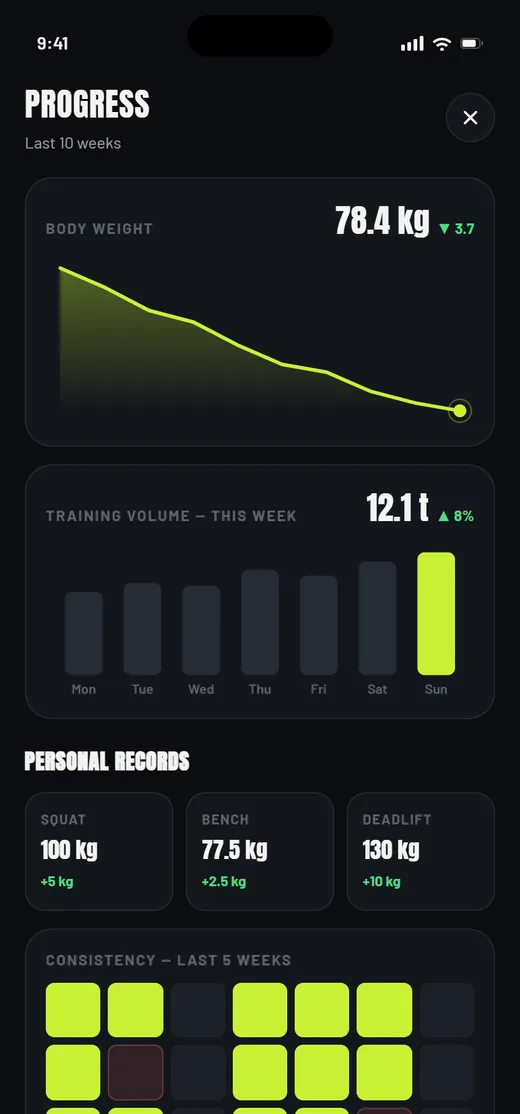
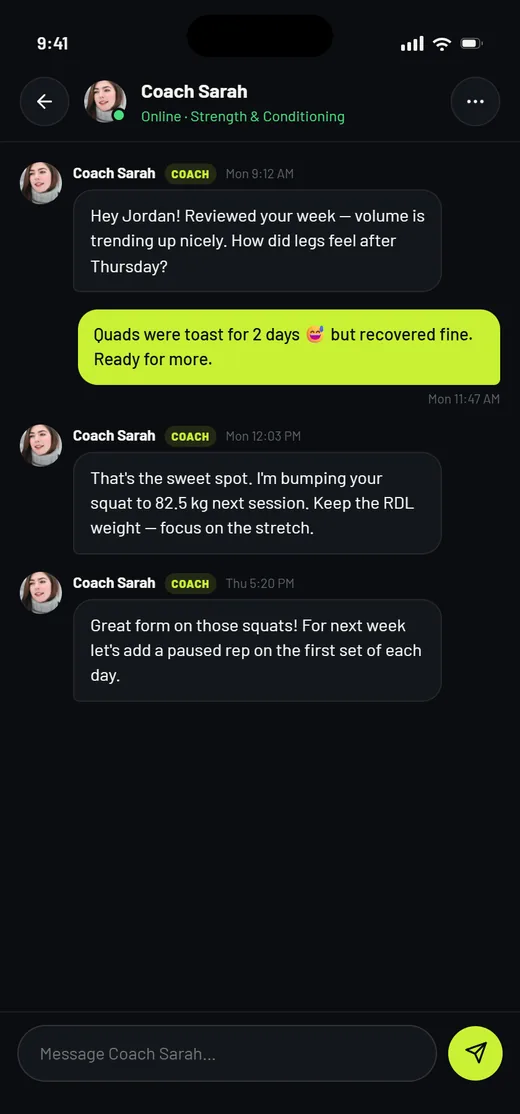
Charts + chatWeight, training volume, personal records and consistency, with a coach thread where a form note becomes next week's load.
- Coach DMs
- Personal records
Community
Channels + reportsGroup channels, coach presence and direct messages - and, because member-to-member messaging always produces reports, a moderation queue in the console to receive them.
- Group channels
- Moderation queue
- Coach presence
Monetisation
2 tiersA free tier, a premium tier, locked surfaces that stay reachable, and the paywall that explains the difference.
- Premium lock
- Trial and billing
Admin console
6 sectionsDashboard, users, subscriptions, campaigns, moderation and templates - a separate web surface with its own navigation.
- Member records
- Push campaigns
What does the member journey look like?
Eleven of the twenty-four screens, in the order a new member meets them - from the first question to the paywall.
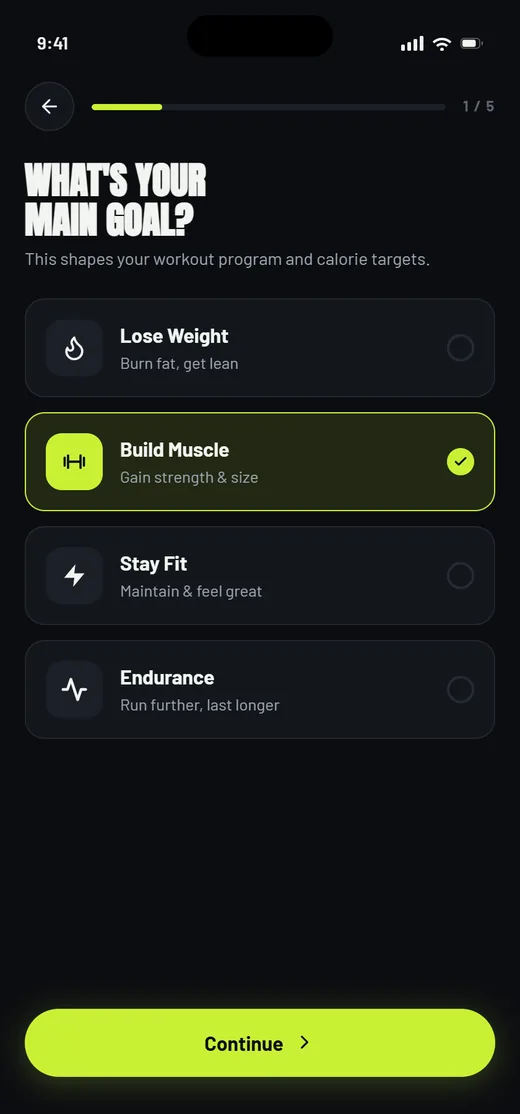
Intake, step 1 of 5
Four goals, then level, body stats, diet and allergies. The answers are inputs, not profile decoration.
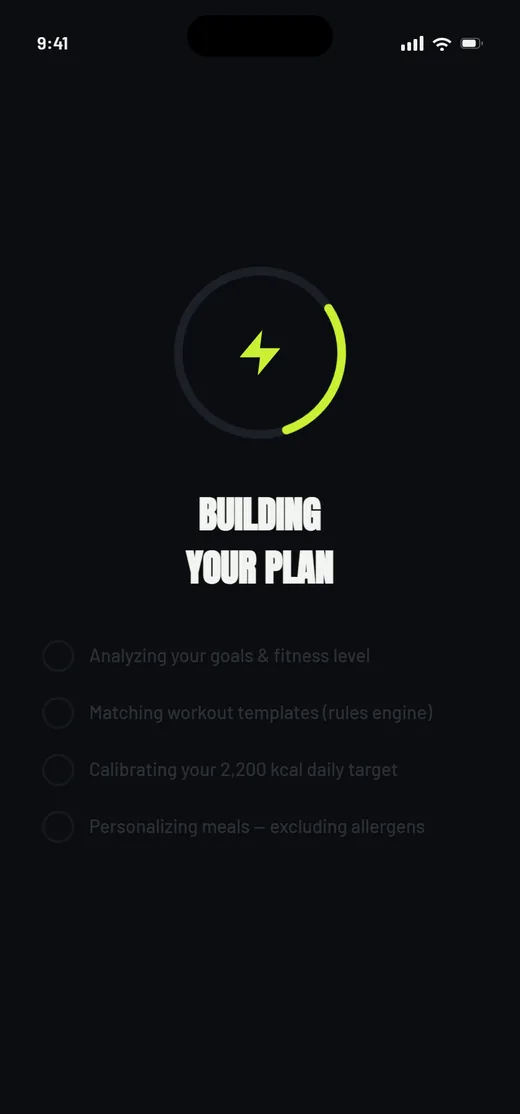
Plan generation
The rules engine shown working: matching templates, setting the calorie target, excluding allergens.
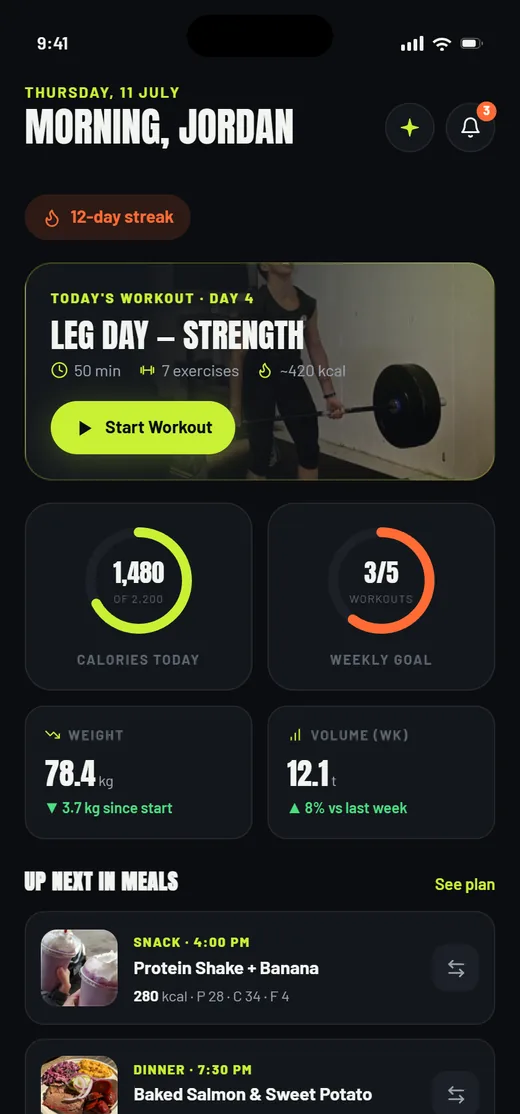
Today
Today's session, the day's calories, weekly progress and what is coming up in meals.
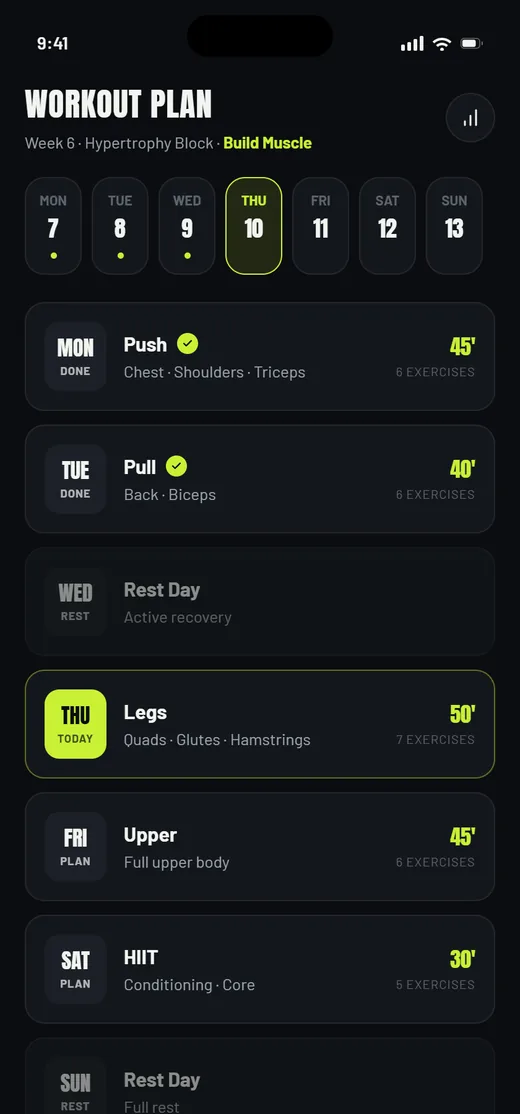
The training week
A block laid out day by day, with rest days planned rather than left as gaps.
Live workout
The screen you hold mid-session: current exercise, set rows, weight, reps and a rest timer.
Session recap
Duration, volume and estimated burn, closed off before the app asks anything else of you.
Progress
Body weight, training volume, personal records and a consistency grid over recent weeks.
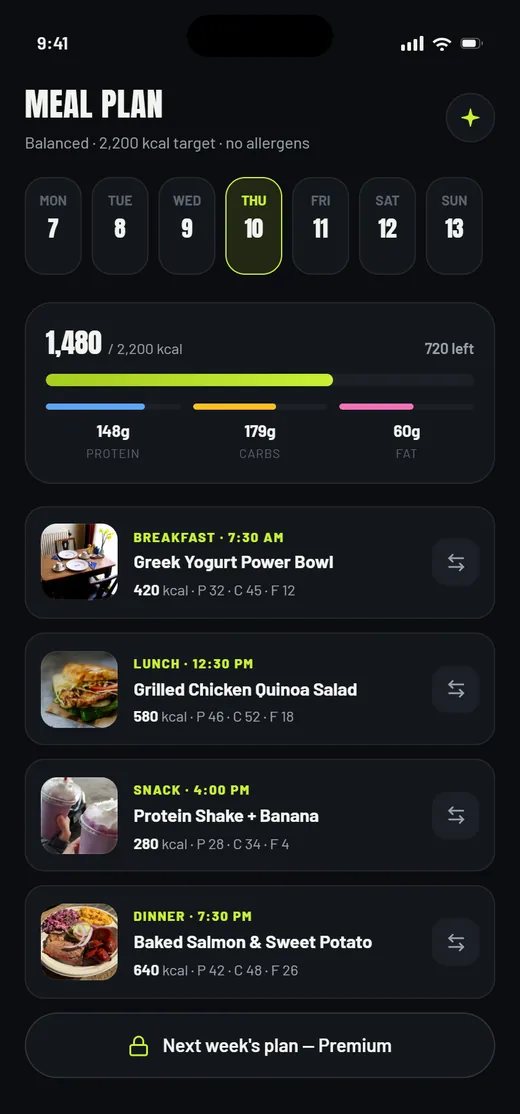
Meal plan
Four meals a day against a calorie target, with macros per meal and a swap on every row.
Coach messages
A direct thread with a named coach, where a form note turns into next week's load change.
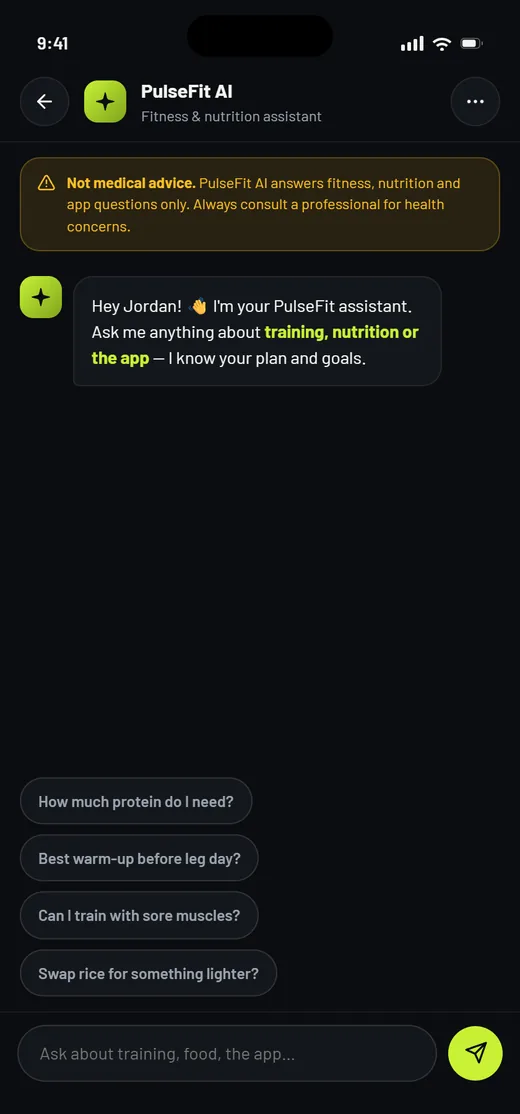
In-app assistant
Scoped deliberately narrow - fitness, nutrition and app questions - and it says so on the screen.
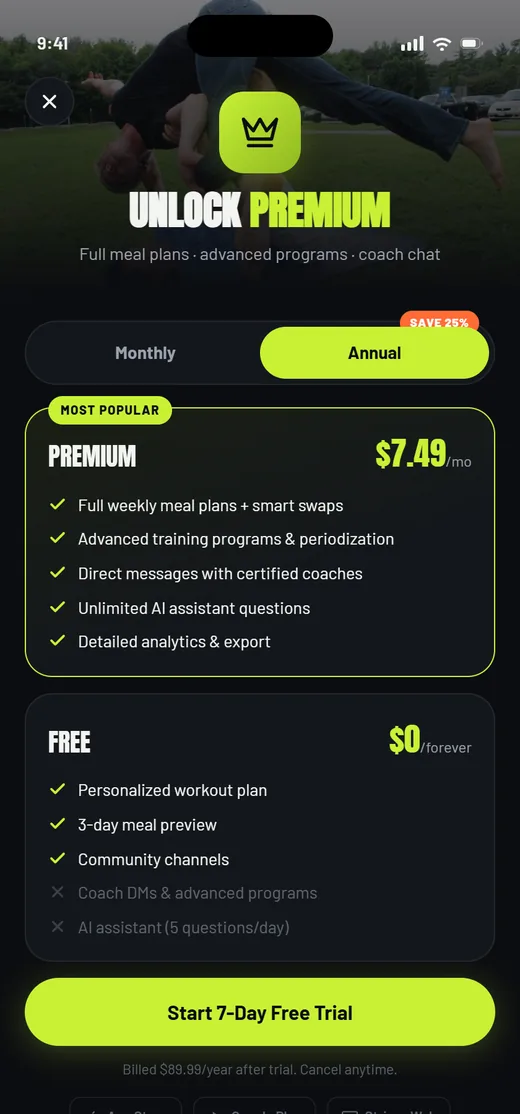
Paywall
Free against premium, side by side, with locked surfaces reachable but clearly gated.
What does a subscription app need before launch?
Seven things that decide whether a consumer subscription is operable on the day it ships. Every one of them came out of building both halves of this product rather than just the app.
- Make onboarding produce something. If the answers do not visibly change what the member sees next, the intake is a form and people abandon it.
- Collect the exclusions before the content. Allergies and diet have to be known before the first meal is rendered, otherwise the plan is wrong the first time it is seen.
- Build the console with the app, not after it. Members, billing, campaigns and moderation are day-one operations. Retrofitting them means every routine task starts as a developer ticket.
- Give reports somewhere to land. The moment members can message each other you owe someone a moderation queue with a visible count on it.
- Make the plans editable content. Workout and meal templates belong in the console so the programme can change without a release.
- Design the locked state, not just the paid one. A premium surface a free member can reach and understand converts better than one that is simply absent.
- Scope the assistant and say the scope out loud. A fitness assistant that answers medical questions is a liability, so the boundary belongs on the screen where the member can read it.
Why does it look like this?
A gym at night: near-black surfaces, one high-voltage lime that only ever marks the action you are meant to take, and an ember orange kept for streaks and warnings. Anton, a heavy condensed display face, does the shouting so the interface itself does not have to.
Aa
Primary typeface
Anton
A B C D E F G H I J K L M N O P Q R S T U V W X Y Z
a b c d e f g h i j k l m n o p q r s t u v w x y z
0 1 2 3 4 5 6 7 8 9 & ? ! £ $ €
40pxTRAIN. EAT. EVOLVE.Display28pxLEG DAY - STRENGTHScreen title22pxMetric values and set weightsMetric16pxExercise names and meal titlesH314pxBody copy, macros and message textBody11pxCALORIES TODAY - WEEKLY GOALEyebrowBoth surfaces share one token file, which is why a desktop console and a phone app read as one product. On this page the volt appears at full strength on the dark bands, exactly as it does in the app, and is darkened on the white ones so that text set in it stays legible. Anton and Barlow are open-licence typefaces; the specimen above falls back to the nearest available face if they are not installed on your device.
What is it built with?
Two independent front ends sharing one token file, which is why the console reads as the same product as the app despite being a different application.
Building a fitness or subscription app
What founders ask before committing to a consumer subscription build.
Ask us yoursHow much does it cost to build a fitness app?
For a first production version, most of the budget goes on three things: the intake and plan-generation logic, the workout logging experience, and the admin console. The app screens are the predictable part. Shanti Infosoft scopes it from a product definition like this one and returns a fixed quote within 48 hours.
Do we need an admin panel in version one?
Yes, if you are charging money. Someone has to look up a member, fix a failed payment, answer a community report and change a plan template - and every one of those becomes a developer ticket without a console. Building it alongside the app is far cheaper than adding it in month four.
How does an app personalise a plan without machine learning?
With a rules engine and a good template library. Goal, level, days available and body stats select a training block; diet preference and allergies filter the meal library; the calorie target is calculated. That is deterministic, explainable and testable, which is exactly what you want when the output affects what someone eats.
How long does it take to design an app of this size?
Twenty-four screens across two surfaces, with a design system and real interaction rather than static mockups, takes a small team a few weeks. Doing it before native development starts is what keeps the build predictable, because the arguments about flow, tiering and back-office scope are already settled.
How do you keep an in-app AI assistant safe?
By scoping it and stating the scope where the user reads it. The PulseFit assistant answers fitness, nutrition and app questions and says on screen that it is not medical advice. Narrow scope plus a visible boundary is far safer than a general assistant loose inside a health product.
Related work and reading
Building a subscription app?
Tell us how your business actually works and we will tell you honestly what it takes to build. See more of our work or what we do.
Book a 15-minute call