


Never miss a drop
An eye-care companion app for patients recovering from refractive and cataract surgery. Pick the procedure you have had, and Better Sight turns the prescribed eye-drop regimen into a timed reminder schedule, with follow-up questionnaires and video upload built in.
Sector
- Ophthalmology
- Post-operative care
Platform
- Patient mobile app
What we did
- Product design
- UX + UI design
- Mobile app build
Procedures covered
- 10 procedure types
- Per-eye set-up
What is Better Sight for?
After eye surgery a patient is handed a regimen of drops — several medications, several times a day, often for weeks. Better Sight takes that regimen off the paper slip and puts it on the phone as a schedule the app keeps track of.
A procedure, a schedule and a follow-up in one app
The reminder list is the centre of the product. Everything else — choosing the procedure, recording the eye, the hospital and the surgeon, the questionnaire and the video upload — is arranged around getting the drops onto the calendar and keeping the follow-up in the same place.
Why is a post-op drop routine so easy to lose track of?
Eye-drop regimens after surgery are more complicated than a once-a-day pill, and they are handed over exactly when a patient has the least attention to spare on paperwork.
How does a procedure become a reminder schedule?
The whole point of the app is that the patient never translates a prescription into alarm clocks. They describe what they had, and the schedule builds itself.
- 01
Choose the procedure
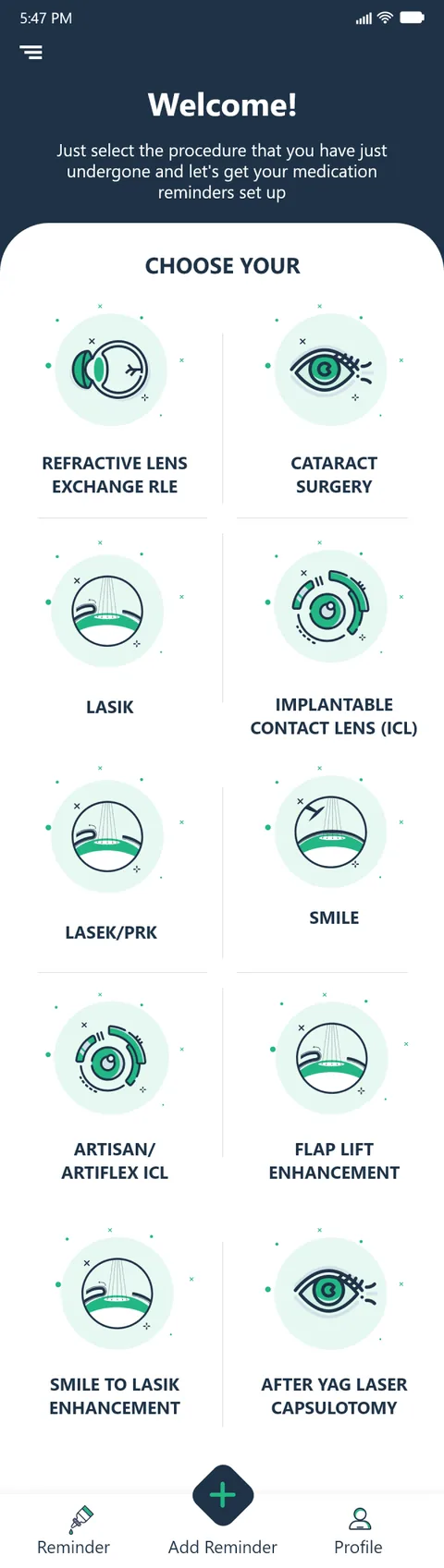
Pick the refractive or cataract procedure from the grid, and any special post-operative condition that applies.
Patient - 02
Record the details
Which eye, the hospital, the surgeon and the date of operation — so the schedule is anchored to the real event.
Patient - 03
Add the drops
Each prescribed medication is added with how many drops are taken at a time.
Patient - 04
Spread it across the day
The app maps the regimen onto the day and groups everything due at the same moment together.
App - 05
Reminders fire
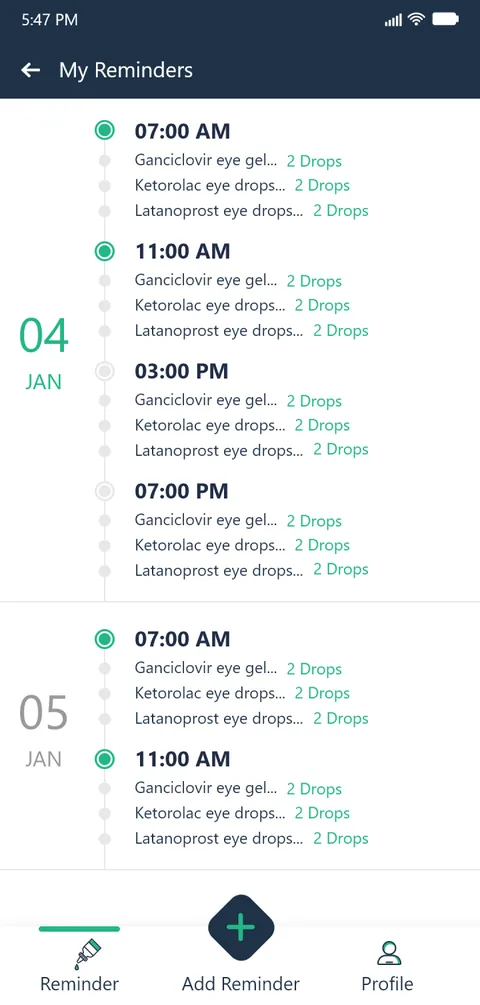
Timed reminders run through the day and stay on the list as a record of what has and has not been taken.
App - 06
Follow up
The patient answers the recovery questionnaire and uploads a follow-up video for the surgeon.
Patient
Scroll the path sideways
What does the app look like in the hand?
Seven screens from the patient flow — from picking the procedure to the follow-up the surgeon sees.
Choose your procedure
A tappable grid of ten refractive and cataract procedures, each with its own illustration.
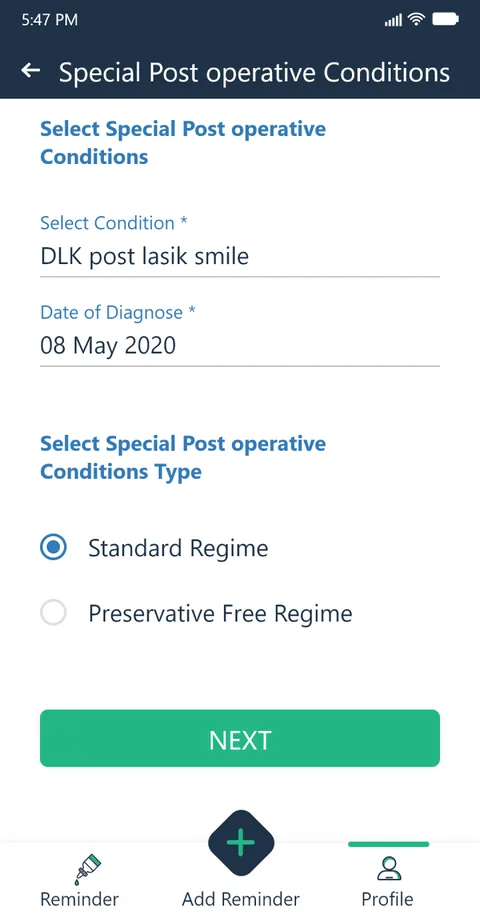
Post-operative conditions
Special post-op conditions with a standard or preservative-free regime and a date of diagnosis.
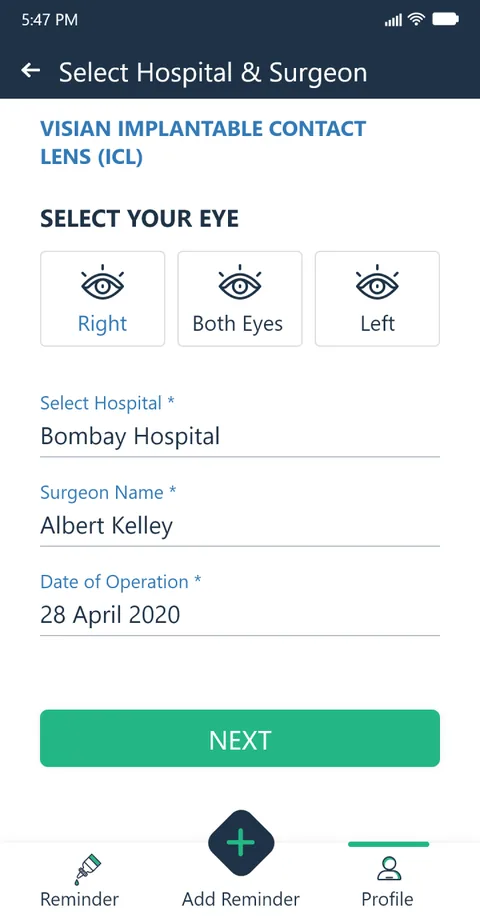
Eye, hospital & surgeon
Record which eye was treated, the hospital, the surgeon and the date of operation.
Medication reminders
The regimen as a timeline — every drop due at a given time grouped under one reminder, day by day.
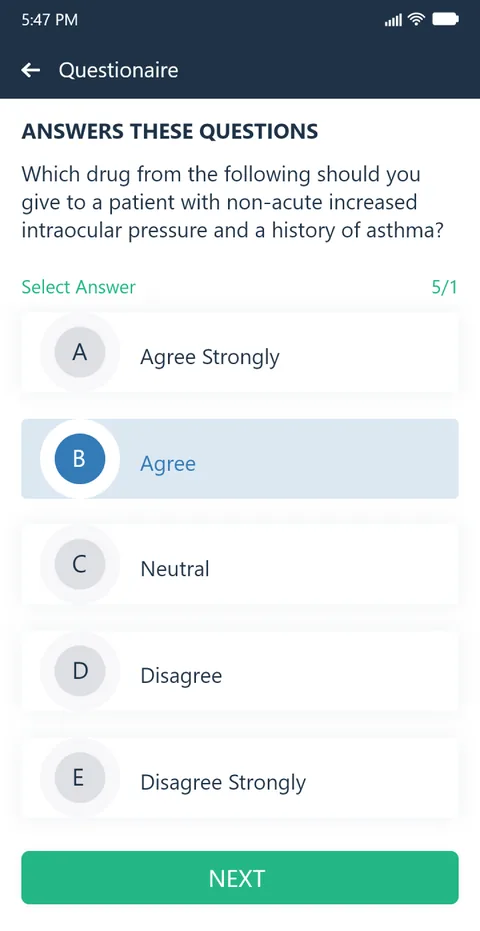
Recovery questionnaire
Structured questionnaires the patient works through during recovery, one question at a time.
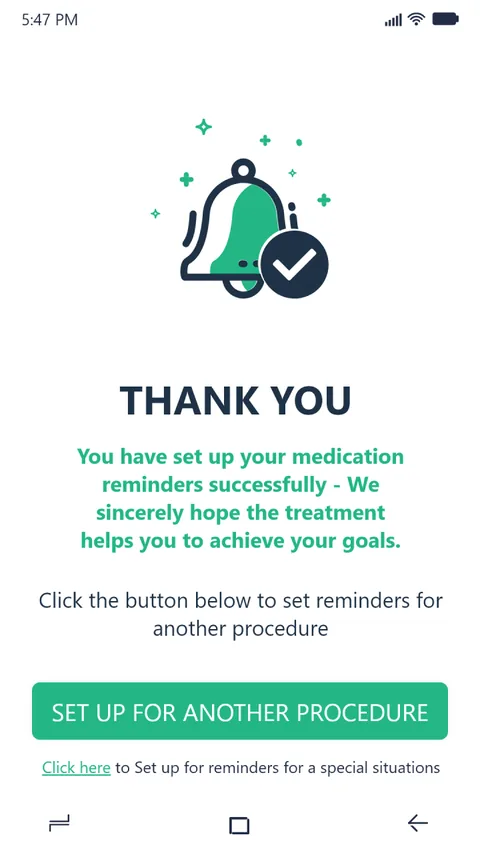
Set-up complete
A confirmation once a regimen is scheduled, with the option to set up reminders for another procedure.
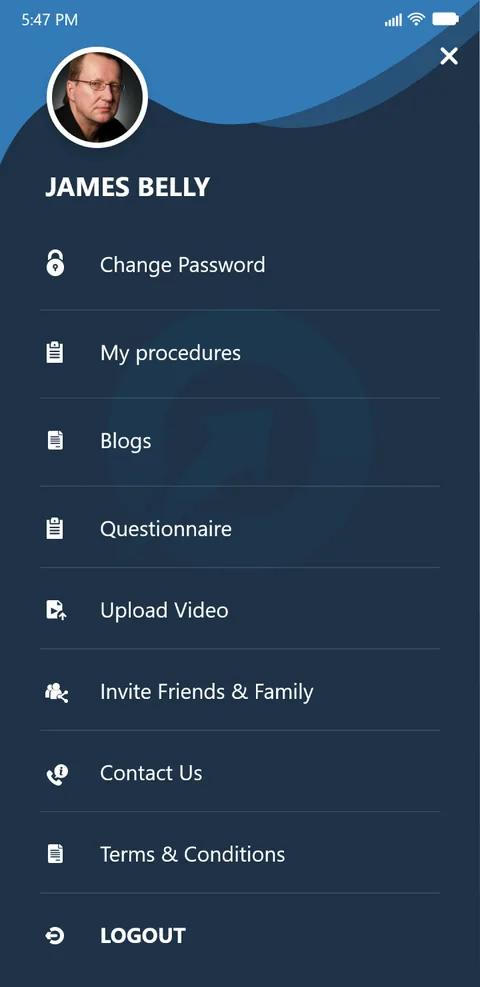
Everything in the drawer
The side menu gathers profile, reminders, questionnaire, video upload and the treatment information pages.
What does any medication-reminder app need to get right?
Five decisions separate a reminder app a patient keeps using from a glorified alarm clock. They came out of building this one and they hold for any timed-regimen product.
- The schedule comes from the regimen, not the user. Ask what procedure the patient had and derive the timings. Making them turn a prescription into a list of alarms is where the app loses them on day one.
- Group by time, not by drug. A patient at eleven o'clock wants the drops due now in one place, not three separate medication lists to cross-reference.
- Keep the history visible. A reminder that disappears the moment it is dismissed gives no sense of what has already been done, which is the one thing a recovering patient wants to check.
- Treat the exceptions as normal. Preservative-free regimes, per-eye differences and special post-operative conditions are the everyday case in eye care, not rare edges to bolt on later.
- Put the follow-up where the reminders are. If the questionnaire and the video the surgeon asked for live in another app, they do not get done. Keep them one tap from the schedule.
How long does it take to build an app like this?
A first working version usually takes eight to fourteen weeks, depending on how many procedures and regimens are in scope and whether follow-up features like questionnaires and video upload are included from the start. The reminder engine and the content model behind it are the parts worth getting right early.
How much does a medication-reminder app cost?
It depends on scope — the number of procedures, whether there is a clinician side as well as a patient side, and what the follow-up needs to capture. Shanti Infosoft scopes it on a short call and returns a fixed quote, so there is a firm number before any build starts.
Who owns the medical content and the regimens?
The clinical side does. The app presents the procedures, regimens and questionnaires that the clinic defines; it schedules and reminds, it does not decide dosing. That separation keeps the medical responsibility where it belongs and keeps the app easy to update as guidance changes.
Can it remind a patient when the app is closed?
Yes. Reminders like these are delivered as device notifications, so they arrive at the scheduled time whether or not the app is open, which is essential for a routine that runs several times a day for weeks.
Related work
Have a care routine that only lives on paper?
Tell us how your business actually works and we will tell you honestly what it takes to build. See more of our work or what we do.
Book a 15-minute call