


Listening, examined
A tablet-first examination platform where educational organisations run timed, audio-based tests, with a variable-speed player for students and a group structure that keeps every teacher and class in order.
Sector
- Education
- Assessment
Roles
- Organisation
- Teacher
- Student
Format
- Audio-based tests
- Timed player
Our work
- UI/UX design
- Web development
What is Audio Exam?
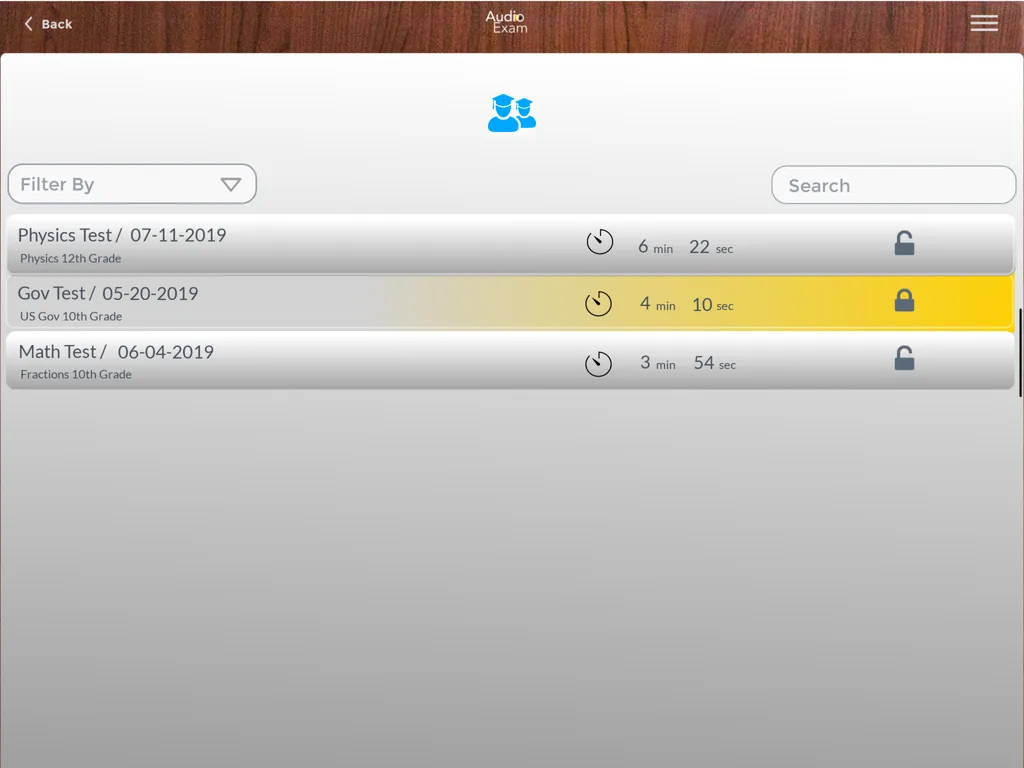
Some subjects are assessed by ear, not on paper. Audio Exam gives a school one place to organise its classes, invite its teachers, and put a timed, audio-based test in front of every student.
One platform for an organisation, its teachers and its students
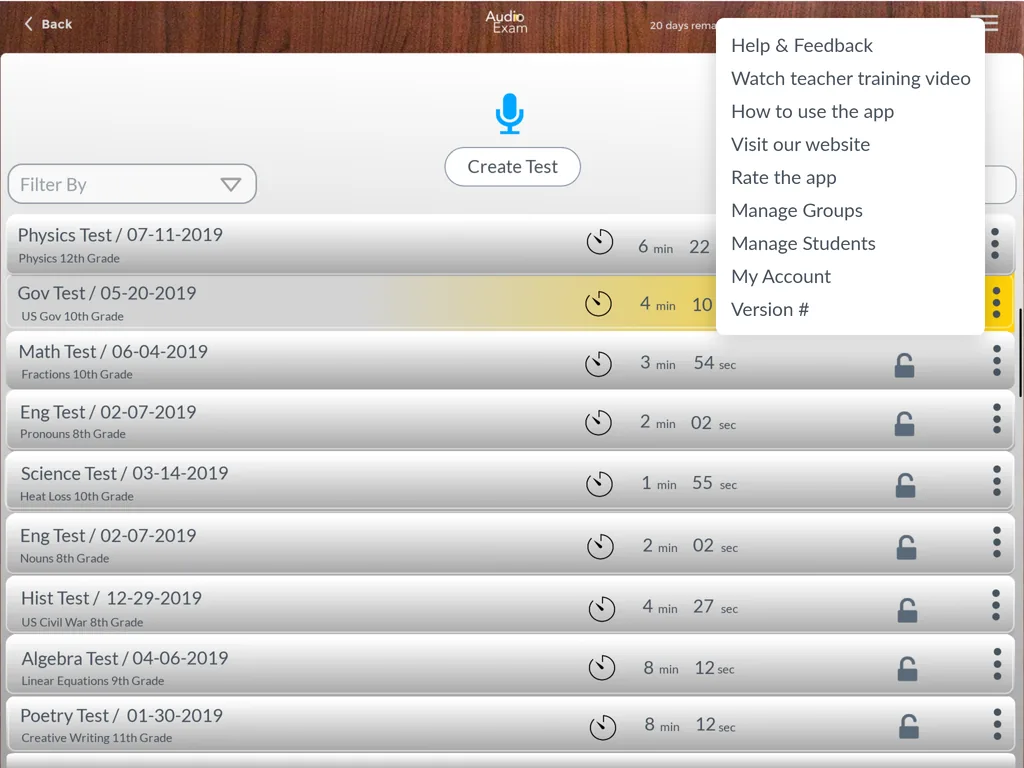
An organisation arranges students into groups and sub-groups, invites teachers, and manages its own account and subscription. Teachers build and assign tests; students take them in a purpose-built audio player. Each role works in its own dashboard over the same structure.
Why is running an audio assessment so awkward without a platform?
Audio testing breaks the tools schools already have. The recording, the roster, the timing and the identity of who is actually listening all sit in different places, and a media file in a shared drive answers none of them.
| Running an audio assessment | Recordings and spreadsheets | Inside Audio Exam |
|---|---|---|
| Delivering the audio | A shared file and a media player | A built-in player with variable speed and replay |
| Test rosters | A spreadsheet kept per class | Groups and sub-groups students are assigned to |
| Adding teachers | Accounts created by hand | Teachers invited by email and verified |
| Who took what | Cross-checked after the fact | Each student's tests tracked on their dashboard |
| Timing the exam | Watched on a separate clock | A countdown built into the player |
| Verifying identity | Assumed | Email and mobile verification on the account |
What does each role see?
An organisation, a teacher and a student open the same platform to three different screens, each holding only the work that role owns.
Organisation account
Subscription & adminAn organisation manages its subscription, payment, password and additional administrators from one account, with the roster of teachers underneath it.
- Subscription
- Other admins
- Password
Groups & sub-groups
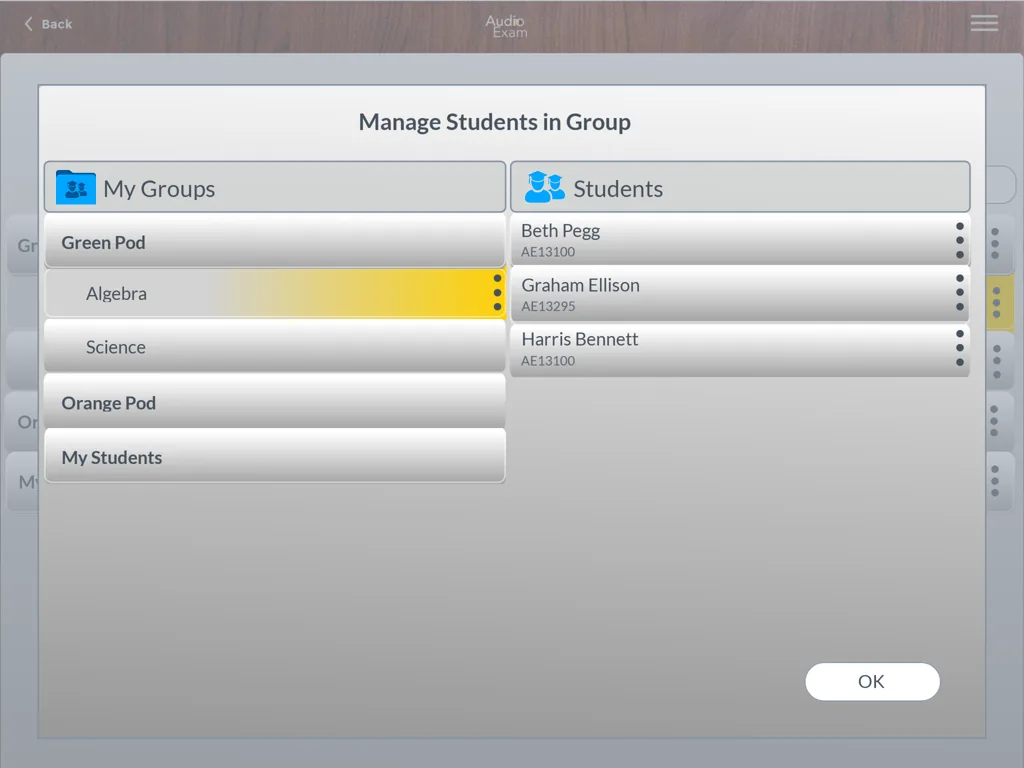
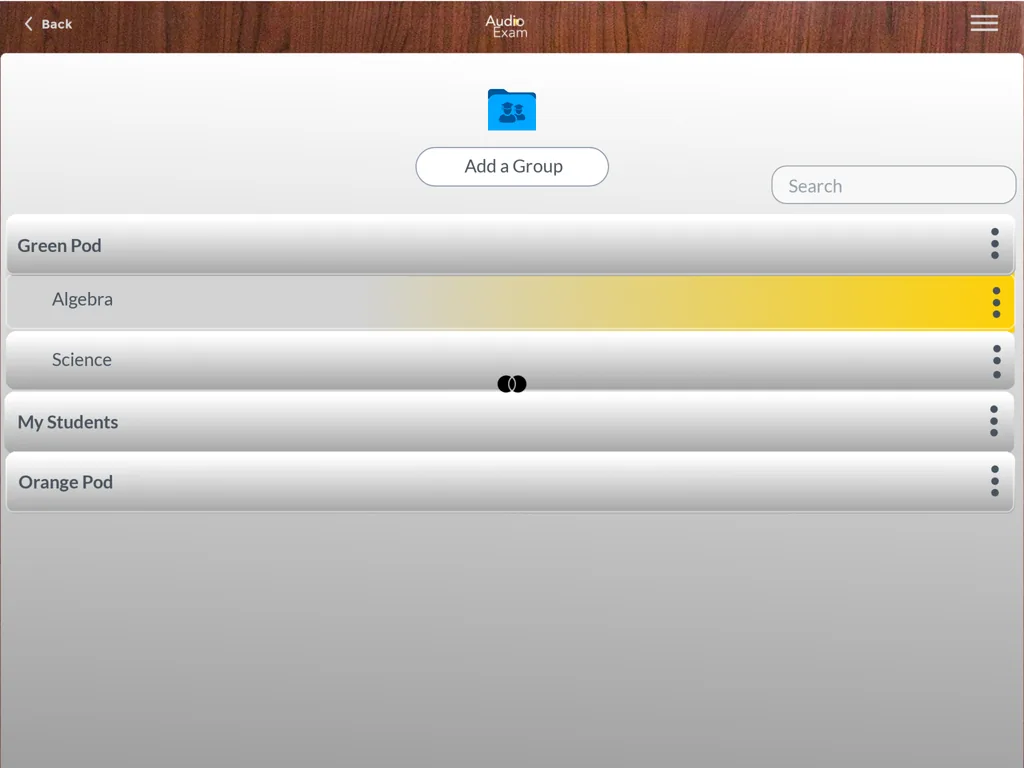
Nested structureCreate groups, add sub-groups beneath them, and assign students where they belong, so classes and subjects map to a real hierarchy.
- Groups
- Sub-groups
- Assignment
Students
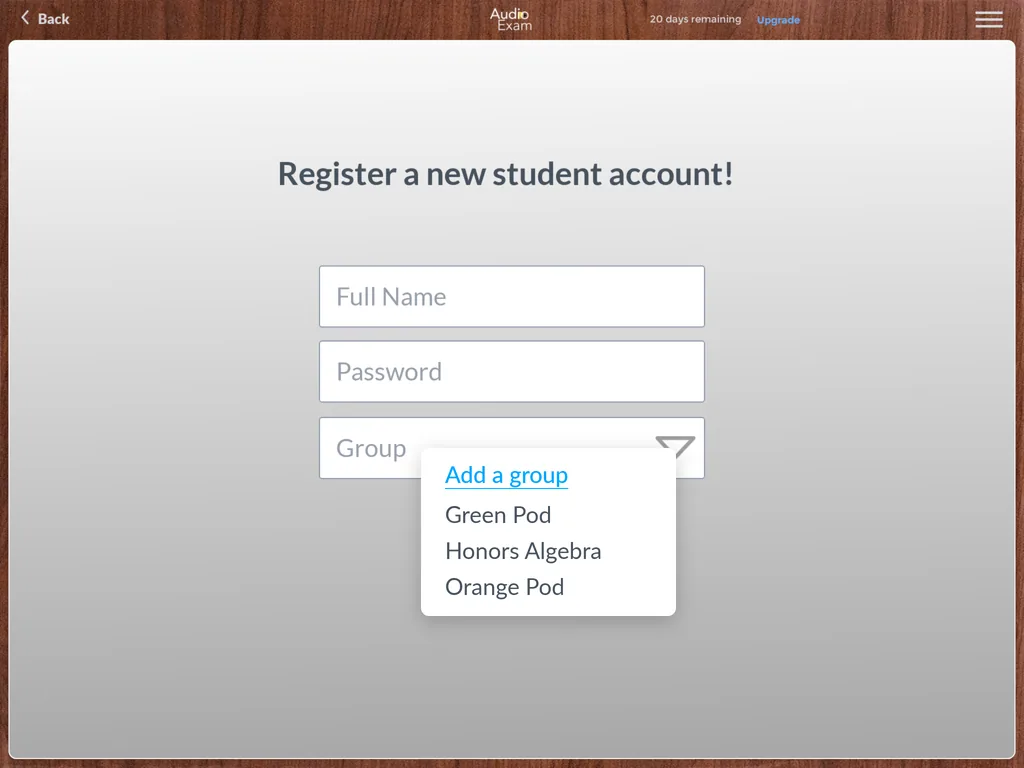
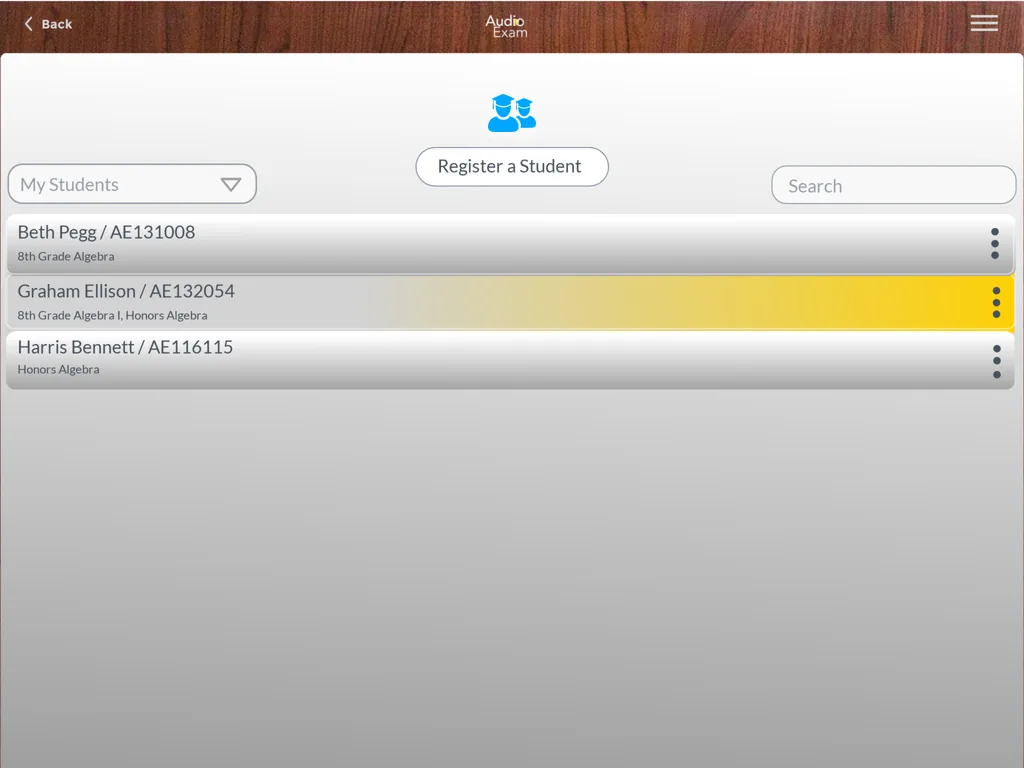
RosterRegister students into a group, filter and manage the roster, and move students between groups as the year changes.
- Register
- Filter
- Manage
Teachers
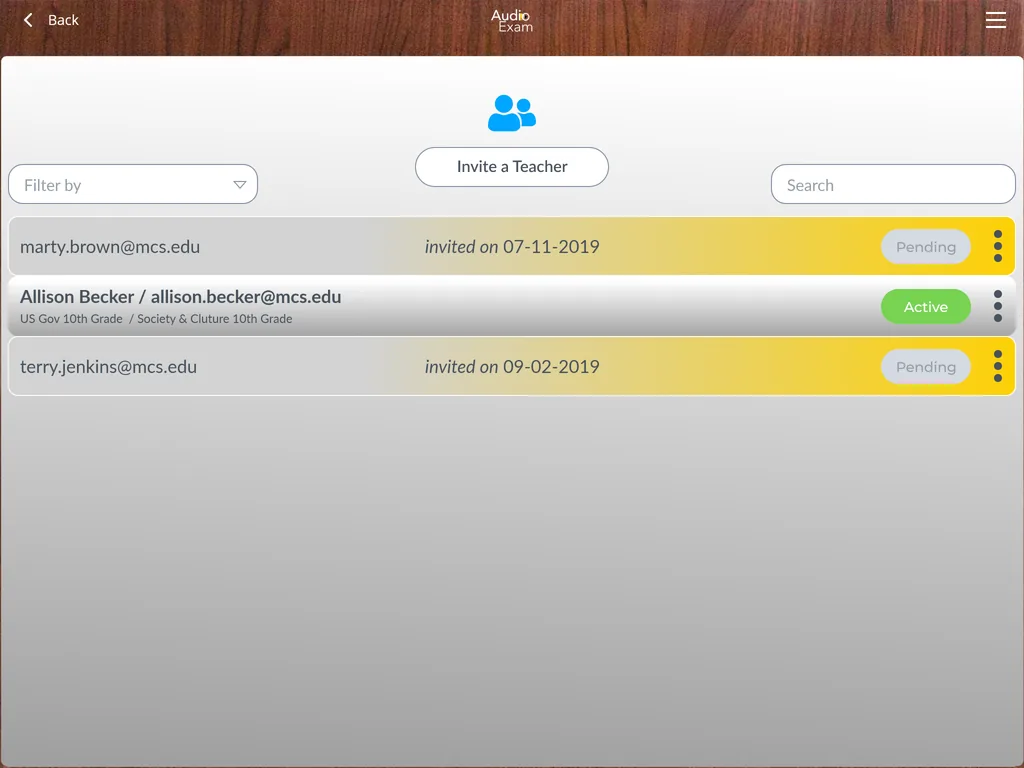
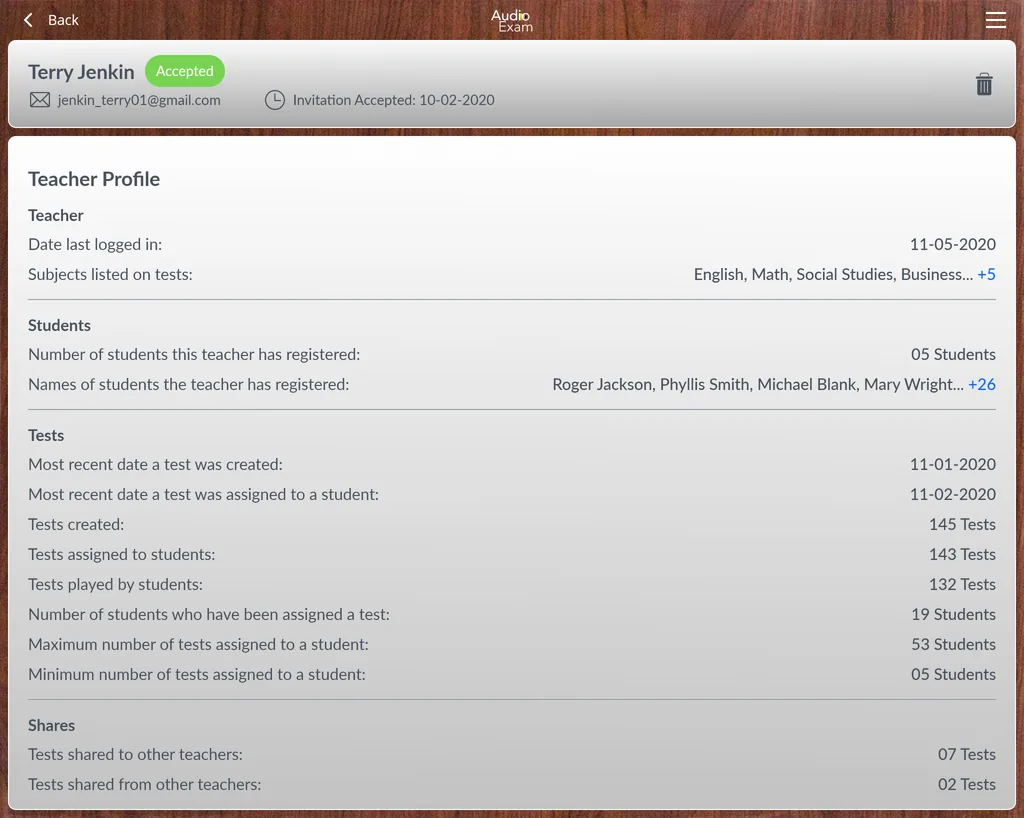
Invite & profilesInvite teachers by email, track pending and active invitations, and give each teacher a profile of their subjects and students.
- Invite
- Profiles
- Subjects
Audio exam player
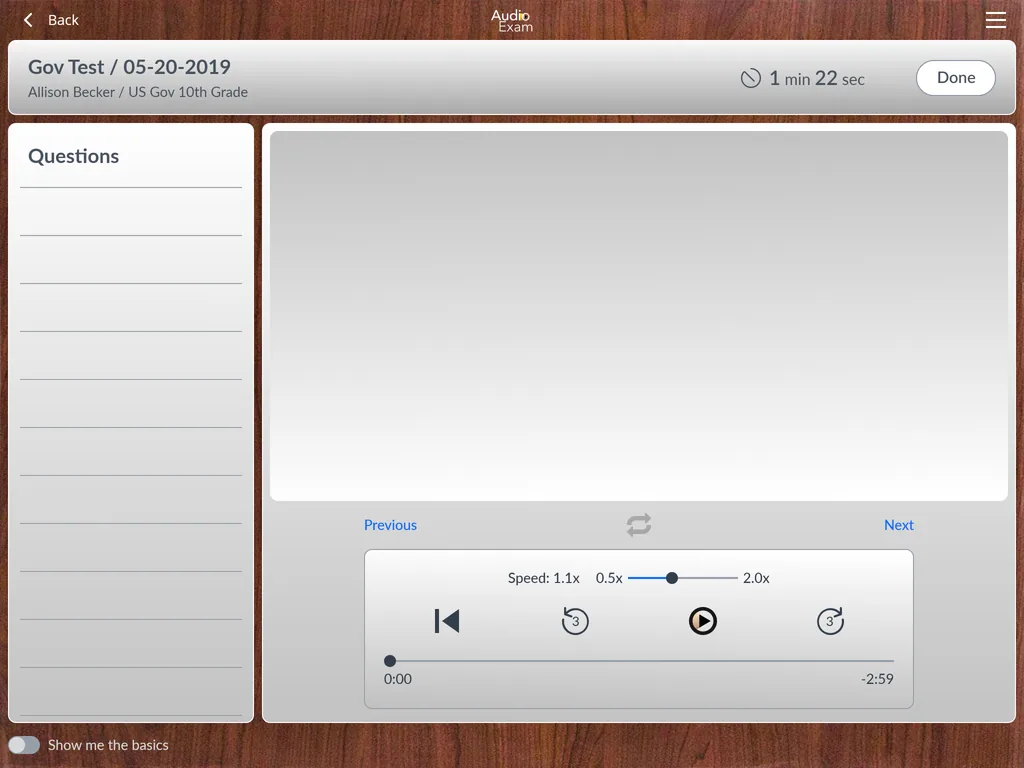
The examA student takes the test in a purpose-built player: each question's audio with variable-speed playback, a three-second replay, a question list and a countdown, with a guided-help toggle for first-timers.
- Audio playback
- 0.5–2.0x speed
- Timed
Verification
IdentityPrimary email, secondary email and mobile verification sit on the account, so a result is tied to a verified student.
- Mobile
- Verified
How did we design and build it?
An audio exam is a real-time experience wrapped in an administrative one, so the work ran on two fronts at once: the structure a school lives in, and the player a student sits the test in.
What is on the exam screen?
The student player is the whole product in one view. Every control on it exists to make a timed, audio-based question fair to sit and simple to re-hear.
Every question in the test is listed down the left, so a student can see the shape of the exam and move through it in order.
The central transport plays and pauses the question's audio, with a progress bar to scrub within the clip.
Playback speed runs from 0.5x to 2.0x, so a student can slow a passage down or move through a familiar one faster.
A dedicated control jumps back three seconds, the natural gesture for catching a word that was missed.
A countdown sits in the header, so the exam is timed inside the player rather than on a clock beside it.
A guided-help toggle walks a first-time student through the controls without cluttering the screen for everyone else.
Building an audio examination platform
What schools and assessment bodies ask us first about a platform like Audio Exam.
Ask us yoursWhat is Audio Exam?
Audio Exam is an audio-based examination platform for educational organisations. A school organises students into groups and sub-groups, invites teachers, and sets timed listening tests that students take in a purpose-built player with variable-speed playback and replay. Organisation, teacher and student each work from their own dashboard over the same structure.
How long does it take to build an audio examination platform?
A platform at this shape, a nested group structure, three role dashboards, an invite-and-verify flow and a real-time audio player, is a multi-phase build rather than a few weeks. What moves the date most is the player itself, because timed, variable-speed audio has to behave the same on every device, and the number of separate roles that need their own permissions.
How do organisations manage teachers and students?
An organisation invites teachers by email and tracks which invitations are pending or active, while students are registered into groups and sub-groups. Teachers then own their groups, build tests and see a profile of their subjects and students, so the roster and the classes stay connected rather than living in a separate spreadsheet.
Can students control the audio during a test?
Yes, within the player. A student can play, pause and scrub each question's audio, replay the last three seconds, and set playback speed anywhere from 0.5x to 2.0x. A countdown keeps the sitting timed, and a guided-help toggle explains the controls to anyone taking a test for the first time.
Related work
Assessing something a media player cannot?
Tell us how your business actually works and we will tell you honestly what it takes to build. See more of our work or what we do.
Book a 15-minute call