


Hire a trailer, run the fleet
A two-sided trailer rental platform: a customer app to find a trailer by location and date, book it, sign the hire contract and pay, and a rental-company back office to manage the fleet, branches and every booking - with cross-border hires, digital contracts and a full accept-to-payment lifecycle in between.
Category
- Trailer rental
- Fleet & booking platform
Sides
- Renter app
- Operator back office
Booking lifecycle
- Search
- Book
- Sign
- Pay
Design scope
- Product design
- UX + UI
- App + web
What is Trailer for Hire built to do?
Renting a trailer usually means calling around depots and hoping one has the right type free on the right dates. Trailer for Hire turns that into a platform: a customer searches, books, signs and pays in an app, while the rental company runs its fleet, branches and bookings from a single back office.
A rental app and a fleet office, joined at the booking
The renter side is a phone app - pick a location and dates, browse trailers by type, open one for its full spec, then move through review, a digital contract and payment. The operator side is a web console where a rental company lists trailers, sets up branches, and accepts, rejects or tracks every booking. The same booking is the thread between them.
Why is a rental platform harder than a shopping app?
A trailer is not sold, it is lent and returned - which means dates, availability, a signed contract, a deposit and a real handover at a branch. The design problem was to hold that whole lifecycle across two very different products without either side losing the thread of a single booking.
| Hiring a trailer | The old way | In Trailer for Hire |
|---|---|---|
| Find one free | Call depots one by one | Search by location, dates and type |
| See if it fits | Ask over the phone | Full spec - load, GVM, tare, axle, braking |
| Agree the hire | Paperwork at the counter | Digital contract signed in the app |
| Pay and secure it | Cash and a held card | Hire rate and refundable deposit in-app |
| Cross a border | A separate arrangement | A cross-border booking variant built in |
| Run the fleet | A spreadsheet per branch | One back office across branches and roles |
How does a rental company run its fleet?
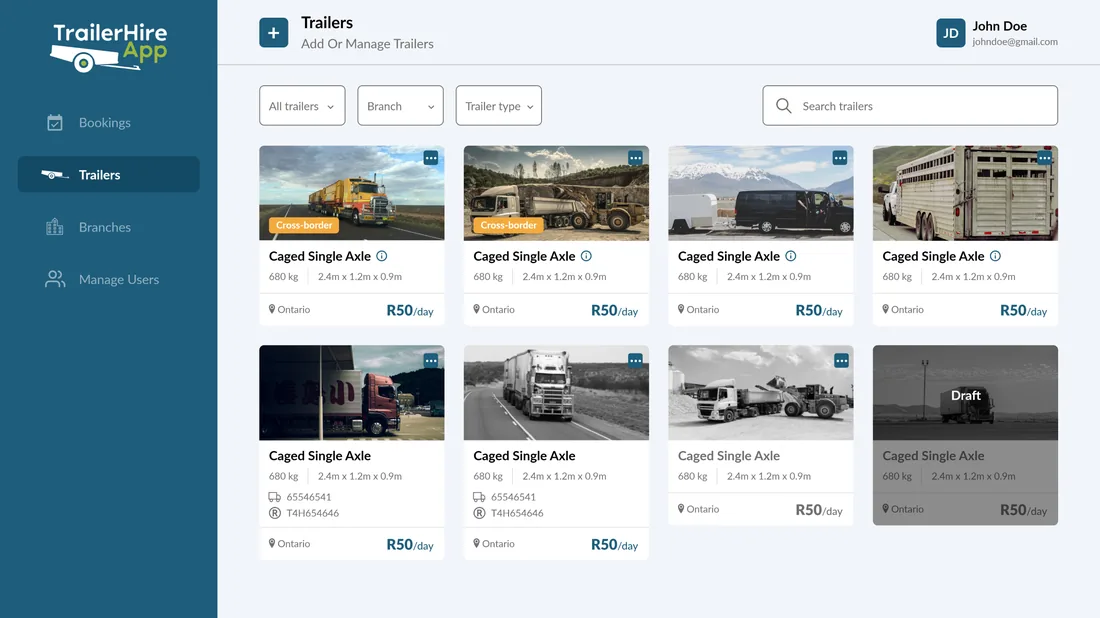
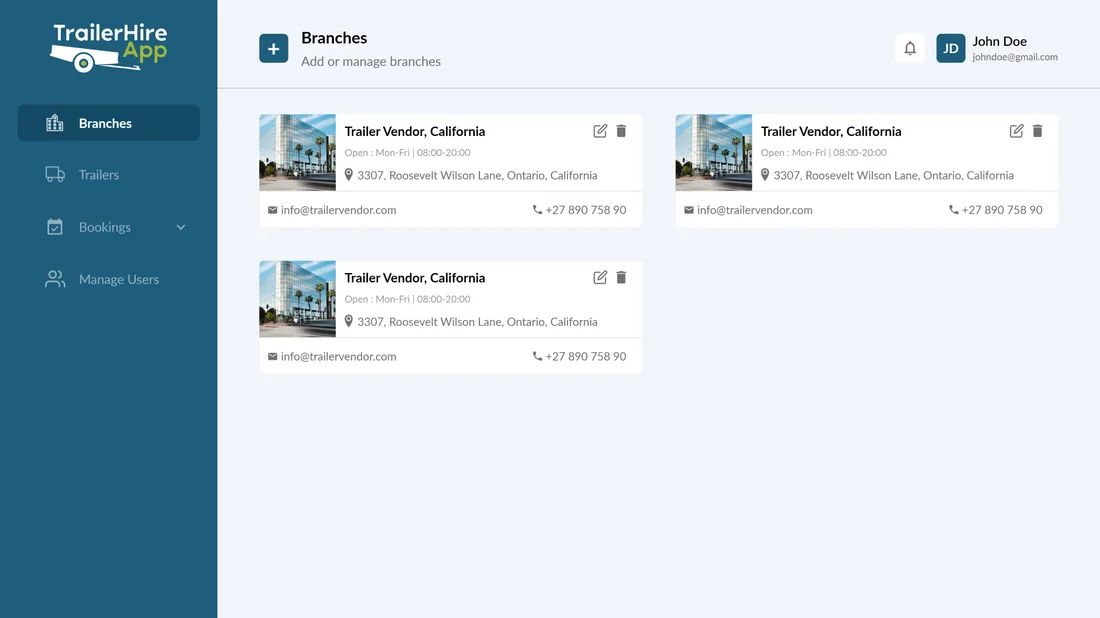
The web back office is where a rental company lives - listing trailers with their states, setting up branches with their hours, and working every booking from request to confirmation.
Search & discovery
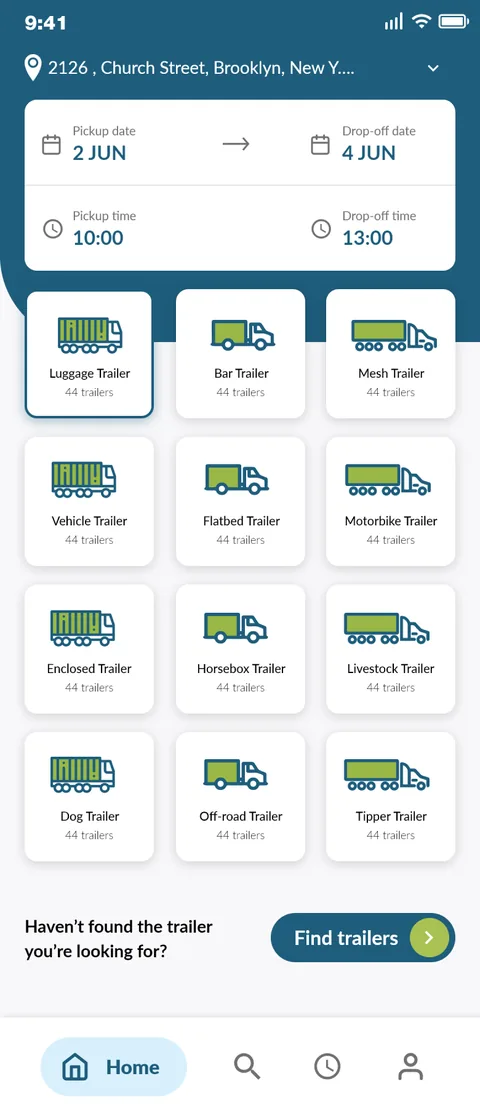
12 categoriesLocation and date selection up front, twelve trailer categories from luggage to livestock to tipper, saved searches and results filtered by distance, instant-hire and cross-border availability.
- Location & dates
- 12 categories
- Saved searches
Booking lifecycle
4 stepsDetails, review, digital contract and payment - with a cross-border variant, a signed hire agreement, a refundable deposit and statuses that run from awaiting acceptance through to confirmed.
- Review
- Sign contract
- Deposit & pay
- Confirmed
Renter KYC
VerifiedSignup by OTP, document upload for proof of ID and address, and email and phone verification, so a renter is known before a vehicle is handed over.
- OTP signup
- Proof docs
Fleet back office
Operator webAdd and manage trailers with their states, run bookings with accept and reject, and see the fare breakup of hire rate, deposit and platform commission.
- Trailers
- Bookings
Branches & roles
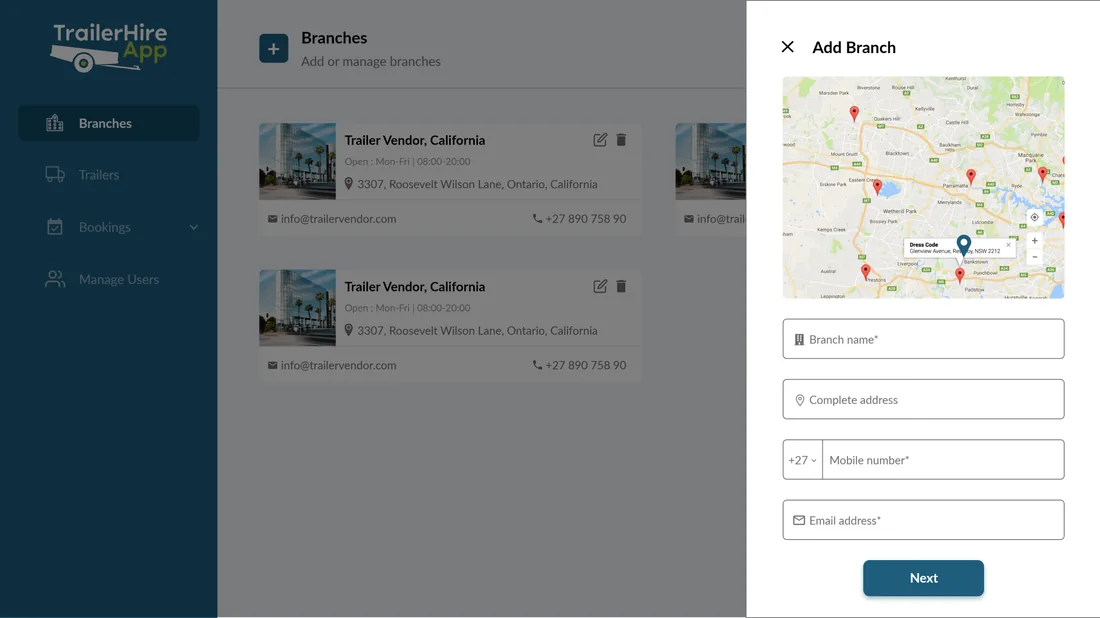
Multi-branchBranches with addresses and business hours, and operator roles - administrator, branch manager and branch representative - so a fleet spread across locations stays governed.
- Branches
- Operator roles
What does hiring a trailer feel like on the phone?
The renter side is phone-first, so the case for it is the screens - setting dates, browsing by type, reading a trailer's full spec, signing the contract and paying, then tracking the booking, exactly as drawn.

Open the app
The renter lands in a trailer-hire app built around one job: find and book the right trailer for a set of dates.
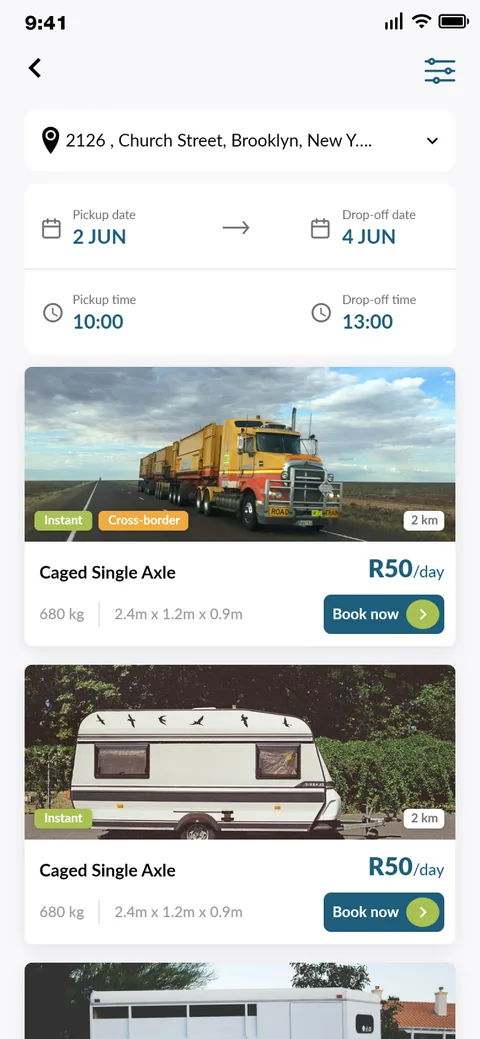
Location and dates first
Pickup and drop-off dates and times sit at the top, with trailer categories - luggage, flatbed, livestock, tipper and more - below.
Set the hire window
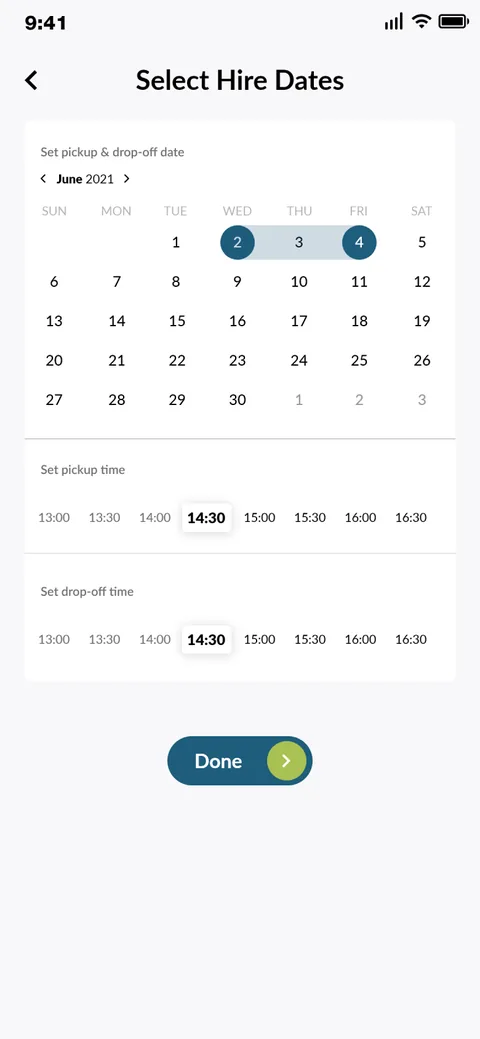
A calendar picks the pickup and drop-off days, and time chips set the hours, so availability is scoped to a real window.
Browse what is near
Results show trailers with their distance, instant-hire and cross-border badges, and rate, ready to open or book.
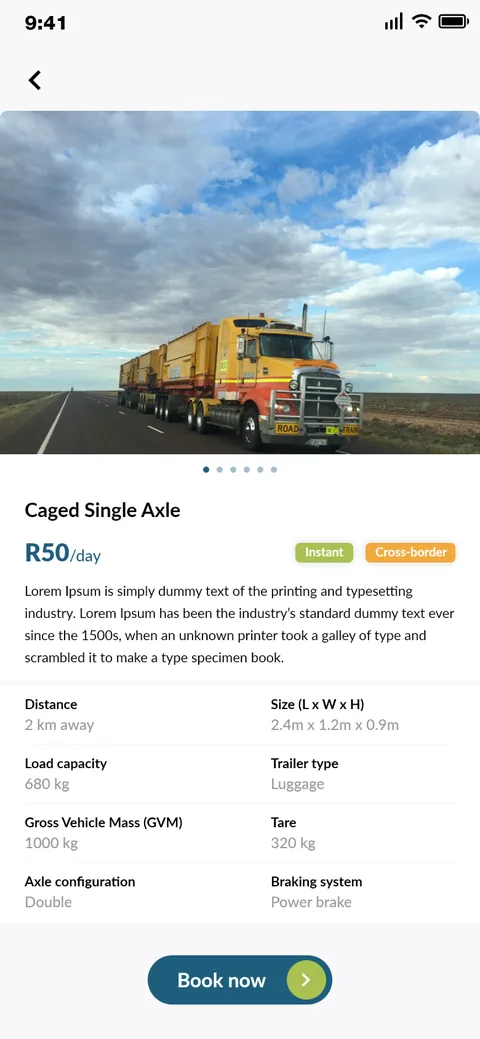
The full spec
A trailer's detail lists load capacity, size, gross vehicle mass, tare, axle configuration and braking - everything a tow needs to be legal and safe.
Review before signing
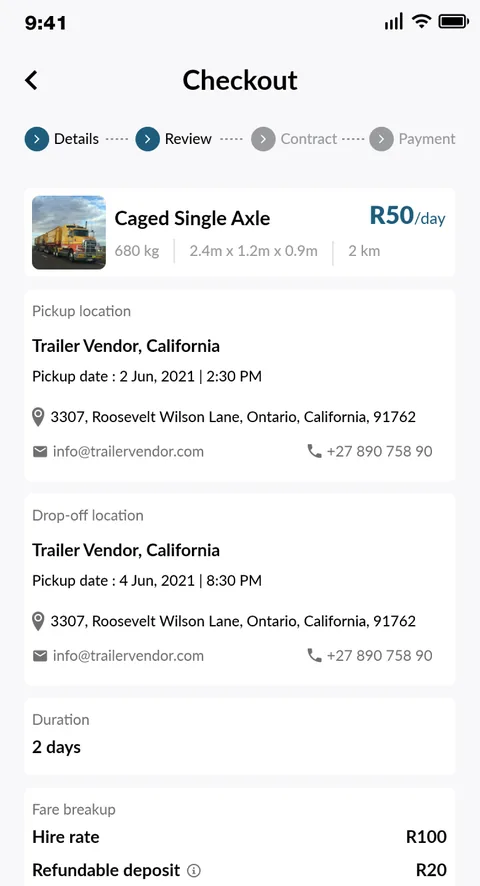
Checkout confirms the pickup and drop-off, duration and fare breakup - hire rate and refundable deposit - before the contract step.
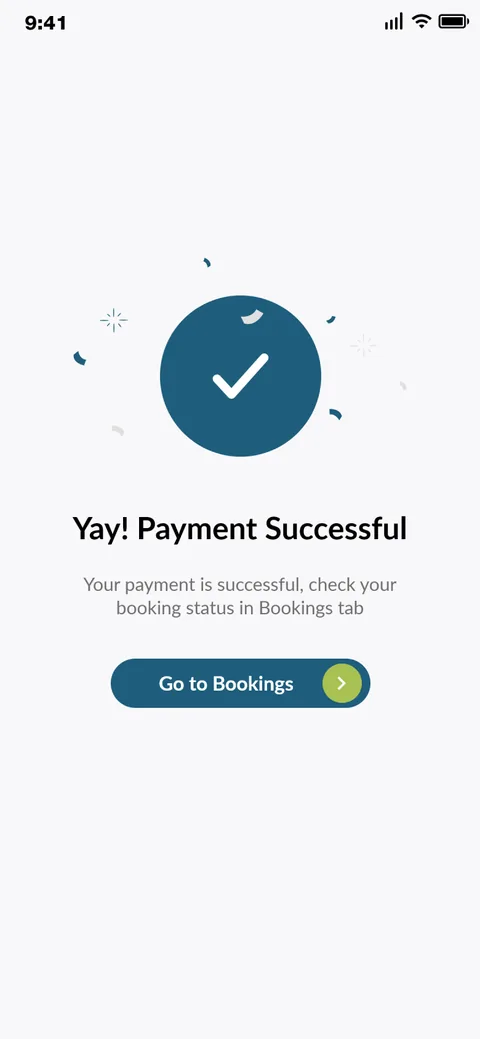
Booked and paid
Once payment clears, the booking is confirmed, closing the four-step path from details through contract to payment.
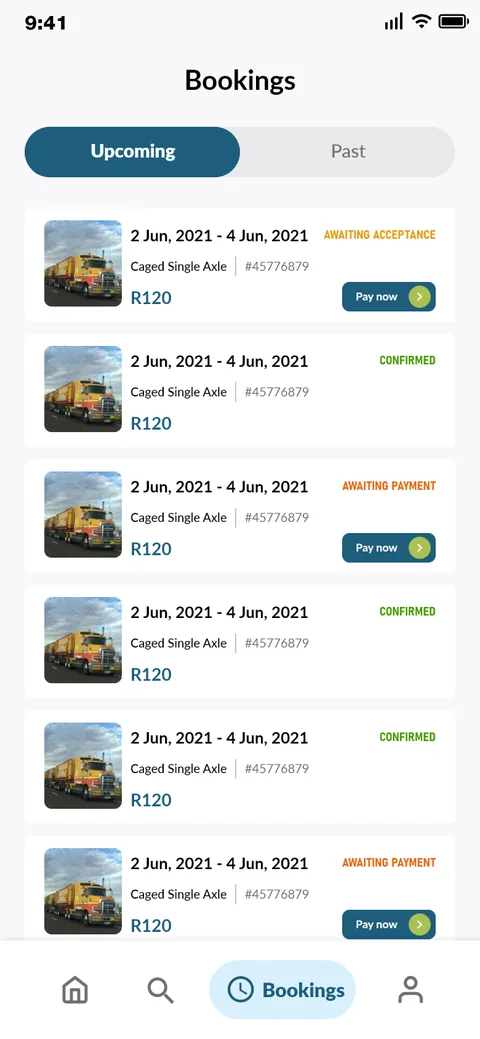
Track every hire
Upcoming and past bookings carry their status - awaiting acceptance, awaiting payment or confirmed - so a renter always knows where a hire stands.
What does a rental platform have to get right?
These held well beyond trailers - they separate a rental platform an operator can run a real fleet on from a listings page that quietly falls back to phone calls.
- Model availability as a window, not a stock count. A rented asset is free for a date range, so search and booking have to be built around pickup-to-drop-off, not add-to-cart.
- Sign the agreement before the handover. Lending a vehicle carries liability, so a digital contract, signature and deposit belong inside the flow, ahead of payment.
- Give the specs that make a hire legal. Load capacity, gross vehicle mass, tare, axle and braking are what decide whether a tow is safe, so they sit on the trailer, not in a PDF.
- Know the renter before the keys. OTP signup and document verification for ID and address protect an operator handing a stranger a vehicle.
- Run one fleet across many branches. Branches with their own hours and staff, and operator roles above them, keep a spread-out fleet governed from one console.
- Keep both sides on one booking. The renter's status and the operator's accept-or-reject are two views of the same record, so nothing drifts out of sync.
Building a rental platform
The questions founders ask us first when they want a two-sided rental or equipment-hire product.
Ask us yoursHow long does it take to build a rental platform like Trailer for Hire?
A first release at roughly this shape - a renter app with date-based search, a four-step booking with a digital contract and payment, and an operator back office for fleet, branches and bookings - is a multi-month programme rather than a few weeks. The heaviest parts are availability and the booking lifecycle, because a date-ranged rental with contracts, deposits and accept-or-reject brings far more state than a shopping cart. We usually ship search and booking first, then the operator console and payments.
How much does it cost to build a two-sided rental app?
It depends on scope, and no honest figure comes from a feature list alone. The biggest cost drivers are the payment and deposit model, whether contracts and cross-border hires are in scope, and how deep the operator back office goes. Shanti Infosoft scopes it on a short call and returns a fixed quote, so you compare a real number rather than a guess.
Do you build both the customer app and the operator back office?
Yes. Trailer for Hire is a two-sided product - a phone-first renter app across iOS and Android, and a web back office for the rental company - designed together so the same booking reads consistently on both. We design one system and build both surfaces rather than treating the operator side as an afterthought.
Can it handle deposits, contracts and cross-border hires?
Yes - those were core to the design. The booking flow captures a signed digital contract and a refundable deposit before handover, carries a fare breakup of hire rate, deposit and platform commission, and has a dedicated cross-border booking variant. In a production build we wire the contract, deposit hold and settlement against a payment gateway with the release and refund rules scoped explicitly.
How do you manage a fleet across multiple branches?
The operator back office models branches with their own addresses and business hours, trailers with active and draft states filtered by branch and type, and operator roles - administrator, branch manager and branch representative - so a rental company running trailers out of several locations governs the whole fleet from one console.
More platform and app work
Building a rental or equipment-hire platform?
Tell us how your business actually works and we will tell you honestly what it takes to build. See more of our work or what we do.
Book a 15-minute call