


Rent, runand hand back.
A rental marketplace and tenancy app that connects property owners and tenants directly — search and shortlist, book an open home, apply, sign, pay the deposit, run inspections and request maintenance, all from the phone.
The whole tenancy, owner to tenant, in one app
Sam puts the marketplace and the tenancy in the same place. A tenant searches, shortlists with co-tenants, books an open home, applies, signs and pays a deposit; an owner lists a property, screens applicants and runs the tenancy; and when something breaks, a service provider is pulled in. Everyone works from one thread instead of five apps.
Search that ends in a booking
A tenant searches by location and dates, shortlists to favourites, shares with co-tenants and books an open home to view — so browsing turns into a real appointment, not a saved tab.
Sign and pay inside the app
The security deposit, the digital signature and the payment methods live in the app, so the moment a tenancy is agreed is captured where it happens rather than over email.
Inspections and repairs, not messages
Check-in and check-out inspections and maintenance requests are tracked items with their own screens, and a repair can pull in a service provider directly.
Why does a rental app have to be more than a listings feed?
Three things make a tenancy app different from a property search. A feed cannot carry them: the deal has legal and financial weight, the tenancy runs for months after the match, and a third party shows up whenever something breaks.
The match is a contract, not a like — a shortlist ends in a signed lease, a paid deposit and an identity check, legal and financial events the app has to hold properly. Answer → digital signing and deposit payment inside the app.
The relationship outlives the move-in — rent, inspections, messages and maintenance run for the length of the tenancy. Answer → check-in and check-out inspections and maintenance requests as tracked items.
A third party appears mid-tenancy — a repair brings in a service provider who was not part of the original match. Answer → invite them onto one ticket without exposing the rest of the tenancy.
What Sam had to get right
Renting is run across a listings site, a messaging app, a bank transfer, a PDF lease and a spreadsheet of inspection photos. Tenants and owners lose the thread between them, and the parts that matter — the deposit, the signature, the inspection — happen off to one side.
One app, owner to tenant
- End search in a real booking — shortlist with co-tenants and book an open home to view.
- Sign and pay inside the app — the deposit, the signature and payment methods captured where the deal happens.
- Track inspections and repairs — check-in, check-out and maintenance as items, not messages.
- Carry both sides in one app — tenant and owner, sharing the property and the tenancy underneath.
Why it was hard
- A shortlist ends in a signed lease, a paid deposit and an identity check — legal and financial events, not a browser tab.
- Rent, inspections, messages and maintenance run for the length of the tenancy, long after the match.
- A repair brings in a service provider who was not part of the original match.
- Two roles, tenant and owner, have to share one property and one tenancy without becoming two separate apps.
Who is Sam built for?
Both sides of the marketplace live on the phone — 2 roles sharing one property and one tenancy, with a service provider pulled onto a single ticket whenever something needs fixing.
The tenant
Searches and shortlists with co-tenants, books an open home, applies, signs and pays the deposit, then lives the tenancy through inspections, maintenance and hand-back.
The property owner
Lists a property, reviews open-home applicants and approves a tenant, then runs payments, payouts and messages from an owner menu.
What changes when the tenancy stays in one app
Renting today runs across a listings site, a messaging app, a bank transfer, a PDF lease and a spreadsheet of inspection photos. What changes when it is one thread instead.
What does the app actually feel like?
Both sides of the marketplace live on the phone — the tenant searching and applying, the owner listing and screening. Scroll through the real screens.
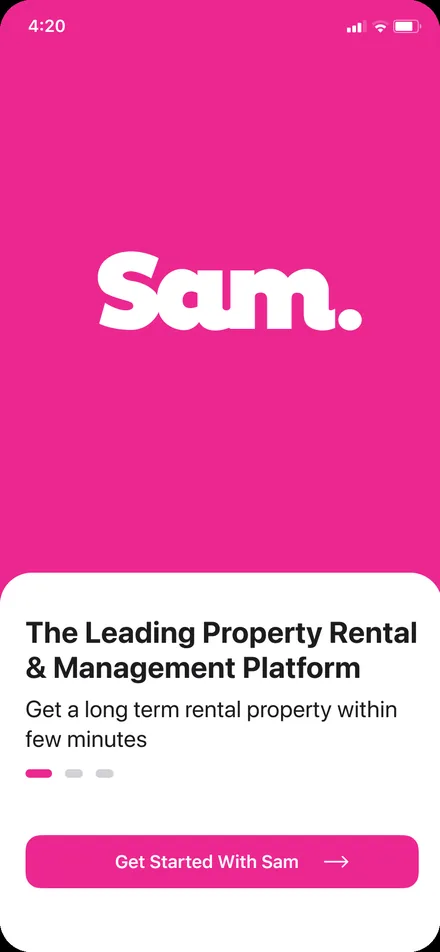
The branded way in, introducing the app before a tenant or owner signs up.
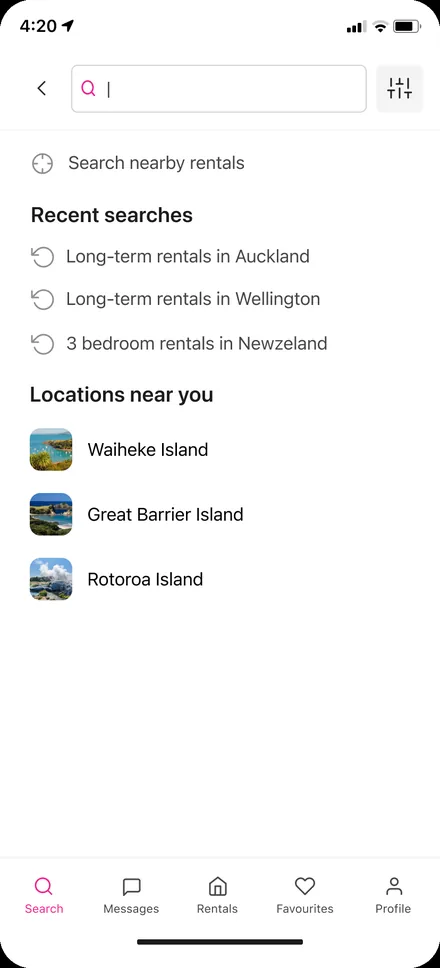
Search nearby rentals, recent searches and locations, with the tenant tab bar underneath.
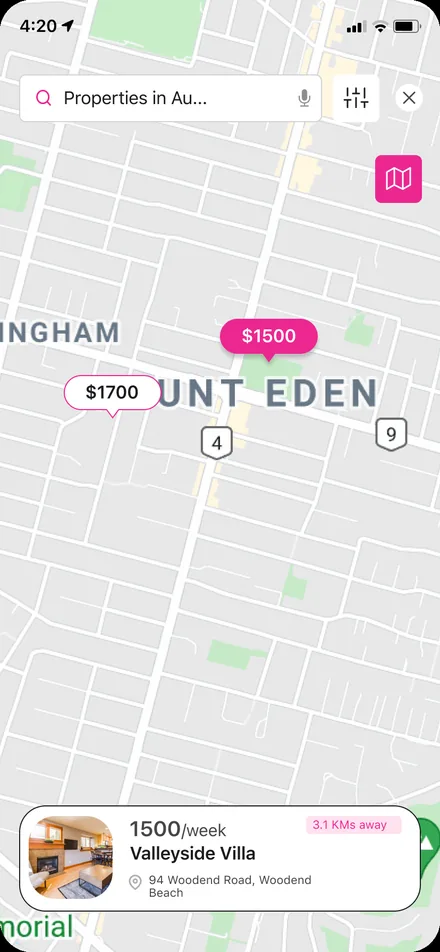
Search results on a map, so a tenant reads location before price.
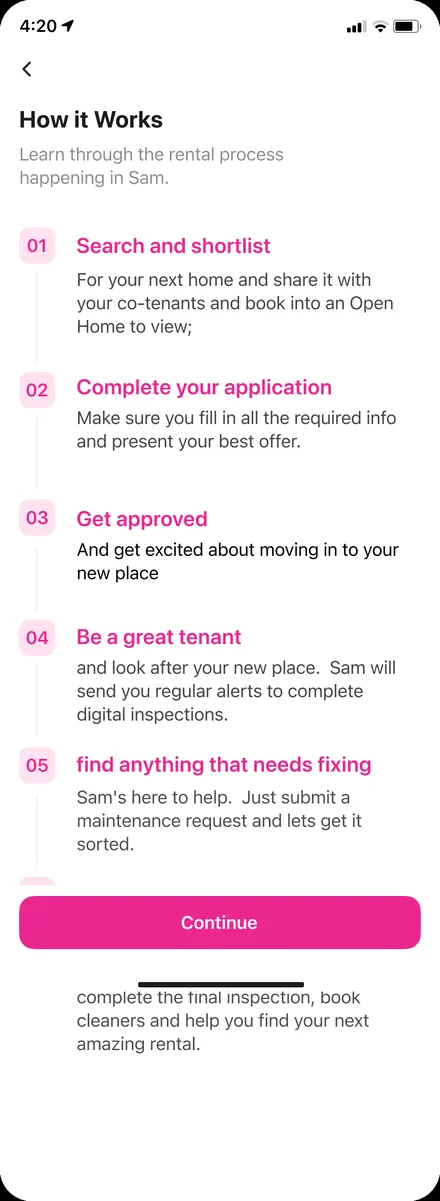
The rental journey laid out in the app itself, from shortlist to move-out.
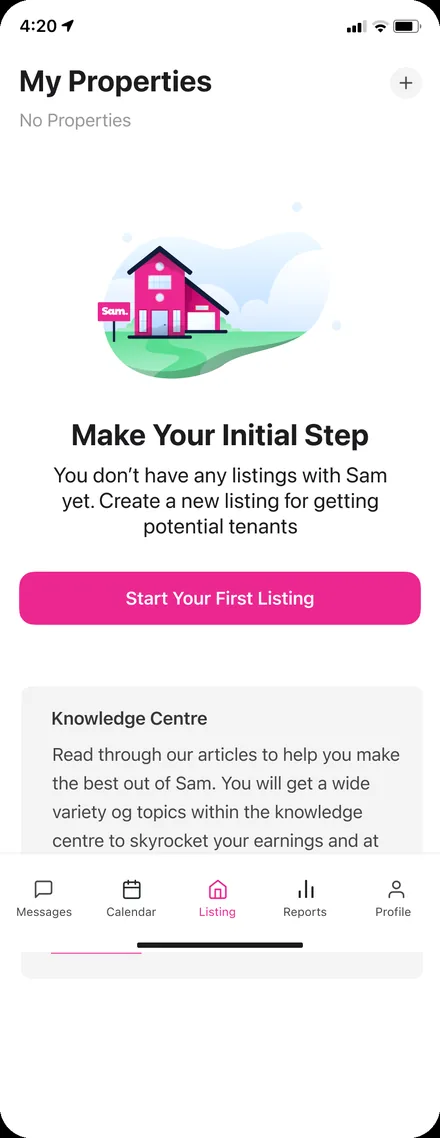
The owner's properties, with a clear path to start a first listing and a knowledge centre.
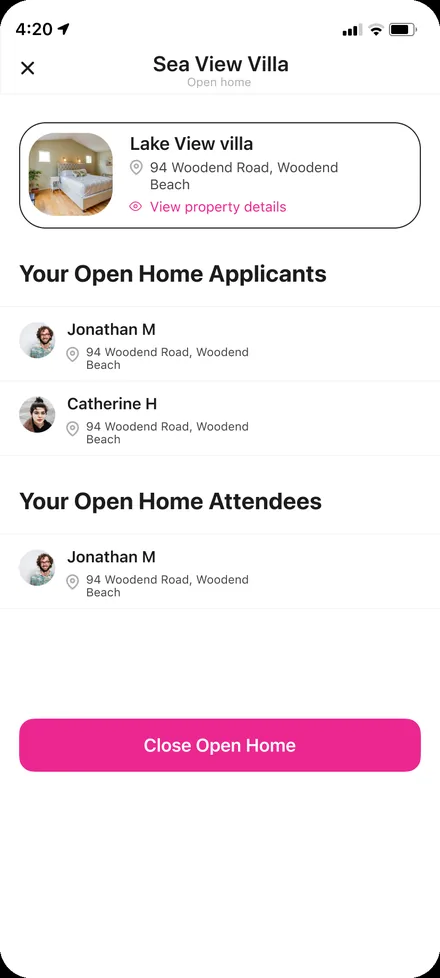
An open home's applicants and attendees, with a view-property link and a close-home action.
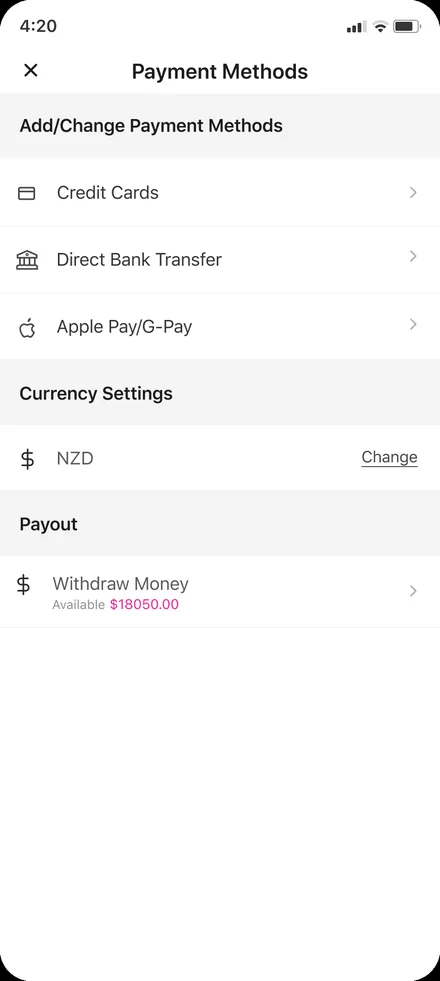
Payment methods, currency settings and a payout with a withdraw-money action for owners.
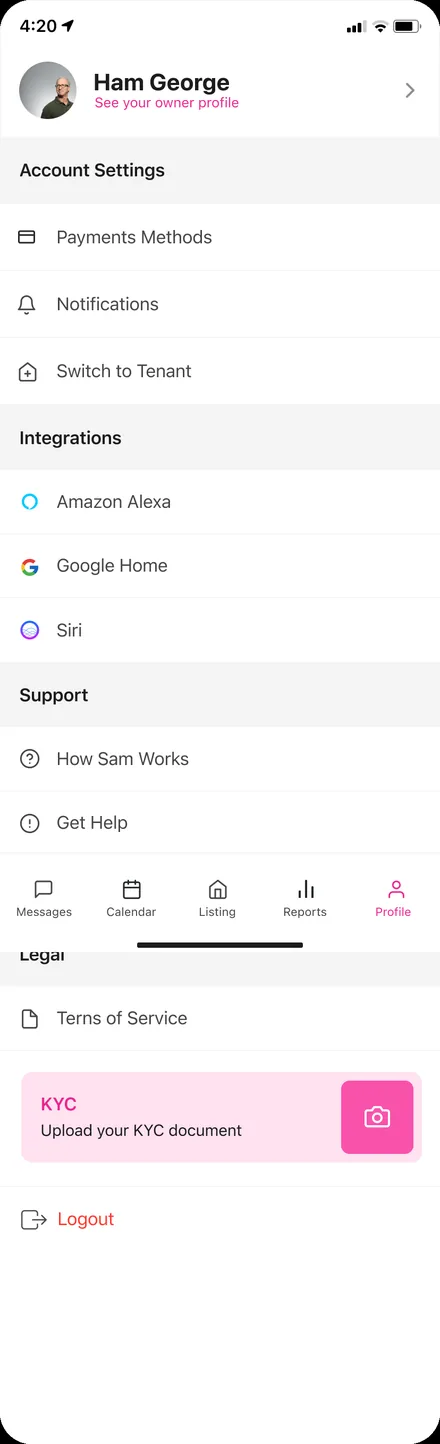
The owner's navigation across listings, tenants, messages, reports and profile.
The path is spelled out inside the app itself.
From shortlist to move-out, the same journey the app is built around is shown to a tenant in its own 'How it works' screen — search and shortlist, apply, get approved, sign and pay, move in and inspect, request maintenance, hand back.
The scope, in one panel
Every number in this panel is delivered scope — what was designed, built and handed over on the residential rentals build for Sam. It leaves out traffic, conversion and revenue on purpose: those figures belong to the client, and we don’t publish numbers we cannot stand behind.
- Sector
- Residential rentalsRental marketplace
- Roles
- Tenant · Property ownerService provider
- Platform
- Mobile appTenant + owner surfaces
- Our work
- Product modellingUX+UI · mobile app design
The look, and why
A bold magenta carries the marketplace against near-black text, kept confident enough to read on a phone in one hand while the other holds a lease.
What does a two-sided rental app actually need?
Six rules came out of building this one, and they hold for any marketplace app where the match is only the beginning of the relationship.
Carry the tenant and the owner in one app
Two separate apps for two sides of the same tenancy means the thread breaks at exactly the handover point.
Make the deal binding inside the app
The signature, the deposit and the identity check are the moment renting becomes real — they cannot be a link to somewhere else.
Design for the whole tenancy, not the match
Rent, inspections and maintenance are most of the relationship; an app that ends at 'applied' is a search engine with extra steps.
Let a third party onto one ticket
A service provider fixing a leak needs the repair, not the tenancy — invite them narrowly.
Book the viewing, do not just save the listing
An open home with applicants and attendees turns interest into a real appointment the owner can screen from.
Support co-tenants from the start
Renting is often a group decision; a shortlist you can share is the difference between a flat filling and a flat sitting empty.
Building a rental marketplace app
How long does it take to build a rental marketplace app?
Does one app serve both tenants and owners?
Can it handle deposits, signing and payouts?
How much does an app like this cost?
Is it native, and does it work on iOS and Android?
Building a marketplace app where the match is only the start?
Tell us how your business actually works and we'll tell you honestly what it takes to build — the signing, the deposits, the maintenance loop. No deck, no pitch.