


Qualified nurses,by the shift.
A two-sided app for booking qualified nurses. Clients — from individuals to institutions — browse nurses by qualification level, book day, evening and night shifts, assign a care manager to each, and handle backup cover, overtime, disputes and invoicing in one place.
One app, built around the shift
Care is delivered in day, evening and night shifts, so the whole app is organised around them. A booking is a set of shifts across a date range, each with its own status, its own assigned manager and, if the nurse cannot make it, its own backup. Payment, overtime and disputes all attach to the shift they belong to.
Nurses are booked on qualification
Each nurse carries a qualification level and the care types they cover — home care, hospitality, institutional — so a client books the right person, not just an available one.
Around-the-clock cover
Day, evening and night shifts are first-class, with a backup nurse able to be assigned when the primary cannot make a shift, so cover never silently fails.
A manager for every shift
A client can assign a care manager to each shift so the nurse reports to the right person, which matters when the client is an institution running many bookings.
Why is booking care staff harder than booking a ride?
A ride is one person, one trip, one price. Care staffing is qualifications that must match, shifts that run around the clock, cover that must not fail, and money made of hours, surcharges and the occasional dispute. A generic booking app has nowhere to put any of that.
Three constraints shaped the product: qualification has to match before a shift is ever booked, cover across day, evening and night must never silently fail, and money — hours, surcharges, disputes — has to be auditable at the shift, not the invoice.
What Zus had to bring together
Every shift carries a qualification match, a status, a manager and, if needed, a backup. The goal was to keep all of that on one record instead of a phone call and a rota.
Shift-first, qualification-matched
- Match on qualification first. Filter by level and care type before anything else.
- Make the shift the unit. Status, manager, backup and billing all attach to the individual shift.
- Cover that cannot fail. A backup nurse assignable to the exact shift a primary cannot make.
- Bill at the shift. Hours, surcharges and disputes itemised per shift, not per booking.
Why it was hard
- Qualification is not a nicety — the wrong match is unacceptable, so it has to be the first filter, not a later one.
- Care runs day, evening and night, and a gap in cover has to be fillable in-app, not discovered on arrival.
- Money is hours, surcharges and disputes, and it has to be auditable down to the individual shift.
- The app has to serve clients from individuals to institutions, each assigning their own managers and running their own roster.
Phone calls and a rota, or the app?
Staffing by phone works until it doesn't. Here is the same task, done through Zus.
What does Zus feel like to use?
The client's journey, screen by screen, the way it appears on a phone — from finding a nurse to paying for the shifts and rating the work. Every screen below is a real surface in the app.
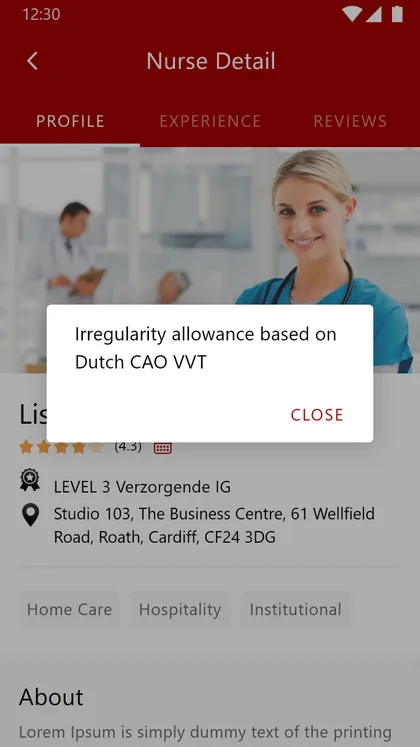
Nurse profile
Client · DiscoverQualification level, care types, experience and reviews in one place.
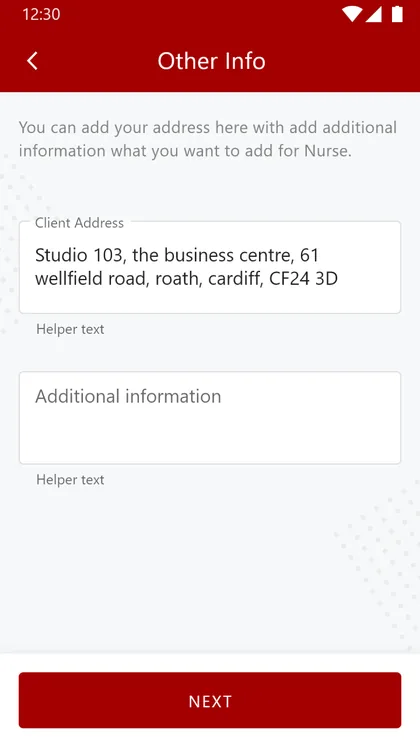
Booking details
Client · BookAdd the address and any information the nurse needs for the shift.
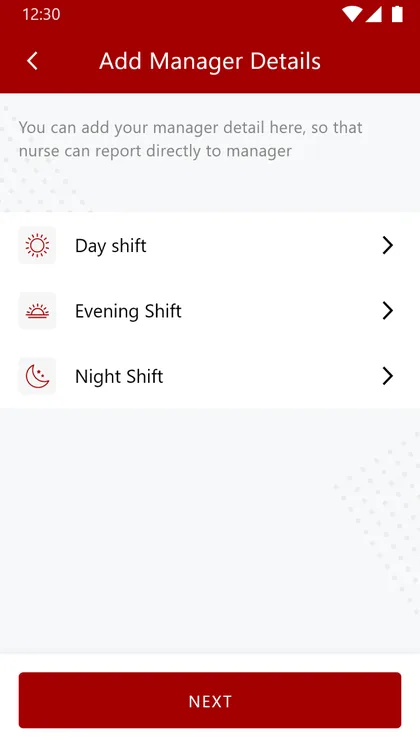
Care managers
Client · AssignAssign a manager to the day, evening or night shift.
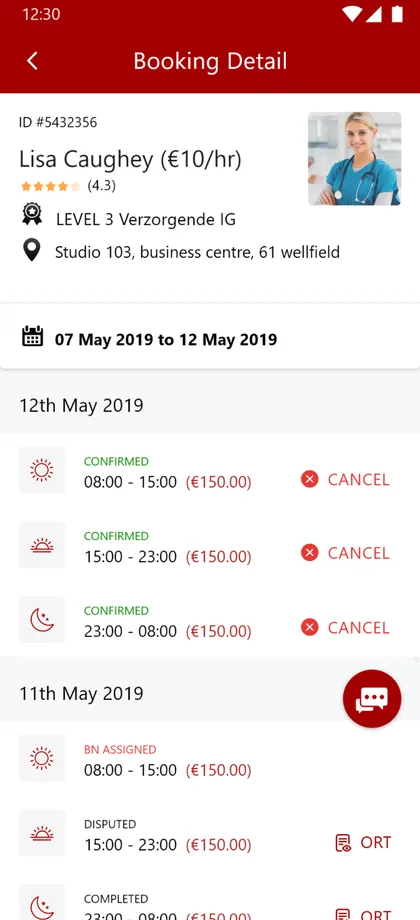
Shift schedule
Client · TrackEvery shift across the booking, with its status and actions.
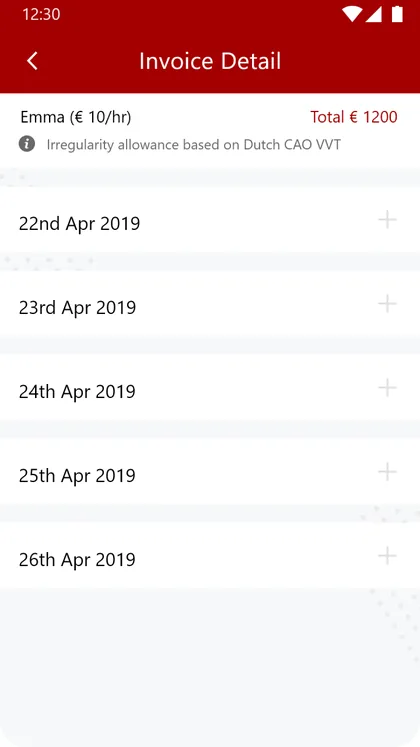
Invoice
Client · PayPer-shift billing, itemised, with any surcharge shown.
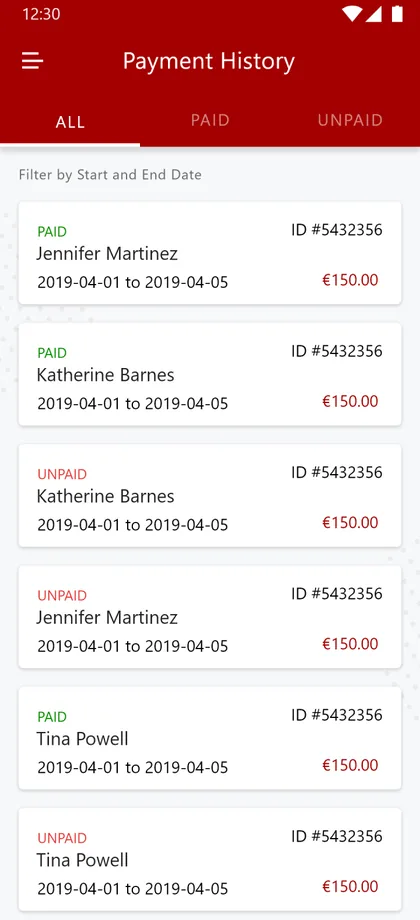
Payments
Client · LedgerPaid and unpaid history, filterable, in one ledger.
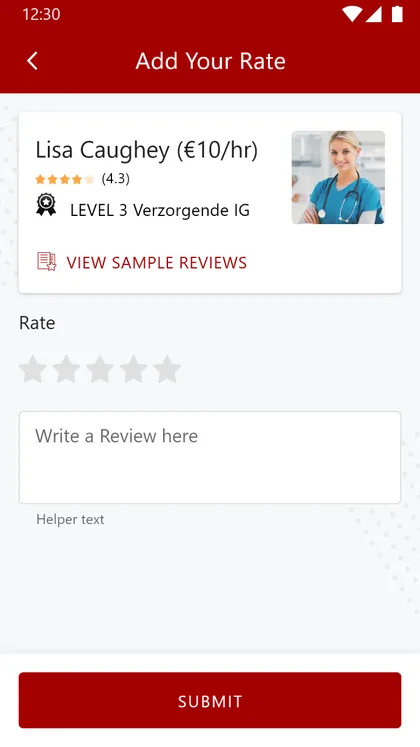
Rate the nurse
Client · ReviewRate and review a nurse after the shifts are done.
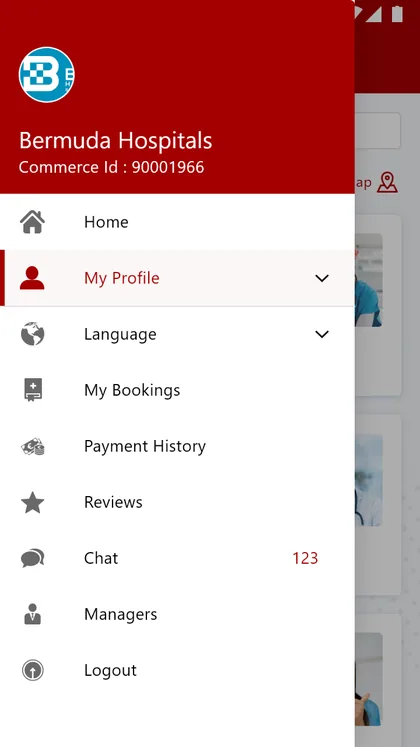
One menu
Client · NavigateBookings, payments, reviews, chat, managers and language, together.
Three constraints, three screens
Qualification, cover and money are the three places a staffing app cannot afford to get wrong — here is where each one lives on screen.
The look, and why
A deep clinical red carries the brand, paired with a warm neutral body tone built to stay legible across dense shift schedules and per-shift invoices.
What does a care-staffing app actually need?
Six things separate a staffing app a care operation can rely on from a booking form with the wrong labels. They came out of building this one for nursing and hold for any qualification-based, shift-driven staffing marketplace.
Match on qualification.
Filtering by level and care type is not a nicety; the wrong match is unacceptable, so it has to be the first filter.
The shift is the unit.
Bookings, status, managers, backups, billing and disputes all live at the shift, because that is how care is actually delivered.
Cover that cannot silently fail.
A backup nurse assignable to a specific shift, so a gap is filled rather than discovered.
Oversight built in.
A care manager per shift, so responsibility is clear when a client runs many bookings at once.
Billing at the shift level.
Hours, irregularity surcharges and a dispute path, itemised and auditable rather than a single opaque invoice.
Reach beyond one language.
Care work crosses borders, so multi-language support is a requirement, not a later add-on.
Building a care-staffing app
How long does it take to build a care-staffing app?
How does the app match clients with the right nurses?
How does the app handle shift cover and overtime?
Can institutions as well as individuals use it?
Can an app like this be built for my staffing sector?
Building a staffing app for your sector?
Tell us how your shifts, qualifications and cover actually work and we'll tell you honestly what it takes to build — the matching, the backups, the billing. No deck, no pitch.