01
Spaces, filtered to fit
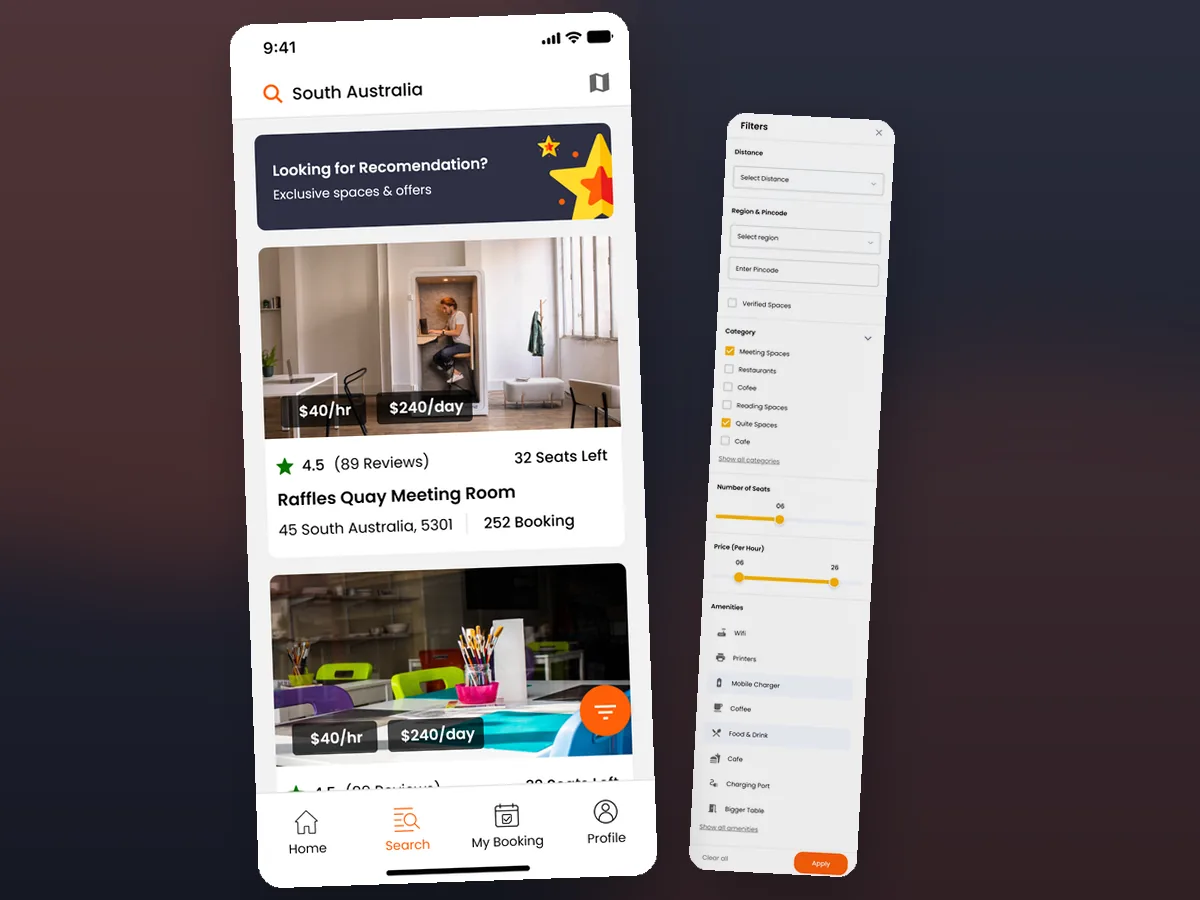
Members search by location and see each space with hourly and daily pricing, rating and reviews, and seats available — so a shortlist forms before a single listing is opened.
Search→



A booking platform for meeting rooms and coworking spaces across a member app, a member web experience and a space-host portal. Members search a space, choose a date, time and seats, add the extras they need, pay, and track every booking through to check-in.
A member on a phone, a member on the web and a host managing a listing all work off the same spaces and the same bookings. The member searches and books; the host lists and approves check-ins; the booking carries the truth both sides act on.
Members search by location and filter the results, with each space showing hourly and daily pricing, its rating and reviews, seats available and its address, so a shortlist is real before anything is opened.
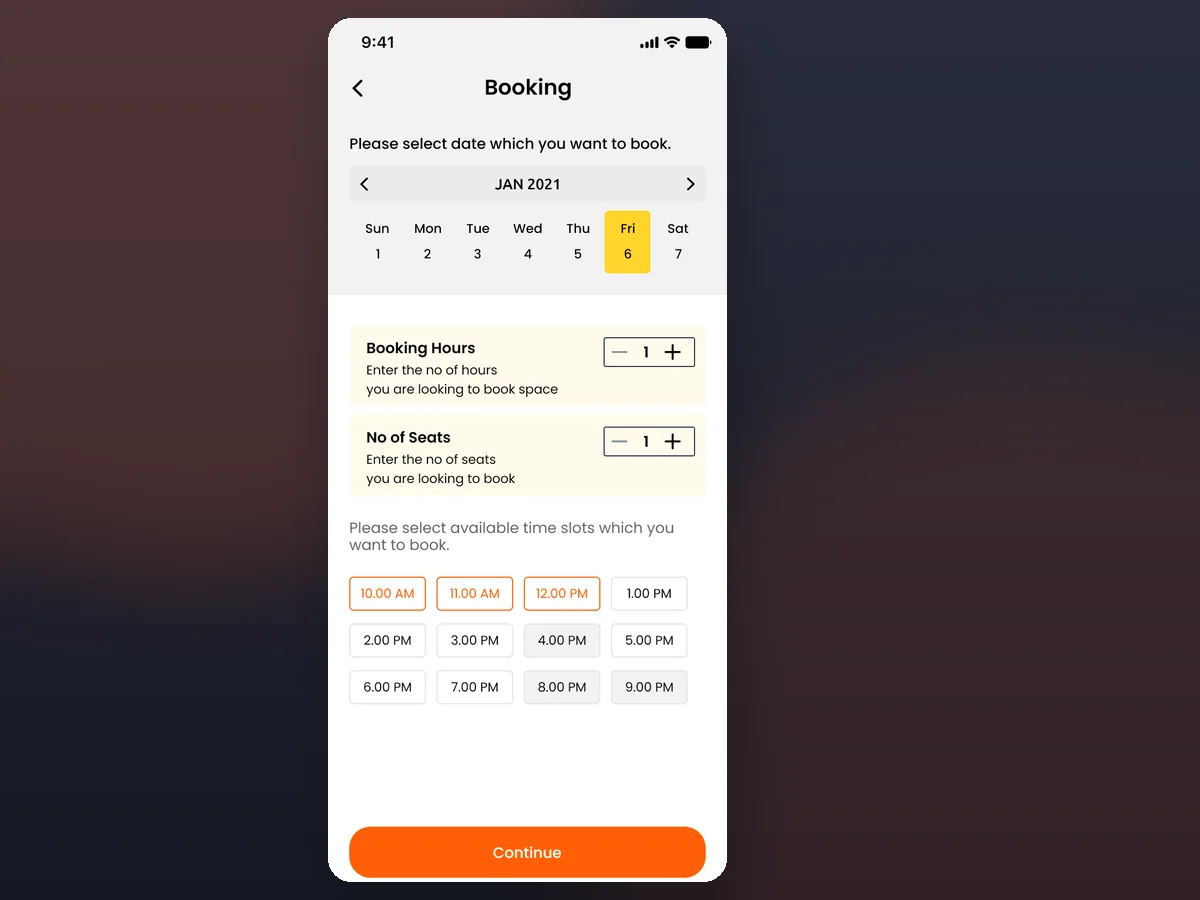
A space is booked for a chosen date, a number of hours and a number of seats, against the time slots that are actually free — so a two-hour meeting is a two-hour booking, not a wasted day rate.
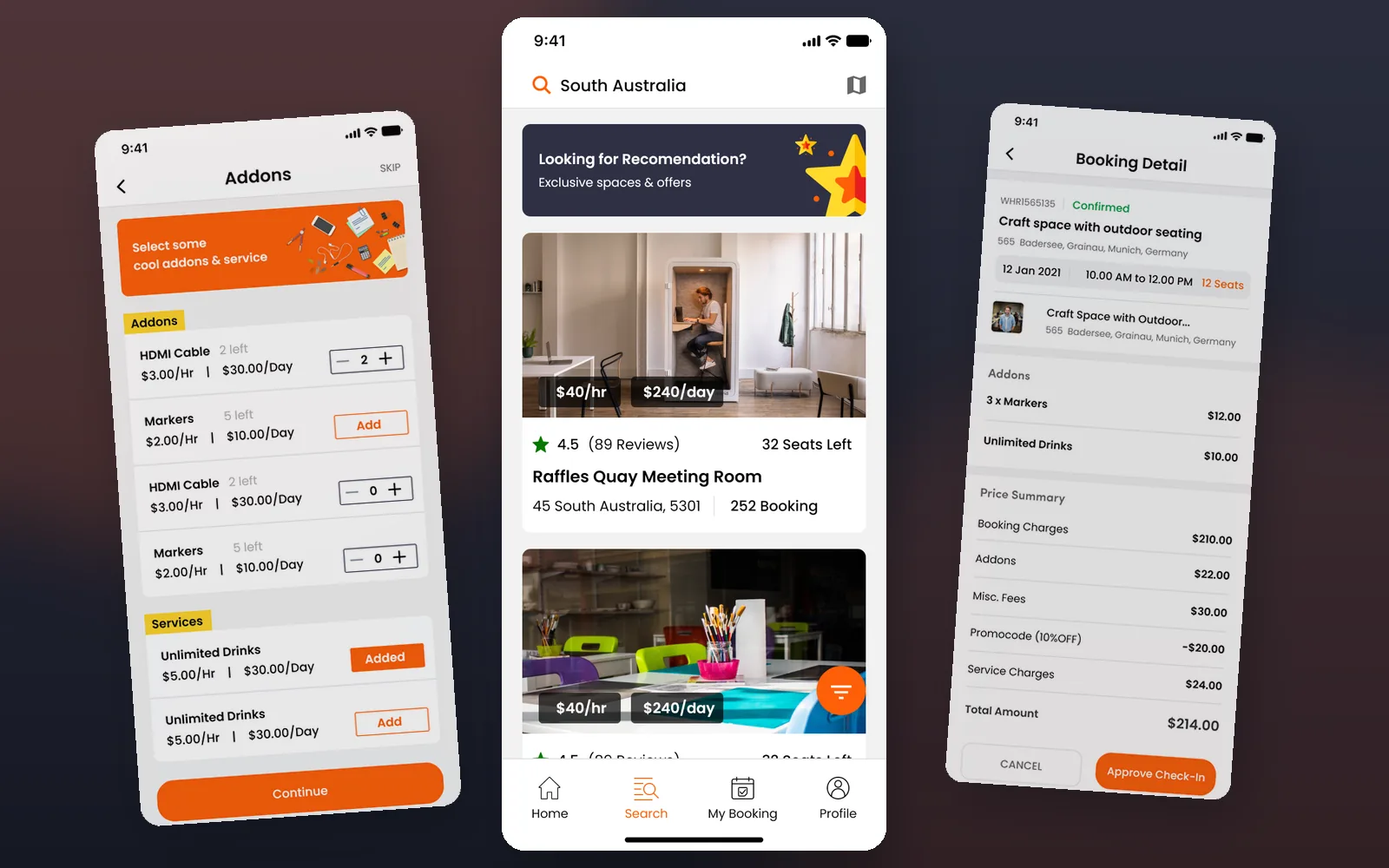
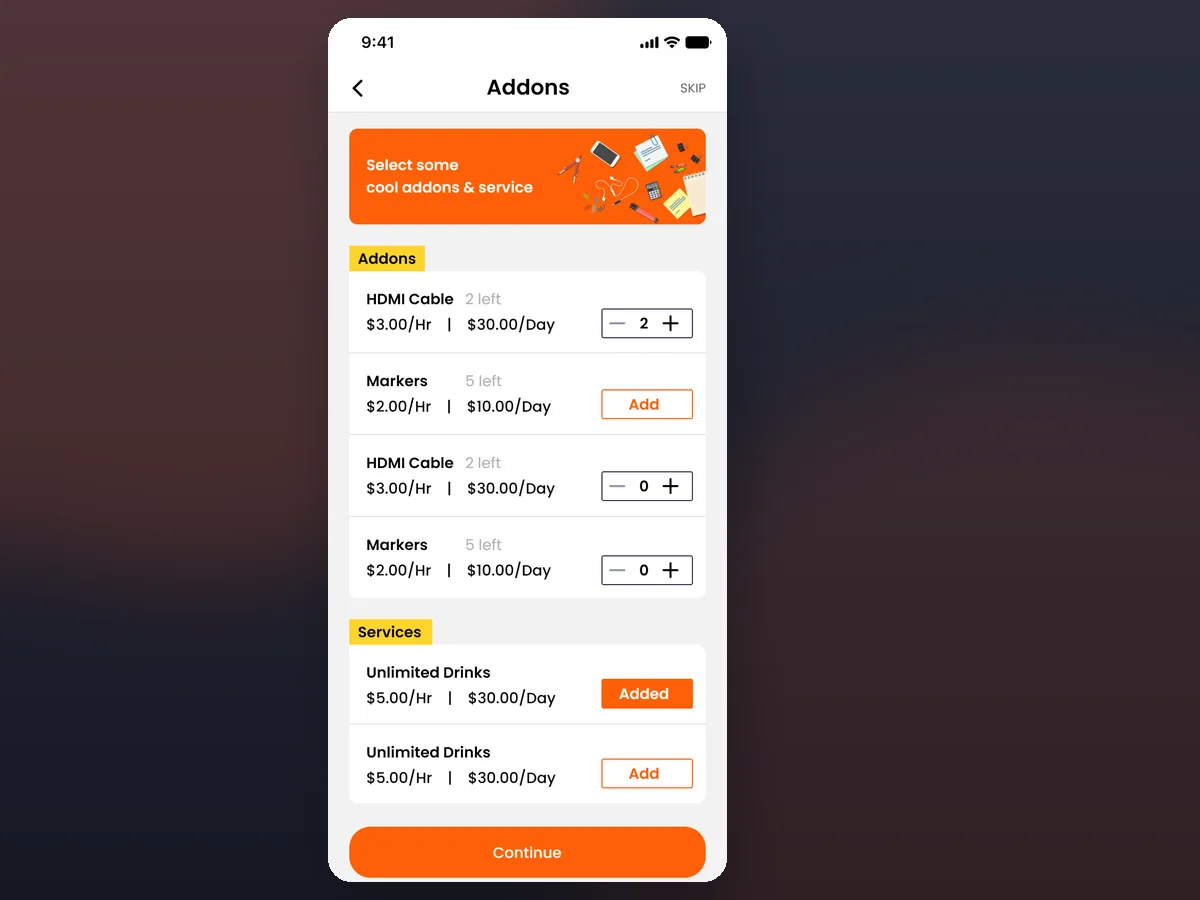
Add-ons and services — an HDMI cable, markers, unlimited drinks — are priced by hour or day, stock-limited, and attached to the booking, so what the room needs is on the same bill.
Why is space booking harder to build than it looks?
A booking is a promise about a physical room at a physical time, and the software has to hold that promise for a member and a host at once. Three things break a naive build: availability that must be exact, a price made of many parts, and a booking that lives long after payment.
Availability has to be exact. A space has real hours, real seats and slots that are already taken. Booking captures a date, a number of hours and seats against the free time slots, so two members cannot promise themselves the same room — a check that a calendar app or a phone call simply can't guarantee.
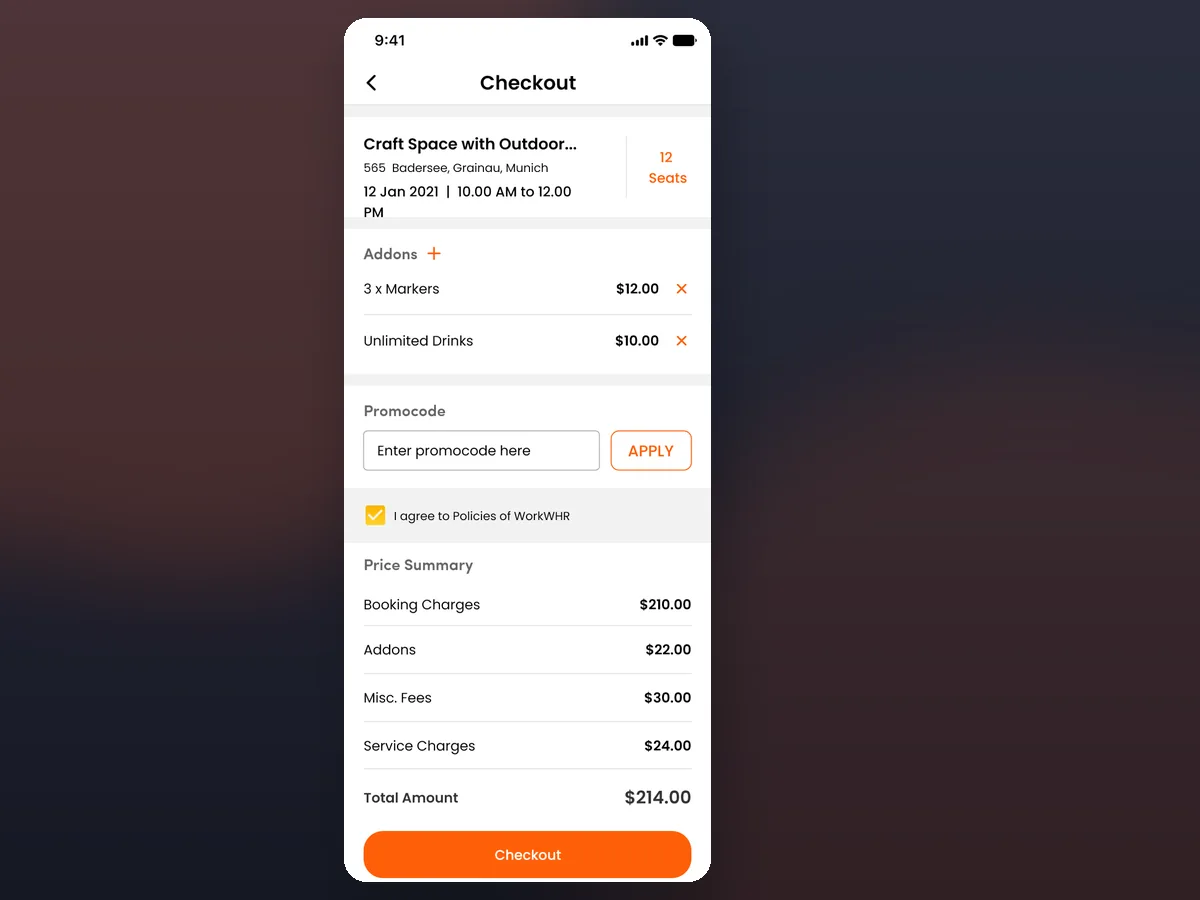
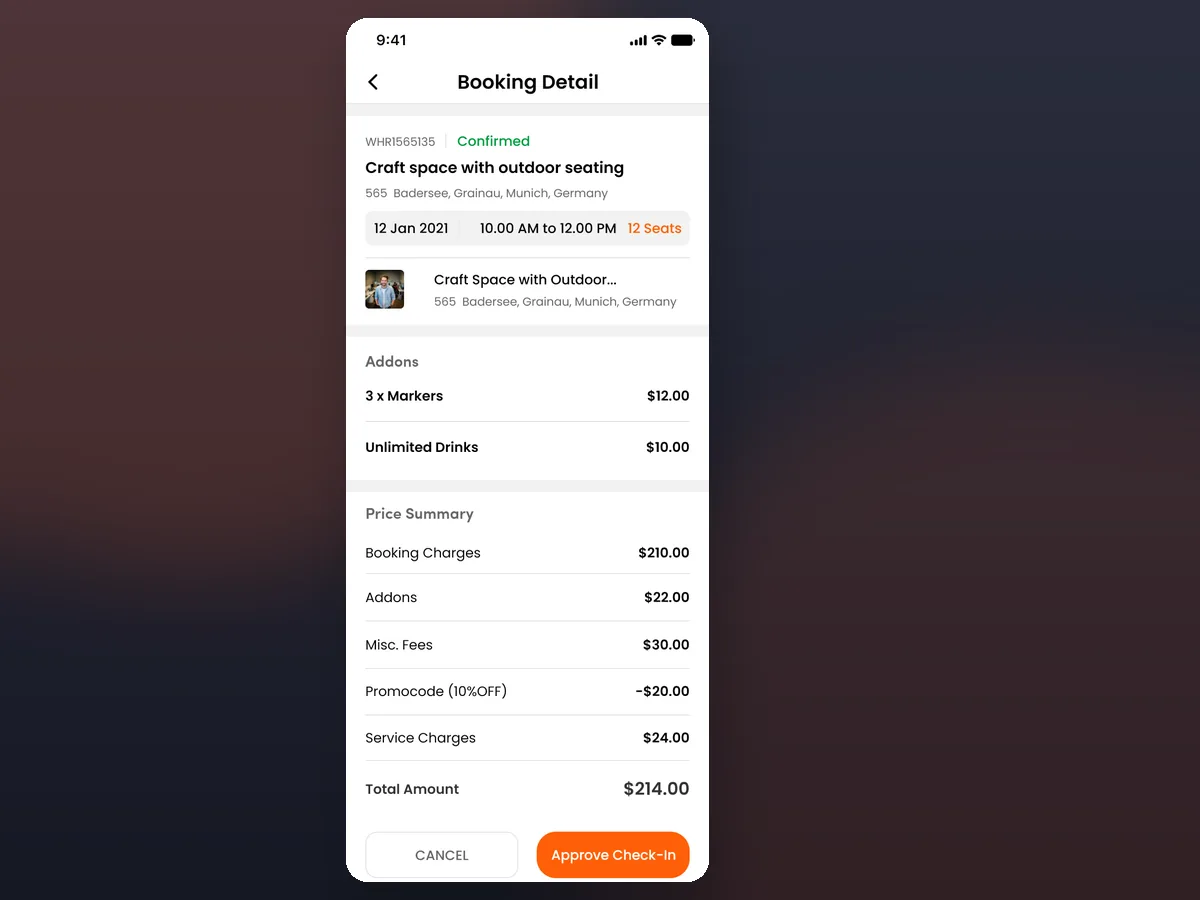
The price is made of parts. A total is booking charges plus add-ons, misc fees and service charges, minus a promo code. The checkout shows every line, so a member sees how the number is built instead of being handed a figure after the fact.
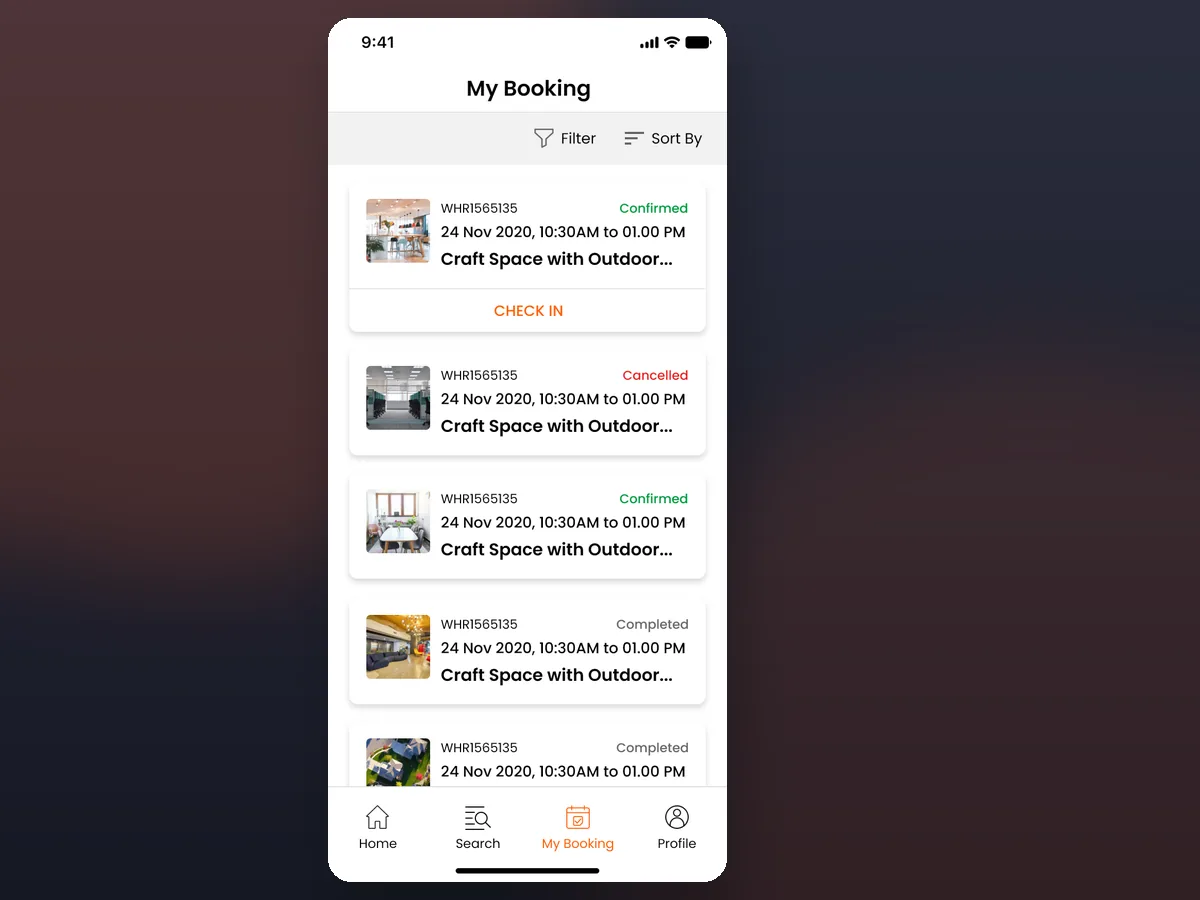
A booking outlives the payment. After paying, a booking moves through confirmed, completed and cancelled, with check-in, cancellation rules and a rating at the end — so the product owns the whole life of the booking, not just the sale.
things break a naive build — availability that must be exact, a price made of many parts, and a booking that lives long after payment.
A booking is a promise about a physical room at a physical time, and the software has to hold that promise for a member and a host at once.
Two sides of the same booking — the member who searches and books, and the host who lists the space and approves the check-in.
Searches spaces by location, books by the hour and seat, adds extras, pays and tracks every booking through to check-in.
Lists a room and approves check-ins from their own portal, working off the same booking data the member sees.
Members search by location and see each space with hourly and daily pricing, rating and reviews, and seats available — so a shortlist forms before a single listing is opened.
A calendar, a booking-hours stepper, a seat count and a grid of available time slots turn a room into an exact reservation rather than a whole-day block.
Add-ons and services are priced by hour or day and stock-limited, added straight to the booking so equipment and drinks are on the same bill as the room.
The checkout shows booking charges, add-ons, misc and service fees and any promo code, so the total is built in front of the member rather than handed over.
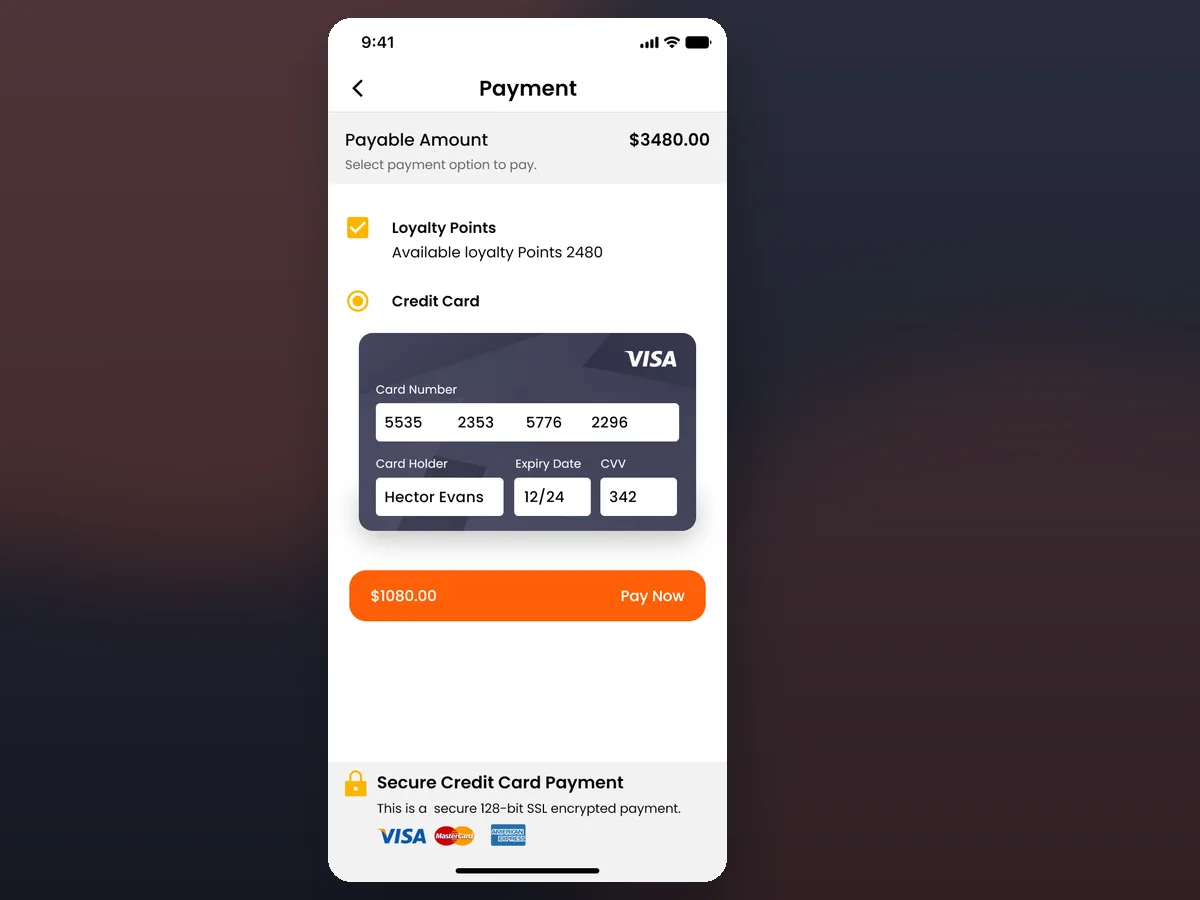
Payment resolves to an unambiguous success or failure state, so a member always knows whether the space is theirs before they walk to it.
The booking detail carries its status, the space, date, time and seats, the add-ons, the full price summary and a check-in action — everything the member needs in one place.
Every booking is listed by status, sortable and filterable, with check-in on the ones that are due — so the whole history is one screen, not an inbox.
keep scrolling — the deal glides left →
Six areas carry WorkWHR end to end, from finding a space to the loyalty and host tools that keep both sides coming back.
Members search spaces by location and open a multi-panel filter, with each listing showing hourly and daily pricing, rating and reviews, seats available and address — the detail a shortlist actually needs.
A booking is set by date, a number of hours and a number of seats, chosen against the time slots that are genuinely available for that space.
Equipment and services are priced by the hour or day, stock-limited, and added to the booking — so the room and everything in it are on one bill.
A price summary lays out booking charges, add-ons, misc and service fees and any promo code before payment, with clear success and failure states after it.
Every booking sits in confirmed, completed or cancelled, sortable and filterable, with cancellation rules, a check-in flow carrying safety instructions and host approval, and a rate-and-review at the end.
Members earn loyalty points on completed bookings with a transaction history, while space hosts list rooms and approve check-ins from their own portal.
Every number in this panel is delivered scope — what was designed, built and handed over on the space booking build for WorkWHR. It leaves out traffic, conversion and revenue on purpose: those figures belong to the client, and we don’t publish numbers we cannot stand behind.
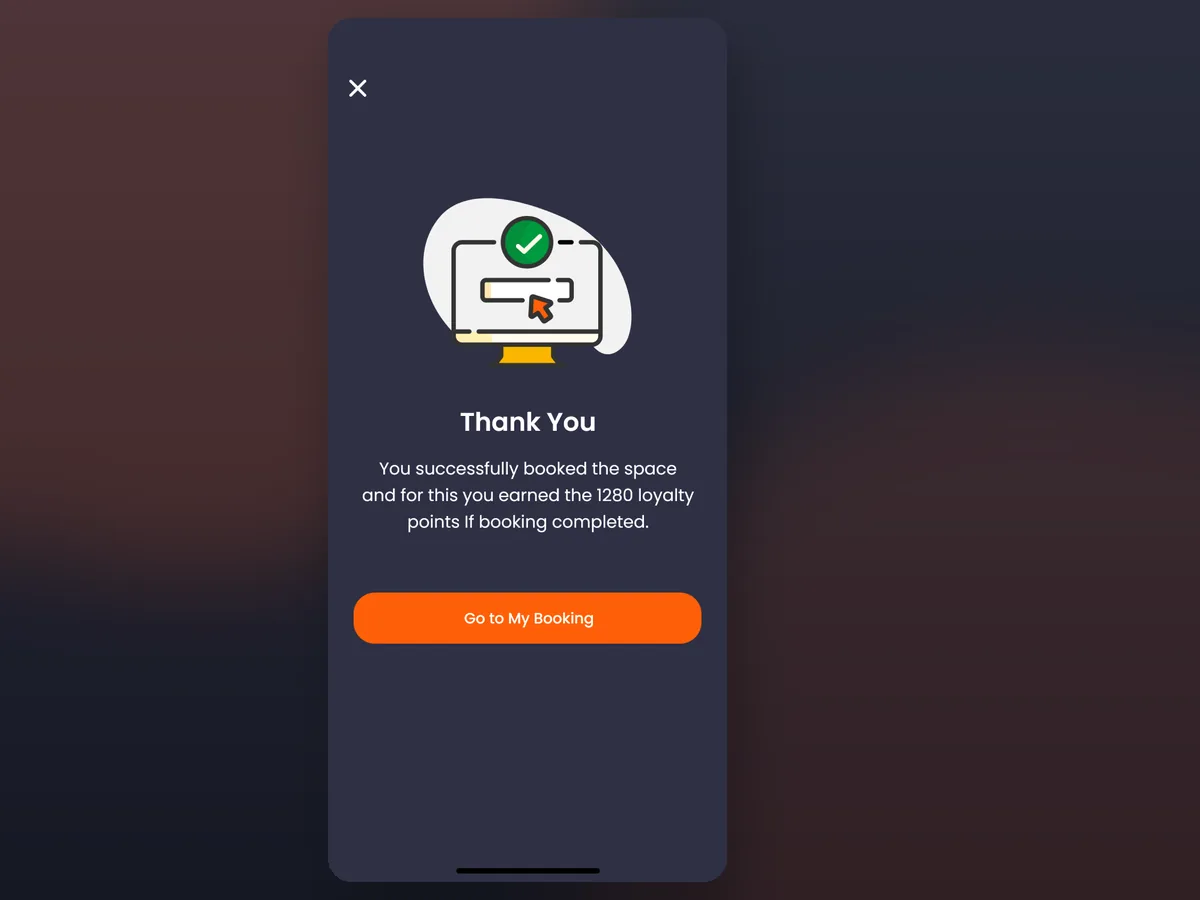
Where the booking closes out — a clear payment outcome, and the confirmation that the space is really theirs.
A confident orange marks the moment of booking and payment, a near-black ink keeps prices and time slots legible, and a warm mist keeps dense listings calm rather than busy.
The build ran from one question — how do you let a member reserve a real room, for real hours, with real extras, and see the exact price — while a host and a web member work off the same booking?
Before any screen, a space, its hours, its seats and its availability have to be modelled, because a booking is only a promise if the availability underneath it is exact.
Booking charges, add-ons, misc and service fees and promo codes work best as line items, so the checkout total is assembled the same way the invoice is.
Confirmed, completed and cancelled states, cancellation rules, check-in and rate-and-review belong to one lifecycle, not a payment and a dead end.
A member app, a member web experience and a host portal read and behave consistently only when they're built against one data model.
Searchable inventory, availability by slot and capacity, add-ons on the booking, an itemised checkout and a full lifecycle carry across most time-and-space bookings — studios, sports courts, equipment, events.
Tell us how your business actually works and we'll tell you honestly what it takes to build — the availability model, the pricing, the lifecycle. No deck, no pitch.