


From lead tosigned proposal.
A SaaS platform for real-estate brokers and agencies: a lead and client database with status tracking, a project catalogue, and a proposal builder that turns a listing into a branded, client-facing report whose engagement can be tracked after it is sent.
A workspace that runs from lead to report
Leads and clients are tracked with status through the pipeline; projects hold the units, payment plans and developer detail a proposal draws on; and the proposal builder assembles a branded, client-facing report from templates — then tracks whether the client actually opened it.
The pipeline is a database, not a memory
Leads and clients carry a status through the sales pipeline, with a detail record per client, so a broker's book of business is structured and filterable rather than a spreadsheet and a good memory.
Proposals are built, not rewritten
A proposal is assembled from reusable templates and the project catalogue, previewed, and versioned — so producing the next client-facing report is an edit, not a rebuild from a blank page.
What happens after send is visible
Engagement on a delivered report is tracked, so a broker knows which proposals a client actually opened, instead of chasing a silent inbox.
A broker's real job isn't managing a pipeline — it's turning a listing into a proposal a client believes.
On most teams the CRM and the document a client actually sees live in two different tools, so the record of selling and the act of selling drift apart.
Value Planner joins the two: leads, clients and projects modelled as connected records, so a proposal can be assembled from the same data a broker manages their pipeline in.
Producing the next client-facing report is usually a rebuild from a blank page, and once it is sent, a broker has no idea whether the client actually opened it — both had to change.
user types the same workspace has to serve — company admin, standard user and individual broker.
What Value Planner had to get right
The platform joins two jobs that usually live in separate tools — a CRM pipeline and a proposal generator — so the work started with the seam between them.
One workspace, lead to report
- Model leads, clients and projects as connected records, not spreadsheets.
- Make proposals an edit, not a rebuild — reusable, versioned templates.
- Track engagement after send, so a broker knows what a client actually opened.
- Govern the workspace — roles, branding and plans for a solo broker or a full agency.
Why it was hard
- The CRM pipeline and the proposal generator are usually two different tools — this had to be one shared data model.
- A template system needed real reuse, versioned and editable, without becoming rigid.
- Tracking what happens after a proposal is sent needed a real signal, not a guess.
- The same product had to fit a solo broker and a governed, multi-seat agency without turning into two products.
What are the surfaces?
Eight screens carry the platform, from the pipeline dashboard to the proposal builder to the settings a company admin owns. Six of them below — each a distinct job in the broker's day.
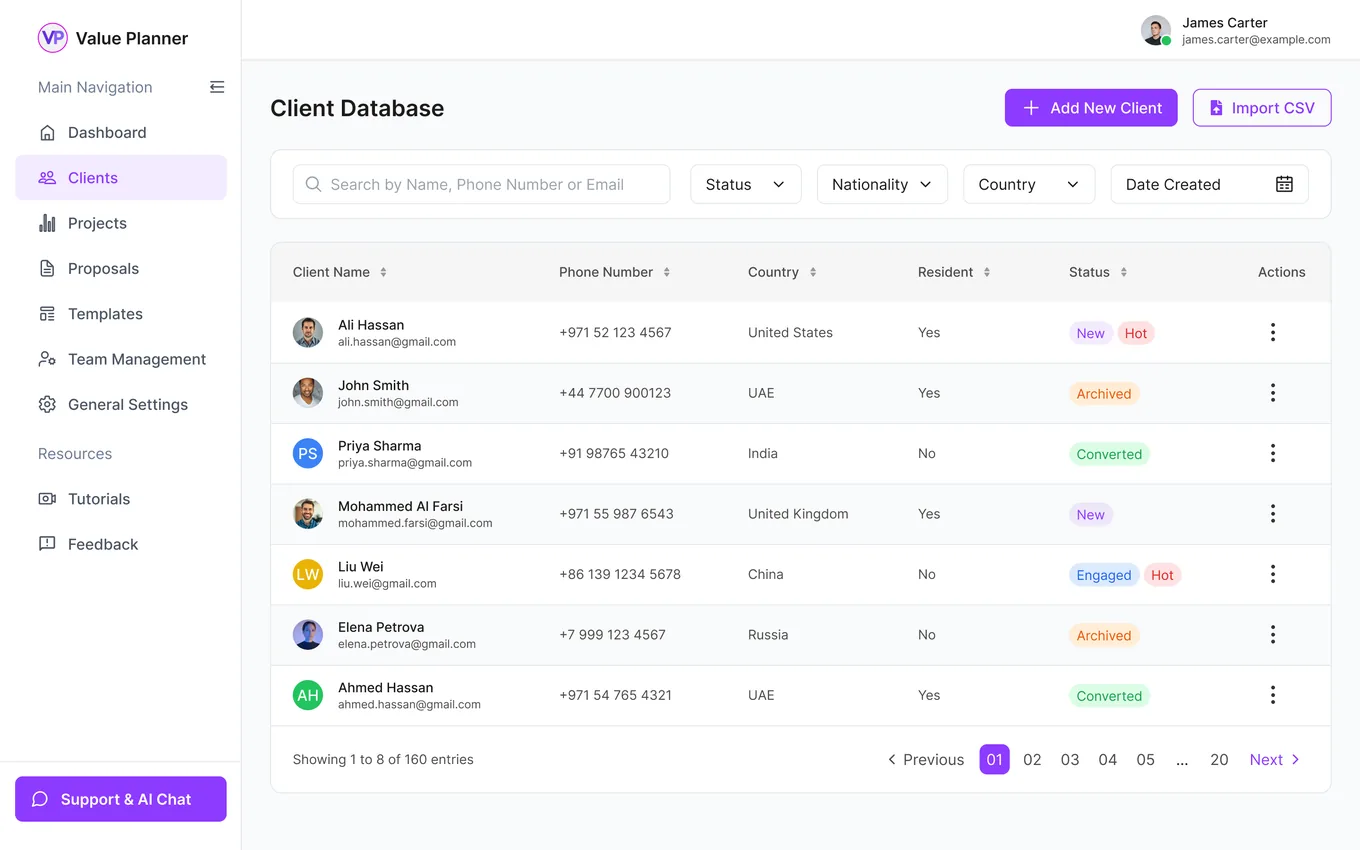
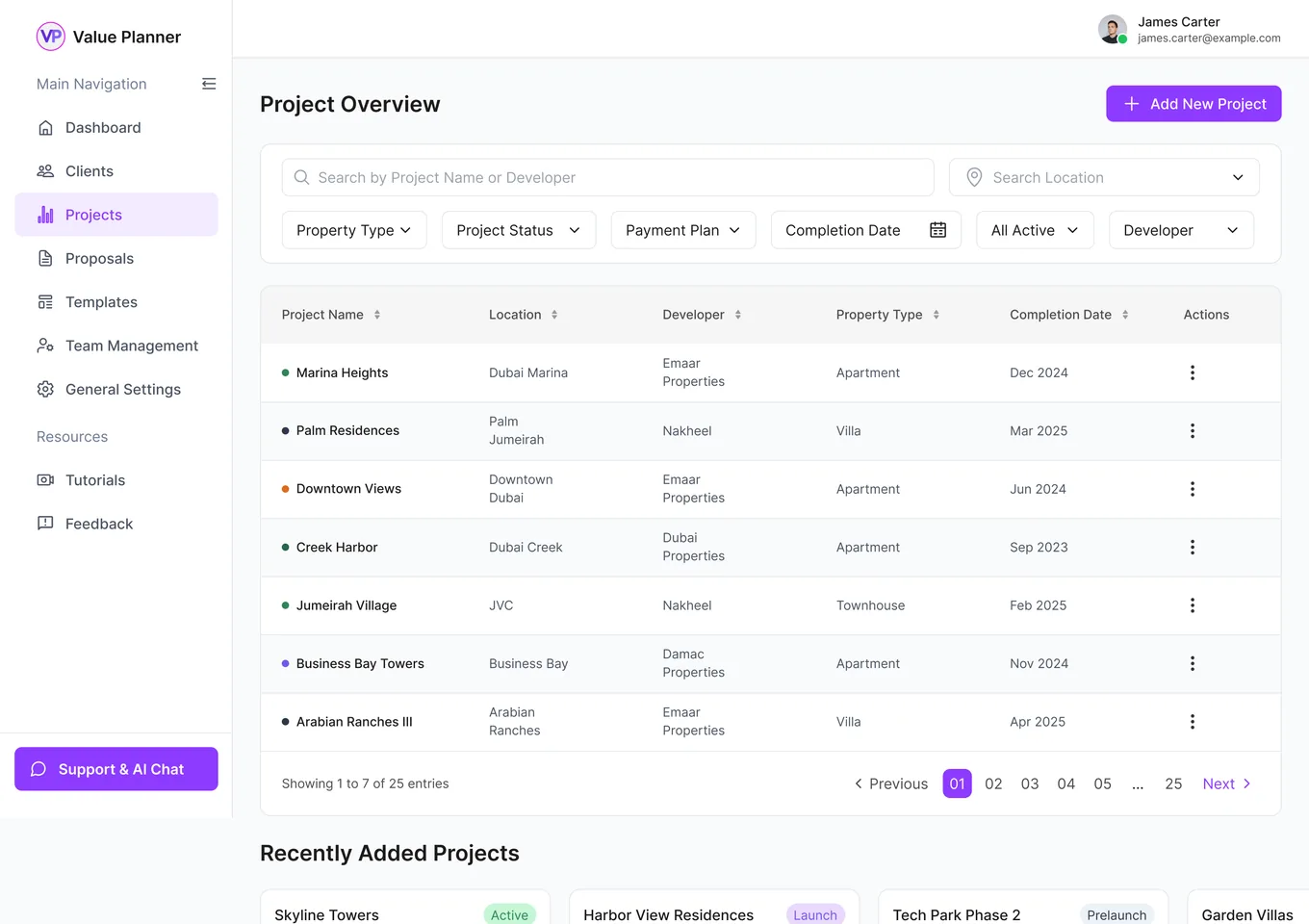
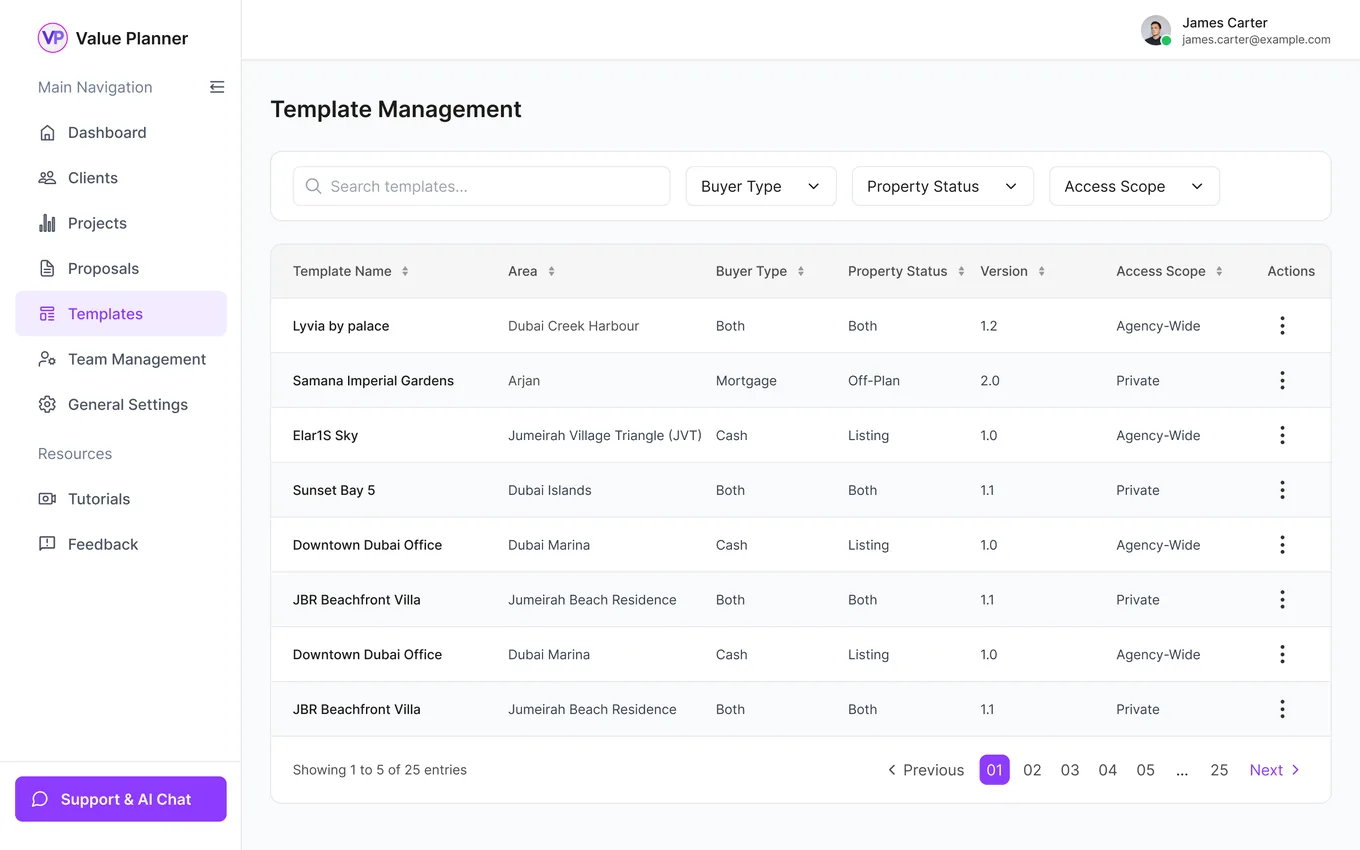
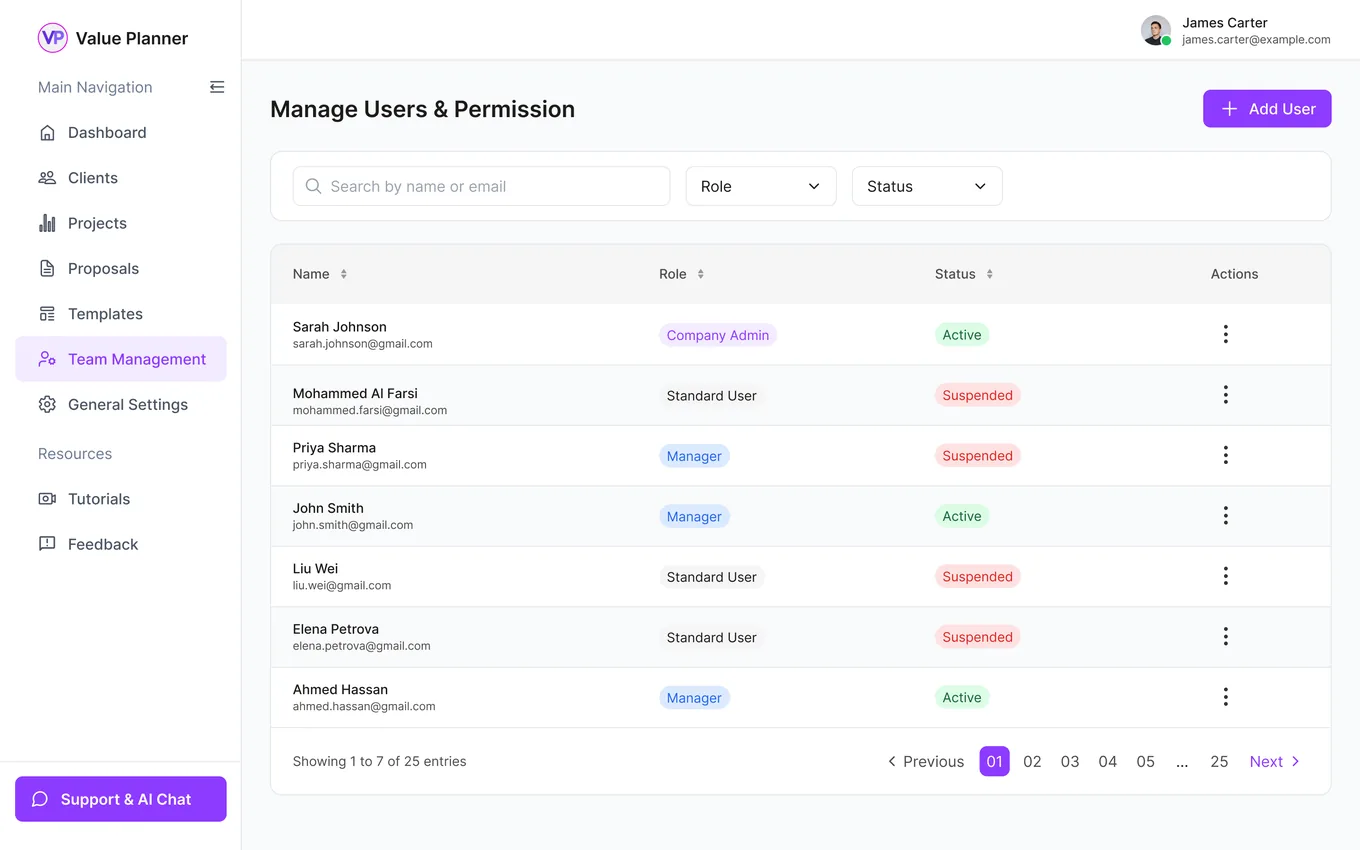
Leads and clients, with status
Clients · PipelineThe lead and client database tracks each contact's status through the pipeline, filterable and searchable, so nothing goes cold unnoticed.
The projects a proposal draws on
Projects · CatalogueProjects hold the unit information, payment plans and developer detail that a proposal assembles into a client-facing report, with archive and restore.
Proposals start from a template
Templates · ReusableA template library, with preview, means a broker produces the next report by editing a known-good layout rather than starting from a blank page.
Company admin versus standard user
Team · PermissionsTeam management sets who can do what, separating a company admin's control over the workspace from a standard user's day-to-day access.
A broker's own report
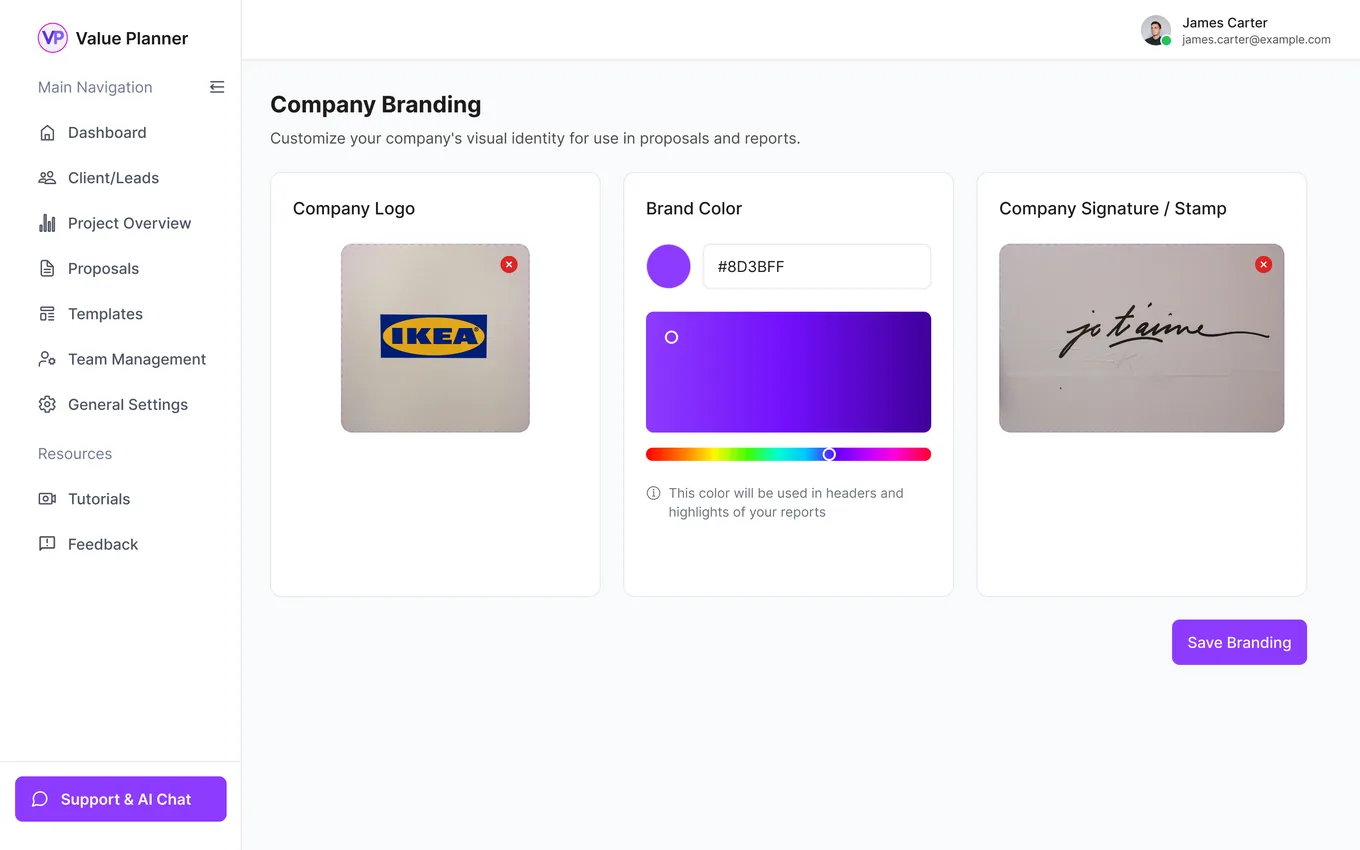
Branding · White-labelCompany branding carries into the generated proposals, so a client-facing report looks like the agency's, not the platform's.
Priced by plan
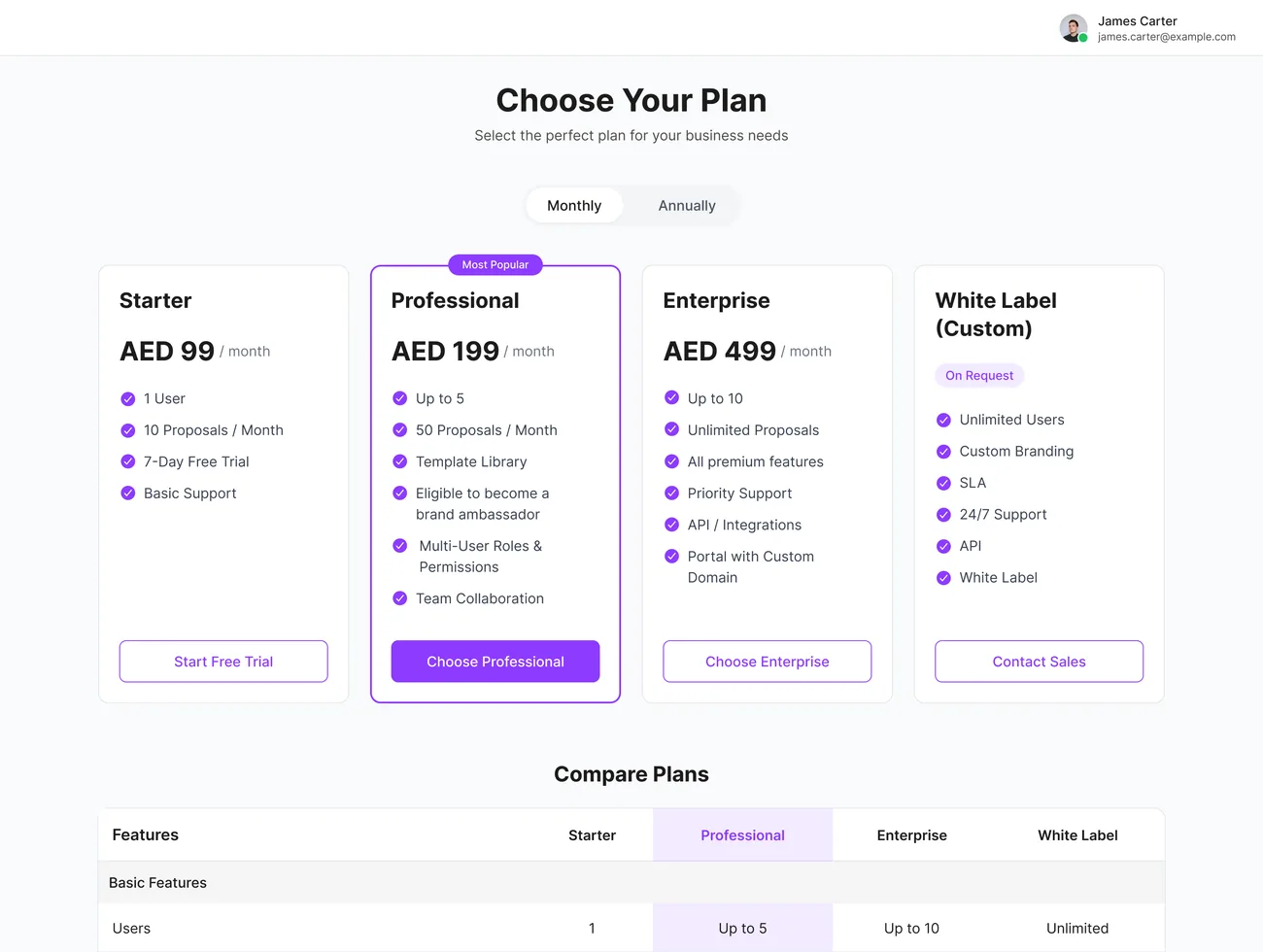
Plans · SubscriptionSubscription plans gate the workspace by tier, so an individual broker and a full agency each get a fit that matches how they work.
What does a broker see when they sign in?
The dashboard is the workspace's command centre: the pipeline at a glance, the trend of the work over time, and the one action that matters most never more than a click away.
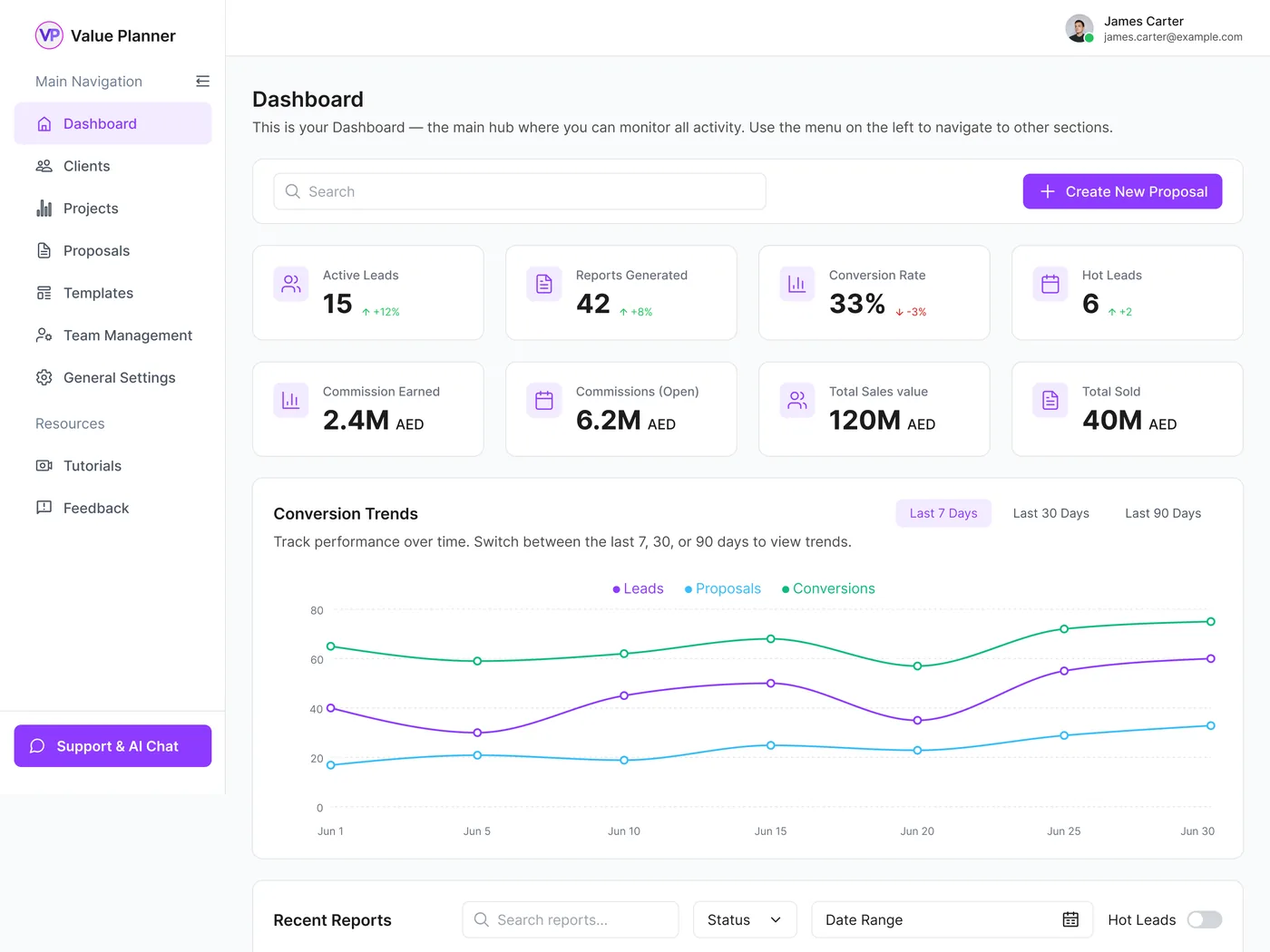
Clients, projects, proposals, templates and team management are one click away down the side, so a broker moves between the pipeline and the proposal builder without losing their place.
Create a new proposal is the single most prominent control on the screen, because producing the next client-facing report is what the whole platform exists to do.
A single search field spans the leads, projects and reports a broker is working, so anything in the pipeline is findable from the first screen.
A row of metric tiles summarises the state of the pipeline — active and hot leads, reports produced, commissions in play — so the health of the book reads in a second.
A conversion-trends chart plots leads, proposals and conversions across the last seven, thirty or ninety days, turning a snapshot into a direction of travel.
How did we design it?
The platform joins two jobs that usually live in separate tools — a CRM pipeline and a proposal generator — so the work started with the seam between them.
- 01Data model
Model the pipeline and the product
Leads, clients and projects were modelled as connected records, so a proposal could be assembled from the same data a broker manages their pipeline in.
- 02Proposal flow
Design the proposal builder
A template-driven, versioned proposal flow was designed so producing a client-facing report is an edit of a known-good layout, not a fresh document each time.
- 03Dashboard
Make the dashboard the command centre
The dashboard was built to summarise the pipeline, trend it over time and keep the create-proposal action one click away, so a broker starts every day oriented.
- 04Access
Govern the workspace
A permission model, company branding and subscription tiers were designed so the same product serves a solo broker and a governed agency workspace.
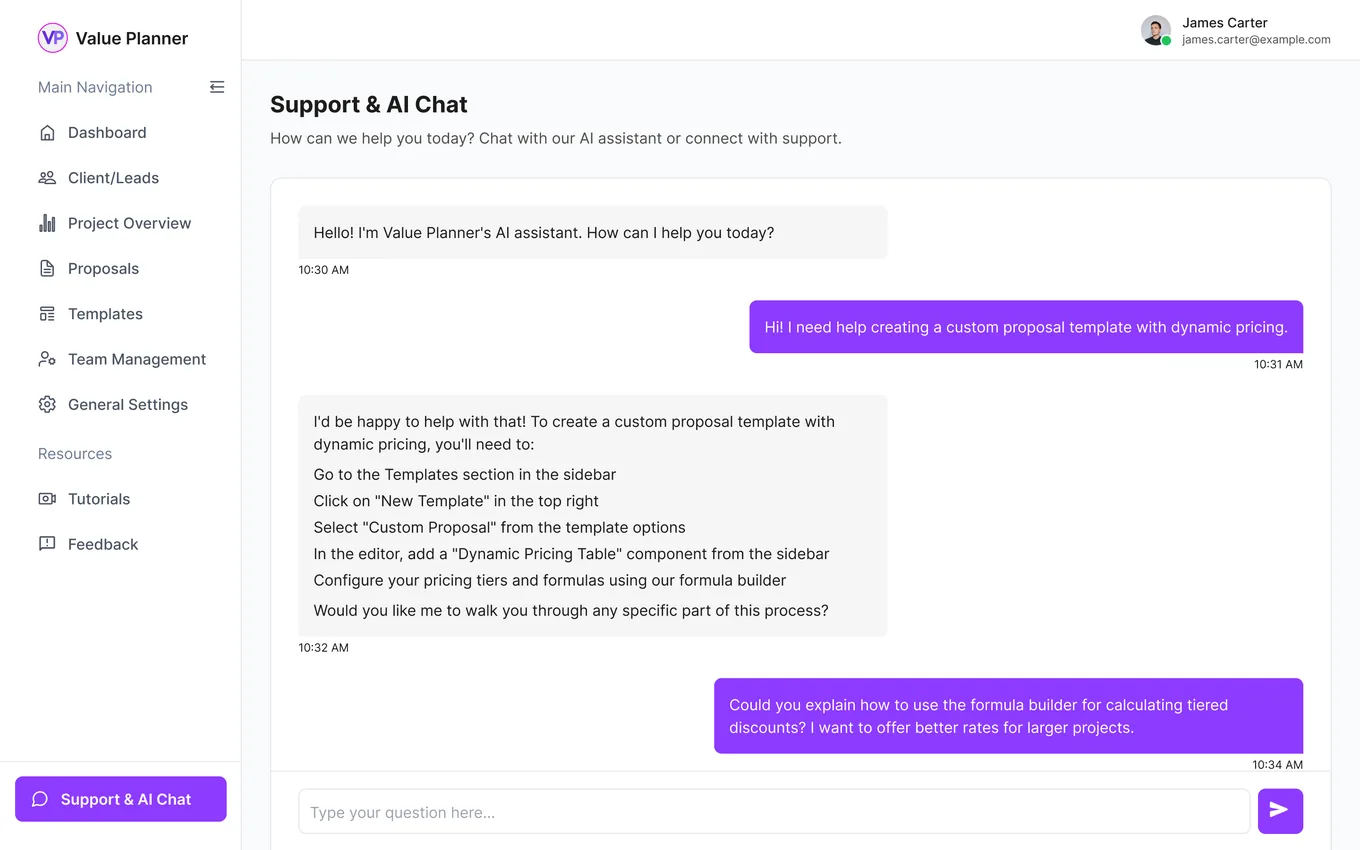
Help without leaving the workspace.
A support and AI chat surface answers questions inside the platform, next to the work rather than in a separate help site — because the workspace is where a broker should be able to solve the problem too.
The scope, in one panel
Every number in this panel is delivered scope — what was designed, built and handed over on the real-estate sales build for Value Planner. It leaves out traffic, conversion and revenue on purpose: those figures belong to the client, and we don’t publish numbers we cannot stand behind.
- Sector
- Real-estate salesBrokerage SaaS
- Platform
- Multi-tenant SaaSTeam workspaces
- Users
- Admin · StandardIndividual broker
- What we did
- Product modellingUX/UI + design system
The look, and why
A confident SaaS system — a bold violet carries momentum and the primary action, deep ink grounds dense data screens, and a geometric display face gives the workspace a modern, structured feel.
What does a proposal-driven SaaS need?
Four things separate a platform a sales team runs their day in from a tool they open once and forget. They came out of building this one and hold for most proposal-driven products.
The pipeline and the deliverable in one place
When the lead database and the proposal builder share data, the record of selling and the act of selling stop drifting apart.
Templates over blank pages
A versioned template library turns every new proposal into an edit, which is the difference between a report in minutes and one in an afternoon.
Feedback after send
Tracking engagement on a delivered report tells a broker where to follow up, instead of guessing at a silent client.
Governance for teams
Roles, branding and plans are what let the same product fit a solo broker and a multi-seat agency without becoming two products.
Building a proposal or sales-enablement SaaS
How do you join a CRM pipeline and a proposal generator in one product?
Can a proposal be tracked after it is sent to a client?
Does it support multiple users and agencies?
How much does a platform like Value Planner cost?
Have a sales process split across too many tools?
Tell us how your business actually works and we'll tell you honestly what it takes to build — the pipeline, the templates, the tracking. No deck, no pitch.