


Two sides,one platform.
Service Market pairs a public marketplace where customers find and book local service providers with a full management console where those businesses handle their bookings, services, team and subscription.
A marketplace on one side, a business console on the other
Customers arrive at a discovery marketplace and book a salon, spa or therapist near them. The business that receives the booking logs into a separate console that runs the whole operation, so the same booking a customer makes is the one a provider manages, staffs and gets paid for.
Discovery for customers
A marketplace of business categories and ranked listings — popular, top rated and exclusive — with location, wishlist and provider detail pages.
A console for providers
A dashboard, booking calendar, service catalogue, employee management and a client directory, all behind one business login.
Subscription tiers gate what a business can do
Plans run from advertise-only, which can list but not take bookings, up to tiers that add employees and full booking.
Why a diary and a phone stop scaling a service business It works until two staff, a full week and an 11pm booking all arrive at once.
Bookings live in one person's head. A phone diary cannot be shared across a team, and it closes when the shop does. Answer → a shared booking calendar the whole team can see.
Services and prices drift. Without a single catalogue, what a service costs and how long it takes changes with whoever is asked. Answer → services with price, duration and an on/off toggle.
New customers only come by referral. A business with no public listing is invisible to the customer searching for it right now. Answer → a ranked listing in the marketplace.
things break at once — the calendar, the price list and the shop's visibility — the moment a diary and a phone are all a business has.
Service Market
What Service Market had to get right
The hard part of a two-sided product is that the customer's booking and the provider's job are the same object seen from two ends. That shaped every decision.
Model one booking, both sides
- Model one booking for both sides. A shared model of a booking, a service and a business, so the two ends never disagree.
- Give a business something real to run. Dashboard, calendar, services and employees, before its listing goes public.
- Make onboarding a guided path. Category, location, profile, hours, services, plan — not a settings screen.
- Gate features by subscription. From advertise-only listings up to full booking with employees.
Why it was hard
- The customer's booking and the provider's job are the same object, seen from two different ends.
- A new business needs a working console before its public listing is worth switching on.
- Six onboarding steps all have to complete before a listing becomes bookable.
- What a business can do has to track what its subscription plan actually pays for.
Who is Service Market built for?
A two-sided platform — customer and business — with the team behind the counter in between.
The customer
Arrives at a discovery marketplace of business categories and ranked listings, and books a salon, spa or therapist near them.
The business owner
Runs the operation from a dashboard, booking calendar, service catalogue, employee management and client directory, behind one login.
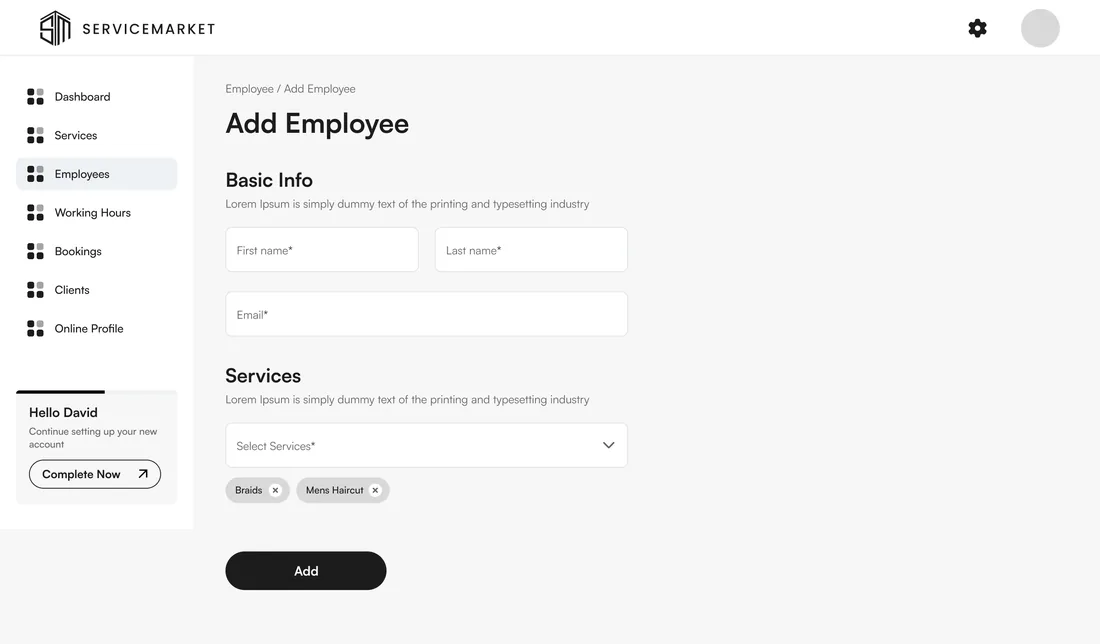
The employee
Is added with their own working hours and the services they perform, so bookings can be assigned to the right person.
A diary and a phone stop scaling a service business
What changes when the calendar, the catalogue and the shop's visibility all move onto one platform.
What a provider runs from one login
Every screen a business owner needs to take a booking, staff it and understand the week, in one console.
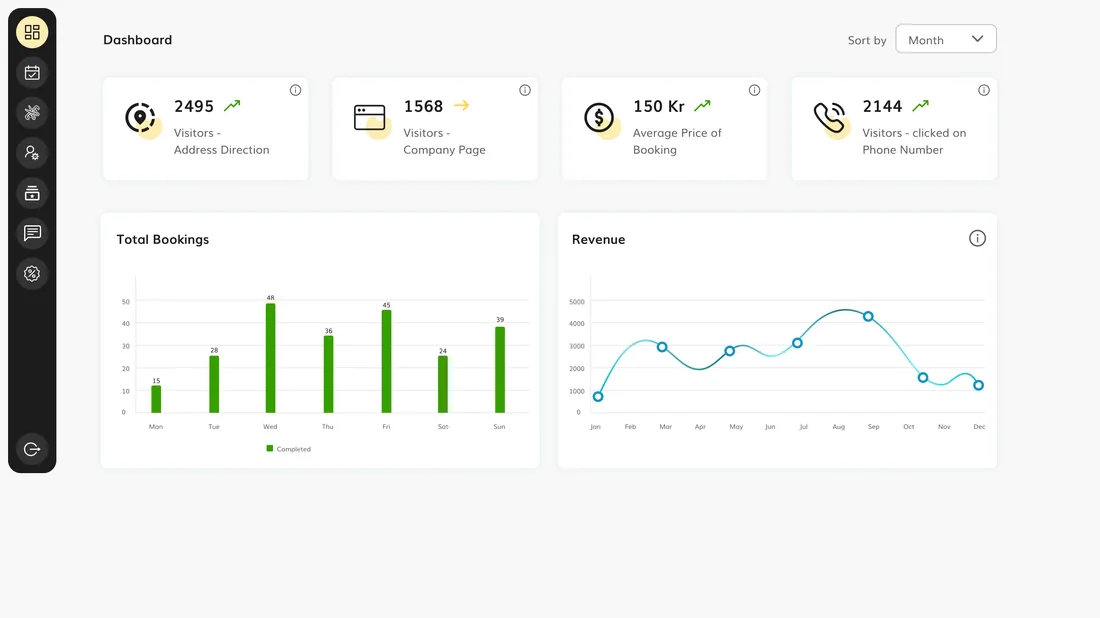
The week, measured
At a glanceVisitor, booking and revenue trends across the month, so a business can see what is actually working rather than guessing.
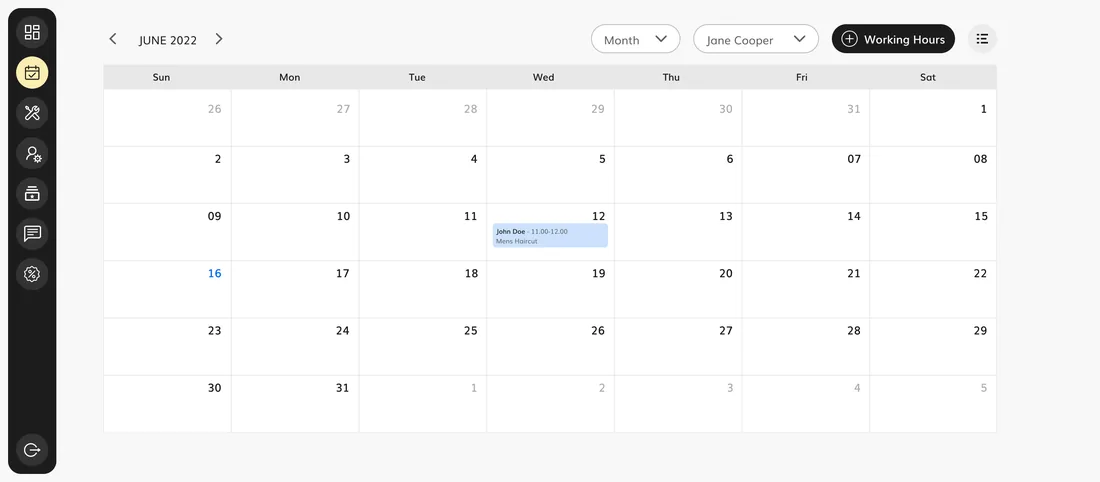
Every appointment on one calendar
BookingsA month view of bookings by staff member, so the whole team works from one shared schedule instead of a phone diary.
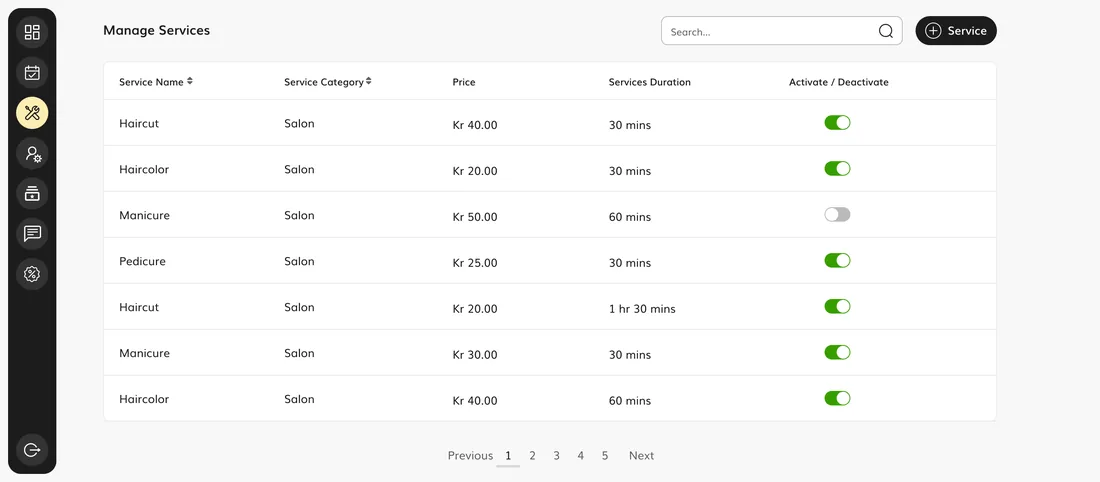
A service catalogue that stays honest
CatalogueEach service carries its category, price and duration, with an activate toggle to take it on or offline without deleting it.
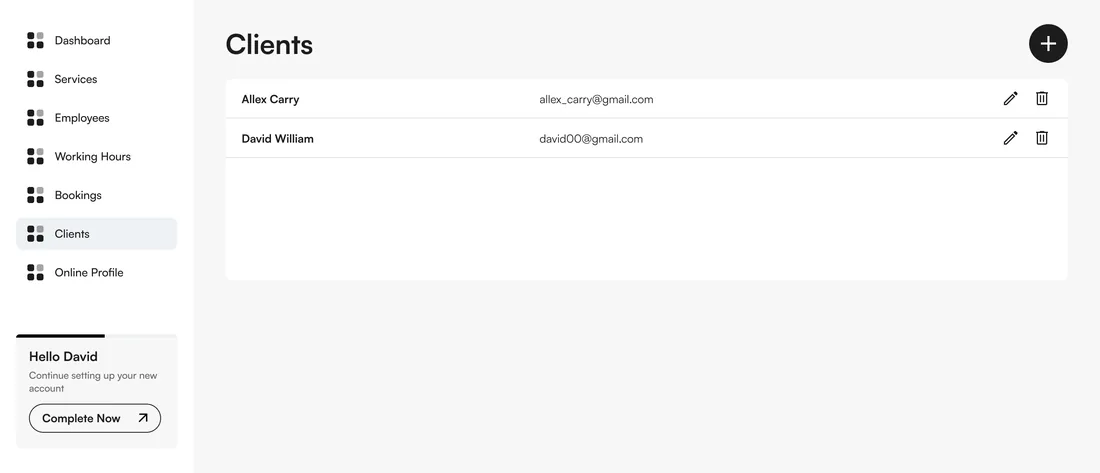
The people who book, in one place
DirectoryA client directory keeps the business's customers together rather than scattered across phones and notebooks.
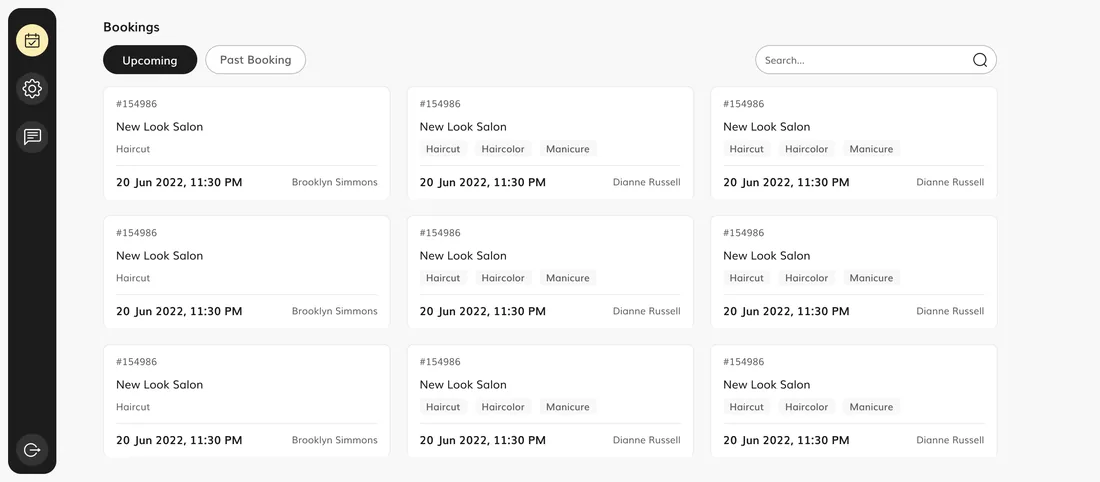
What is coming up
UpcomingUpcoming, today's and past bookings, so nothing booked is missed and the day is planned before it starts.
How a provider goes from sign-up to bookable
Onboarding is a guided sequence, not a settings page. A new business is walked through everything a customer needs to see before it can be booked.
- 01Business owner
Choose a category
Pick the business category so the listing lands in the right part of the marketplace.
- 02Business owner
Set the location
Add where the business operates, so nearby customers can find it.
- 03Business owner
Build the profile
Add the business name, information, images and a portfolio that the public listing shows.
- 04Business owner
Set working hours
Choose the days and hours the business is open, which the booking calendar then respects.
- 05Business owner
Add services
List the services with their price and duration, so customers can book something specific.
- 06Business owner
Pick a plan, go live
Choose a subscription that fits the team, and the business becomes bookable in the marketplace.
The scope, in one panel
Every number in this panel is delivered scope — what was designed, built and handed over on the local services build for Service Market. It leaves out traffic, conversion and revenue on purpose: those figures belong to the client, and we don’t publish numbers we cannot stand behind.
- Sector
- Local servicesSalon, spa & wellness
- Product
- Two-sided web platformMarketplace + console
- What we did
- UX + UI designProduct design
- Roles
- Customer · OwnerEmployee · Admin
The look, and why
A warm, confident system for a business tool that has to feel trustworthy — a decisive gold carries the brand, against a warm neutral wash that keeps a dense console legible.
What does a two-sided booking platform need to get right?
These principles came out of building Service Market and hold for any platform that connects a customer's booking to a business's operation.
Model one booking, seen from both ends
The customer's booking and the provider's job have to stay the same object, or the two sides drift apart.
Give the provider something to run first
A business needs a working console before its public listing is worth switching on.
Make setup a guided sequence
Category, location, profile, hours, services, plan — a settings page cannot replace a path to bookable.
Gate features by what a business is paying for
Subscription tiers only work if what a business can do actually tracks its plan.
Put the calendar where the whole team can see it
A phone diary closes when the shop does; a shared calendar does not.
Let customers find you without a referral
A ranked marketplace listing reaches the customer searching right now, not just the one who already knows someone.
Building a services marketplace platform
How long does it take to build a two-sided services marketplace?
What is the difference between the customer side and the provider side?
How do subscription tiers work on the platform?
How does a service business get set up and listed?
Building a marketplace with a business side?
Tell us how your business actually works and we'll tell you honestly what it takes to build — the marketplace, the console, the subscriptions. No deck, no pitch.