


The whole visit,one console.
A clinical practice and teleconsultation platform that runs a doctor's day — from the appointment list to the post-consultation referrals, tests and pharmacy — and connects the clinics, labs and pharmacies around it.
One console for the whole consultation
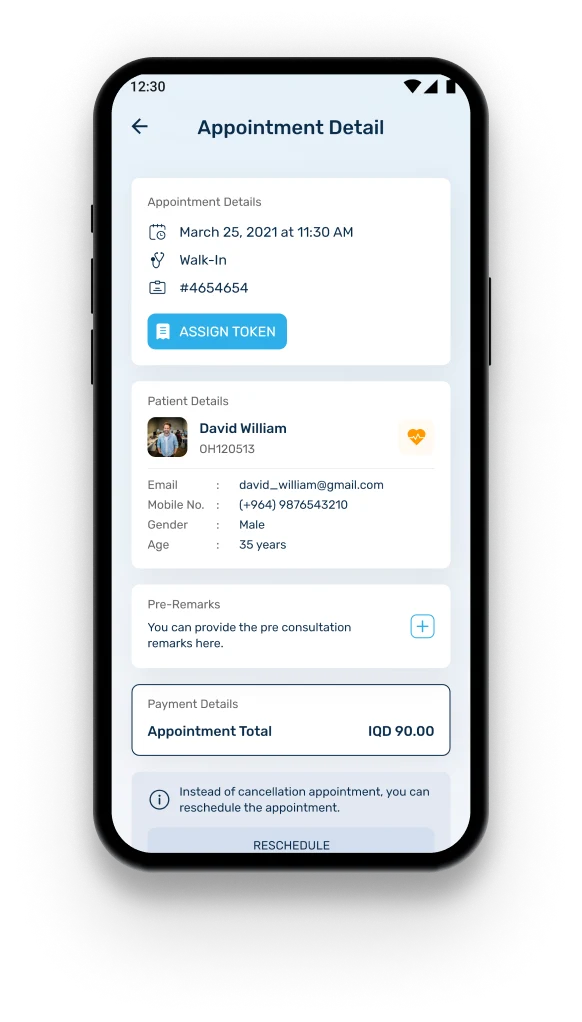
A doctor works the day from a single appointment list, telehealth and walk-in side by side. Opening an appointment gives the patient, the booking, pre-consultation remarks and payment in one view; finishing it opens a post-consultation flow that can add a referral, order tests and suggest a pharmacy without leaving the record.
Today, upcoming, past
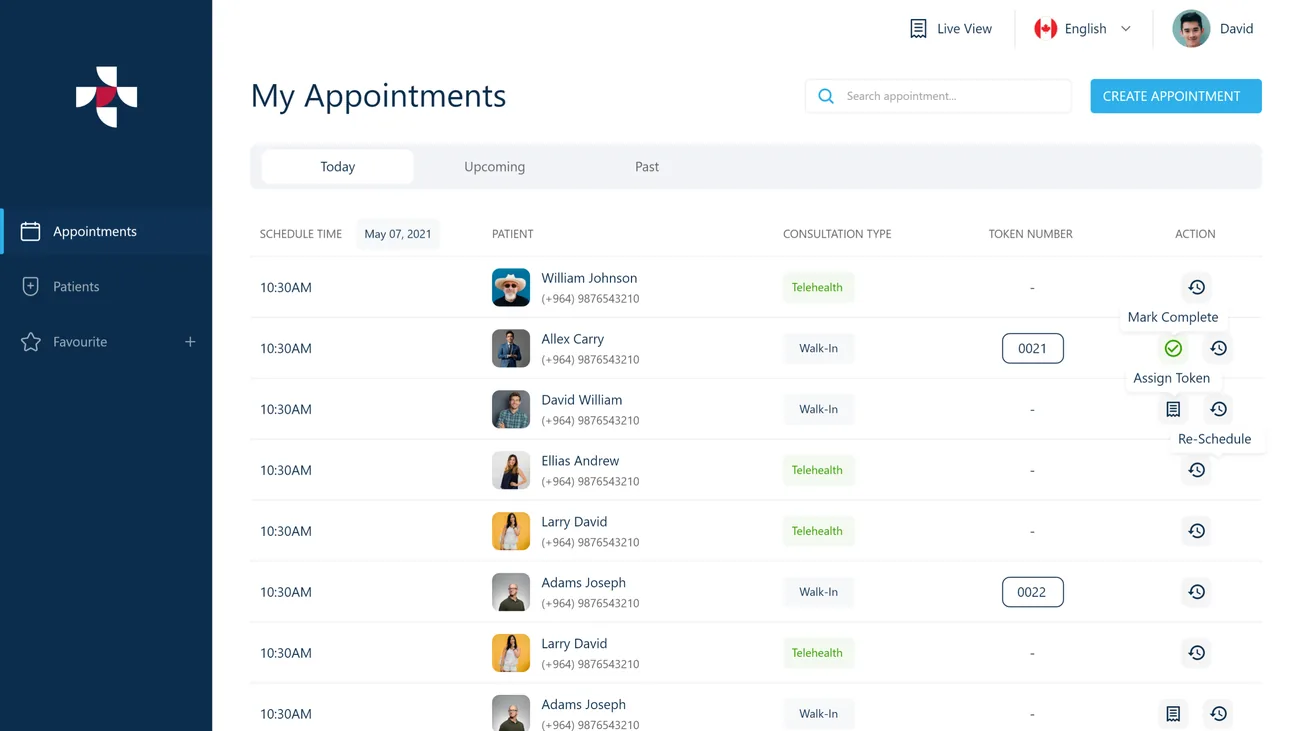
The appointment list is split into Today, Upcoming and Past, with telehealth and walk-in consultations marked and tokens assigned to walk-ins.
Five parties, one record
Doctors, patients, admin staff, clinics and labs, and pharmacies each act on the same appointment, so nothing is re-keyed between them.
Multi-language
The interface carries a language switcher, so the same console serves clinics working in more than one language.
Why is running a clinic day so fragmented?
A consultation rarely ends at the consultation. Referrals, lab tests and prescriptions each live in a different place, chased by phone and paper.
One Health was built so the visit and everything it triggers stay on one record.
The day lives in scattered lists. Telehealth bookings, walk-ins and tokens are tracked separately, so no one has a single view of what is happening today. Answer → one list: Today / Upcoming / Past.
Referrals leave the system. Sending a patient to a specialist usually means stepping outside the tool, and the thread is lost the moment it does. Answer → a referral directory by specialty.
Tests and pharmacy are disconnected. Ordering tests and pointing a patient to a pharmacy happen off-record, so the consultation and its follow-through drift apart. Answer → tests & pharmacy on the record.
What One Health had to bring together
A single visit touches a doctor, a patient, sometimes a lab and a pharmacy, and always the admin desk. The goal was to put all of them around one appointment record instead of a chain of phone calls.
One record, the whole visit
- Run the whole day from one list — telehealth and walk-in, Today / Upcoming / Past.
- Open an appointment to the patient, booking, remarks and payment in one view.
- Finish into a post-consult flow — referral, tests and pharmacy, on the record.
- Keep five parties on the same appointment, nothing re-keyed between them.
Why it was hard
- The day lives in scattered lists — telehealth, walk-ins and tokens tracked separately.
- Referrals, tests and prescriptions each live in a different place, chased by phone and paper.
- Five parties act on one record, and each needs only their slice of it.
- A language switcher has to serve clinics working across more than one language.
Who is One Health built for?
A single visit touches 5 parties — all kept around one appointment record instead of a chain of phone calls.
The doctor
Runs the whole day from one appointment list, opens each visit in full, and closes it into referrals, tests and pharmacy.
The patient
Sits at the centre of the record — booking, history and follow-through carried on a phone.
The admin desk
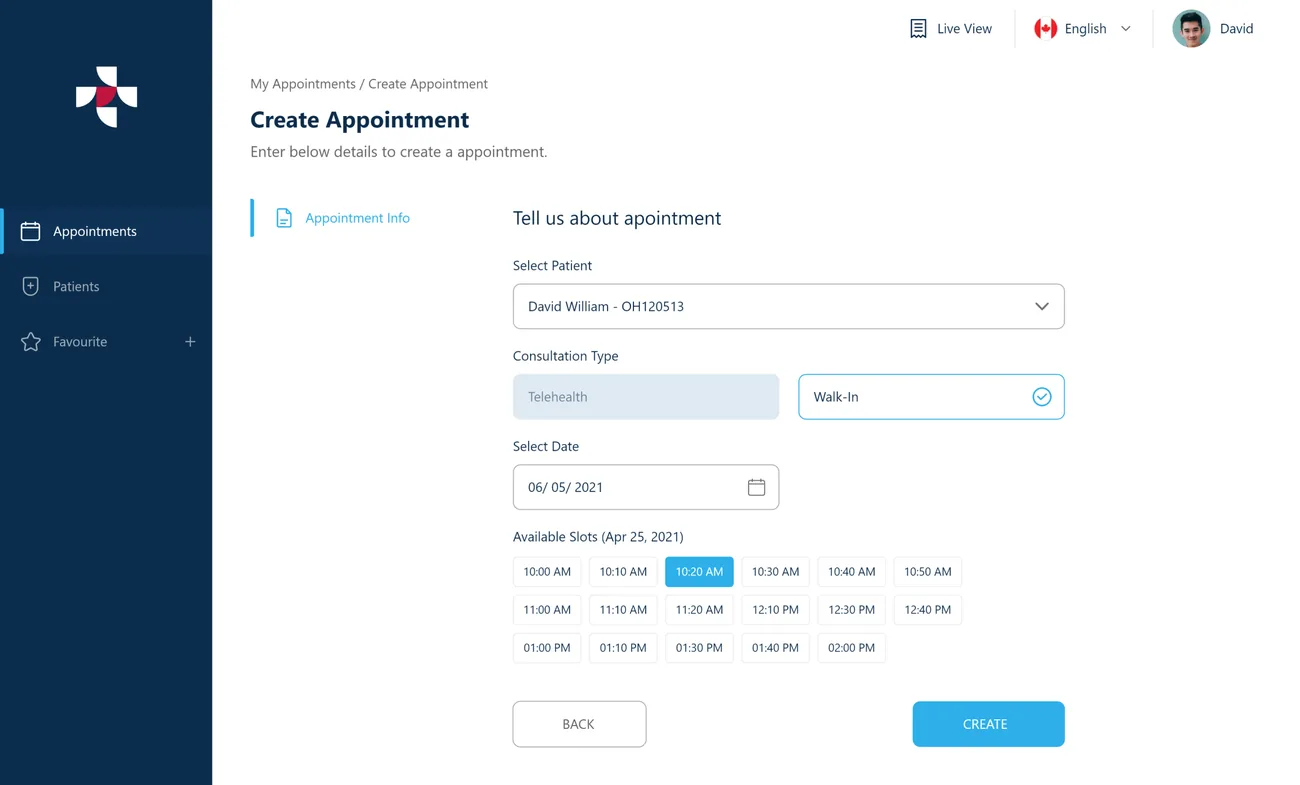
Manages the schedule and books appointments, choosing the patient, the consultation type and the slot.
Clinics & labs
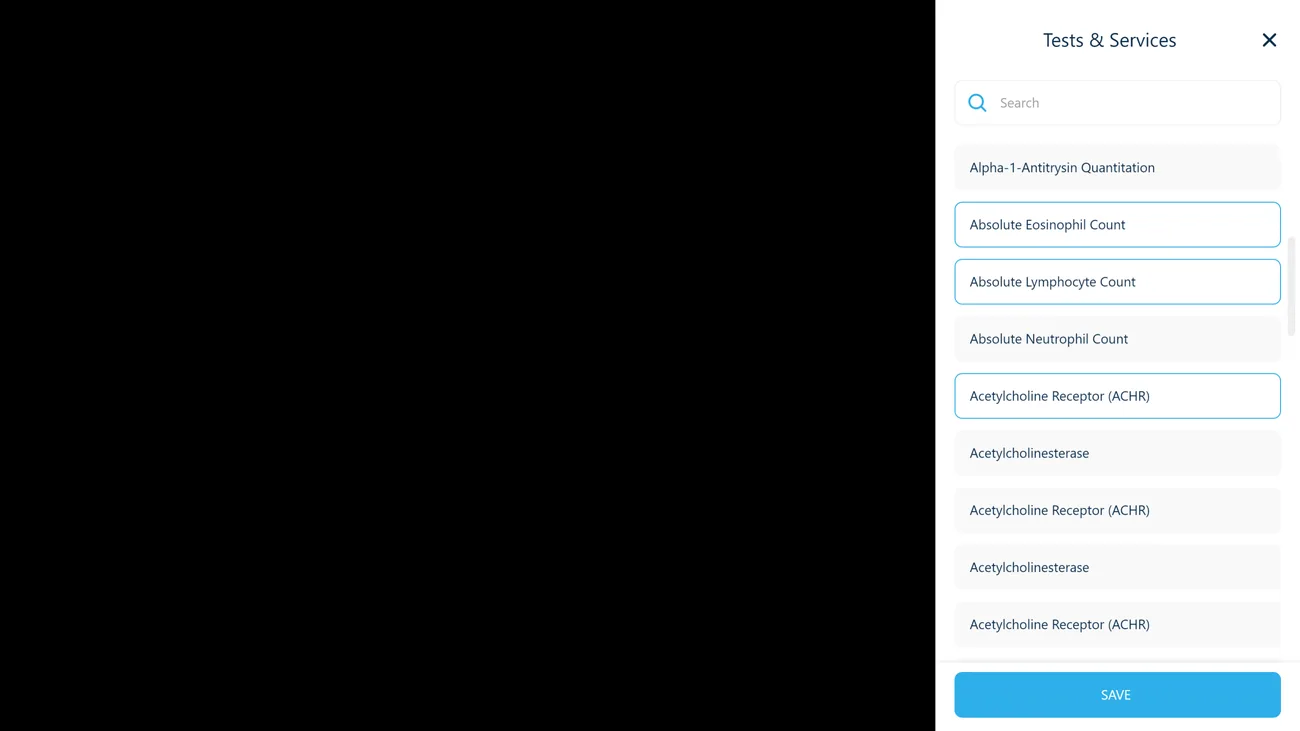
Receive the tests a doctor orders from a catalogue on the same appointment record.
Pharmacies
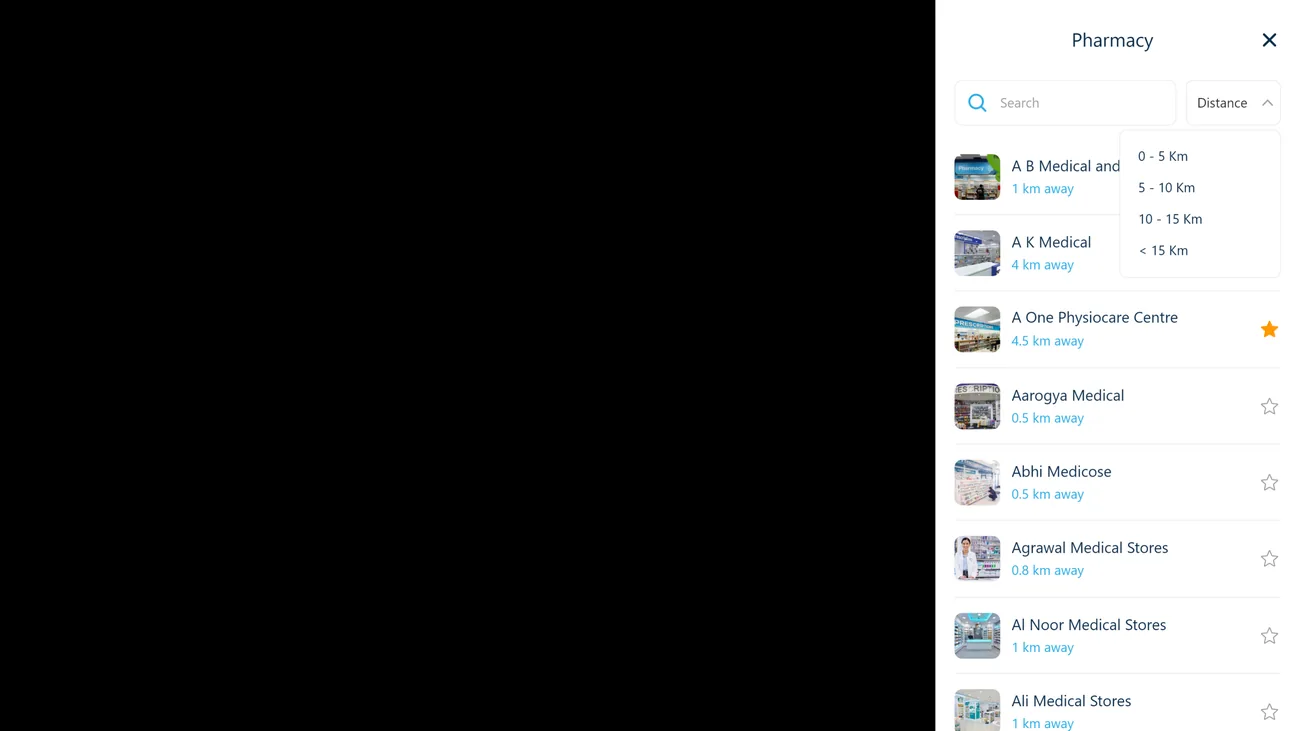
Are surfaced to the patient from a directory sorted by distance, with a radius filter and favourites.
What does a consultation look like end to end?
From the day's list to the follow-through, each screen below is a distinct surface in the platform.
The whole day on one screen
Doctor · TodayTelehealth and walk-in appointments in one list, each with its consultation type, token and actions.
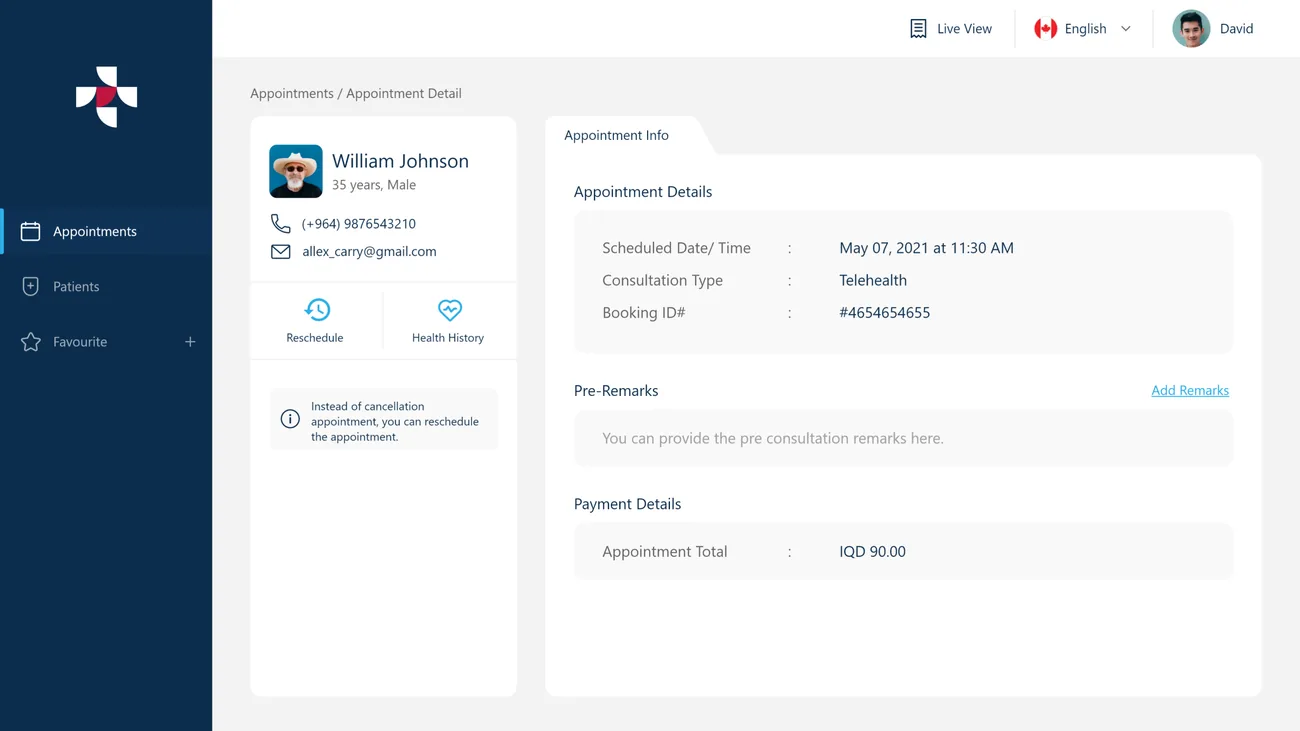
The appointment, fully in view
Doctor · DetailPatient, booking, pre-consultation remarks and payment in a single record, with reschedule and health history one tap away.
Book without leaving the console
Doctor · CreateA new appointment is created by choosing the patient, the consultation type and the slot.
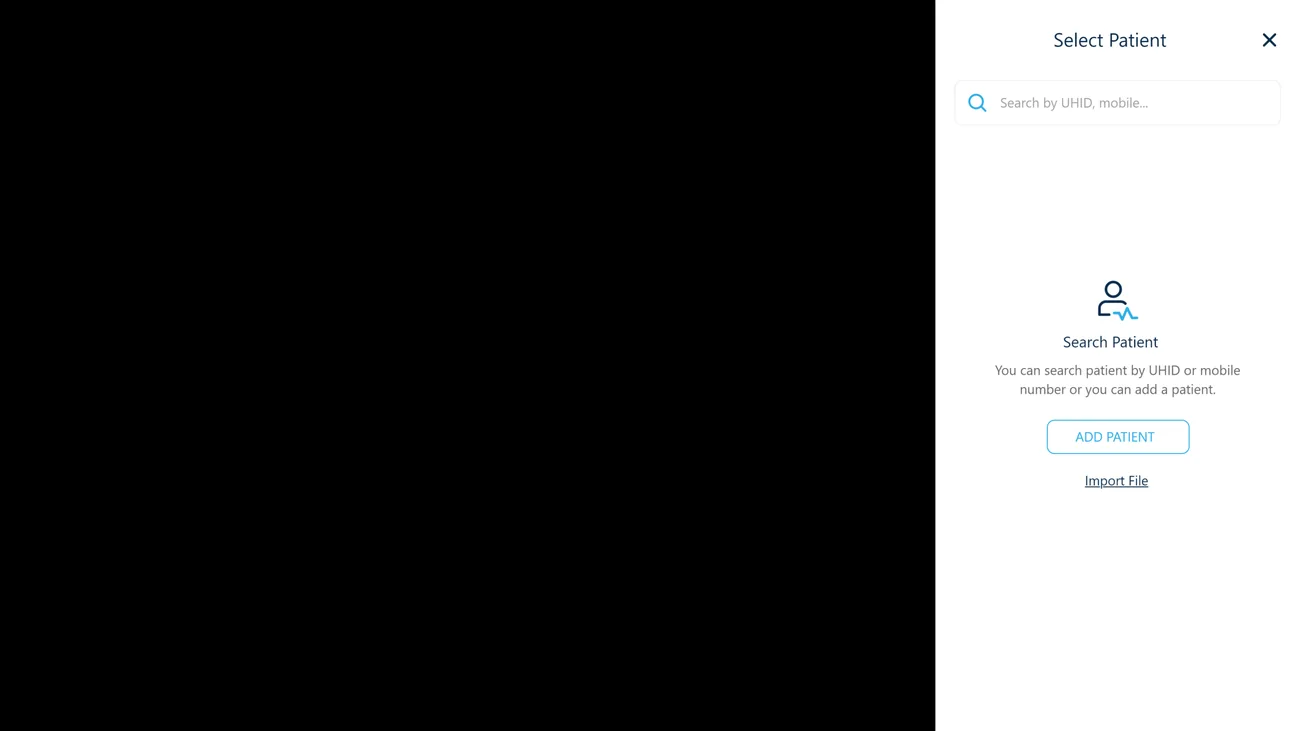
Pick or add the patient
Doctor · PatientAn appointment is tied to a patient record, chosen from the directory or added, including minors under a guardian.
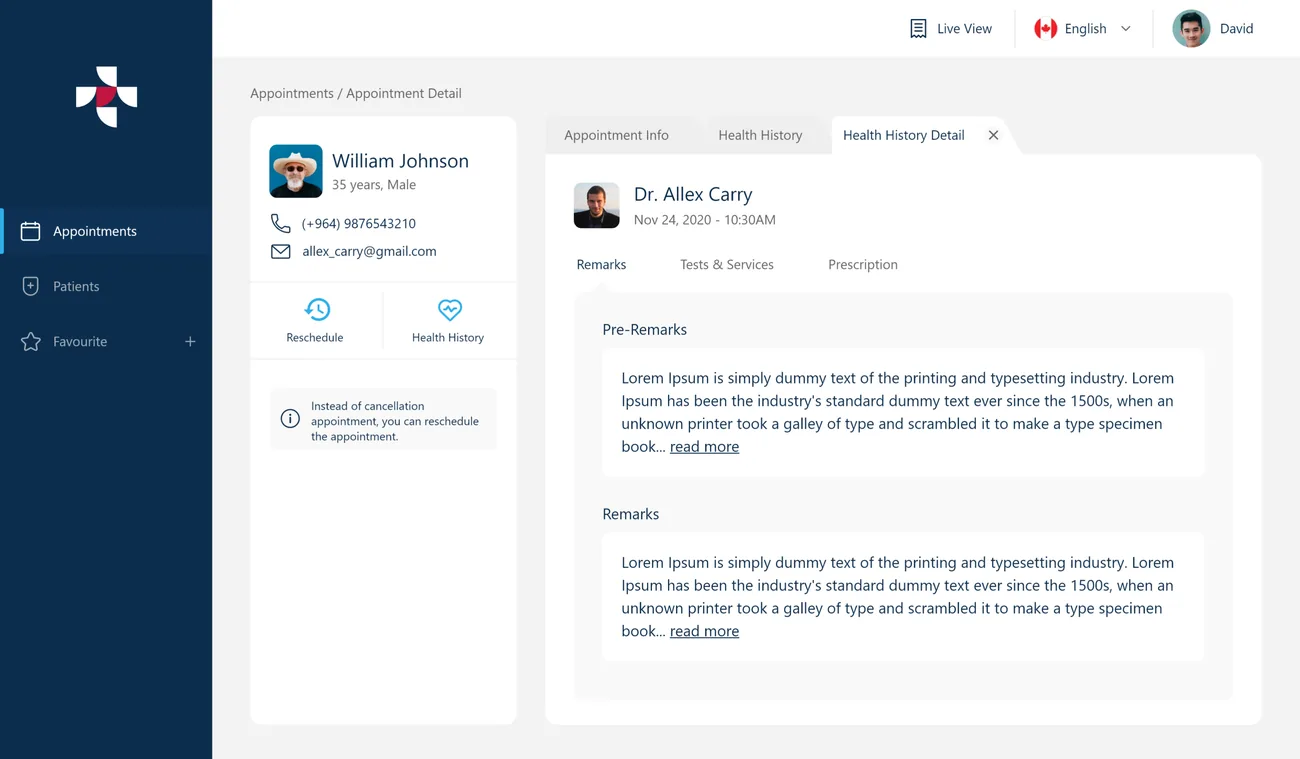
Health history on the record
Doctor · HistoryA patient's health history sits with the appointment, so context travels with the consultation.
Order tests from the visit
Doctor · TestsA tests and services catalogue lets a doctor order what the consultation needs, on the same record.
What is a doctor looking at all day?
The appointment list is the home base — everything needed to run the day and act on each patient is on this one screen. Hover a pin to see where each decision is made.
The day, the week ahead and the history are each one click away.
Each appointment is marked, so a doctor knows how the patient is arriving before opening it.
Walk-in patients are given a token in-line, turning the list into a queue.
Mark complete, assign a token or reschedule — without leaving the list.
Choosing the patient and consultation type, without a context switch.
Any appointment can be found by patient from the search box.

Refer, order tests and suggest a pharmacy — without leaving the record.
Finishing a consultation opens a referral directory by specialty, a tests catalogue, and a pharmacy directory sorted by distance, so the follow-through stays attached to the appointment.
The scope, in one panel
Every number in this panel is delivered scope — what was designed, built and handed over on the healthcare build for One Health. It leaves out traffic, conversion and revenue on purpose: those figures belong to the client, and we don’t publish numbers we cannot stand behind.
- Industry
- HealthcareTeleconsultation
- Product
- Clinical web platformMulti-language
- Parties
- Doctor · Patient · AdminClinic / Lab · Pharmacy
- What we did
- UX + UI designWeb app design
The patient side, in the hand
The console runs the clinic; the patient app carries the visit — booking, records and follow-through on a phone.
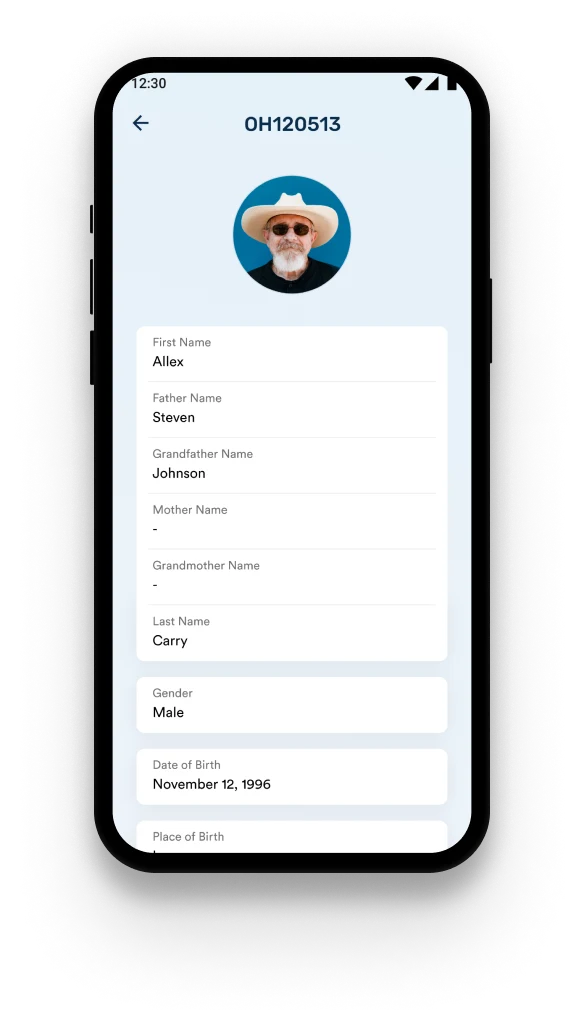
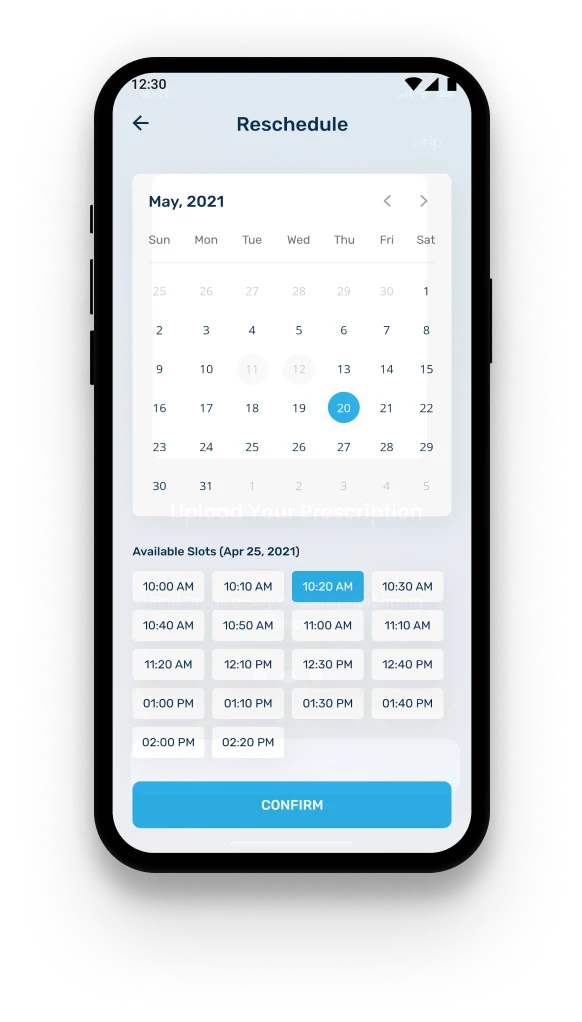
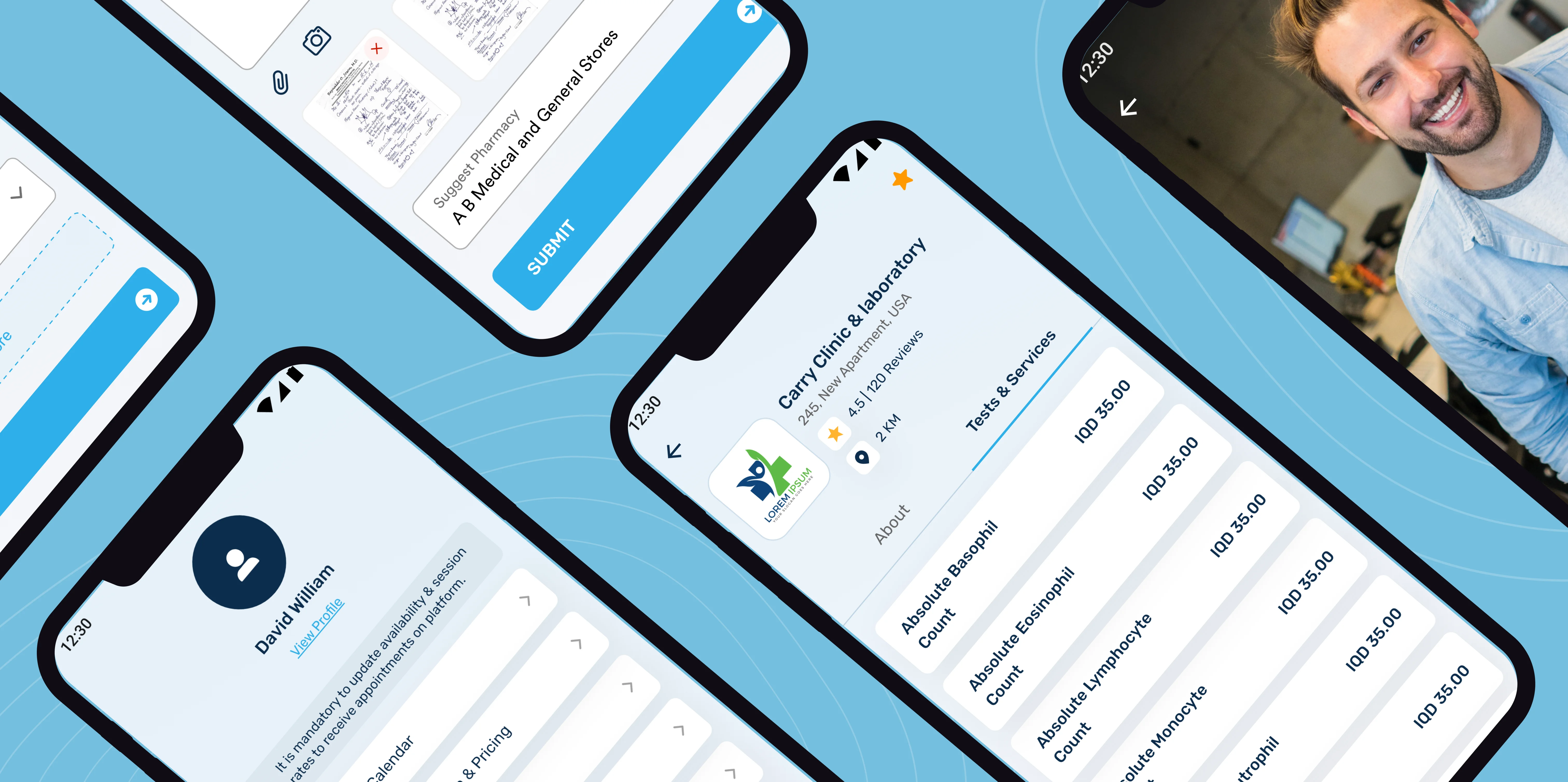
One Health. The whole visit, one record. Screens are the delivered One Health UI, supplied by the project team.
The look, and why
A calm, clinical system — a reassuring azure carries the console, coral flags what needs attention, amber marks a pending token, and a clean geometric sans keeps dense records legible.


Building a teleconsultation platform
How long does it take to build a teleconsultation platform?
Which parties does One Health connect?
Does it handle both telehealth and walk-in appointments?
Can a doctor refer, order tests and suggest a pharmacy in one place?
Running a clinic across phone calls and paper?
Tell us how your business actually works and we'll tell you honestly what it takes to build — the console, the records, the directories. No deck, no pitch.