


Every step ofa business loan.
A commercial-lending application that turns a paper-and-email loan process into a guided, eleven-step digital journey: applicant type, company and director checks, shareholders, security and assets, all the way to a conditionally approved letter signed on a phone.
One long form, made walkable
The application is broken into eleven named steps with a persistent progress rail, so an applicant always knows where they are, what is left, and that their answers are saved. Company and director details are verified against the registry rather than retyped, and the same journey runs on the web and as a native mobile app.
The registry does the typing
An ABN or ACN is validated against the business registry and used to retrieve company and director details automatically, so an applicant confirms rather than re-keys.
Progress that is always visible
Eleven steps carry a live progress rail and a save-as-draft state, so a long application can be paused and resumed without an applicant losing their place or their work.
A status the applicant can trust
The application moves through named states — in review, conditionally approved, approved, settled — and a conditionally approved letter is signed in-app, so the borrower is never guessing where things stand.
Why does a business loan ask for so much? Far more than a personal loan does.
A commercial loan asks a business for far more than a personal loan does — company structure, directors, shareholders, security, assets on both sides of the ledger. Multifunds takes that whole demand and turns it into one guided application a borrower can actually finish.
The hard part of a lending application is not the fields; it is keeping a borrower moving through a long, high-stakes form.
The whole platform is one journey: a borrower builds the application over eleven steps, the system verifies who they are against the business registry, and a conditional approval is issued and signed — each stage carrying a status both sides can see.
named steps a commercial loan is broken into — applicant type, loan details, directors, shareholders, security, assets and more — so the demand is finishable, not bottomless.
What Multifunds had to make walkable
The application is broken into eleven named steps with a persistent progress rail, so an applicant always knows where they are, what is left, and that their answers are saved.
Turn one long form into eleven walkable steps
- Verify instead of asking twice. An ABN or ACN is validated against the registry and used to retrieve company and director details automatically.
- Keep progress visible. A persistent rail and a save-as-draft state mean a long application can be paused and resumed without losing a place.
- Give the status a name. In review, conditionally approved, approved, settled — a borrower is never guessing where things stand.
- Carry the same journey to a phone. The eleven steps run on web and as a native mobile app, right through to signing.
Why it was hard
- A commercial loan's demand — company structure, directors, shareholders, security, assets — is far larger than a personal loan's.
- A long financial form is where most applicants give up; the drop-off points had to be designed for, not just the fields.
- Registry lookups have to be wired in as a verification gate, not a courtesy autofill, before the application can proceed.
- The same eleven-step journey had to be designed twice — once for the web, once as a native mobile app — without the two drifting apart.
How did we build it?
The hard part of a lending application is not the fields; it is keeping a borrower moving through a long, high-stakes form. The work was structured around that.
Decompose the loan
01 · StructureA commercial loan's demand was broken into eleven named steps, ordered so the easy identity questions come before the heavy financial ones.
Design for the drop-off points
02 · RetentionA persistent progress rail, save-as-draft and per-step guidance were built to hold an applicant through the places a long form usually loses them.
Verify instead of asking
03 · RegistryABN and ACN lookups were wired to the registry so company and director details are retrieved and confirmed, cutting the typing and the errors.
Carry it to the phone
04 · NativeThe same journey was designed as a native mobile app, right through to signing the conditional approval, so the process is never blocked on being at a desk.
How does the application keep an applicant oriented?
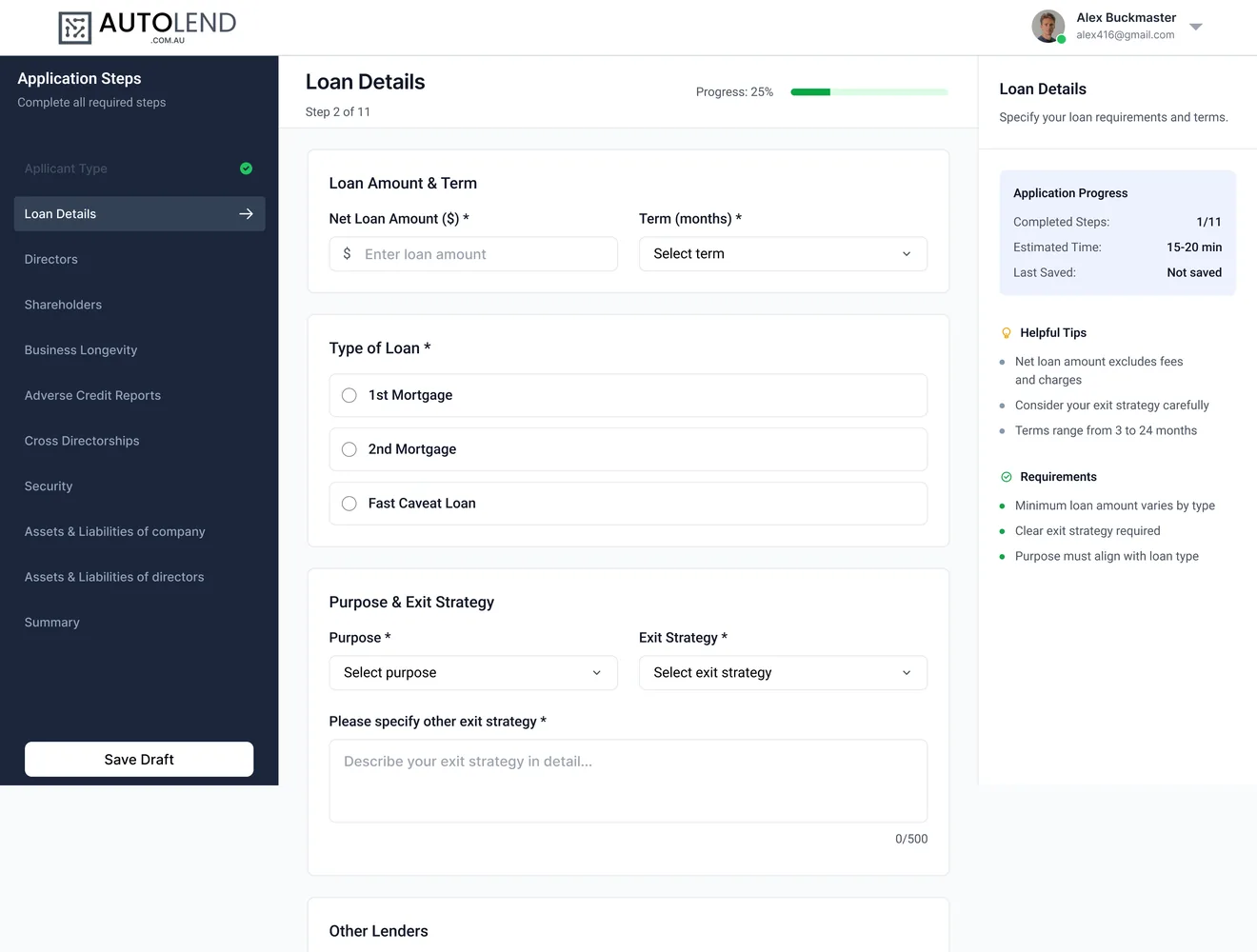
A long financial form is where most applicants give up. The application screen is built so that at any moment a borrower can see where they are, what a field is for, and what happens next.
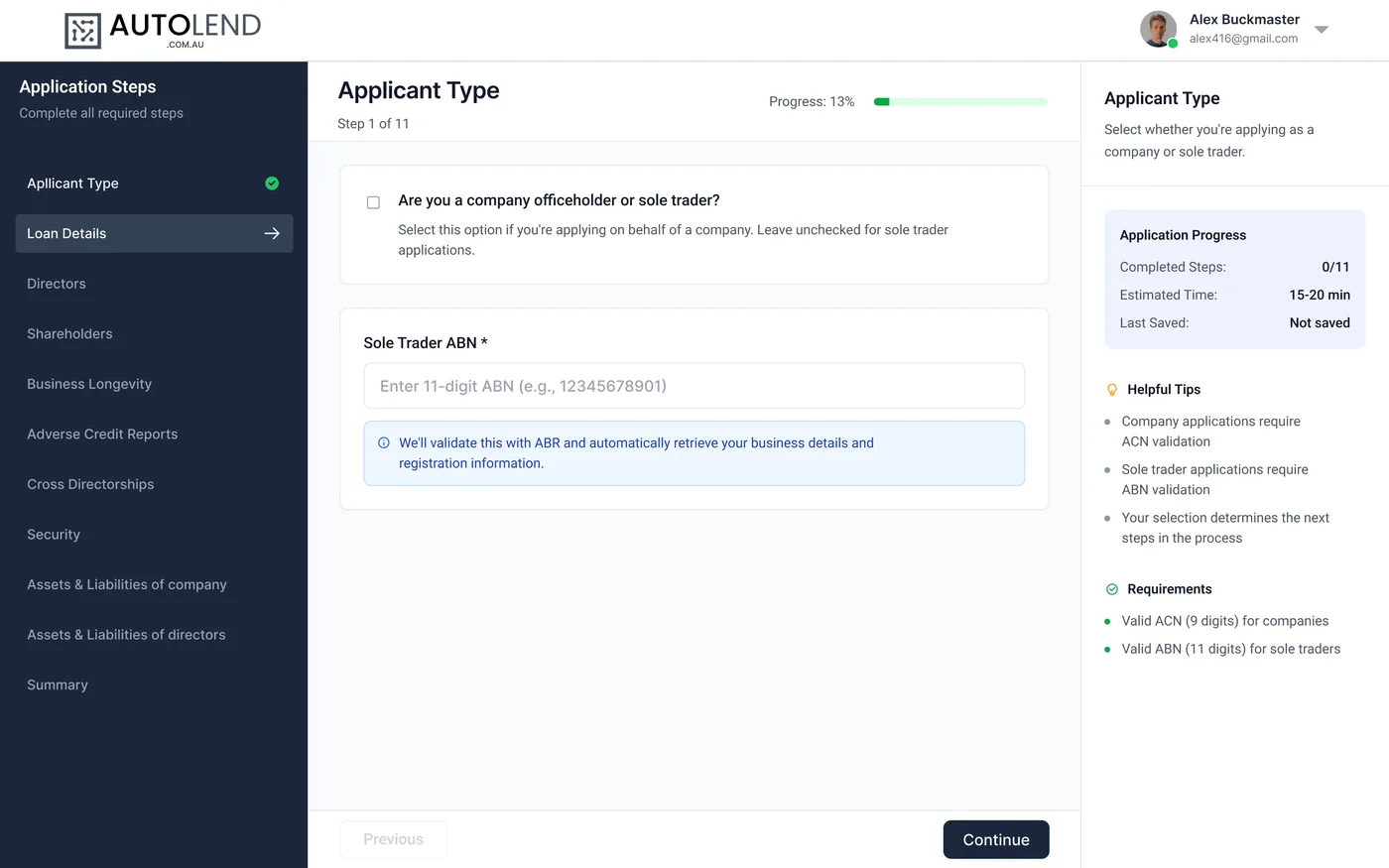
Every step of the application is listed and ticked off as it is completed, so the whole journey is visible from the first screen rather than revealed one page at a time.
A progress indicator at the top of every step shows how far through the application the borrower is, so a long form never feels bottomless.
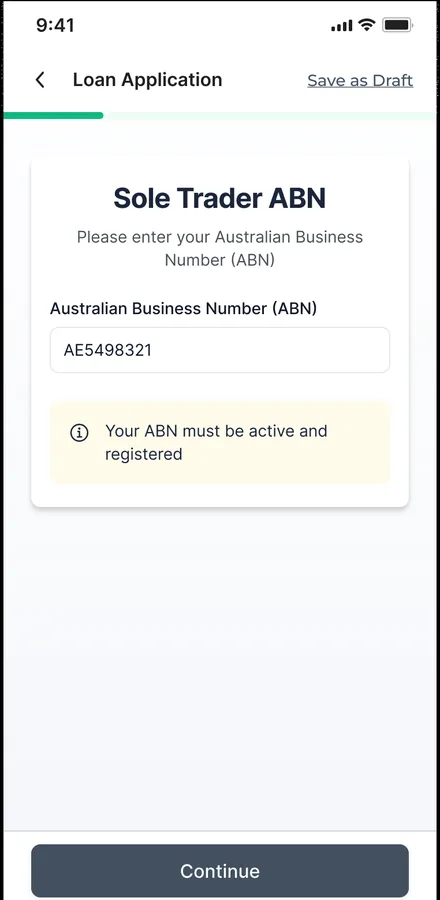
The ABN or ACN field validates against the business registry and retrieves the company's details, so the applicant confirms rather than types them.
A side panel carries the tips and requirements for the current step — which identifier to use, what determines the next screen — next to the field it explains.
Every step can be saved as a draft and resumed, so an applicant gathering documents does not lose the work they have already done.
What does it feel like on mobile?
The application is not a shrunk web page; it was designed as a native mobile app so a borrower can start on a laptop and finish — including signing — on their phone.
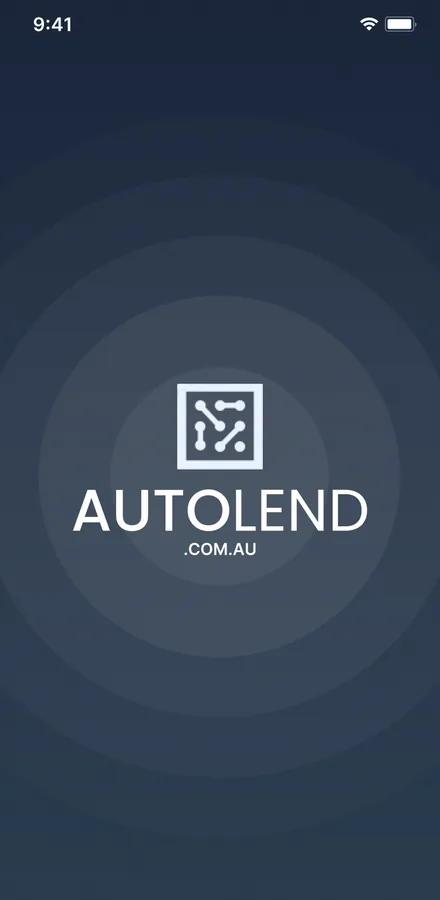
The app opens on the lending brand before dropping the borrower into their application.
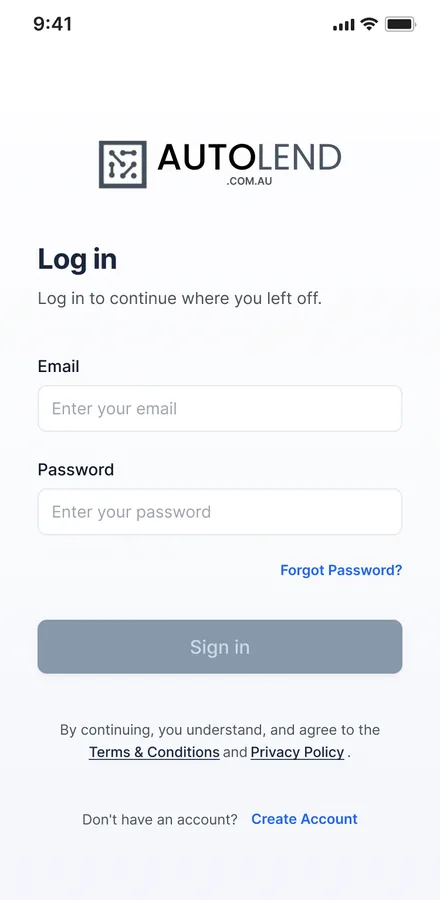
A clean sign-in gets a returning applicant back to a saved draft in one step.
The ABN field validates and retrieves the business, mirroring the web behaviour on mobile.
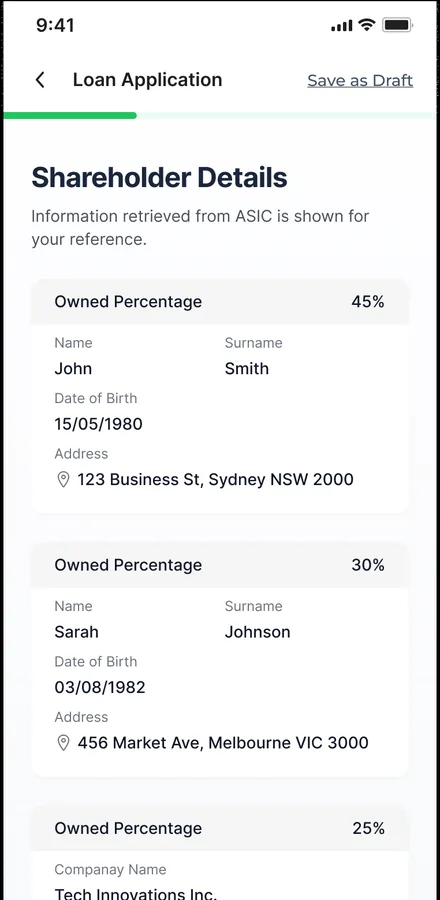
Shareholder and director detail capture is broken into phone-friendly cards.
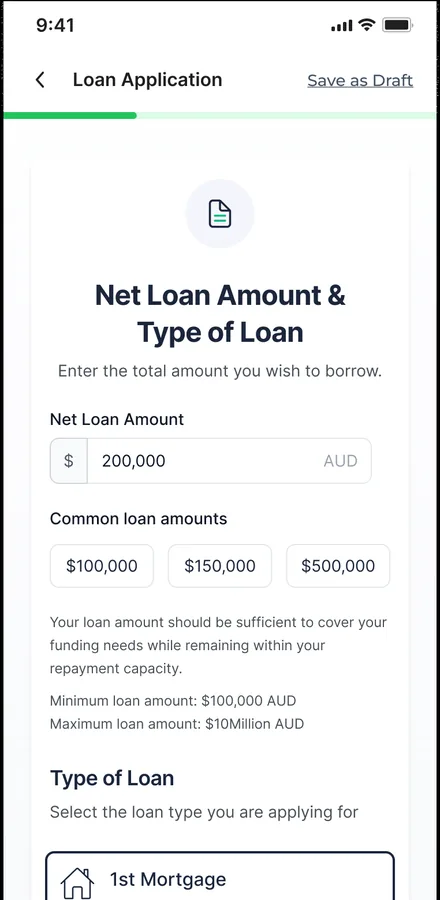
Security details and company and director assets are entered without leaving the app.
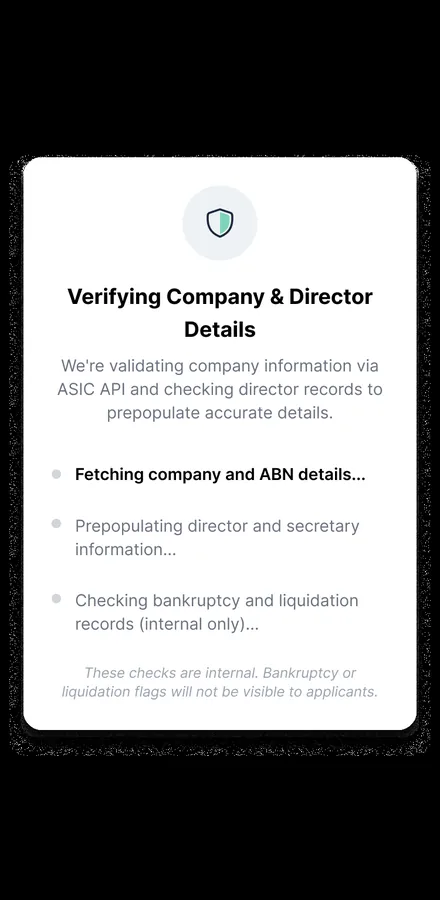
A verification step confirms company and director details before the application proceeds.
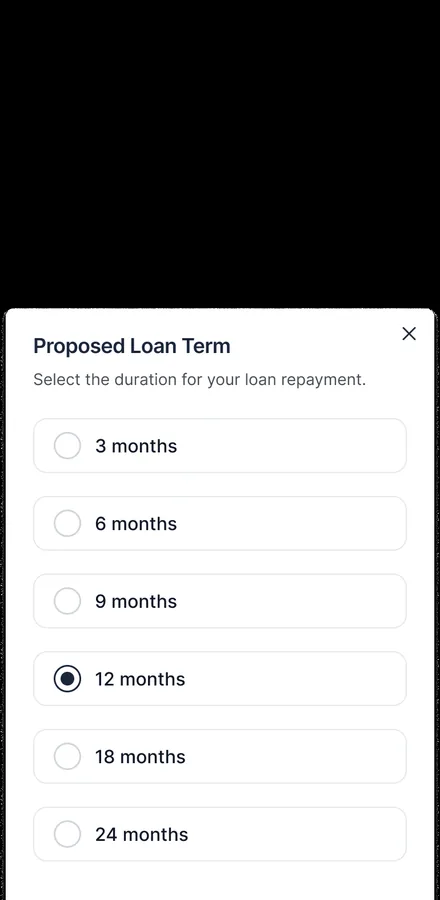
The terms of the offer are presented in plain, readable form on the small screen.
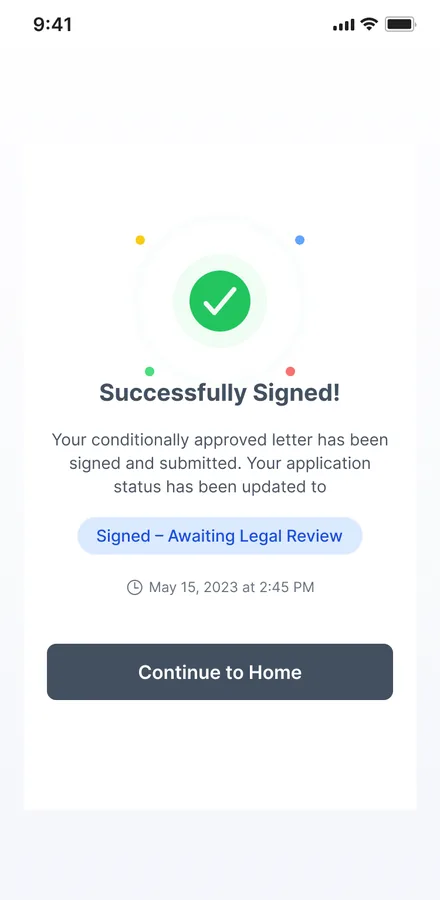
The conditionally approved letter is signed in-app and the status updates on the spot.
The scope, in one panel
Every number in this panel is delivered scope — what was designed, built and handed over on the business lending build for Multifunds. It leaves out traffic, conversion and revenue on purpose: those figures belong to the client, and we don’t publish numbers we cannot stand behind.
- Sector
- Business lendingLoan origination
- Platform
- Web applicationNative mobile app
- What we did
- Product modellingUX + UI design · Design system
- Applicants
- BorrowerCompany director · Shareholder
The look, and why
Read from the product's own theme — a confident green marks progress and approval against a deep navy ink, so a long financial form always shows a borrower how far they've come.
What does any loan-origination journey need?
Four things separate an application a borrower finishes from one they abandon halfway. They came out of building this platform and hold for most origination flows.
A visible spine.
A long application needs a step rail and a progress indicator, so the borrower can see the whole journey and never feels lost inside it.
Verify, do not interrogate.
Pulling company and director details from the registry replaces the most error-prone typing with a single confirmation.
A draft they can leave.
High-value applications are gathered over days; save-and-resume is the difference between a paused application and a dead one.
A status both sides read.
Named states from in-review to settled mean the borrower and the lender are always looking at the same truth.
Building a lending or loan-origination platform
How do you keep applicants from abandoning a long loan application?
Can a loan platform run on both web and mobile?
How do you handle company and director verification?
How much does a lending platform like this cost?
Have a loan process stuck in PDFs and email?
Tell us how your business actually works and we'll tell you honestly what it takes to build — the steps, the verification, the signing. No deck, no pitch.