


Charge, meter,bill.
A web portal and companion mobile app for a Swiss energy-management provider: onboard charging points, group them by site, load prepaid balance, tap an RFID card to charge, and bill every kilowatt-hour back to the right account.
One portal for the operator, one app for the driver
The operator side is a full back office: sites, charging points, RFID cards, balances and billing. The mobile app is the fenced-off end-user view, where a driver tops up, starts a session and reads their own orders, without ever touching operator settings.
Sites are a hierarchy, not a list
A place can hold sub-places and sub-sub-places, so a campus, its buildings and their individual bays all map to where a charger physically sits.
An RFID card is the key
Ordering and assigning cards is a first-class flow, because a tap on the card is what ties a charging session to the account that pays for it.
Prepaid balance, then metered draw
Users load balance by card up front; the platform meters the energy actually drawn and settles it against that balance.
Why is metered energy billing more than a payment screen? Three things have to be modelled correctly first.
Billing energy is not billing a fixed price. The system has to know which meter, at which site, drew how much, on whose card, before a single figure is trustworthy.
Location is structural. A charger belongs to a bay, inside a building, inside a site — flatten that and you cannot allocate a bill to the party responsible for it. Answer → a place / sub-place / bay hierarchy.
Identity is a physical tap. The RFID card links a person to a session, so onboarding, assigning and replacing cards has to be as easy as adding a charger. Answer → cards managed like any other object, ordered and assigned from their own dashboard.
A charger is a guided install. Adding hardware is a multi-step wizard — place, connector, protocol, phases, documents — not a single form, because a mis-configured charger meters the wrong values. Answer → a guided add-charger wizard.
things have to be modelled correctly before a single billing figure is trustworthy: location, identity and the hardware install.
What Eponet had to bring together
Eponet captures, controls, allocates and bills energy usage, from a single building to a regional network. The platform we designed is where operators run all of that, and where the people using a charger or a meter manage their own account.
Capture, control, allocate, bill
- Model sites as a hierarchy. Place, sub-place and bay, so every charger and meter has a precise physical home.
- Make the RFID card the key. Ordering and assigning cards ties a session to the account that pays for it.
- Meter the real draw. Users load balance by card up front; the platform settles the energy actually drawn against it.
- Serve two very different screens. A dense operator portal and a deliberately small driver app, from one system.
Why it was hard
- Flatten the site hierarchy and you cannot allocate a bill to the party responsible for it.
- Onboarding, assigning and replacing RFID cards has to be as easy as adding a charger, or the billing chain breaks at the first tap.
- A mis-configured charger meters the wrong values, so the hardware install can't be a single raw form.
- An operator needs density on every screen; a driver needs almost nothing — one visual system has to serve both.
How does a new site go from empty to billing?
The portal is sequenced so the objects that a bill depends on exist before any energy is drawn: a place, a charger, a card and a funded balance, in that order.
- 01Operator
Set up the account
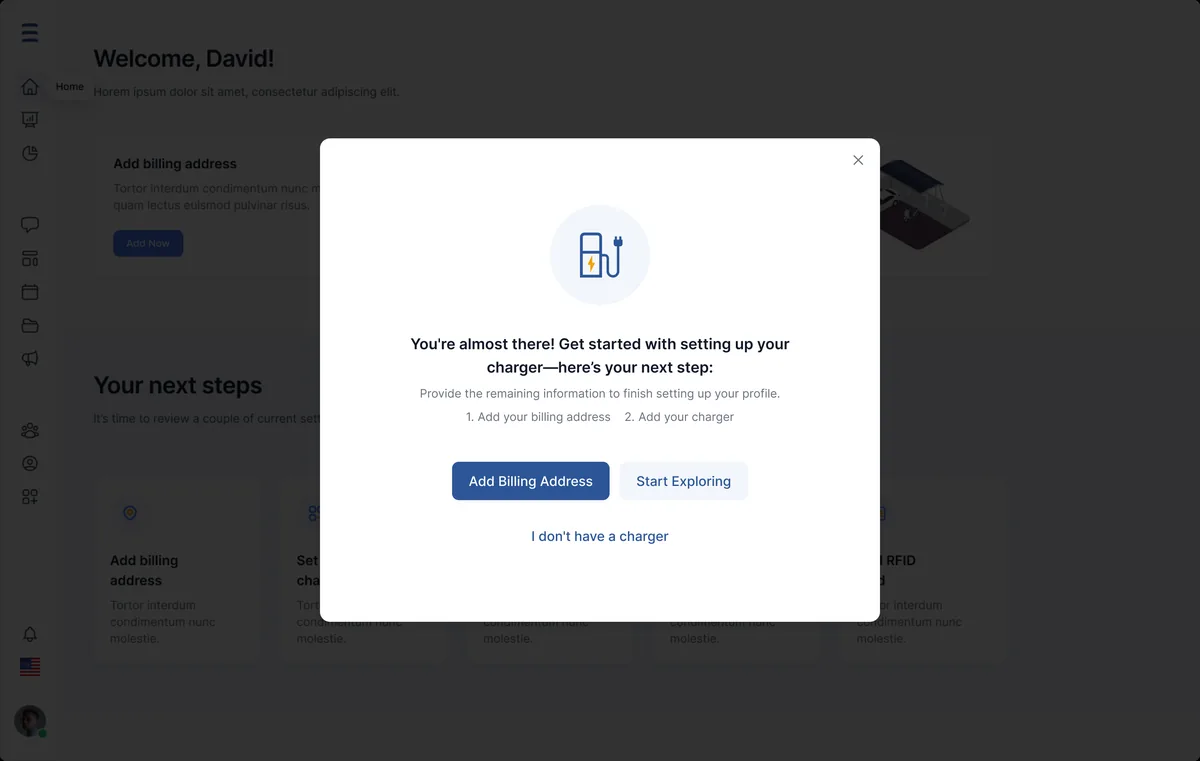
An operator registers and lands on a dashboard that tells them what to do first.
- 02Operator
Add the place
The site is modelled as places and sub-places so hardware can be located precisely.
- 03Operator
Install the charger
The add-charger wizard captures connector, protocol and phases against that place.
- 04Operator
Issue the RFID card
A card is ordered and assigned so a tap can be linked to an account.
- 05Driver
Load the balance
The end user funds their account by card in the app.
- 06Driver
Charge and bill
A tap starts a metered session, drawn energy is settled against the balance and lands in orders.
What does the operator actually work in?
The portal is built around the objects that generate a bill — sites, chargers, cards and balance — each with its own guided flow rather than a raw table to fill in.
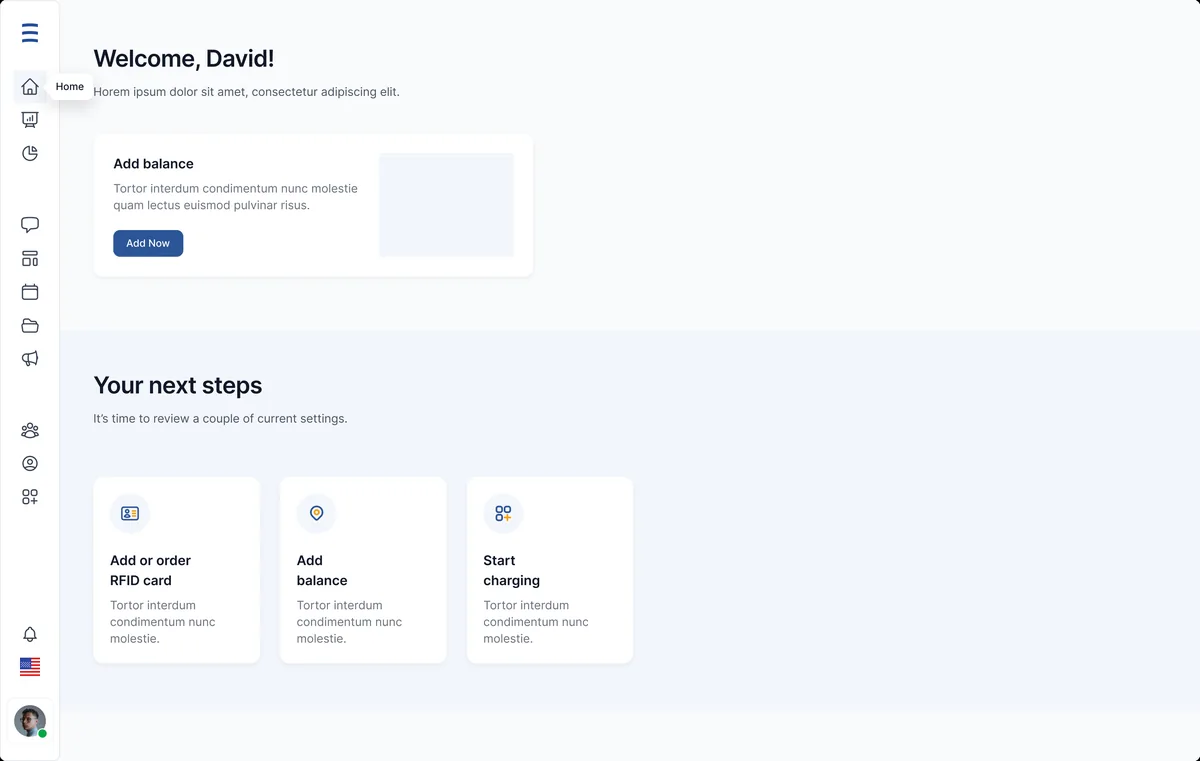
The dashboard leads with the next actions — order an RFID card, add balance, start charging — so a new operator is never staring at an empty screen.
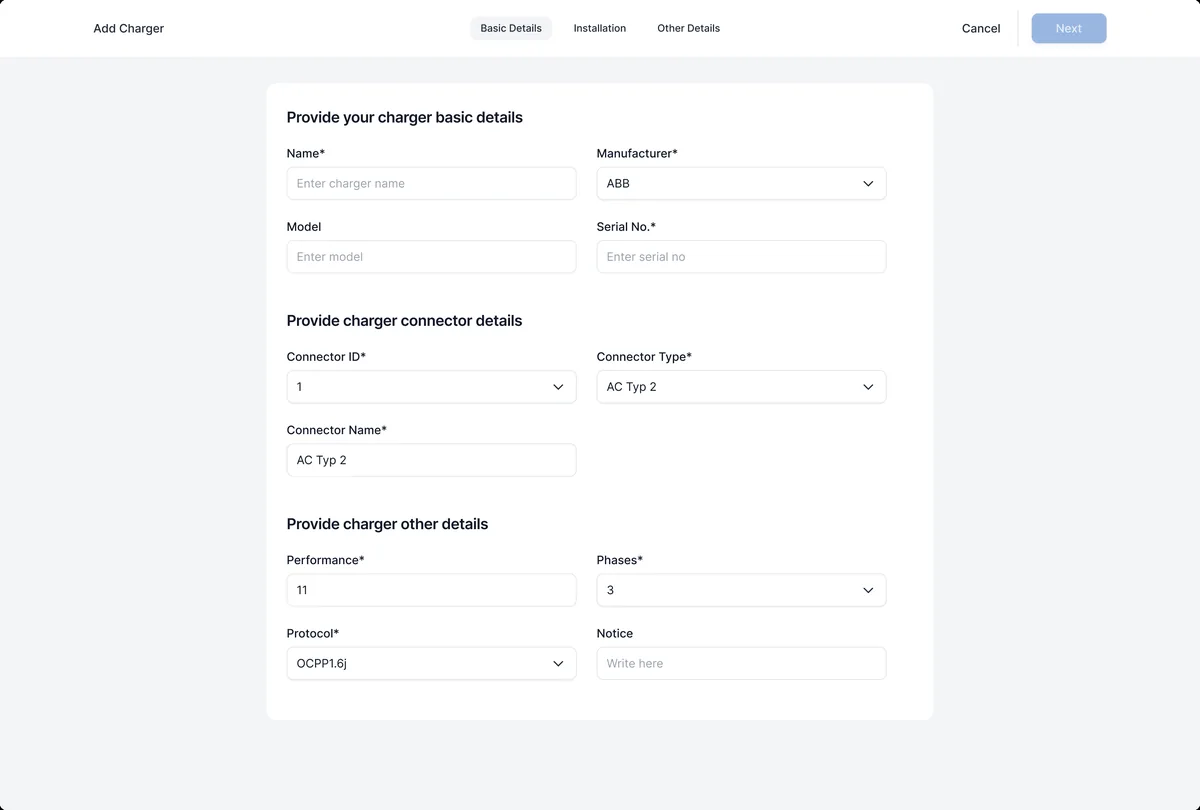
Adding a charging point walks through place, connector, protocol and phases in order, with the state saved between steps.
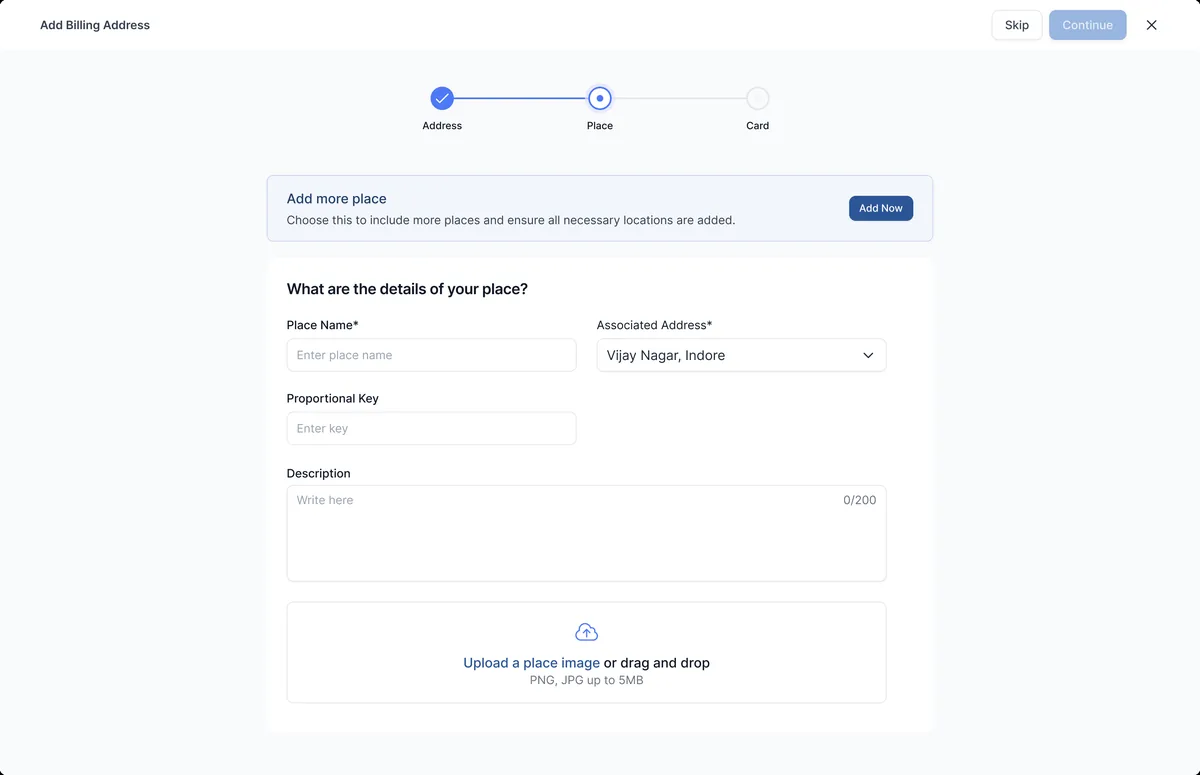
Places nest into sub-places and bays, so every charger and meter maps to a real physical location for allocation.
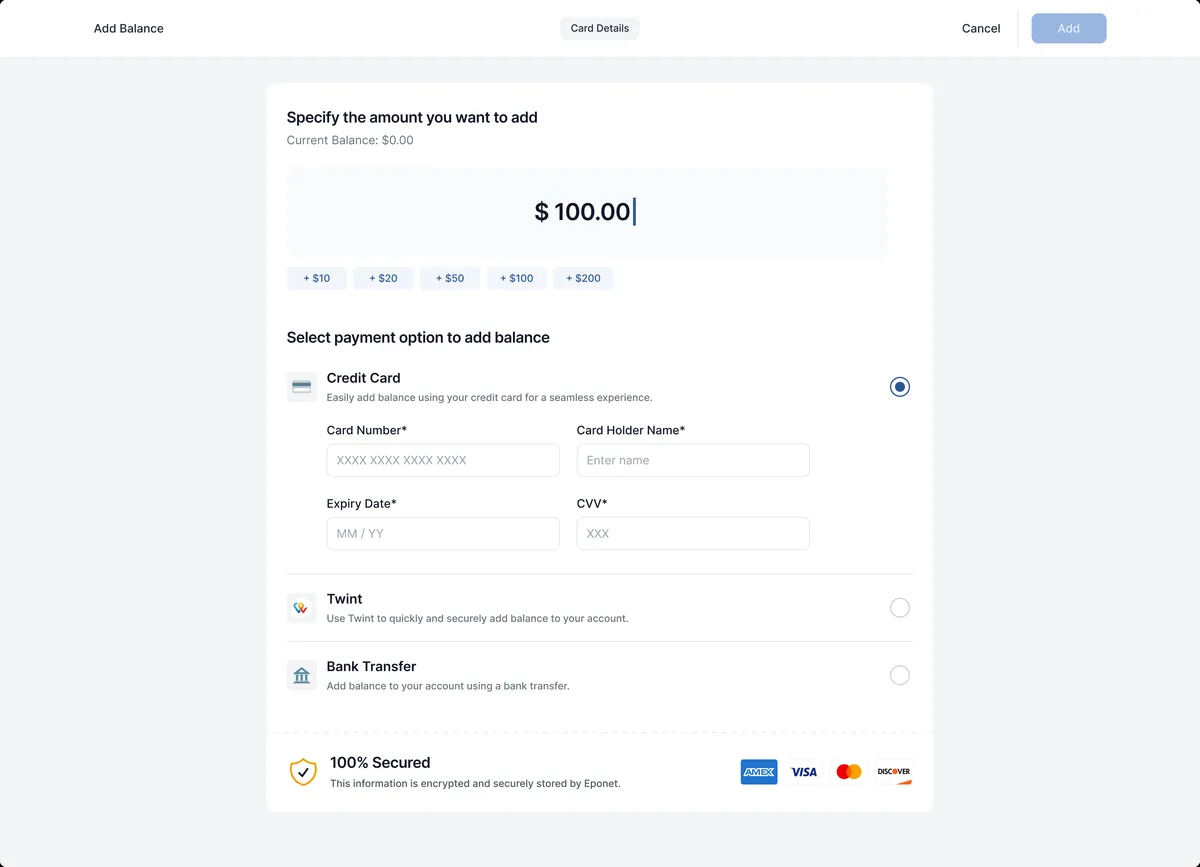
The top-up flow takes a card, confirms the amount and posts it to the account balance the meter will draw against.
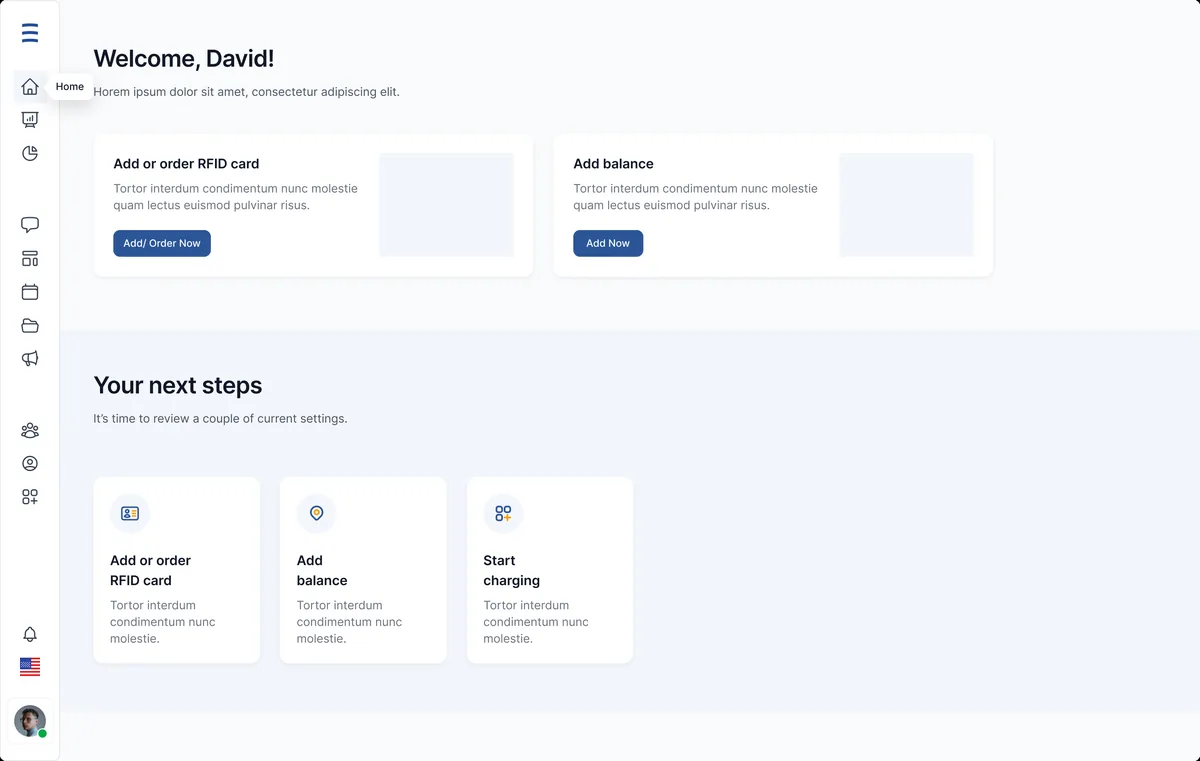
Ordering, assigning and reviewing RFID cards has its own dashboard, because the card is what ties usage to an account.

Ordering a card or a charger ends on a clear confirmation state, so the operator knows the request landed.
What does a driver see on their phone?
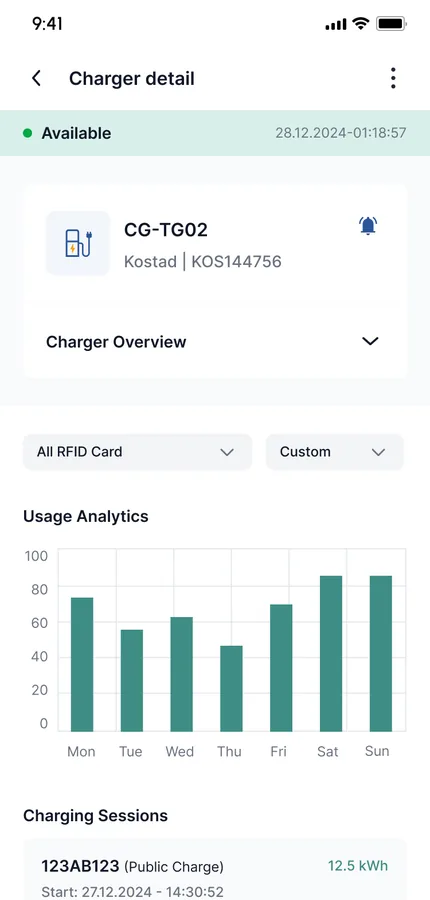
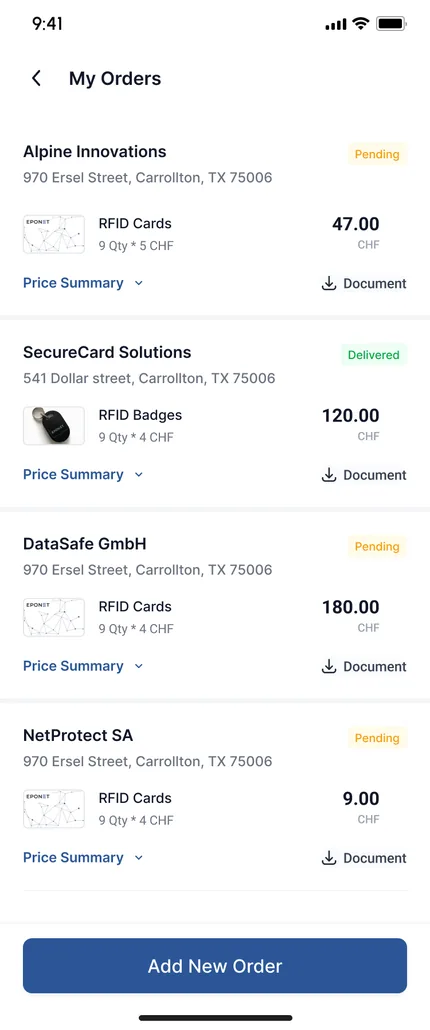
The end-user app is deliberately small: fund the account, understand a charger, read your own orders. A charger detail screen shows status, connector and rate before a driver plugs in, and My Orders keeps a personal history of sessions and top-ups — everything an operator needs is kept out of it.
The scope, in one panel
Every number in this panel is delivered scope — what was designed, built and handed over on the energy management build for Eponet. It leaves out traffic, conversion and revenue on purpose: those figures belong to the client, and we don’t publish numbers we cannot stand behind.
- Industry
- Energy managementE-mobility
- Product
- Operator web portalEnd-user mobile app
- What we did
- Product UXUI design system · Web + app
- Market
- SwitzerlandGerman-language
The look, and why
A Swiss-clean system: a single trusted blue for every primary action, an energy green reserved for a live or completed state, and a lot of quiet white so a dense operator screen still reads calmly. It is set entirely in Inter for the neutral, legible tone an energy dashboard needs.
Building an energy-management platform
How long does it take to build an energy-billing platform?
Why design a separate mobile app instead of one responsive site?
Can it handle more than EV charging?
How are charging points onboarded safely?
Have meters, chargers and billing living in spreadsheets?
Tell us how your business actually works and we'll tell you honestly what it takes to build — the hierarchy, the cards, the metering. No deck, no pitch.