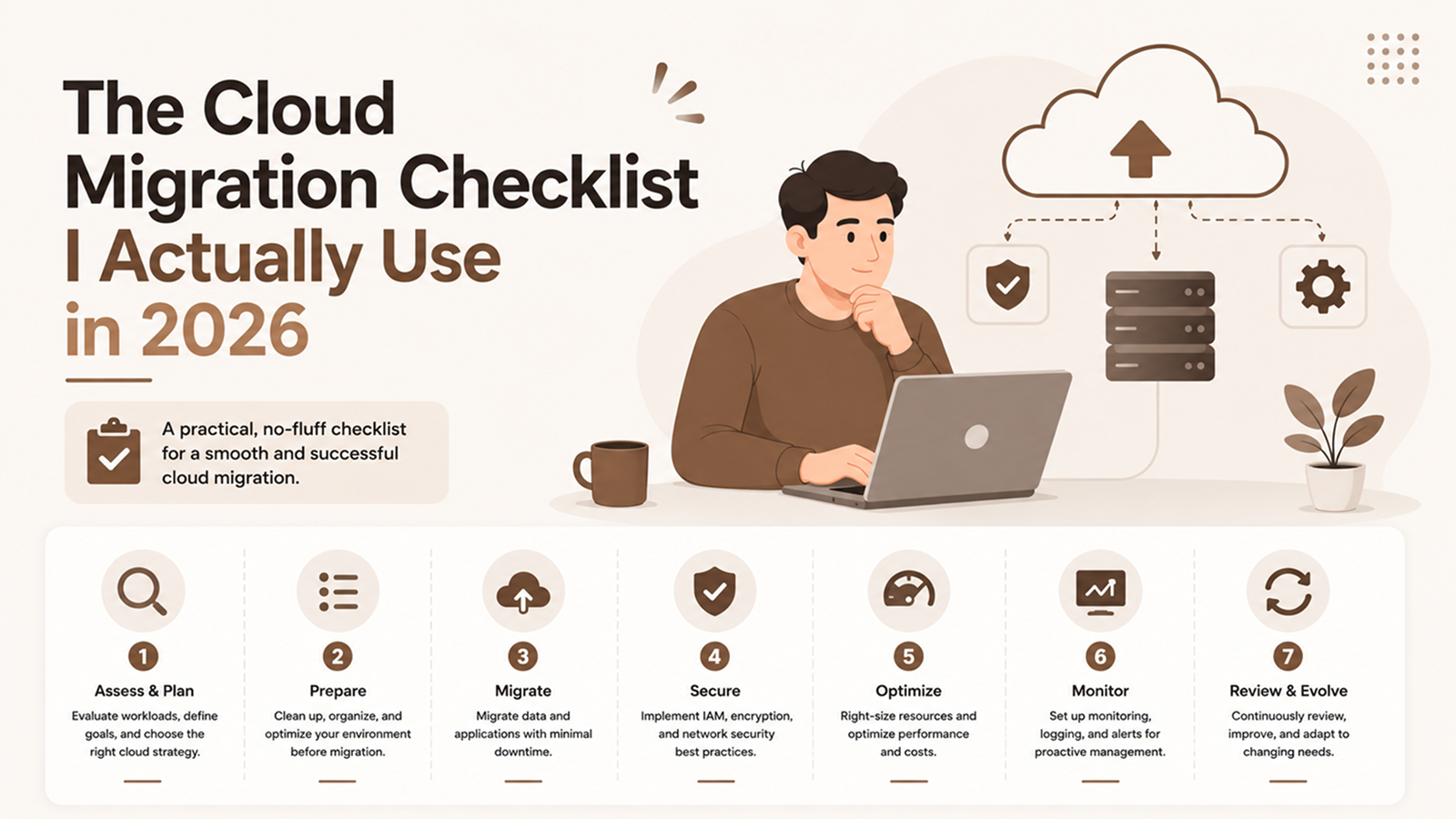
Cloud migrations fail in slow motion. Nobody wakes up to a crater; the project just keeps slipping, the bill keeps climbing, and six months in everyone is exhausted and the old servers are somehow still running. I have led enough of these, and been called in to rescue a few, to know the difference between a clean migration and a grinding one is almost never the technology. It is whether someone followed a real checklist before touching anything. This is the one my team runs, and if you want a partner to run it with you, that is exactly the kind of work we do in custom software development and modernization.
The short answer: a sound cloud migration runs a 7-step plan, assess, set goals, pick a strategy per workload, design the landing zone, pilot, migrate in waves, then cut over and optimize. Inventory everything first, choose one of the 6 R's for each app, move a low-risk pilot before anything critical, and budget for the optimize phase most teams skip. Expect three to nine months for a real estate, not a weekend.
Realistic timeline for a mid-sized estate, not a weekend
Migration strategies to choose from, per workload, not per project
Of a typical estate can be replatformed, repurchased, or simply retired
Where do I start with a cloud migration?
Start by taking inventory of everything you run before you decide where any of it goes. You cannot migrate what you have not catalogued, and the most common cause of a blown budget is discovering forgotten systems, undocumented dependencies, and surprise data volumes halfway through the move. Assessment is unglamorous, and it is where the project is won or lost.
The assessment phase answers four questions for every workload: what is it, what does it talk to, how critical is it, and what does it cost to run today. Skip this and you are migrating blind. I have watched a team lift a "simple" app into the cloud only to find it quietly depended on three other servers nobody mapped, and the whole thing fell over the first night. Concretely, assessment should produce:
- A full inventory of applications, servers, databases, and storage, with an owner named for each.
- A dependency map of what connects to what, because dependencies decide migration order.
- A current-cost baseline, so you can actually tell later whether the cloud saved you money.
- A classification of each workload by business criticality and by how hard it will be to move.
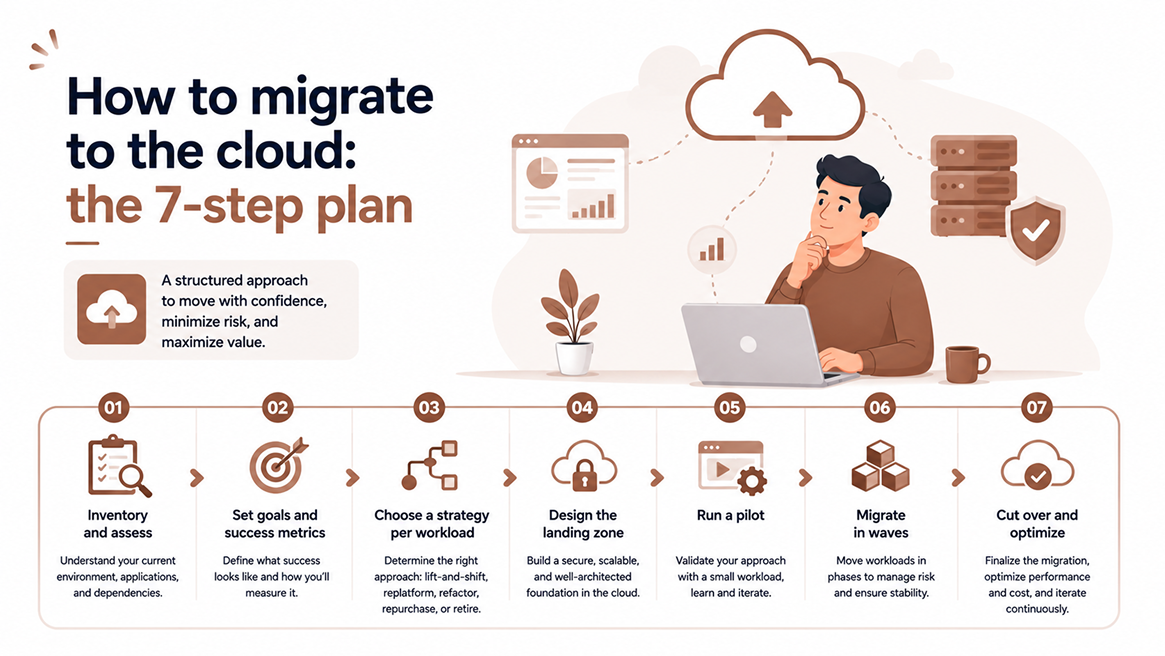
How to migrate to the cloud: the 7-step plan
A good migration follows the same numbered path every time, and the scale changes while the sequence does not. Here is the 7-step plan my team runs, in order. Each step gates the next, so do not let anyone talk you into doing them in parallel to "save time," because that is exactly how you lose it.
- Inventory and assess. Catalogue every workload, map dependencies, baseline current costs, and classify by risk. This is the foundation covered above.
- Set goals and success metrics. Are you chasing cost savings, scale, resilience, or speed of delivery? Write down what success looks like in numbers, or you will never know if you got there.
- Choose a strategy per workload. Not everything moves the same way. Use the 6 R's table below to decide rehost, replatform, refactor, repurchase, retire, or retain for each app.
- Design the landing zone. Set up accounts, networking, identity, and security guardrails before any workload arrives, and design encryption, access controls, and compliance in now, not after. A clean landing zone prevents a hundred later headaches.
- Run a pilot. Move one low-risk, low-criticality workload first. Learn from it, fix your process, then move the important things with that experience in hand.
- Migrate in waves. Group workloads by dependency and criticality, and move them in planned batches with a tested rollback plan and testing between each wave. Never big-bang a whole estate in one night.
- Cut over and optimize. Switch traffic, confirm health, then decommission the old infrastructure so you stop paying for it, and right-size resources so the promised savings actually appear.
If you do nothing else from this article, run the pilot in step 5. A pilot turns your unknowns into knowns while the stakes are low. Every painful migration I have rescued skipped the pilot and learned its lessons on a critical system instead.
What are the 6 R's of cloud migration?
The 6 R's are six strategies you pick per workload, not one you pick for the whole project. Match the strategy to the workload, not the other way around, because the fastest move is rarely the best long-term home and the cleanest rebuild is rarely worth it for everything. Deciding per workload is what separates a thoughtful migration from a blunt lift-and-shift. Here are the six, with the trade-offs that decide between them:
| Strategy (the R) | What it means | Effort | Best for |
|---|---|---|---|
| Rehost (lift and shift) | Move as-is to cloud servers, no code changes | Low | Speed-critical moves, stable apps, exiting a data center fast |
| Replatform | Small optimizations during the move, such as a managed database or container | Medium | Apps that gain a lot from a few cloud-native tweaks |
| Refactor / rearchitect | Significant rebuild to be cloud-native | High | Strategic apps where scale, cost, or agility justify the rebuild |
| Repurchase | Replace with a SaaS product instead of migrating | Low to Medium | Commodity workloads a SaaS does better and cheaper |
| Retire | Decommission it, because nobody actually needs it | Low | The surprising number of systems running for no reason |
| Retain | Leave it where it is, for now | None | Workloads that are not ready, or must stay on-premises for compliance |
A real estate usually breaks down into mostly rehost and replatform, a small number of strategic refactors, a few SaaS replacements, a couple you keep on-premises, and, almost always, a handful you can simply switch off. That last category is free money, and the assessment phase is what surfaces it.
The pre-migration checklist
Before you move a single workload, confirm every item below is done, not planned. This is the go/no-go list I hold every migration against, and a missing item here is a delay or an outage waiting to happen later. If you cannot tick all of these, you are not ready to cut over anything.
- Full inventory of applications, servers, databases, and storage, with an owner named for each.
- Dependency map complete, so migration order follows the real connections, not guesses.
- Current-cost baseline recorded, so post-migration savings are provable, not assumed.
- A migration strategy (one of the 6 R's) chosen and written down for every workload.
- Landing zone built: accounts, networking, identity, and security guardrails in place.
- Security and compliance designed in: encryption, access controls, and data residency handled.
- A tested rollback plan for every wave, so a failed cutover is a bad hour, not a bad week.
- Success metrics defined in numbers, so "done" means something you can measure.
- A pilot workload selected and scheduled before anything business-critical moves.
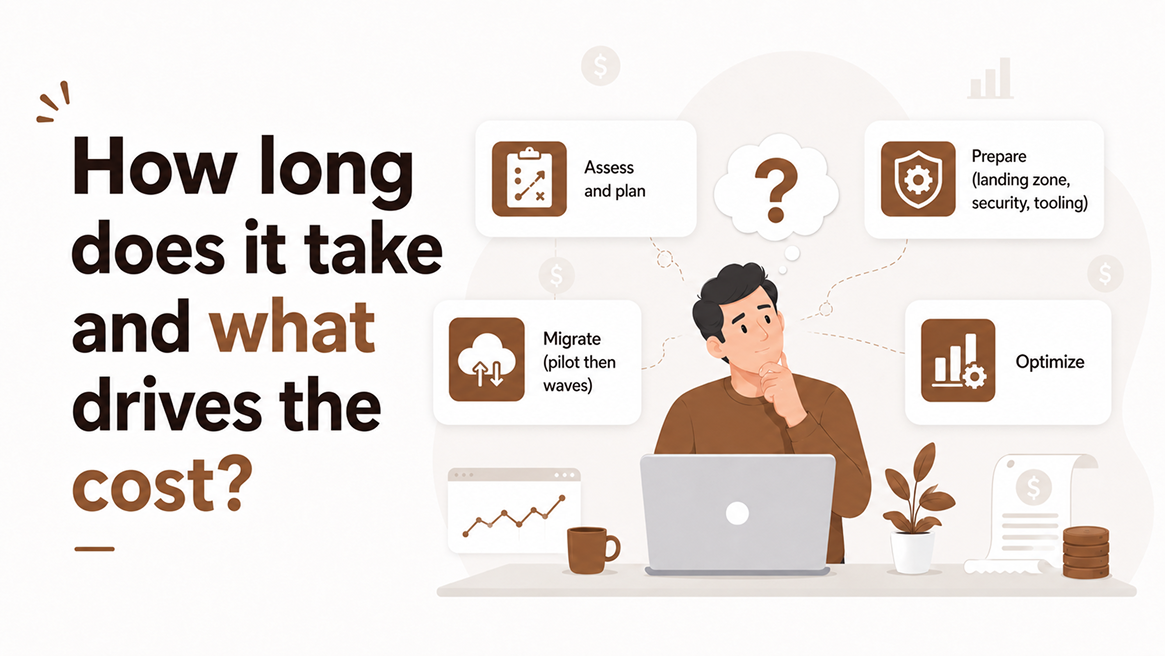
How long does it take and what drives the cost?
A genuine migration of a meaningful estate takes three to nine months, and the cost is driven far more by complexity and rework than by the cloud bill itself. The dangerous assumption is that the provider's monthly fee is the cost. The real costs are people, time, data movement, and the overlap where you run two environments at once. Rough timeline by phase, for a mid-sized estate:
- Assess and plan: 3 to 8 weeks. Longer if documentation is poor, and it usually is.
- Prepare (landing zone, security, tooling): 2 to 6 weeks.
- Migrate (pilot then waves): 1 to 4 months, depending on workload count and complexity.
- Optimize: ongoing, with the first serious pass in the weeks after cutover.
The factors that actually drive the number up:
- Data volume and movement. Large datasets take time and money to transfer, and egress and bandwidth costs surprise people.
- Application rework. Refactoring is engineering, and engineering is the expensive part. The more you rearchitect, the more it costs.
- The overlap period. While you migrate, you often pay for both old and new. Shorten this deliberately, because a dragged-out migration pays double rent.
- Skills and tooling. If your team is new to the cloud, factor in learning time or a partner. Trial and error in production is the most expensive teacher.
- Ongoing spend. Without right-sizing in the optimize phase, bills balloon. The cloud is elastic in both directions, including the one that empties your account.
If you are also weighing custom development alongside the migration, say modernizing an app while you move it, our guide to custom software development cost in 2026 will help you separate the migration budget from the build budget, because conflating the two is a classic way to lose track of both.
What are the most common migration pitfalls?
The pitfalls are almost never technical surprises, they are planning failures dressed up as technical surprises. Nearly every migration that goes badly skipped the assessment, skipped the pilot, or skipped the optimize phase. The technology mostly works. The process is where teams fall down. The ones I see again and again:
- Lift-and-shifting everything. Moving an app unchanged is fast, but if it was inefficient on-premises, it is now an inefficient, metered cloud bill. Rehost where it makes sense, not by default.
- Skipping the pilot. Learning your migration process on a business-critical system is the most expensive mistake on this list. Pilot first, always.
- Forgetting the optimize phase. Teams declare victory at cutover, leave everything over-provisioned, then wonder why the cloud "costs more than the data center." The savings live in the phase they skipped.
- Underestimating data and dependencies. The undocumented dependency and the surprise data volume are the twin killers. Assessment exists to catch exactly these.
- Treating security as a later step. Bolting on access control and encryption after the fact leaves gaps. Design it into the landing zone before workloads arrive.
- No rollback plan. When a cutover fails at 2am and there is no way back, a bad night becomes a bad week. Every wave needs a tested escape hatch.
Testing is where these pitfalls get caught before your users do, and the cloud behaves differently from your old infrastructure, so assume nothing transfers untested. If your migration also modernizes an app, our take on software testing in 2026 covers how we mix manual, automated, and AI-assisted checks across each wave.
How we approach this at Shanti Infosoft
When we take on a migration, the first thing we do is the thing everyone wants to skip: we map your estate, name the owners, find the dependencies, and baseline what you spend today. It is not the glamorous part, but it is the part that decides whether your migration is a clean three-month project or a grinding nine-month one. We would rather spend two extra weeks understanding what you have than two extra months untangling what we broke.
From there we pick a strategy per workload, one of the 6 R's for each app, rehost the simple stuff, replatform what benefits, refactor only what truly earns it, and switch off whatever nobody needs. We pilot before we touch anything critical, we move in waves with rollback plans, and we treat the optimize phase as part of the job, not an afterthought, because that is where the savings you were promised actually show up.
If you are staring down a migration, whether you are exiting a data center, escaping a bill you can no longer justify, or cleaning up a half-finished move someone else started, that is squarely the work we do. Start at our homepage and tell us what you are running today. We will give you an honest read on the path, the timeline, and the real cost before you commit to anything.
Frequently Asked Questions
What are the 6 R's of cloud migration?
The 6 R's are the strategies you can pick per workload: rehost (lift and shift), replatform (small cloud tweaks), refactor (rebuild cloud-native), repurchase (swap for SaaS), retire (switch it off), and retain (leave it where it is). Most estates use four or five of the six at once, not one across the board.
How long does a cloud migration take?
For a mid-sized estate, plan on three to nine months end to end: three to eight weeks to assess and plan, two to six weeks to build the landing zone, one to four months to migrate in waves, and an ongoing optimize phase after cutover. Poor documentation is the single biggest thing that stretches the timeline.
How much does a cloud migration cost?
The cloud bill is the smallest part. The real cost is people, time, data transfer, and the overlap period where you pay for both old and new environments at once. Data volume, application rework, and cloud inexperience drive the number far more than the monthly compute fee ever will.
Should I lift and shift or refactor?
Neither by default. Rehost when speed matters and the app is stable, replatform when a few managed services buy a lot, and refactor only for strategic apps where scale or cost truly justify the rebuild. Deciding per workload is what separates a thoughtful migration from a blunt one.
What is the most common cloud migration mistake?
Skipping the pilot. Learning your migration process on a business-critical system is the most expensive mistake teams make. A close second is forgetting the optimize phase, declaring victory at cutover, and then wondering why the cloud "costs more than the data center" when everything is still over-provisioned.
Have a project in mind? Let's scope it together.
You get a named team, written estimates, full code and IP ownership, and 48-hour response times. CMMI Level 5 certified. 700+ projects delivered across the UK, US, UAE, and Australia.